
Deploy Kinto
JSON document store with a REST API, permissions and offline sync

Just deployed
/var/lib/postgresql/data
Just deployed

Redis
Just deployed
/data
Deploy and Host Kinto on Railway
Kinto is a generic JSON document store with a REST API, fine-grained permissions and an offline-first synchronisation protocol. Mozilla built it to ship configuration and blocklists to hundreds of millions of Firefox installations, and it works just as well as the backend for an app you would rather not write a storage tier for: create a bucket, create a collection, POST JSON, and get back versioned records with per-object permissions, ETag conflict detection and a ?_since= change feed. Self-host Kinto for Firebase-shaped storage without the vendor or the per-read bill.
This template runs Kinto as its documentation describes for production, not the in-memory configuration its published image ships with. Three services are deployed: kinto, the API and admin console, and the only one with a public URL; Postgres, holding every bucket, collection, record, group, permission and account; and Redis, caching verified credentials and pagination tokens. Requests arrive over HTTPS and are authenticated against accounts in Postgres. The container keeps nothing on disk, so it scales out horizontally.
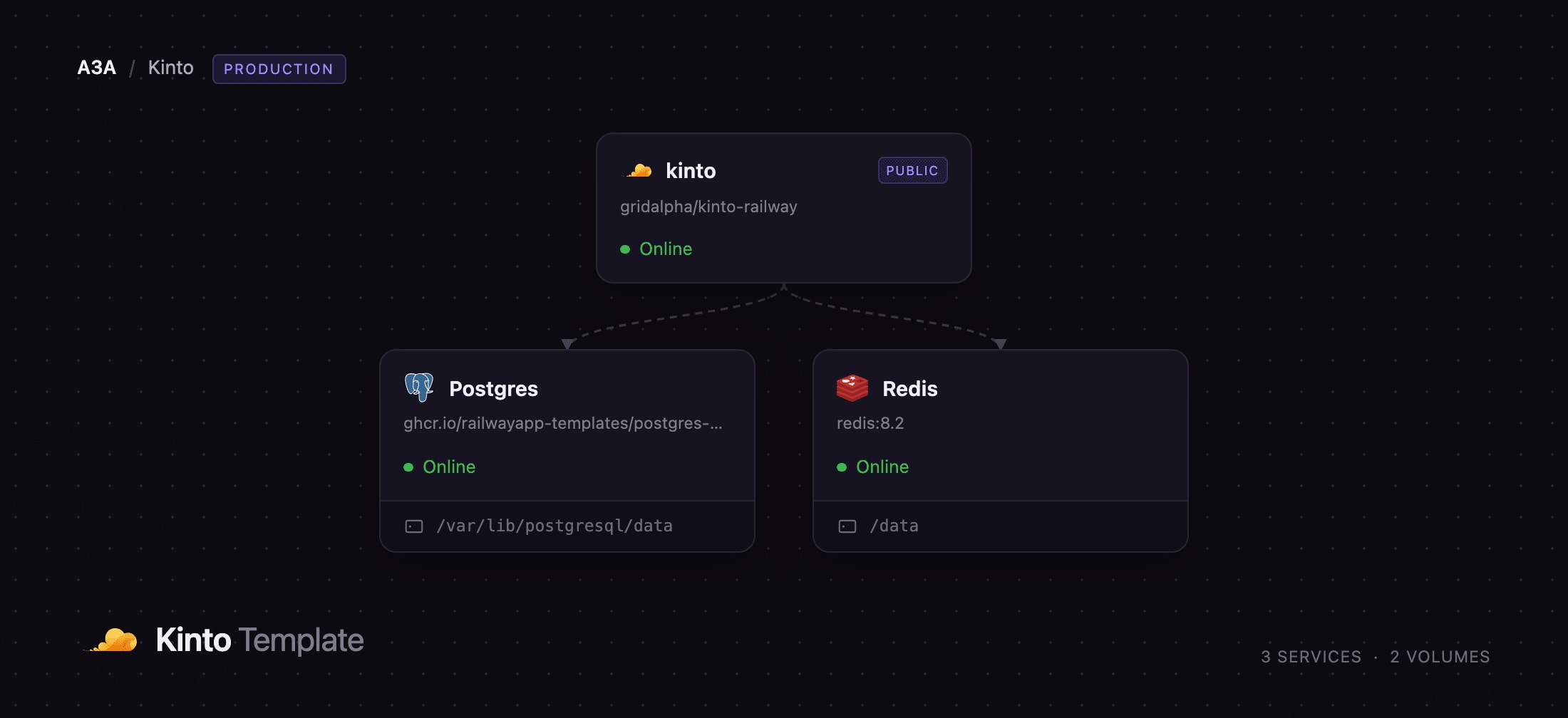
Getting Started with Kinto on Railway
Set an administrator username and password when you deploy, then open the deployed URL. The root path redirects to /v1/, the API's hello view, which reports the version, the enabled plugins and who you are signed in as — the quickest confirmation the deployment is healthy. The web console is at /v1/admin/: choose Kinto Account Auth and sign in with the credentials you supplied.
Create a bucket, then a collection inside it, then click Create record and add your first JSON object. Paste a JSON schema into the collection's Attributes tab and the console renders a real form from it while the server rejects records that do not validate — the fastest way to see Kinto working end to end. Accounts are created by the administrator only, with PUT /v1/accounts/, so the deployment is not open to the internet. Every change appears in the History tab, and GET /v1/__heartbeat__ reports all three backends for an external monitor.
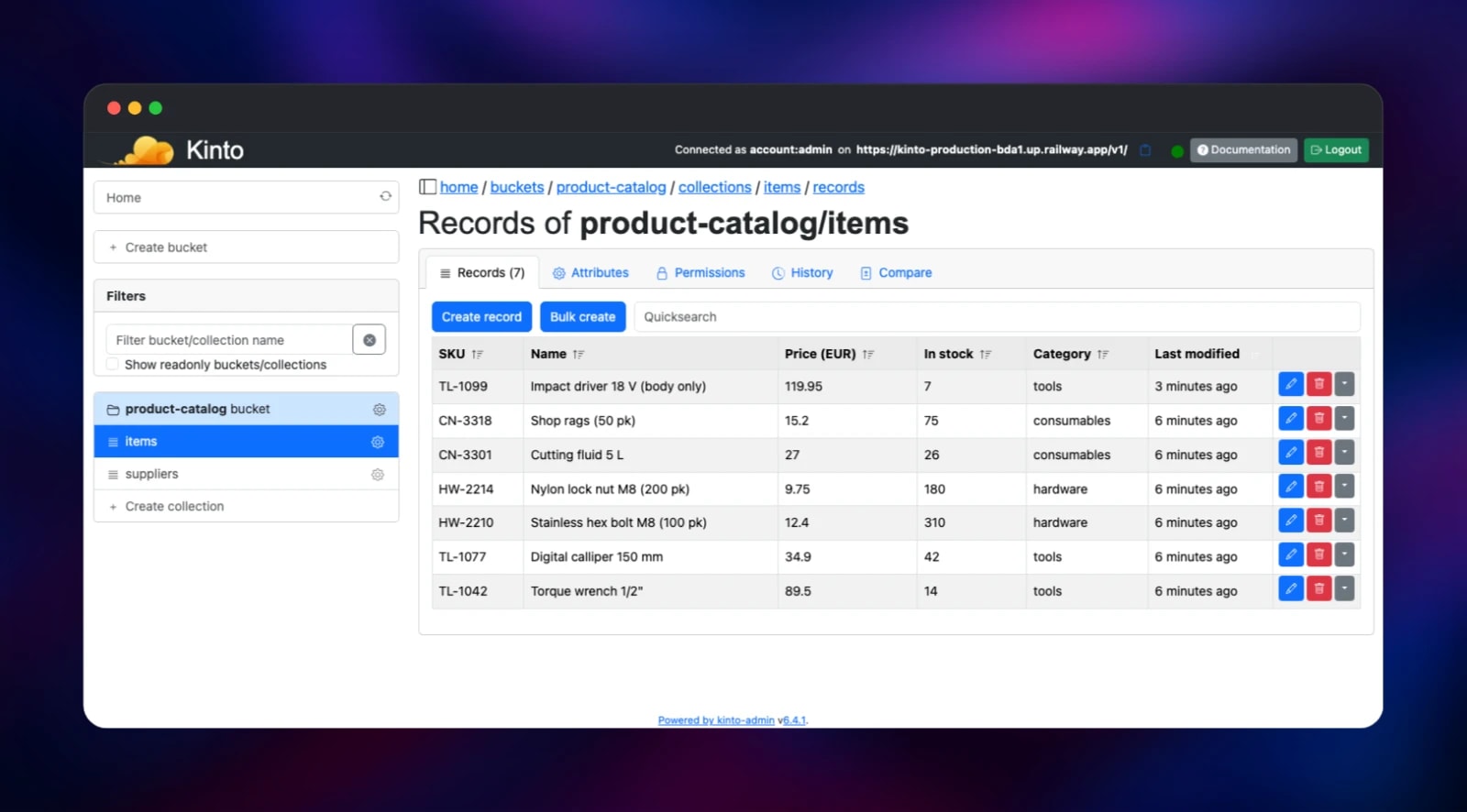
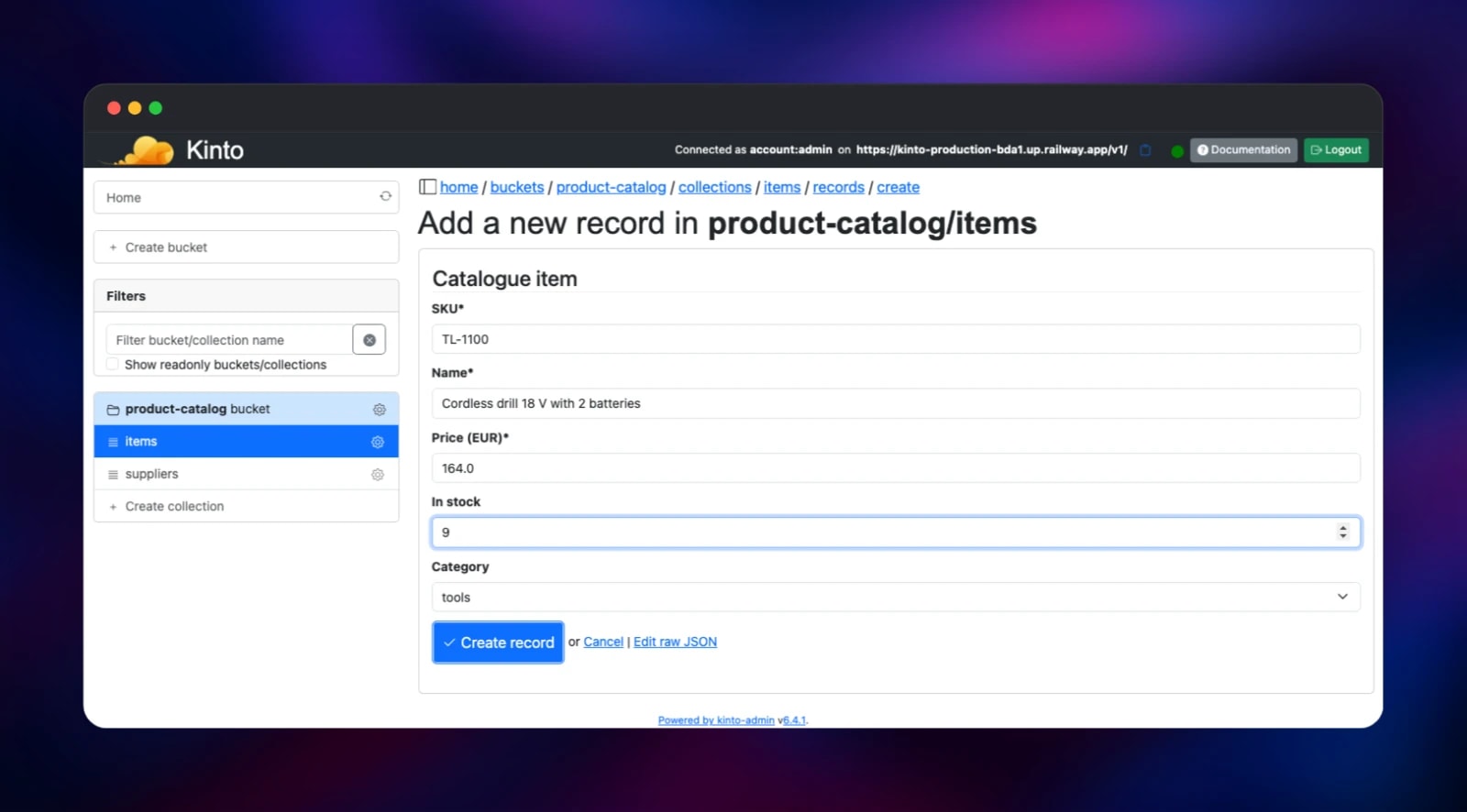
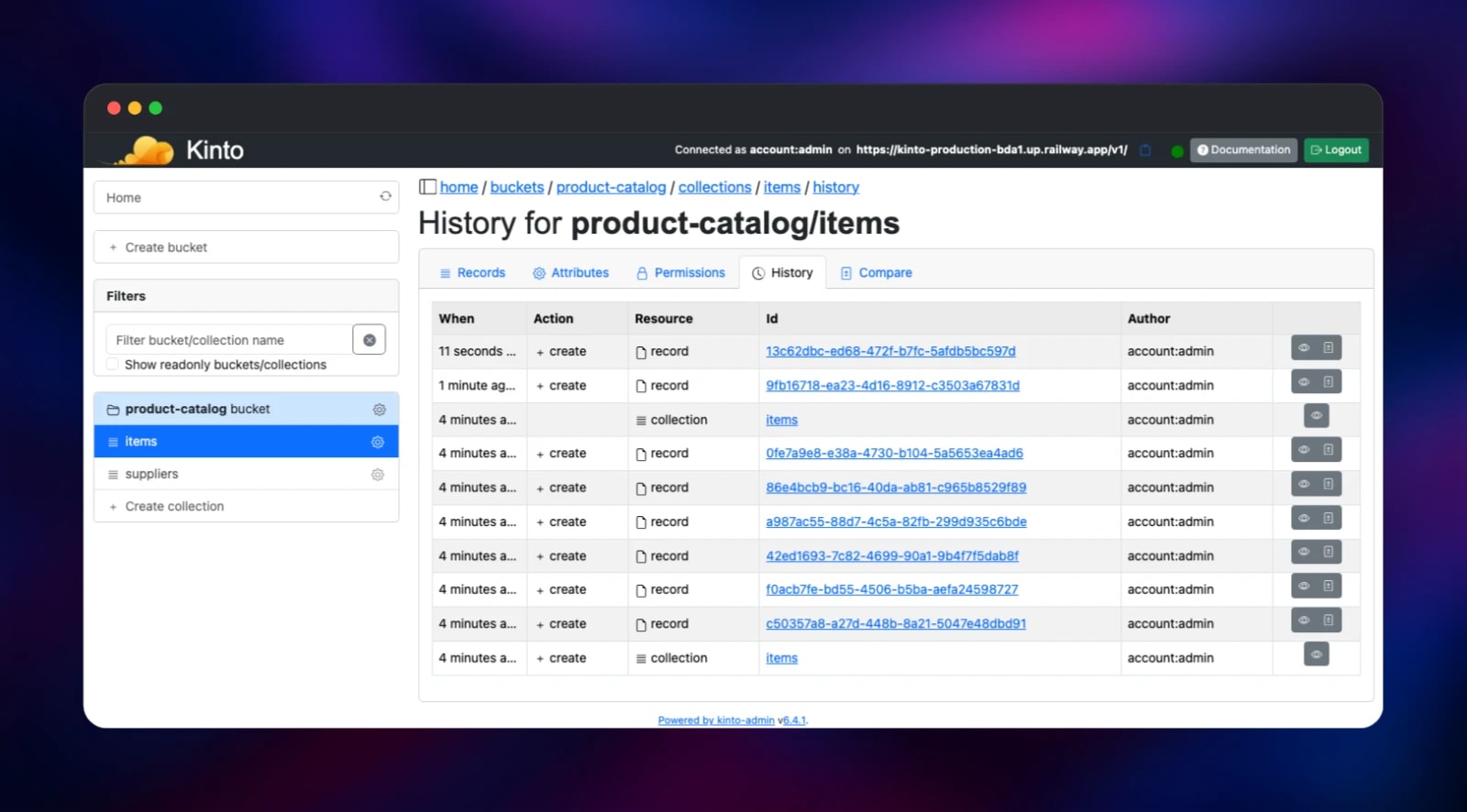
About Hosting Kinto
Kinto sits between a database you have to design and a backend-as-a-service you cannot move off. Data is buckets → collections → records, plain JSON, addressable over HTTP. Teams self-host it when a client needs somewhere to keep user data, when applications share settings, or when a product ships configuration that must work offline.
- REST API over JSON with buckets, collections, records and groups
- Per-object permissions — read, write and
record:createfor accounts, groups or everyone - Optional JSON-schema validation per collection, enforced server-side
- Offline-first sync —
?_since=change feeds, ETags and conflict detection, viakinto.js - Full history of every create, update and delete, with the author recorded
- Built-in accounts, a bundled admin console and a batch endpoint
The architecture is deliberately small. The kinto service runs the Python application behind Waitress on port 8888. Postgres is the system of record; Kinto shares one connection pool between its storage and permission backends, since both point at the same database. Redis caches verified credentials and pagination tokens, so losing it costs latency, never data.
Why Deploy Kinto on Railway
Railway removes the parts of running Kinto that are not about your data.
- PostgreSQL and Redis are provisioned, networked and backed up for you
- HTTPS, a public domain and certificate renewal are automatic
- The health check probes all three backends, not just the process
- Secrets are generated at deploy time, so nothing ships with shared defaults
- Nothing is stored on disk, so replicas scale out cleanly
Common Use Cases
- Application backend — user documents, notes or settings for a web or mobile client
- Configuration and feature flags — ship settings to clients polling
?_since=, the Firefox Remote Settings pattern - Offline-first apps — pair with
kinto.jsso a client works offline and reconciles later - Shared reference data — a permissioned catalogue many tools read and one team writes
Dependencies for Kinto
- kinto — gridalpha/kinto-railway, one layer on the official
kinto/kinto-serverimage. It adds a production config file, since the published image binds loopback and carries shared HMAC secrets, plus an entrypoint that migrates the database and creates the first administrator. - Postgres —
ghcr.io/railwayapp-templates/postgres-ssl:18. Objects, permissions and accounts. - Redis —
redis:8.2. Cache for credential verification and pagination.
Environment Variables Reference
| Variable | Purpose |
|---|---|
KINTO_ADMIN_USER | Administrator name, created on first boot |
KINTO_ADMIN_PASSWORD | Administrator password; a later change in-app is never reverted |
KINTO_STORAGE_URL | PostgreSQL connection string; permissions share it |
KINTO_CACHE_URL | Redis connection string |
KINTO_USERID_HMAC_SECRET | Derives user IDs — generated once, never change it |
KINTO_DEFAULT_BUCKET_HMAC_SECRET | Derives personal bucket IDs — never change it |
KINTO_ACCOUNT_CREATE_PRINCIPALS | system.Everyone allows public sign-up |
KINTO_BUCKET_CREATE_PRINCIPALS | system.Authenticated lets any account create buckets |
Deployment Dependencies
- Source: https://github.com/Kinto/kinto
- Image: https://hub.docker.com/r/kinto/kinto-server
- Docs: https://kinto.readthedocs.io
- Runtime: Python 3.10, Waitress, PostgreSQL 12+, Redis
Hardware Requirements for Self-Hosting Kinto
| Resource | Minimum | Recommended |
|---|---|---|
| CPU | 0.5 vCPU | 1–2 vCPU |
| RAM | 512 MB | 1 GB app, 1 GB PostgreSQL |
| Storage | none on the app | grows with records, on PostgreSQL |
| Runtime | Python 3.10 | Python 3.10, PostgreSQL 18, Redis 8 |
Kinto is light: a thread-pooled WSGI server with no background workers, so growth lands on PostgreSQL as records accumulate.
Self-Hosting Kinto
docker run -p 8888:8888 kinto/kinto-server starts the official image on in-memory backends — fine for trying the API, lost on restart. For real use, point it at PostgreSQL and Redis; this Compose fragment is the shape this template deploys:
services:
  kinto:
    image: kinto/kinto-server
    environment:
      KINTO_STORAGE_BACKEND: kinto.core.storage.postgresql
      KINTO_STORAGE_URL: postgresql://user:pass@db/kinto
      KINTO_PERMISSION_BACKEND: kinto.core.permission.postgresql
      KINTO_PERMISSION_URL: postgresql://user:pass@db/kinto
      KINTO_CACHE_BACKEND: kinto.core.cache.redis
      KINTO_CACHE_URL: redis://cache:6379/0
The bundled config binds 127.0.0.1 and carries fixed HMAC secrets, so production needs its own kinto.ini and KINTO_USERID_HMAC_SECRET. Writing a record is then one request:
curl -X POST https://your-app.up.railway.app/v1/buckets/notes/collections/todo/records \
  -u admin:password -H 'Content-Type: application/json' \
  -d '{"data": {"title": "Ship the thing", "done": false}}'
How Much Does Kinto Cost to Self-Host?
Kinto is free and open source under the Apache 2.0 licence, maintained by Mozilla, with no paid tier, seat limits or feature gates — everything described here is in the version you deploy. The only cost is infrastructure: usage-based compute for three small services plus the PostgreSQL volume. Unlike a hosted document database, you are not billed per read.
FAQ
What is Kinto? An open-source JSON document store with a REST API, per-object permissions, optional JSON-schema validation and a sync protocol for offline clients. Mozilla uses it to deliver settings to Firefox.
What does this Railway template deploy? The Kinto API and admin console on a public URL, a PostgreSQL database holding all data and accounts, and a Redis cache. Migrations run automatically and an administrator is created on first boot.
Why does the template include PostgreSQL and Redis?
Kinto's in-memory backends lose everything on restart, so PostgreSQL is required — it holds objects, permissions and accounts. Redis avoids re-verifying credentials per request; set KINTO_CACHE_BACKEND to kinto.core.cache.postgresql to drop it.
How do I create more users in self-hosted Kinto?
Signed in as the administrator, send PUT /v1/accounts/alice with {"data": {"password": "..."}}. To let people register themselves, set KINTO_ACCOUNT_CREATE_PRINCIPALS to system.Everyone.
Can I use Kinto as a Firebase alternative for an offline-first app?
Yes — that is what the kinto.js client is for: it keeps a local IndexedDB replica, replays changes on reconnect and uses the server's ETags to detect conflicts.
How do I monitor a self-hosted Kinto deployment?
GET /v1/__heartbeat__ returns the live state of the storage, permission and cache backends and answers non-2xx if any is unreachable — a real dependency probe, not a liveness ping.
Template Content


