
Deploy Komga | Open-Source Comic and Manga Server
Self-host. Manage and read comics, ebooks and manga
Komga
Just deployed
/config
Deploy and Host Komga on Railway
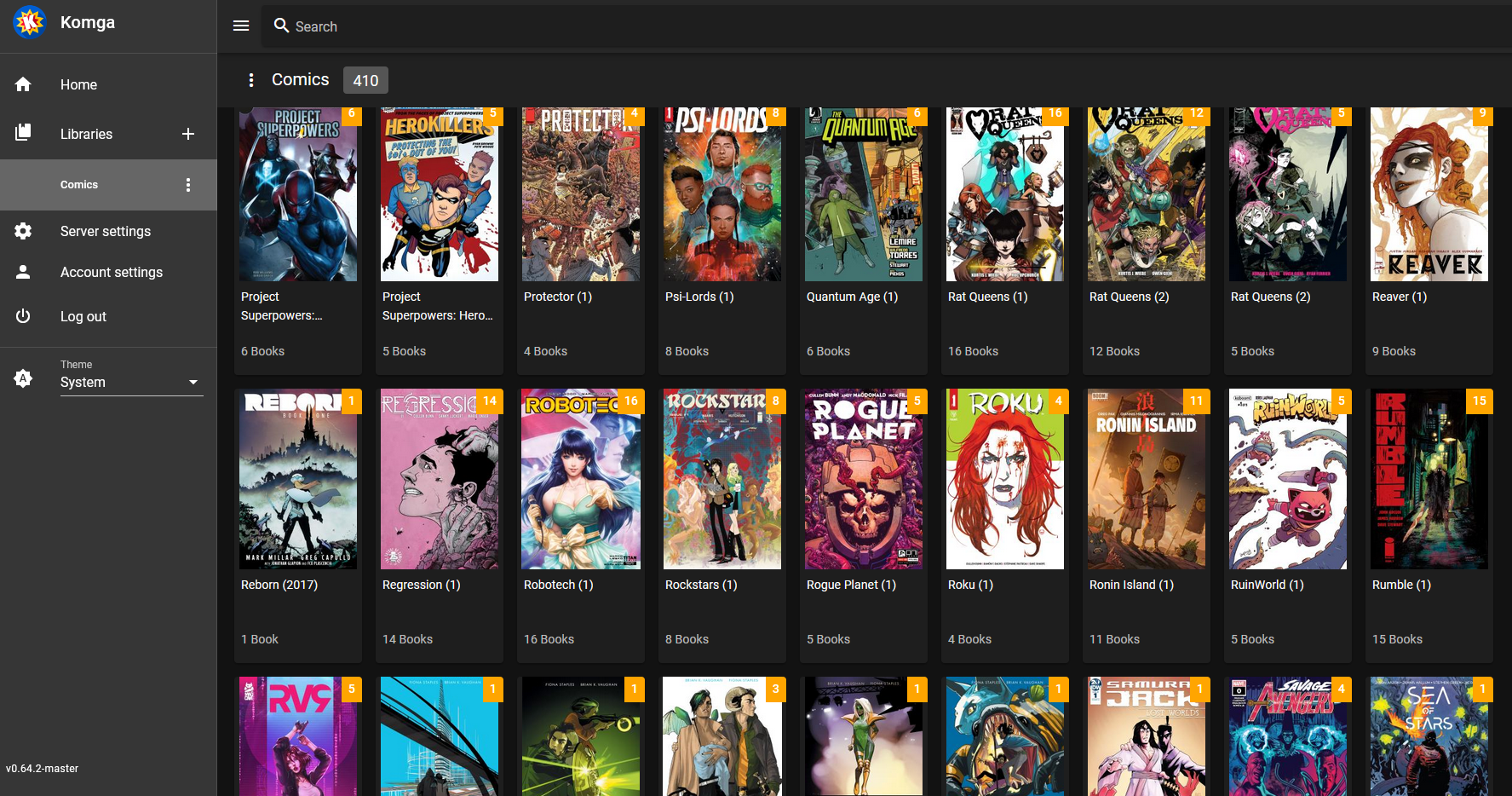
Deploy Komga on Railway to self-host a powerful media server for your comics, mangas, BDs, magazines, and eBooks. Komga provides a responsive web UI for browsing libraries, organizing series into collections, tracking read progress, and streaming pages to OPDS-compatible readers. This Railway template pre-configures the gotson/komga Docker image with persistent volume storage for your database and library files, optimized JVM memory settings, and a public domain with HTTPS.
Getting Started with Komga on Railway
After deploying, open your Railway-generated public URL to access the Komga web interface. On first launch, you will be prompted to create an admin account — there are no default credentials. Once logged in, navigate to Server Settings > Libraries to add your first library by specifying a folder path inside the container. Upload comic or manga files (CBZ, CBR, PDF, EPUB) via the import feature or directly to the volume. Browse your library, read inline with the built-in web reader, and organize content into collections and read lists.

About Hosting Komga
Komga is a free and open-source media server built with Kotlin and Spring Boot, purpose-built for organizing and reading comics, mangas, BDs (bandes dessinees), magazines, and eBooks. It uses an embedded SQLite database for zero-config persistence.
- Responsive web UI for browsing libraries, series, and individual books on any device
- Built-in web reader for comics, manga, and eBooks with reading progress tracking
- OPDS v1.2 and v2.0 feeds for compatibility with third-party reader apps
- Kobo Sync and KOReader Sync for e-ink reader integration
- REST API for automation and third-party tool integration
- Multi-user support with per-library access controls and age restrictions
- Metadata editing with automatic import from embedded ComicInfo.xml and EPUB metadata
- Duplicate file and page detection
- Collections and read lists for organizing content across series
Why Deploy Komga on Railway
- One-click deploy with persistent storage for your entire comic library
- No database to manage — SQLite is embedded and stored on the volume
- HTTPS out of the box via Railway's TLS-terminating proxy
- Scale memory with a single environment variable (
JAVA_TOOL_OPTIONS) - Multi-user access control without additional auth infrastructure
Common Use Cases for Self-Hosted Komga
- Personal comic/manga library: Organize and read your CBZ/CBR/PDF collection from any browser or OPDS reader
- E-ink reader sync: Sync reading progress and download books to Kobo or KOReader devices
- Family media server: Set up multiple users with per-library access and age-based content restrictions
- Digital archive management: Catalog and search large collections of comics, magazines, and BDs with full metadata support
Dependencies for Komga on Railway
- Komga:
gotson/komga:latest— Java-based media server (Spring Boot)
Environment Variables Reference for Komga
| Variable | Description | Default |
|---|---|---|
SERVER_PORT | HTTP server listening port | 25600 |
PORT | Railway routing signal | 25600 |
TZ | Container timezone | UTC |
JAVA_TOOL_OPTIONS | JVM options (memory limit) | -Xmx512m |
RAILWAY_RUN_UID | Run container as root for volume access | 0 |
SERVER_SERVLET_SESSION_TIMEOUT | Session expiry duration | 30m |
Deployment Dependencies
- Runtime: JVM (bundled in Docker image)
- Docker Hub: gotson/komga
- GitHub: gotson/komga
- Docs: komga.org
Hardware Requirements for Self-Hosting Komga
| Resource | Minimum | Recommended |
|---|---|---|
| CPU | 1 vCPU | 2 vCPUs |
| RAM | 512 MB | 1 GB |
| Storage | 1 GB + library size | 10 GB + library size |
| Runtime | Java 21 (bundled) | Java 21 (bundled) |
Komga is lightweight — the application itself uses ~200-400 MB of RAM. Storage depends entirely on your comic/manga library size.
Self-Hosting Komga with Docker
Run Komga locally with Docker:
docker run -d \
  --name komga \
  -p 25600:25600 \
  -v /path/to/config:/config \
  -v /path/to/comics:/data \
  -e TZ=UTC \
  -e JAVA_TOOL_OPTIONS=-Xmx1g \
  --restart unless-stopped \
  gotson/komga:latest
Or with Docker Compose:
services:
  komga:
    image: gotson/komga:latest
    container_name: komga
    ports:
      - "25600:25600"
    environment:
      TZ: UTC
      JAVA_TOOL_OPTIONS: -Xmx1g
    volumes:
      - komga-config:/config
      - /path/to/your/comics:/data
    restart: unless-stopped

volumes:
  komga-config:
Access the web UI at http://localhost:25600 and create your admin account.
How Much Does Komga Cost to Self-Host?
Komga is completely free and open-source under the MIT license. There are no paid tiers, no feature gating, and no usage limits. When self-hosting on Railway, your only cost is Railway infrastructure usage — typically under $5/month for a personal library server. The Komga project also offers Komelia, a free and open-source cross-platform desktop client.
Komga vs Kavita for Self-Hosting on Railway
| Feature | Komga | Kavita |
|---|---|---|
| Primary focus | Comics, manga, BDs | Manga, light novels, eBooks |
| eBook support | Basic (EPUB, PDF) | Full (EPUB, PDF, plus novel formats) |
| Directory nesting | Excellent | Requires filename-based grouping |
| OPDS feeds | v1.2 and v2.0 | v1.2 |
| Kobo Sync | Built-in | Not available |
| KOReader Sync | Built-in | Not available |
| Metadata editing | Full inline editor | Basic |
| Database | SQLite (embedded) | SQLite (embedded) |
Komga excels for comic and manga collections with its superior directory handling and e-reader sync. Kavita is better suited for mixed libraries that include light novels and text-heavy eBooks.
FAQ
What is Komga and why should you self-host it? Komga is a free, open-source media server for comics, mangas, BDs, magazines, and eBooks. Self-hosting gives you full control over your digital library with no subscription fees, no cloud dependency, and multi-device access via web browser or OPDS readers.
What does this Komga Railway template deploy?
This template deploys a single Komga service using the gotson/komga:latest Docker image with a persistent volume at /config for the SQLite database and application data. No external database is required — Komga uses an embedded SQLite database.
Why does Komga on Railway use a volume at /config?
The /config volume stores Komga's SQLite database, thumbnails, and session data. Without persistent storage, all library metadata and reading progress would be lost on every redeploy. The volume ensures your data survives container restarts.
How do I connect my Kobo e-reader to self-hosted Komga? Komga has built-in Kobo Sync support. In your Komga user settings, enable Kobo Sync and follow the device setup instructions. Your Kobo will sync reading progress and download books directly from your Railway-hosted Komga instance over HTTPS.
How do I add comics and manga to my Komga library on Railway? After creating an admin account, go to Server Settings > Libraries and add a library pointing to a folder path. You can use Komga's built-in import feature to upload files through the web UI, or use the REST API for bulk uploads. Files are stored on the Railway volume.
Can I use Komga with Tachiyomi or Mihon on Android? Yes. Komga provides OPDS feeds compatible with Tachiyomi, Mihon, and other OPDS-capable readers. Install the Komga extension in your reader app and point it to your Railway public URL.
Template Content
Komga
gotson/komga:latest

