
Deploy Komga
Self-hosted comic, manga & ebook server with web reader
komga
Just deployed
/config

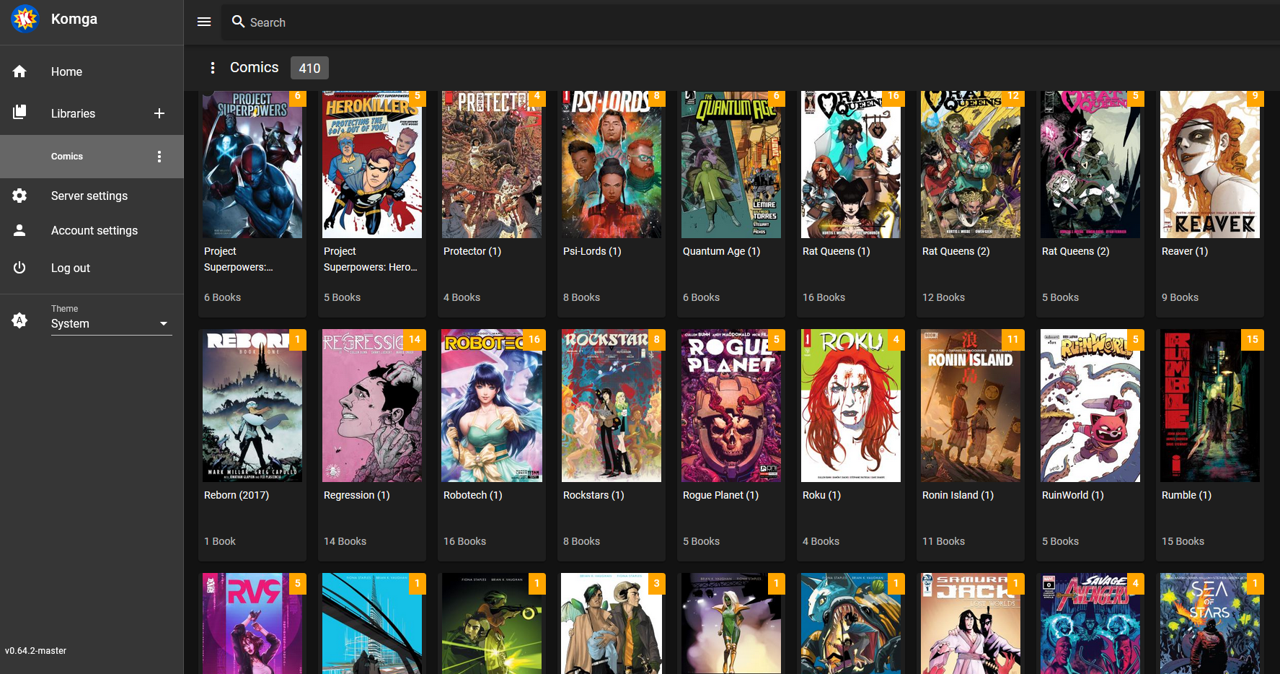
Screenshot: the Komga library view (Repocloud's Komga app screenshot, showing the series grid). No upstream UI screenshot is published, and a live capture could not be transferred from the browser session, so this genuine third-party capture of the same UI is used with credit.
Deploy and Host
Komga is a free, open-source media server for comics, manga, BDs, magazines and eBooks — a responsive web reader with reading-progress tracking, OPDS feeds, Kobo and KOReader sync, and multi-user libraries. With 8,000+ GitHub stars, it is the established self-hosted comic server, and it runs as a single service with an embedded SQLite database — no companion database to manage.
What gets deployed:
- komga — web UI + reader (Kotlin + Spring Boot); first registered user becomes the admin, sample comic seeded on first boot
The deploy form has zero fields — nothing to fill in. On first boot a 2-page sample comic is placed in /config/libraries/sample, so your first library has something to scan immediately.
About Hosting
One service from the official image (gotson/komga v1.30.1, MIT, pinned by digest). Railway's injected PORT is mapped onto Spring Boot's SERVER_PORT on every boot, and the JVM heap is capped at 512 MB. The healthcheck is / (unauthenticated, 200). All persistent state — the SQLite database, thumbnails, sessions, and your book files — lives on one Railway volume at /config, so libraries, progress and users survive redeploys.
Why Deploy
- Zero-fuss start: no setup wizard, no email step, no secrets to invent — register the first user and that account is the admin.
- Real reader, not a file list: built-in web reader for CBZ, CBR, PDF and EPUB with read-progress tracking, collections, read lists, and duplicate detection.
- E-reader native: OPDS v1.2 and v2.0 feeds plus built-in Kobo Sync and KOReader Sync.
- Always-on by design: a single always-on service; the embedded database means nothing else to keep running.
- Private by default: your collection and reading history stay in your own volume; no third-party cloud sees them.
Common Use Cases
- Personal comic / manga library: point a library at a folder, scan, and read from any browser or OPDS reader.
- Family media server: separate users with per-library access and age restrictions.
- E-ink reading hub: sync progress and books to a Kobo or KOReader device over HTTPS.
- Digital archive: catalog a magazine or BD collection with metadata editing and duplicate detection.
Dependencies for
Everything this template provisions, and how each piece is configured:
Deployment Dependencies
| Setting | Value |
|---|---|
| Runtime | Komga v1.30.1 (Kotlin + Spring Boot, Java 21 bundled) |
| Plan | Hobby; one service |
| Port | Railway's injected PORT, mapped onto SERVER_PORT on every boot |
| Persistence | One Railway volume at /config (SQLite database + libraries under /config/libraries) |
| Healthcheck | / (unauthenticated, 200); register the first user in the UI to become admin |
Environment variables
| Variable | Value | Notes |
|---|---|---|
SERVER_PORT | derived from PORT | Set at boot by the entrypoint; do not set a literal port |
JAVA_TOOL_OPTIONS | -Xmx512m | JVM heap cap; raise to -Xmx1g on a larger plan for very large libraries |
TZ | Etc/UTC | Container timezone |
KOMGA_CONFIGDIR | /config | App data dir (volume mount) |
PORT | injected | Set by Railway, honored automatically |
Everything else is baked in or derived at boot. See the upstream docs for the full variable list.
Template Content
komga
INAPP-Mobile/komga

