
Deploy LabelStudio
Tool for labeling data to train machine learning models
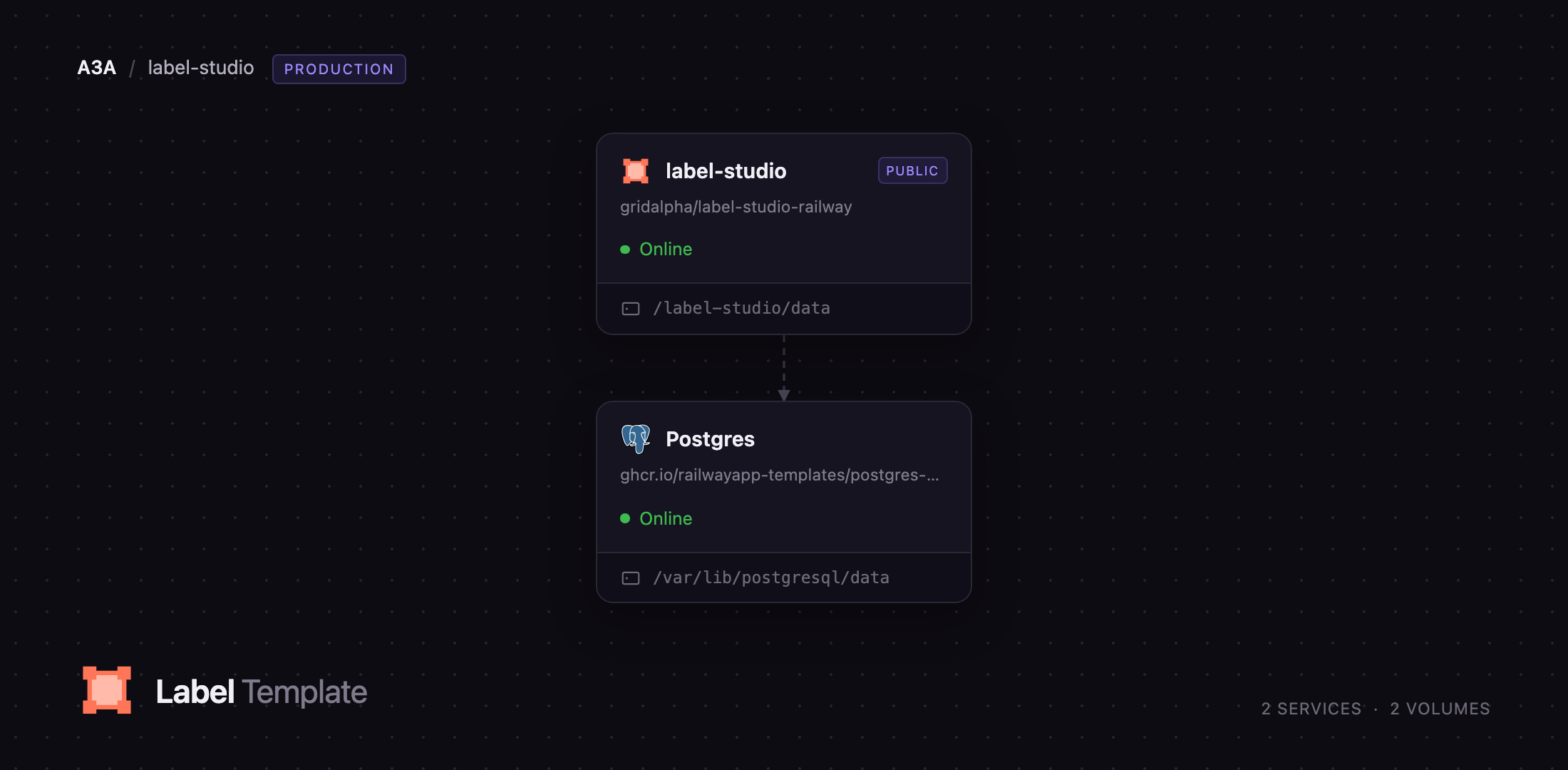
label-studio
Just deployed
/label-studio/data

Just deployed
/var/lib/postgresql/data
Deploy and Host Label Studio on Railway
Label Studio is the most widely used open-source data labeling platform, built by HumanSignal to turn raw text, images, audio, video, time series and PDFs into structured training data. It solves the problem every ML project hits between "we have data" and "we can train a model": annotation has to be consistent, reviewable and exportable in a format your training code understands. Instead of spreadsheets and ad-hoc scripts you get a configurable labeling interface, a task queue, per-annotator tracking and export to JSON, CSV, CoNLL, COCO, YOLO and Pascal VOC.
Deploy Label Studio on Railway and you get the full Community edition running against a managed PostgreSQL database, with a persistent volume for uploaded media, in one click. The template runs the same two-process shape the project uses in production: NGINX serves the front end and a uWSGI worker pool runs the Django application behind it. Projects, users, tasks and annotations live in PostgreSQL; files uploaded through the browser go on the volume. Self-host Label Studio this way and your training data never leaves infrastructure you control.
Getting Started with Label Studio on Railway
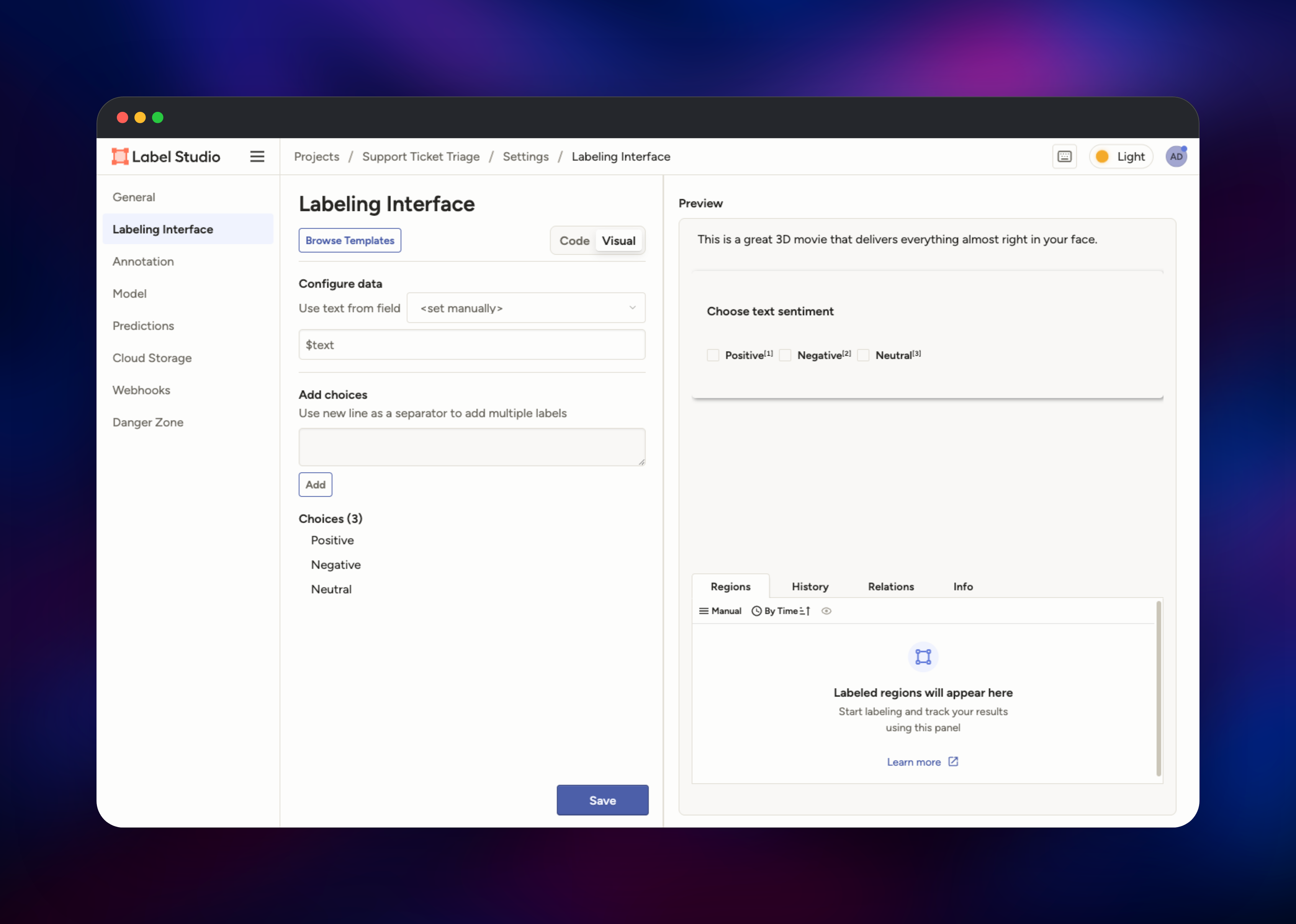
Set LABEL_STUDIO_USERNAME and LABEL_STUDIO_PASSWORD before deploying — they create the first administrator account at boot, and no account exists until you supply them. Open the generated Railway URL and sign in; you will land on the home screen with an empty project list. Click Create Project, name it, then open the Data Import tab and drag in a CSV, JSON, or a folder of images, audio or text files. With a CSV or TSV you must pick one of the two Treat CSV/TSV as options before Save becomes active — choose List of tasks when each row is a separate item. For datasets too large to upload by hand, sync an S3, GCS or Azure bucket from the Cloud Storage tab instead. Move to Labeling Setup, pick a template such as Text Classification, Named Entity Recognition or Object Detection, adjust the labels and save.
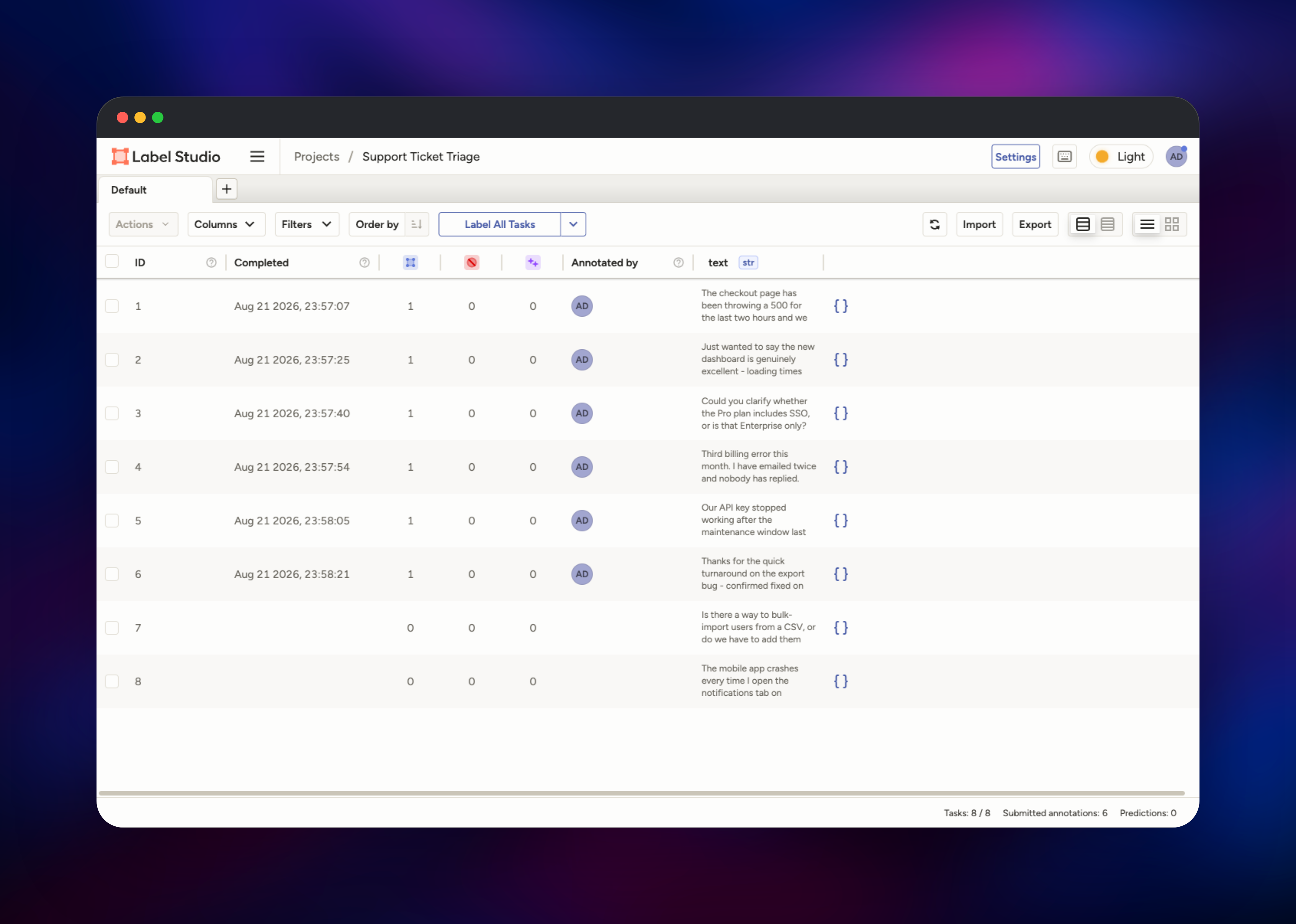
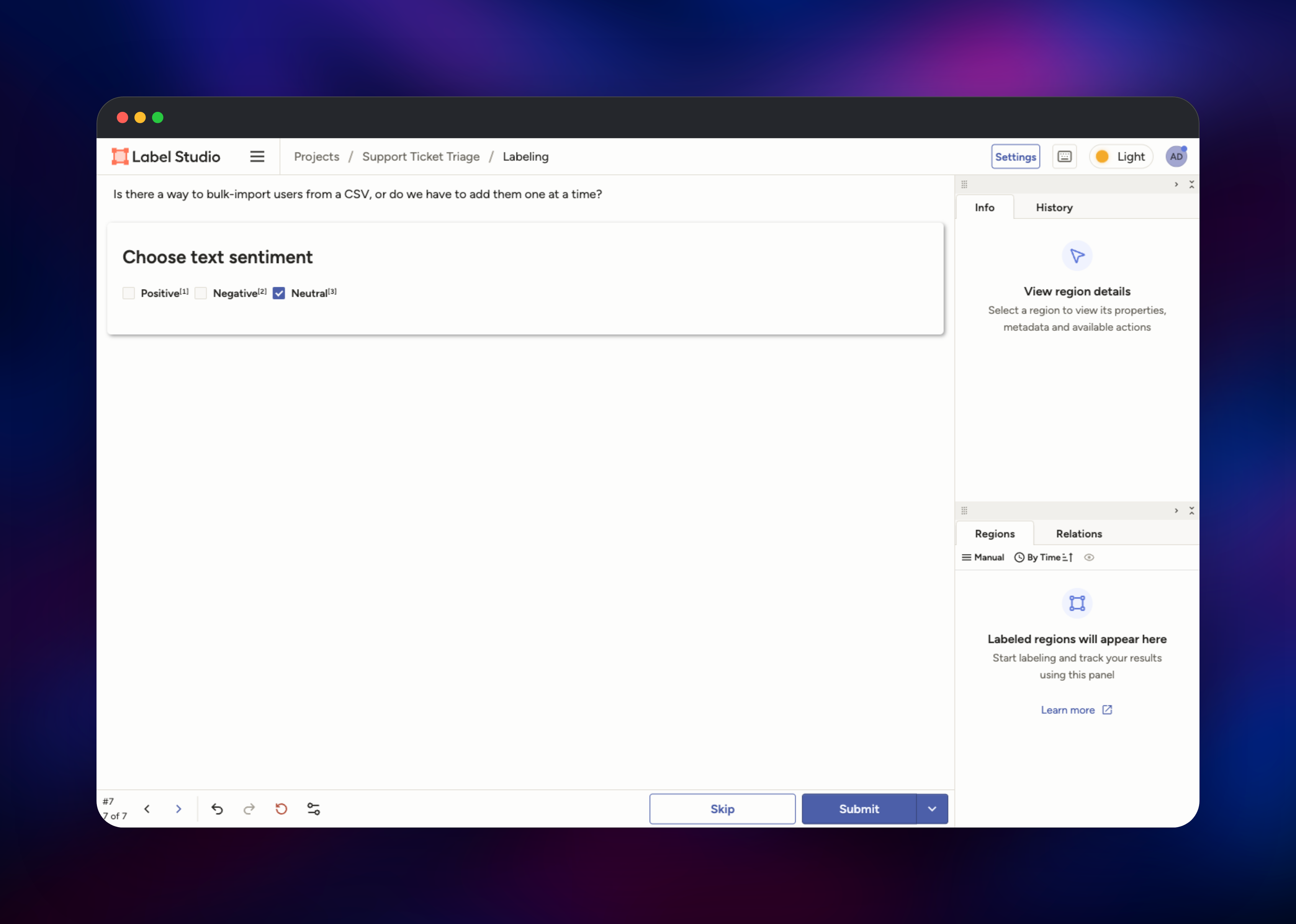
You land in the Data Manager, one row per task. Click Label All Tasks, apply a label and press Submit — the footer counter ticking up from Submitted annotations: 0 confirms the app, database and volume all work together. Export then downloads annotations in whichever format your training code expects. Signup is closed by default, so invite teammates from Organization rather than a registration page.
About Hosting Label Studio
Label Studio is a Django application that stores every project, task, annotation and user in PostgreSQL and keeps uploaded media on disk. Teams self-host it when their data cannot go to a third-party vendor — medical records, financial documents, proprietary imagery — or when they want unlimited annotators without a per-seat bill.
Key features:
- One interface covering text, images, audio, video, time series, PDFs and multi-modal tasks
- Labeling UIs defined in a small XML-like syntax, with dozens of ready-made templates
- Pre-annotation: import model predictions, or connect an ML backend serving live ones, and have annotators correct rather than label from scratch
- A REST API and Python SDK for scripting imports, exports and QA
The Railway architecture has two services. Label Studio wraps the official heartexlabs/label-studio image, running NGINX on the public port with uWSGI behind it and a volume at /label-studio/data for uploads and exports. Postgres holds all structured data. Migrations run at startup under an advisory lock, so redeploys are safe.
Why Deploy Label Studio on Railway
Railway removes the infrastructure work self-hosting Label Studio normally involves:
- Managed PostgreSQL provisioned and wired up for you
- A persistent volume for uploaded media
- HTTPS and a public domain, no reverse proxy to configure
- Health checks and automatic restarts on failure
- One-click redeploys when a new release ships
- Usage-based pricing, no per-annotator licensing
Common Use Cases
- Building NLP training sets — classify tickets by sentiment or intent, tag named entities in contracts, annotate spans for extraction models
- Computer vision datasets — draw bounding boxes, polygons or segmentation masks and export to COCO or YOLO
- Evaluating and fine-tuning LLMs — rank outputs, collect preference pairs, or grade responses against a rubric
- Correcting model predictions at scale — reviewers fix only what a model got wrong, far faster than labeling from zero
Dependencies for Label Studio
- Label Studio — a public source repository wrapping
heartexlabs/label-studio:latest, the official HumanSignal image - PostgreSQL — Railway managed
ghcr.io/railwayapp-templates/postgres-ssl:18, storing projects, tasks, annotations and users
Environment Variables Reference
| Variable | Purpose |
|---|---|
LABEL_STUDIO_USERNAME | Email address of the first administrator account |
LABEL_STUDIO_PASSWORD | Password for that account (8+ characters) |
LABEL_STUDIO_HOST | Public URL of the deployment, used in links |
SECRET_KEY | Django signing key; sessions are cookie-based, keep it stable |
DJANGO_DB | Set to default for PostgreSQL instead of SQLite |
USE_NGINX_FOR_UPLOADS | Must stay false while media lives on the volume |
DISABLE_SIGNUP_WITHOUT_LINK | Closes public registration; invite-only when true |
SSRF_PROTECTION_ENABLED | Blocks task imports from private network addresses |
Deployment Dependencies
- Source code: github.com/HumanSignal/label-studio
- Official image: hub.docker.com/r/heartexlabs/label-studio
- Documentation: labelstud.io/guide
- Runtime: Python 3.13, Django, uWSGI and NGINX, all inside the official image
Hardware Requirements for Self-Hosting Label Studio
| Resource | Minimum | Recommended |
|---|---|---|
| CPU | 1 vCPU | 2–4 vCPU |
| RAM | 2 GB | 4–8 GB |
| Storage | 1 GB volume | 10 GB+ for image, audio or video data |
| Database | PostgreSQL 13+ | Managed PostgreSQL 18 |
The application runs four uWSGI workers by default. Memory use scales with dataset size rather than annotator count, so large media projects benefit most from extra RAM and volume space.
Self-Hosting Label Studio
The quickest way to try Label Studio locally is one Docker command, using SQLite and a local folder:
docker run -it -p 8080:8080 \
  -v $(pwd)/mydata:/label-studio/data \
  heartexlabs/label-studio:latest
Beyond evaluation you want PostgreSQL. This Docker Compose service matches how the Railway template is configured:
services:
  app:
    image: heartexlabs/label-studio:latest
    command: label-studio-uwsgi
    environment:
      DJANGO_DB: default
      POSTGRE_HOST: db
      POSTGRE_PORT: 5432
      POSTGRE_NAME: labelstudio
      POSTGRE_USER: labelstudio
      POSTGRE_PASSWORD: change-me
      USE_NGINX_FOR_UPLOADS: "false"
    volumes:
      - ./mydata:/label-studio/data
Label Studio expects discrete POSTGRE_* variables rather than one connection URL, and DJANGO_DB must be default or it silently falls back to SQLite.
How Much Does Label Studio Cost to Self-Host?
Label Studio Community Edition is free and open source under the Apache 2.0 licence, with no annotator limit, no project limit and no feature gating on the labeling interface. HumanSignal sells a separate Enterprise edition adding review workflows, role-based access control, SSO and SCIM. Self-hosting the Community edition on Railway costs only the infrastructure it uses — the container, the managed PostgreSQL instance and the volume — billed by consumption rather than per seat.
FAQ
What is Label Studio?
An open-source data labeling and annotation platform for machine learning. It provides a configurable interface for annotating text, images, audio, video and other data types, and exports the results in standard training formats.
What does this Railway template deploy?
Two services: the Label Studio application, wrapping the official image and running NGINX in front of uWSGI, and a Railway-managed PostgreSQL database. A persistent volume is attached for uploaded files.
Why does the template include a PostgreSQL database?
Label Studio defaults to SQLite, which is not safe for concurrent annotators. PostgreSQL holds every project, task, annotation and user account, and lets several people label at once without lock contention.
How do I create the first admin user in self-hosted Label Studio?
Set LABEL_STUDIO_USERNAME and LABEL_STUDIO_PASSWORD before the first deploy; startup creates that account and an organization for it. Left unset, no account is created at all — which is also why the deployment never ships with default credentials.
Can annotators sign themselves up?
Not by default. DISABLE_SIGNUP_WITHOUT_LINK is true, so registration is rejected without a valid invite link. Invite teammates from the Organization page, or set it to false for open registration.
Template Content
label-studio
gridalpha/label-studio-railway

