Deploy Leon
Alexa Alternative: Personal assistant that runs on your own server
Just deployed
/data
Deploy and Host Leon on Railway
Leon is an open-source personal assistant that runs on your own server. You type (or speak) to it, and it works out what you meant and runs a skill: adding items to a to-do list, telling you the weather, checking whether a site is down, or calling any skill you write yourself. Classification happens locally with an intent model and a spaCy named-entity pipeline, so nothing about your request reaches a third party. Developers who want an assistant they can extend — and people who do not want Alexa or Google Assistant in the room — self-host Leon for exactly that reason.
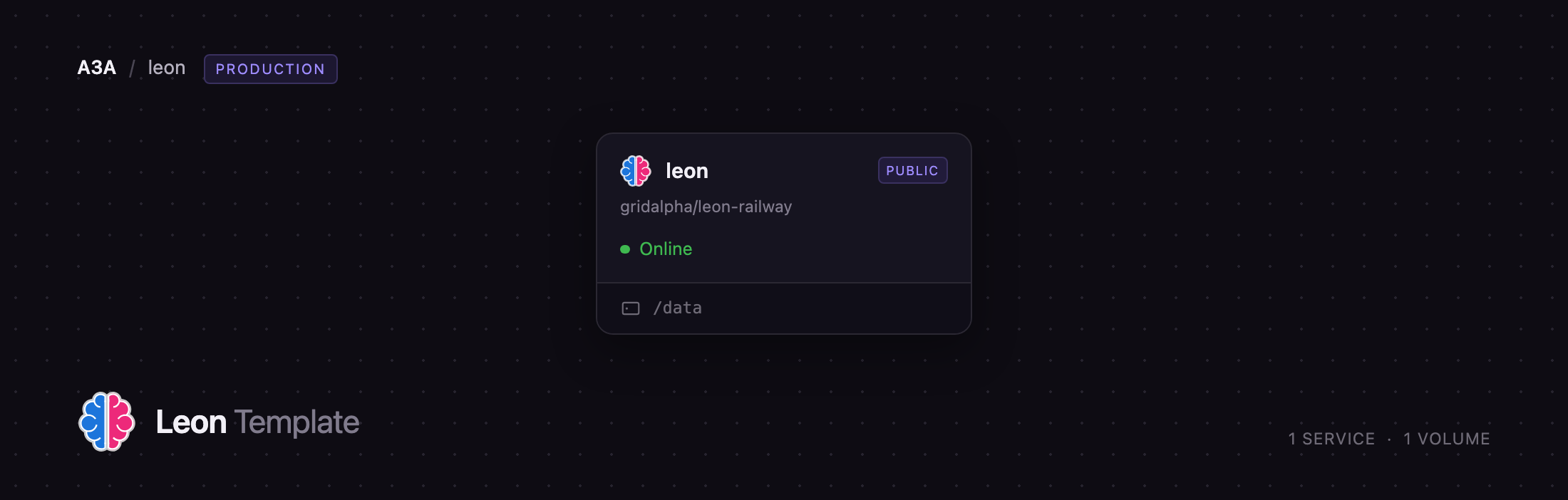
Self-host Leon on Railway with one service, leon. That container runs three processes: Leon's Node.js server, the Python NLP server that loads the spaCy model, and a Caddy gateway that owns the public port. Leon has no login screen of its own, so the gateway sits in front with HTTP basic auth on every route and passes authenticated traffic to Leon on loopback — you pick a password at deploy time and nothing else is exposed. A volume at /data holds what Leon accumulates: every skill's small JSON database, plus anything a skill downloads.
Getting Started with Leon on Railway
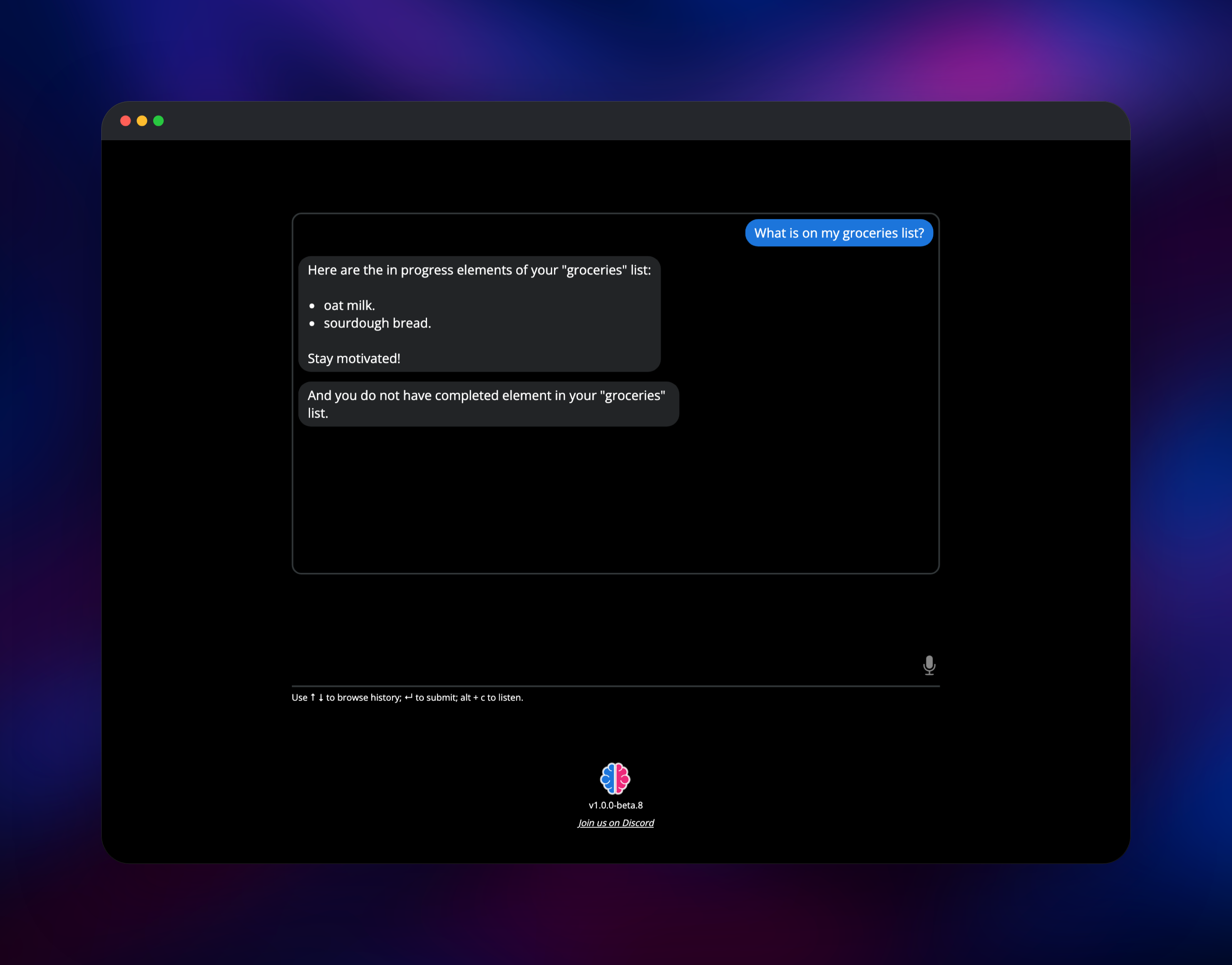
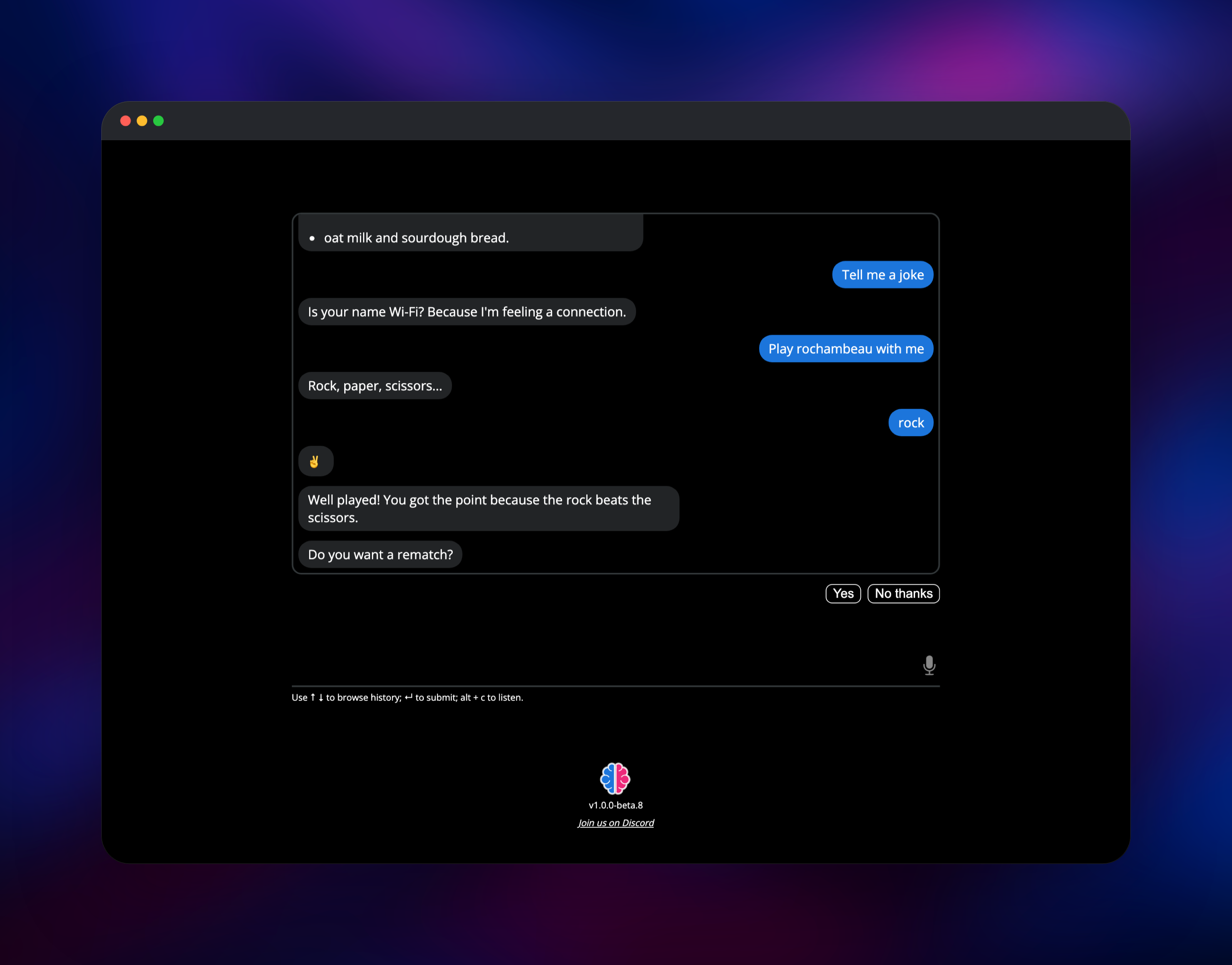
LEON_BASIC_AUTH_PASSWORD is the value that matters at deploy time. Type your own into the deploy form, or keep the generated default and read it back from the service's variables; the container refuses to start without one. When the build finishes, open the *.up.railway.app URL. Your browser shows a sign-in prompt: the username is leon (change it with LEON_BASIC_AUTH_USER) and the password is that value. Behind it is Leon's chat screen — one input box and a microphone button.
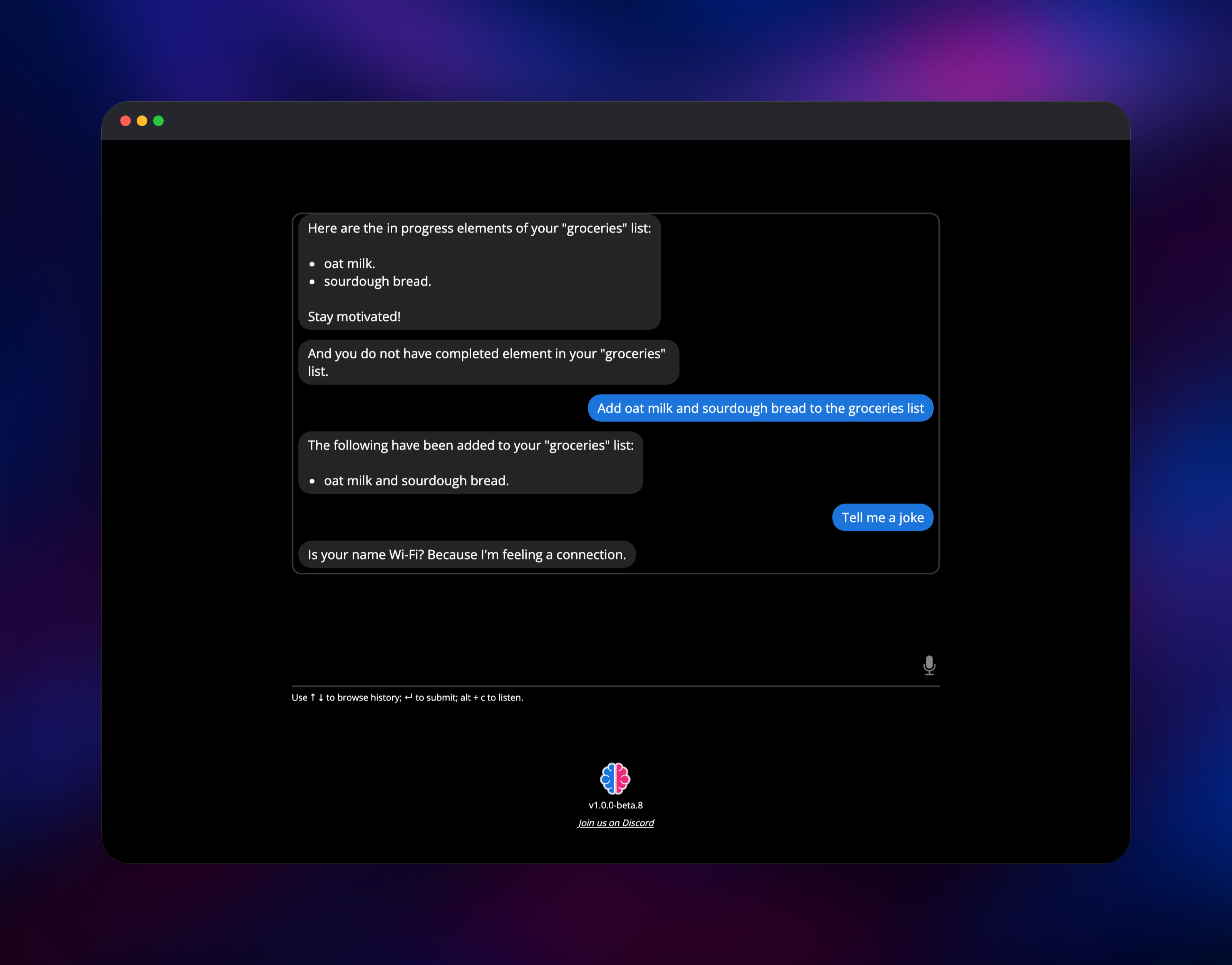
Type hello and press Enter. If Leon answers, the whole stack is working: the web app reached the server over a socket, the server classified the intent, and the Python NLP process answered. Then try something with state — say Create a groceries list, then Add oat milk to the groceries list, then What is on my groceries list?. Redeploy and ask again; the list is still there. Tell me a joke and Play rochambeau with me exercise two more skills.
About Hosting Leon
Leon started in 2017 as an answer to one question: why does a personal assistant have to run in someone else's data centre? It is MIT-licensed, written in TypeScript with a Python bridge, and built so adding a capability means adding a skill folder rather than patching the core. A skill declares the phrasings it answers to, the entities to pull from a sentence, and the code that runs.
Key features:
- Local intent classification, so an utterance never leaves your server
- spaCy named-entity recognition, which is how "add oat milk to the groceries list" splits into an item and a list
- A skill catalogue covering to-do lists, weather, news, games, and utilities
- Skills written in Node.js or Python, both with a first-class bridge
- An HTTP API (
POST /api/query) so other software can put an utterance to Leon - English and French out of the box
The deployment keeps upstream's single-container shape. Inside leon, the Node.js server serves the web app and the API; the Python TCP server holds the spaCy model in memory and answers entity-extraction requests over loopback; and Caddy terminates the public port, checks basic auth, and proxies through.
Why Deploy Leon on Railway
Railway removes the setup self-hosting Leon usually involves:
- One click instead of installing Node.js, Python, and a 1.4 GB model bundle by hand
- A volume attached and wired to Leon's skill databases automatically
- HTTPS and a public domain provisioned for you
- Basic auth in front of an app that ships with no login of its own
- Logs, metrics, and redeploys from one dashboard
Common Use Cases
- A private assistant at home — weather, shopping lists, and errands without an account at Amazon or Google.
- A backend for your own hardware — point a Raspberry Pi, a phone shortcut, or a terminal alias at
POST /api/queryand let Leon do the understanding. - A place to build custom skills — wire an assistant into your own APIs or home automation with a skill folder instead of a whole project.
- Teaching and experimenting with NLP — every response carries intents, entities, and confidence scores.
Dependencies for Leon
leon— built from the gridalpha/leon-railway source repository, which compiles leon-ai/leon at tagv1.0.0-beta.8. Upstream publishes no container image, so that repository builds it and adds the gateway, the health route, and the volume wiring.- Caddy (from the official
caddy:2-alpineimage) runs inside that container as the authenticating gateway. - No external database, cache, or object storage — Leon keeps everything in flat files on the volume.
Environment Variables Reference
| Variable | Default | What it does |
|---|---|---|
LEON_BASIC_AUTH_PASSWORD | generated | Password for the gateway. Set your own at deploy time. |
LEON_BASIC_AUTH_USER | leon | Username for the gateway. |
LEON_HTTP_API_KEY | generated | Sent as X-API-Key on POST /api/query. |
LEON_LANG | en-US | en-US or fr-FR. Chooses the spaCy model. |
LEON_TELEMETRY | false | Upstream defaults this on; here it is off. |
LEON_OVER_HTTP | true | Enables the HTTP query endpoint. |
LEON_STT / LEON_TTS | false | Speech in and out. See the FAQ before enabling. |
LEON_TIME_ZONE | Etc/UTC | IANA name, e.g. Europe/Paris. |
LEON_AFTER_SPEECH | false | Re-open the mic after Leon replies. |
Deployment Dependencies
- Source repository:
- Build source:
- Documentation:
- Runtime: Node.js 16 plus a bundled Python NLP process; licence MIT
Hardware Requirements for Self-Hosting Leon
The spaCy transformer model sets the floor here; Leon's own server is light.
| Resource | Minimum | Recommended |
|---|---|---|
| CPU | 1 vCPU | 2 vCPU |
| RAM | 2 GB | 4 GB |
| Storage | 6 GB image plus a volume | 5 GB volume |
| Runtime | Node.js 16, Python 3 | Node.js 16, Python 3 |
Self-Hosting Leon
Running Leon locally without Docker takes the CLI upstream ships. As a shell session:
npm install --global @leon-ai/cli
leon create birth
leon start
Leon is then on http://localhost:1337. leon create birth downloads roughly 1.4 GB of prebuilt binaries, most of it the Python NLP bundle and its model.
Upstream also ships a Dockerfile. To build and run the stable branch:
git clone --branch master https://github.com/leon-ai/leon.git
cd leon
docker build -t leon .
docker run --rm -p 1337:1337 leon
That container has no authentication in front of it, so keep it on a private network.
How Much Does Leon Cost to Self-Host?
Leon is free and MIT-licensed. There is no paid tier, no cloud account, and no per-request billing — the project is maintained by one developer and funded by sponsorship. Self-hosting on Railway costs only the infrastructure: one container and one small volume. The image is large because the NLP model travels with it, so plan for storage rather than compute.
FAQ
What is Leon?
An open-source personal assistant you run on your own server. It understands typed or spoken requests, matches them to a skill, and runs it — locally, without sending your words to a third party.
What does this Railway template deploy?
One service, leon, running Leon's Node.js server, its Python NLP process, and a Caddy gateway, with a volume at /data for persistent skill data.
Why does the template put a gateway in front of Leon?
Leon has no authentication of its own — its web app and its socket connection are open to anyone who reaches the URL, and the only credential in the product is an API key on one HTTP route. The gateway adds basic auth to every route so a public domain is safe; /healthz is the one exception, so Railway's health check can reach the app.
Why does Leon need a volume?
Skill state is stored per skill, in a small JSON database inside each skill's folder — your to-do lists live there. Without a volume that data is lost the next time the container is replaced.
How do I call Leon from my own code?
Send a POST to /api/query with a JSON body of {"utterance": "..."}, the X-API-Key header set to LEON_HTTP_API_KEY, and the gateway's basic-auth credentials. The response carries the matched skill, the extracted entities, the confidence score, and Leon's answer.
Can I enable voice input and output?
Not without extra work. Offline speech needs model files this image does not carry, and the cloud alternatives — Amazon Polly, Google Cloud, IBM Watson — need credentials of your own. LEON_STT and LEON_TTS are off by default.
Which version of Leon does this deploy?
v1.0.0-beta.8, the last release on the master branch. Upstream's develop branch holds an in-progress 2.0 rewrite that its author describes as a developer preview, with documentation still to come.
Template Content


