
Deploy LobeChat
AI chat and agent workspace that uses your own model API keys
lobehub
Just deployed

postgres
Just deployed
/var/lib/postgresql/data

Redis
Just deployed
/data

searxng
Just deployed
lobehub-files
Bucket
Just deployed
Deploy and Host LobeHub (LobeChat) on Railway
LobeHub — the project formerly published as LobeChat — is an open-source AI workspace where you build and run agents against whichever model providers you already pay for. Instead of one chat window per vendor you get a shared agent library, a knowledge base you upload files into, and a private web-search backend. Self-host LobeHub when you want a team-wide AI front end whose conversations, documents and API keys stay in infrastructure you control.
Deploy LobeHub on Railway and the whole topology comes up configured. The lobehub service runs the Next.js application and is the only one with a public URL. postgres runs ParadeDB — PostgreSQL 17 with pg_search — because LobeHub builds BM25 indexes over agents, topics, messages and files, which plain PostgreSQL cannot create. Redis is the cache. searxng gives agents web results without an external search key. A Railway bucket holds uploads, signed on both write and read, so nothing is reachable by object key alone.
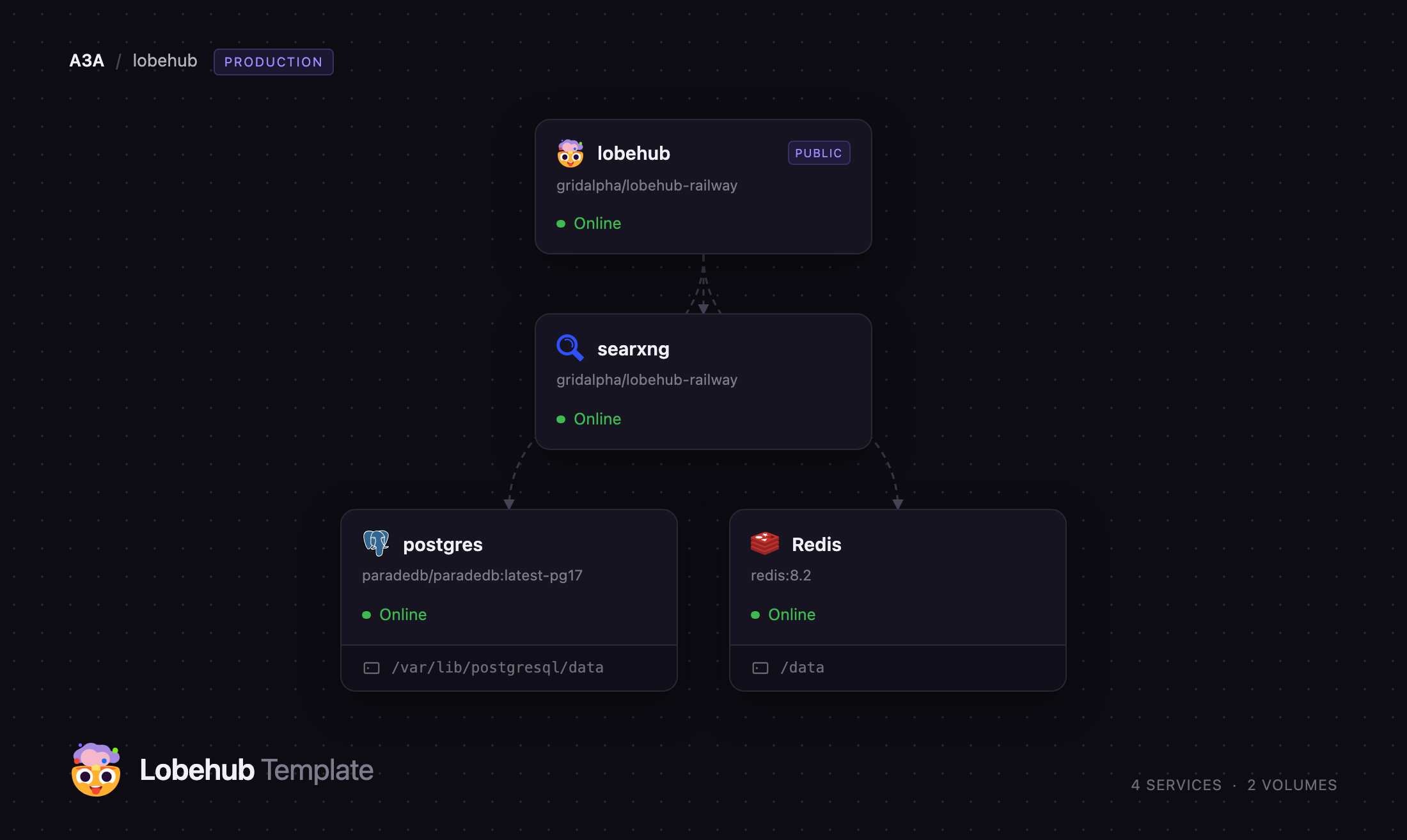
Getting Started with LobeHub on Railway
Set AUTH_ALLOWED_EMAILS to your own email address before you deploy. It is the only thing between a public URL and open registration, and LobeHub enforces it inside its authentication layer, so it blocks direct API calls as well as the sign-up page.
Open the deployed URL and you land on /signin. There are no default credentials: choose Sign up, register the address you allow-listed, accept the terms dialog and complete the short onboarding. Skip the agent-template step, which needs a LobeHub cloud account.
Your first real action is adding a model provider. Open Settings → AI Service Provider, paste a key for OpenAI, Anthropic, Google or any OpenAI-compatible endpoint, and enable the models you want. Then use Add Agent → Start Blank and write its core instructions on the Agent Profile tab; reload, and if they come back the database is wired correctly. Finally drop a file into Resources and open it — rendering its contents back confirms the bucket is signing uploads and reads.
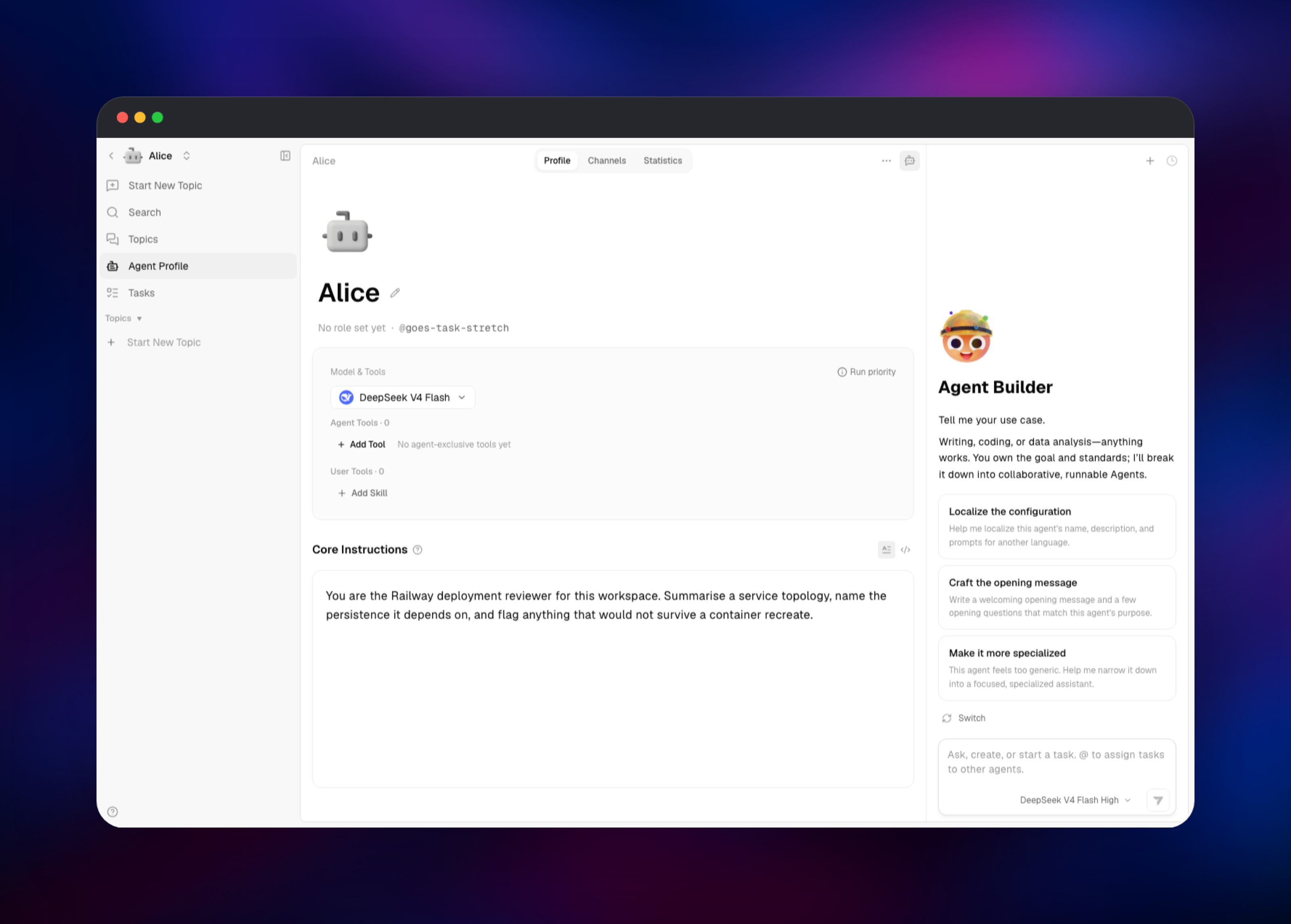
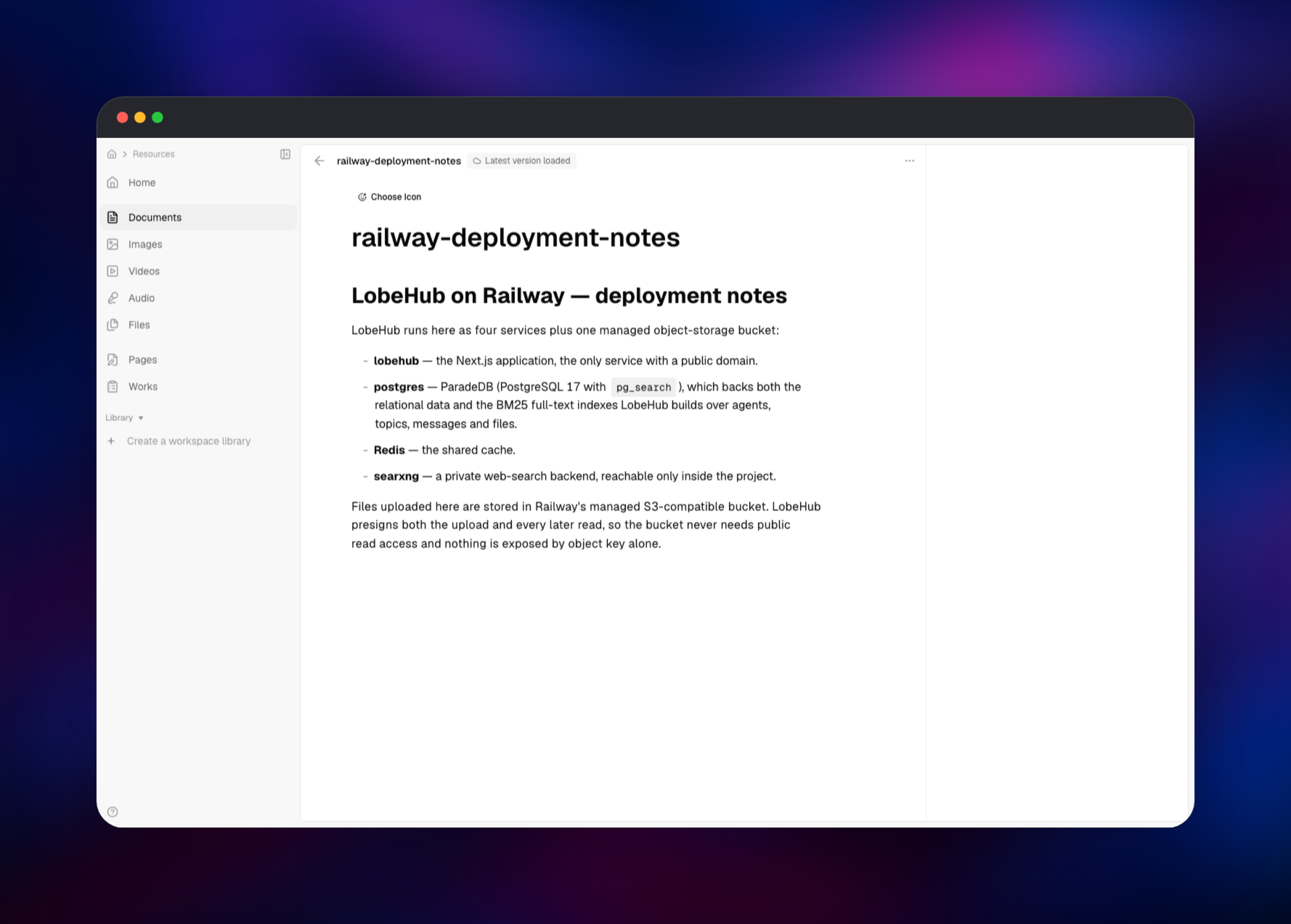
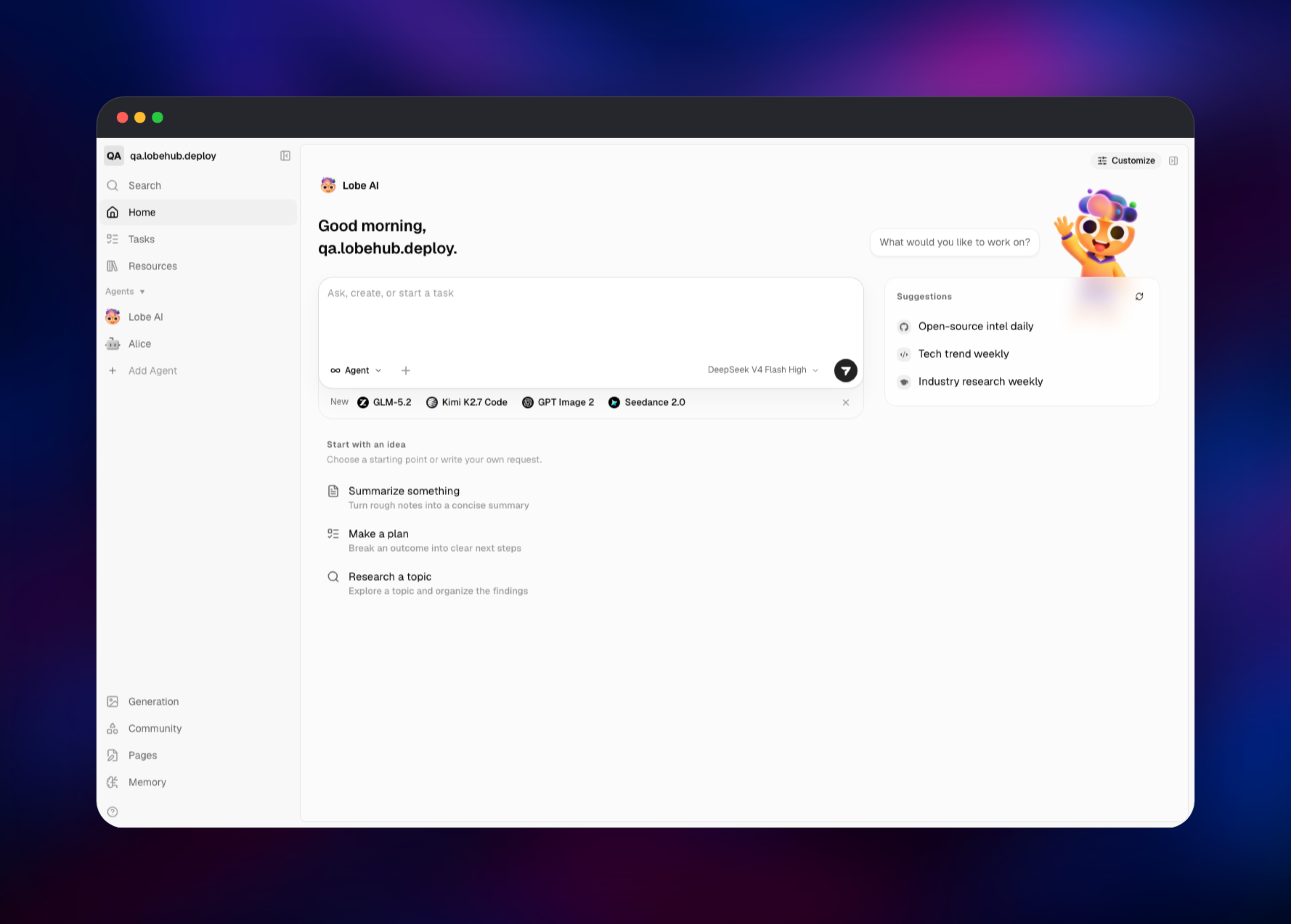
About Hosting LobeHub
LobeHub is a bring-your-own-key AI front end. It ships no model and bills nothing per token — you supply provider credentials and it stores them encrypted with KEY_VAULTS_SECRET. Teams self-host it to keep conversation history, documents and keys inside their own boundary.
Key features:
- An agent library where each agent has its own prompt, model, tools and files
- A knowledge base that chunks and embeds uploaded documents for retrieval
- Web search through the bundled SearXNG instance, with no third-party search key
- Image generation, plugins and Model Context Protocol tool support
- Telegram, Slack and Discord bots that expose an agent through official bot APIs
- Email-and-password accounts, or SSO through Google, GitHub, Microsoft, Keycloak, Authentik, Logto, Zitadel and other OIDC providers
The architecture is deliberately small: the application serves both the browser UI and its own API, so there is no worker tier to keep in version lockstep. ParadeDB stores relational data and serves search, Redis caches, SearXNG answers web queries privately, and the bucket holds binaries.
Why Deploy LobeHub on Railway
Railway removes the tedious parts of running this stack:
- ParadeDB, Redis, SearXNG and object storage provisioned and wired together
- A managed database volume with backups instead of a hand-rolled data directory
- HTTPS and a public domain issued automatically for the application
- Private networking, so the database, cache and search backend stay unexposed
- Redeploy on git push, with signing keys preserved across restarts
Common Use Cases
- A shared internal ChatGPT replacement, where one team buys provider keys once and everyone works through the same agent library
- A document assistant: upload contracts, specs or runbooks and ask agents questions grounded in them
- Research agents pairing a reasoning model with SearXNG for live web results
- Exposing a tuned agent to colleagues as a Telegram, Slack or Discord bot with no bot backend to build
Dependencies for LobeHub
- lobehub —
lobehub/lobehub:latest, built from gridalpha/lobehub-railway, listening on port 3210 - postgres —
paradedb/paradedb:latest-pg17withshared_preload_libraries=pg_searchand a 5 GB volume - Redis — Railway's managed Redis 8, for caching
- searxng —
searxng/searxng:latest, serving its JSON API to LobeHub only - lobehub-files — a Railway bucket for uploads and generated images
ParadeDB is not interchangeable with stock PostgreSQL: LobeHub's migrations create pg_search and build USING bm25 indexes, so plain PostgreSQL fails on the first deploy. SearXNG is optional — remove SEARXNG_URL and agents lose web search.
Environment Variables Reference
| Variable | Purpose |
|---|---|
AUTH_ALLOWED_EMAILS | Comma-separated emails or domains allowed to register |
AUTH_SECRET | Signs session cookies; changing it logs everyone out |
KEY_VAULTS_SECRET | Encrypts stored provider keys; must never change |
S3_ENABLE_PATH_STYLE | Must stay 1; browser uploads fail otherwise |
SEARXNG_URL | Private URL of the search backend |
AUTH_EMAIL_VERIFICATION | Set to 1 once you have configured SMTP |
OPENAI_API_KEY and other provider keys | Optional server-side defaults instead of per-user keys |
Deployment Dependencies
- Source: github.com/lobehub/lobehub
- Images: lobehub/lobehub, paradedb/paradedb
- Docs: lobehub.com/docs/self-hosting
Hardware Requirements for Self-Hosting LobeHub
| Resource | Minimum | Recommended |
|---|---|---|
| CPU | 2 vCPU across all services | 4 vCPU |
| RAM | 2 GB total | 4 GB, 1 GB of it for ParadeDB |
| Storage | 5 GB database volume | 10 GB, plus bucket growth |
| Runtime | Node 24, PostgreSQL 17 with pg_search | Same |
The application is modest — inference happens at your provider. Memory pressure comes from ParadeDB building BM25 indexes, so give the database headroom before scaling the app.
Self-Hosting LobeHub with Docker
Upstream ships a setup script that writes a .env file and a Compose bundle. Run it in an empty directory:
mkdir lobehub && cd lobehub
bash <(curl -fsSL https://lobe.li/setup.sh)
docker compose up -d
By hand, the database must be ParadeDB, and the application needs at least these variables:
docker run -d --name lobehub -p 3210:3210 \
  -e DATABASE_DRIVER=node \
  -e DATABASE_URL=postgresql://postgres:PASSWORD@postgres:5432/lobehub \
  -e KEY_VAULTS_SECRET="$(openssl rand -base64 32)" \
  -e AUTH_SECRET="$(openssl rand -base64 32)" \
  -e APP_URL=https://chat.example.com \
  -e AUTH_ALLOWED_EMAILS=you@example.com \
  lobehub/lobehub:latest
On Railway none of this is manual: the template creates the services, generates the secrets and wires them together.
Is LobeHub Free to Self-Host?
LobeHub is open source under the LobeHub Community License, which permits commercial use as a frontend and backend service at no cost, with no paid tier to unlock for self-hosting. Your two real costs are Railway infrastructure for the four services and the volume, and whatever your model providers charge per token — LobeHub adds no markup.
FAQ
What is LobeHub?
LobeHub, previously called LobeChat, is an open-source AI chat and agent workspace. You connect your own model provider keys and get a multi-user interface with an agent library, a document knowledge base, web search, image generation and plugins.
What does this Railway template deploy?
Four services and one bucket: the LobeHub application on a public URL, a ParadeDB database on a persistent volume, a Redis cache, a private SearXNG backend, and Railway object storage for uploads.
Why does the template use ParadeDB instead of regular PostgreSQL?
LobeHub's database migrations create the pg_search extension and build BM25 indexes over agents, topics, messages and files to power in-app search. Those statements are not optional, so a stock PostgreSQL service fails during the first deploy.
Why does LobeHub need object storage and a Redis cache?
Uploads, generated images and avatars go to the bucket rather than a disk, keeping the application stateless and safe to redeploy. Redis caches session and application data so the database is not hit on every page load.
How do I stop strangers from signing up on my self-hosted LobeHub?
Set AUTH_ALLOWED_EMAILS to your address or company domain. The check runs inside LobeHub's authentication layer, so it rejects direct API calls as well as the sign-up form. You can also set AUTH_DISABLE_EMAIL_PASSWORD=1 and use an SSO provider instead.
Why does file upload work but embedding fail on a new deployment?
Chunking runs immediately, but embedding needs a model. Configure a provider that offers one and retry the file — the upload is already stored.
Template Content
lobehub
gridalpha/lobehub-railwaypostgres
paradedb/paradedb:latest-pg17Redis
redis:8.2searxng
gridalpha/lobehub-railwaylobehub-files
Bucket


