
Deploy Lychee
Flickr Alternative. Photo gallery app for organising & sharing your images
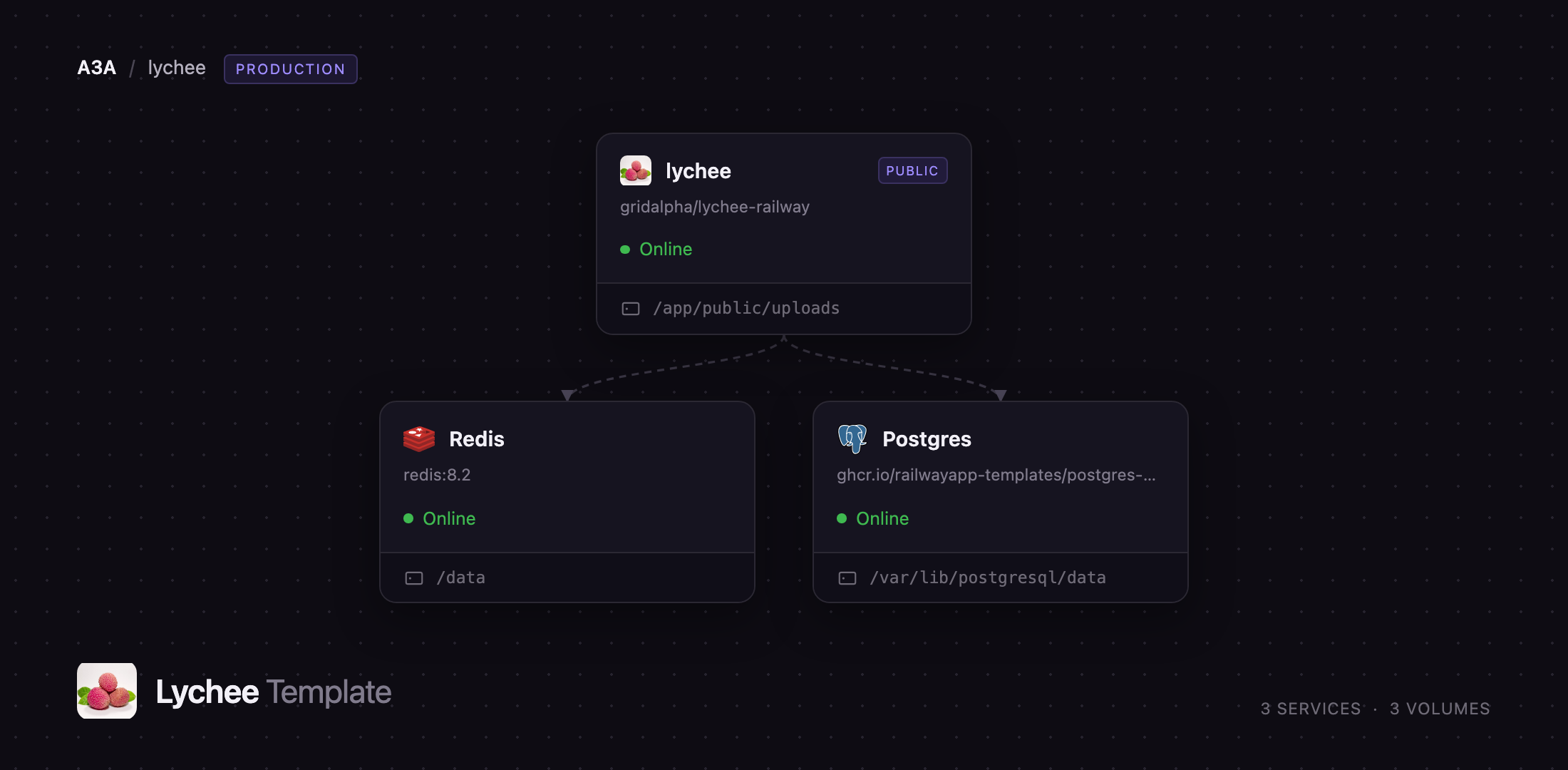
lychee
Just deployed
/app/public/uploads

Redis
Just deployed
/data

Just deployed
/var/lib/postgresql/data
Deploy and Host Lychee on Railway
Lychee is an open-source photo-management system for people who want their pictures on their own server rather than someone else's cloud. It gives you albums, tagging, ratings, EXIF metadata, sharing links and password-protected albums behind a fast, dark interface built for looking at photographs rather than filing them. Photographers, designers, families and small studios use it as a self-hosted Flickr or SmugMug replacement, and because every original stays on disk in a directory you control, nothing is locked in a proprietary library.
Deploy Lychee on Railway and you get the whole production shape in one click: the Lychee application, a PostgreSQL database for albums, users and settings, and a Redis instance backing the cache and login sessions. A persistent volume is mounted at the upload directory so originals and every size variant survive redeploys, and a background queue worker handles thumbnail generation without blocking uploads. The public URL, HTTPS, database wiring and first admin account are all configured before the app serves a request.
Getting Started with Lychee on Railway
Open the generated Railway URL once the deploy goes green. Lychee redirects to /login — there is no setup wizard and no default password to rotate, because the admin account is created from ADMIN_USER and ADMIN_PASSWORD while the container starts. Self-registration is disabled out of the box, so the URL is safe to share immediately.
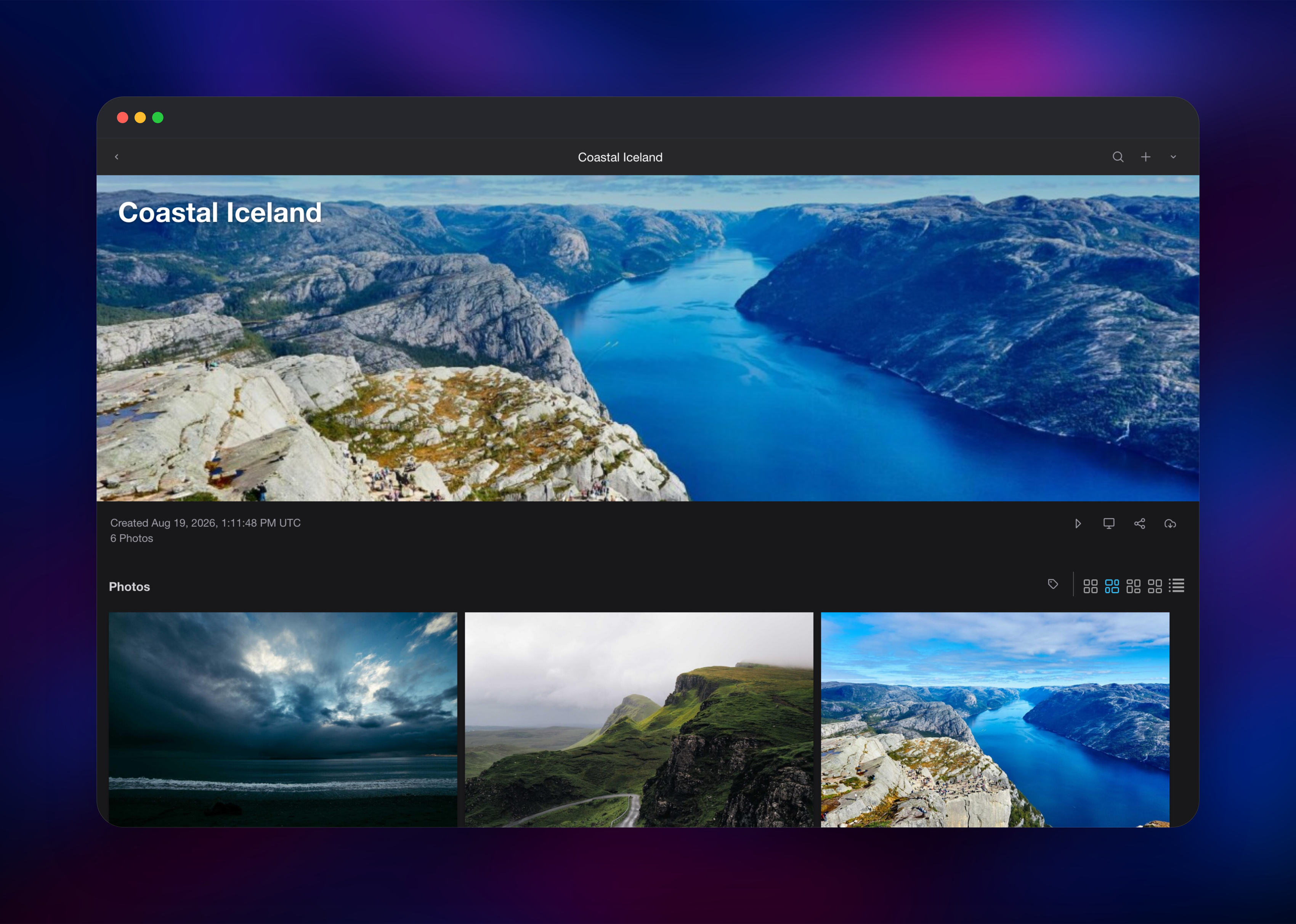
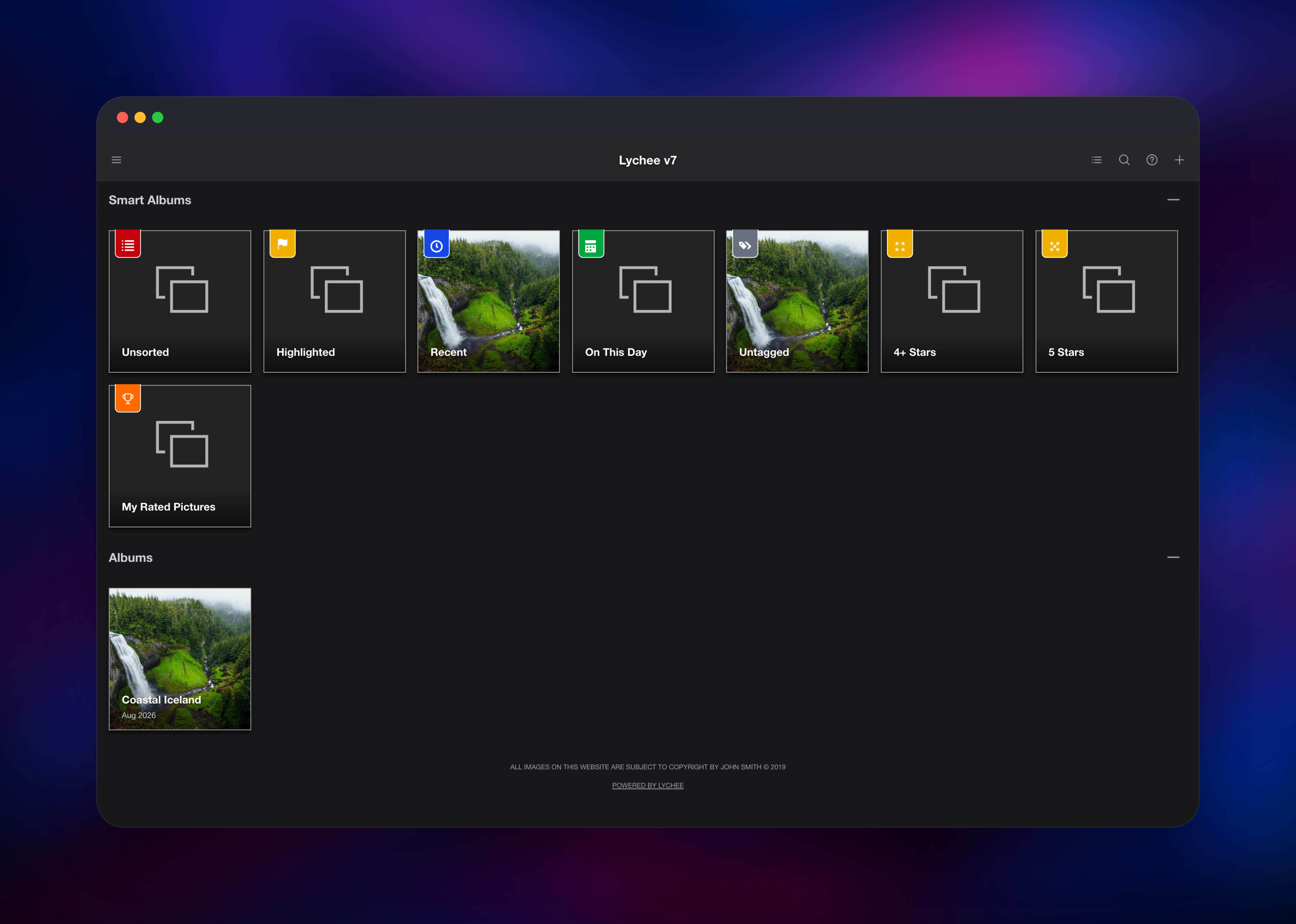
You land on the gallery, already listing Lychee's smart albums — Recent, Unsorted, Untagged, On This Day and the star-rating collections — which populate themselves as you add photographs. Click + in the top right, choose New Album, give it a title, then open it and use + → Upload Photo. Uploads process in the background: each file is stored at full resolution while the queue worker generates thumbnail, small, medium and 2x variants, so a large batch keeps working while you carry on.
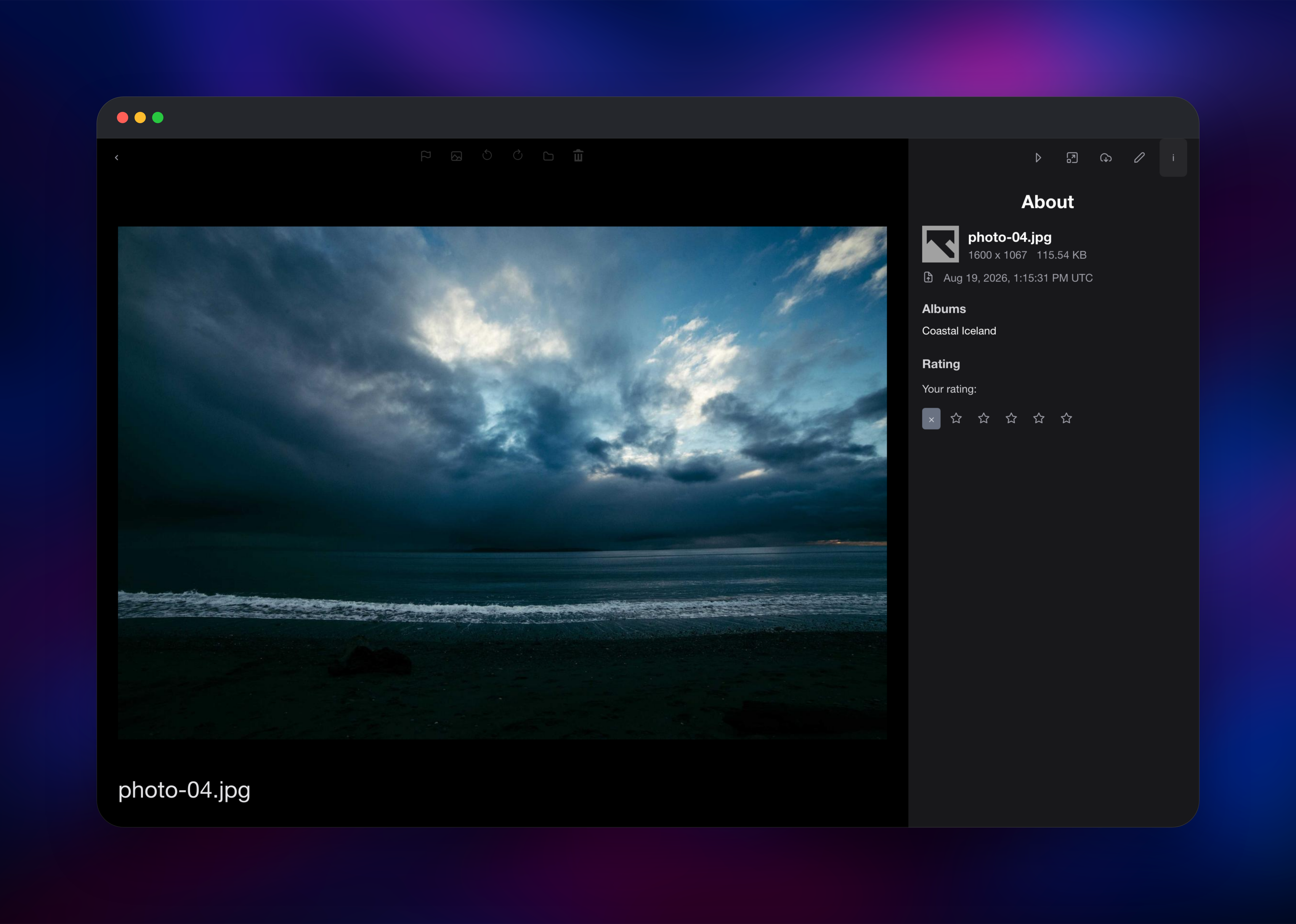
Open any photo to check the deployment end to end. The i button reveals an About panel with dimensions, file size, capture date and albums — if it is populated and the image renders, storage, database and processing all work. From there, add users under Admin → Users, set album visibility and passwords, or attach a custom domain.
About Hosting Lychee
Lychee solves a narrow problem well: showing photographs beautifully on the web without handing them to a platform. It is a Laravel application, served here by FrankenPHP with Laravel Octane, that keeps originals as ordinary files on disk while metadata lives in a relational database. That split makes it easy to back up and hard to lose — your pictures are files, not rows.
Key features:
- Albums, nested sub-albums and self-filling smart albums
- Tagging, star ratings, favourites and full-text search
- EXIF, IPTC and XMP extraction, including camera, lens and GPS
- Public sharing links, password-protected albums, per-user permissions
- Video and Live Photo support, OAuth/SSO sign-in and WebAuthn passkeys
Three services make up the deployment. Lychee serves the interface and API, writes originals and size variants to its volume, and runs the queue worker in the same container. PostgreSQL stores albums, photos, users, tags, settings and the job queue. Redis holds the cache and login sessions, which keeps you signed in across a redeploy.
Why Deploy Lychee on Railway
Railway removes the parts of self-hosting a gallery that are not about photographs:
- PostgreSQL and Redis provisioned and wired up, no connection strings to write
- A persistent volume already mounted at the upload directory
- HTTPS and a public domain from the first deploy
- The admin account created before the app accepts a request
- Private networking between app, database and cache
Common Use Cases
- A photographer's public portfolio with private client galleries alongside it
- A family photo archive on your own storage, shared by link rather than social network
- A design team's shared image library with tags and ratings
Dependencies for Lychee
- Lychee — gridalpha/lychee-railway, a thin wrapper over
ghcr.io/lycheeorg/lychee:latestfrom LycheeOrg/Lychee - PostgreSQL — Railway's managed
postgres-ssl:18 - Redis — Railway's managed
redis:8.2
Environment Variables Reference
| Variable | Purpose |
|---|---|
LYCHEE_APP_SECRET | Generated secret the encryption key derives from. Changing it makes encrypted values unreadable. |
ADMIN_USER / ADMIN_PASSWORD | First administrator account, created at startup |
APP_URL | Public base URL for image and share links |
DB_* / REDIS_* | PostgreSQL and Redis connection details |
CACHE_DRIVER / SESSION_DRIVER | redis — Lychee reads CACHE_DRIVER, not CACHE_STORE |
LYCHEE_INLINE_WORKER | Runs the queue worker beside the web server. Set false to disable. |
TRUSTED_PROXIES | Lets Lychee read the real client IP, which per-IP rate limits depend on |
Deployment Dependencies
- Source repository: https://github.com/LycheeOrg/Lychee
- Documentation: https://lycheeorg.dev/docs
- Runtime: PHP 8.4 on FrankenPHP with Laravel Octane, ImageMagick and ffmpeg
Hardware Requirements for Self-Hosting Lychee
Image processing is the demanding part; serving finished galleries is cheap.
| Resource | Minimum | Recommended |
|---|---|---|
| CPU | 1 vCPU | 2+ vCPU |
| RAM | 1 GB | 2–4 GB |
| Storage | 5 GB volume | Library size plus roughly 40% for size variants |
| Runtime | PHP 8.4, PostgreSQL 14+ | PHP 8.4, PostgreSQL 18 |
Lychee keeps every original and generates several downsized versions, so budget more disk than the raw import. Large RAW files and 4K video raise the RAM ceiling during processing.
Self-Hosting Lychee
The official image runs Lychee and you supply a database:
services:
  lychee:
    image: ghcr.io/lycheeorg/lychee:latest
    ports: ["8000:8000"]
    environment:
      APP_KEY: base64:REPLACE_WITH_GENERATED_KEY
      APP_URL: http://localhost:8000
      DB_CONNECTION: pgsql
      DB_HOST: db
      DB_DATABASE: lychee
      DB_USERNAME: lychee
      DB_PASSWORD: change-me
    volumes: ["./uploads:/app/public/uploads"]
  db:
    image: postgres:18
    environment:
      POSTGRES_DB: lychee
      POSTGRES_USER: lychee
      POSTGRES_PASSWORD: change-me
APP_KEY is neither optional nor free-form: Lychee validates that it base64-decodes to exactly 32 bytes and refuses to start otherwise, so generate it with OpenSSL rather than typing a random string:
echo "APP_KEY=base64:$(openssl rand -base64 32)"
On Railway this is handled for you: the key is derived deterministically from LYCHEE_APP_SECRET at startup, so it is identical across every redeploy.
Is Lychee Free?
Lychee is free and open source under the MIT licence, with no seat limits, storage caps or feature gating in the core application. LycheeOrg also sells a Supporter Edition, an optional paid add-on unlocking extras such as AI-assisted tagging and, in the Pro tier, a webshop for selling prints. Nothing in this template requires a licence. On Railway you pay only for the compute, memory and volume storage the three services use — for a personal gallery, a small monthly bill dominated by disk.
FAQ
What is Lychee?
Lychee is a self-hosted photo-management system. You install it on your own server, upload your photographs, and it organises them into albums with tags, ratings, EXIF metadata and shareable links — a private alternative to Flickr or SmugMug.
What does this Railway template deploy?
Three services: the Lychee application with a persistent volume at its upload directory, a managed PostgreSQL database, and a managed Redis instance. The admin account, public URL, HTTPS and the connections between them are configured automatically.
Why does the template include PostgreSQL and Redis?
PostgreSQL stores everything that is not an image file — albums, photos, users, tags, settings and the job queue. Redis holds the cache and login sessions; keeping sessions outside the container stops every user being logged out whenever the app redeploys.
Where are my photos stored, and do they survive a redeploy?
Originals and every size variant are written to a Railway volume mounted at /app/public/uploads. That volume is independent of the container, so redeploying or restarting leaves your library untouched.
How do I log in for the first time to self-hosted Lychee?
Use the ADMIN_USER and ADMIN_PASSWORD values from the template. The account is created while the container starts, before the app accepts a request, so there is no open registration window and no default password to rotate.
How do I upload an existing photo library?
For large collections use + → Import from Server, which reads a directory on the container rather than pushing every file through the browser. Smaller batches work fine through the upload dialog; the worker generates size variants either way.
Template Content


