
Deploy Mastodon | Open Source Twitter Alternative on Railway
Self-host Mastodon. Your own federated social network.
DBs

Redis
Just deployed
/data

Just deployed
/var/lib/postgresql/data
Mastadon
Mastodon
Just deployed
/mastodon/public/system
Mastodon-Streaming
Just deployed
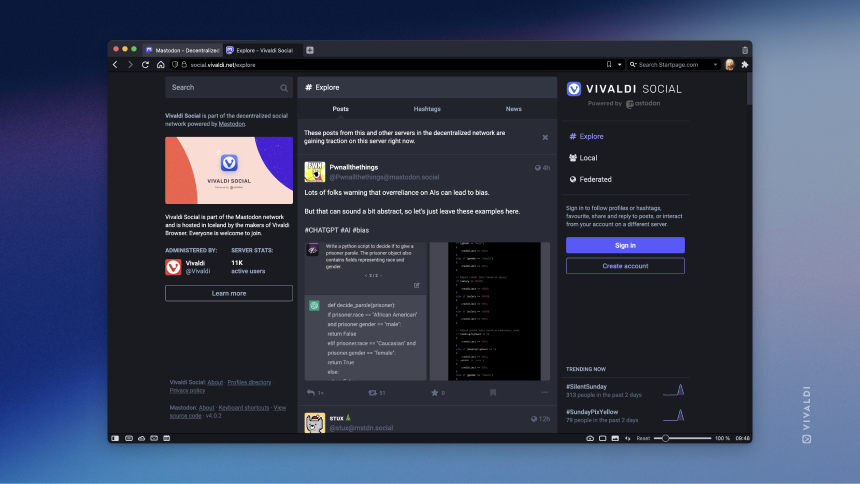
Deploy and Host Mastodon on Railway

Mastodon is a free, open-source federated social networking platform that gives you full control over your online community. Built on the ActivityPub protocol, it connects with thousands of other Mastodon instances and Fediverse services while keeping your data under your ownership.
Deploy Mastodon on Railway to self-host your own social networking server with zero infrastructure management. This template pre-configures the Mastodon web application (Puma + Sidekiq), a dedicated Node.js streaming API for real-time WebSocket updates, PostgreSQL for persistent data, and Redis for caching and background job queues — all wired together and ready to federate. The template also auto-creates your admin account on first boot, so you can log in immediately after deploy without opening a shell.
Getting Started with Mastodon on Railway
Before you deploy, set three template variables: ADMIN_USERNAME (your handle, e.g. admin), ADMIN_EMAIL (use a real email domain — Mastodon validates MX records for some flows), and ADMIN_PASSWORD (Railway can auto-generate this via ${{secret(32)}} — you can view it later in the Variables tab of the Mastodon service).
Once the deploy finishes, navigate to your Railway-generated public URL and click Log in. Use the ADMIN_EMAIL and ADMIN_PASSWORD you set at deploy time — the admin user is created automatically on first boot via a Rails bootstrap script. After logging in, visit Preferences → Administration to configure your instance name, description, registration policy, and federation settings. Upload a server thumbnail and set custom terms of service to personalize your instance. Connect an SMTP provider (SMTP_SERVER, SMTP_LOGIN, etc.) to enable email notifications for new followers, mentions, and account verification.
About Hosting Mastodon
Mastodon is a decentralized alternative to Twitter/X that puts communities in control. Each instance is independently operated but can communicate with any other ActivityPub-compatible server, forming the Fediverse — a network of interconnected social platforms.
Key features of self-hosted Mastodon include:
- Federation — connect with millions of users across thousands of Fediverse instances
- Moderation tools — full control over content policies, blocklists, and user management
- No algorithm — chronological timelines without engagement-driven manipulation
- Media support — images, videos, audio, and polls with configurable size limits
- API-first — comprehensive REST API powers dozens of third-party mobile and desktop clients
- Privacy controls — per-post visibility (public, unlisted, followers-only, direct)
The architecture uses Puma (Ruby) for the web interface, Sidekiq for background job processing (federation, email, media processing), and a Node.js streaming server for real-time WebSocket connections.
Why Deploy Mastodon on Railway
Self-hosting Mastodon on Railway gives you a production-ready social server without managing infrastructure:
- Full data ownership — your posts, followers, and DMs stay on your server
- Custom domain and branding — personalize your instance identity
- Federation flexibility — join the Fediverse or run a private instance
- No vendor lock-in — migrate your account and followers to any ActivityPub server
- Automatic TLS — Railway provides HTTPS out of the box
- Persistent storage — Railway volumes for media uploads and attachments
Common Use Cases for Self-Hosted Mastodon
- Personal microblogging — run a single-user instance as your own social presence on the Fediverse
- Community server — host a topic-focused community (tech, art, gaming) with custom moderation rules
- Organization communication — provide verified accounts for company employees or project contributors
- Development and testing — run a local Mastodon instance for building Fediverse-compatible applications
Dependencies for Mastodon on Railway
This template deploys four services:
- Mastodon (
ghcr.io/mastodon/mastodon:v4.5.9) — web interface (Puma) + background jobs (Sidekiq) - Mastodon Streaming (
ghcr.io/mastodon/mastodon-streaming:v4.5.9) — real-time WebSocket API - PostgreSQL — Railway-managed relational database for all persistent data
- Redis — Railway-managed in-memory store for caching, Sidekiq queues, and streaming pub/sub
Deployment Dependencies
- Runtime: Ruby 3.x (Puma), Node.js (Streaming)
- Docker Hub: ghcr.io/mastodon/mastodon
- GitHub: github.com/mastodon/mastodon (46k+ stars)
- Docs: docs.joinmastodon.org
Hardware Requirements for Self-Hosting Mastodon
| Resource | Minimum | Recommended |
|---|---|---|
| CPU | 1 vCPU | 2 vCPU |
| RAM | 1 GB | 2 GB |
| Storage | 1 GB (base) | 10+ GB (media uploads grow) |
| Runtime | Ruby 3.x, Node.js 20 | Latest stable |
On Railway, a single-user or small community instance runs comfortably on the default plan. Media-heavy instances with many federated connections will consume more storage over time.
Self-Hosting Mastodon with Docker
To run Mastodon locally with Docker Compose:
services:
  mastodon:
    image: ghcr.io/mastodon/mastodon:v4.5.9
    command: bash -c "bundle exec rails db:migrate && bundle exec puma -C config/puma.rb"
    environment:
      LOCAL_DOMAIN: localhost:3000
      SECRET_KEY_BASE: your-secret-key
      OTP_SECRET: your-otp-secret
      DB_HOST: db
      DB_PORT: 5432
      REDIS_URL: redis://redis:6379
    ports:
      - "3000:3000"
    depends_on:
      - db
      - redis
  db:
    image: postgres:16-alpine
    environment:
      POSTGRES_DB: mastodon
      POSTGRES_USER: mastodon
      POSTGRES_PASSWORD: password
    volumes:
      - pgdata:/var/lib/postgresql/data
  redis:
    image: redis:7-alpine
    volumes:
      - redisdata:/data
volumes:
  pgdata:
  redisdata:
Generate required secrets before starting:
# Generate VAPID keys (requires Node.js)
node -e "const c=require('crypto').createECDH('prime256v1');c.generateKeys();console.log('Private:',c.getPrivateKey().toString('base64url'));console.log('Public:',c.getPublicKey().toString('base64url'))"
Is Mastodon Free to Self-Host?
Mastodon is 100% free and open-source under the AGPL-3.0 license. There are no premium tiers, seat limits, or feature gates. When you deploy Mastodon on Railway, you only pay for the infrastructure resources you use — compute, storage, and bandwidth. A single-user instance typically costs $5–10/month on Railway depending on usage patterns.
Mastodon vs Twitter/X — Why Self-Host on Railway?
| Feature | Mastodon (Self-Hosted) | Twitter/X |
|---|---|---|
| Cost | Infrastructure only (~$5–10/mo) | Free tier + Premium ($8–16/mo) |
| Data ownership | Full — your server, your data | Platform-owned |
| Algorithm | Chronological, no manipulation | Algorithmic timeline |
| Moderation | You control the rules | Platform-controlled |
| Federation | Connects to entire Fediverse | Walled garden |
| API access | Full, unrestricted | Paid tiers, rate-limited |
| Open source | Yes (AGPL-3.0) | No |
Mastodon is ideal for users who want full control, privacy, and interoperability. Twitter/X offers a larger built-in audience but at the cost of data sovereignty and algorithmic control.
FAQ
What is Mastodon and why should I self-host it on Railway? Mastodon is a free, open-source decentralized social network. Self-hosting on Railway gives you full control over your social presence, your data, and your community's moderation policies — without managing servers, databases, or TLS certificates yourself.
Why does Mastodon on Railway need both PostgreSQL and Redis? PostgreSQL stores all persistent data — accounts, posts, media metadata, and federation records. Redis handles ephemeral state: Sidekiq job queues, timeline caching, rate limiting, and pub/sub for the streaming API. Both are essential for Mastodon to function.
How do I connect my self-hosted Mastodon to the Fediverse?
Federation is automatic. Once your instance is live with a public domain, it can discover and communicate with any ActivityPub-compatible server. Search for users on other instances (@user@instance.social), and federation begins on first interaction.
How do I create an admin account on Mastodon deployed on Railway?
Open a Railway shell on the Mastodon service and run: bin/tootctl accounts create admin --email you@yourdomain.com --confirmed --role Owner. Use a real email domain — Mastodon validates MX records during account creation.
Can I migrate my existing Mastodon account to a Railway-hosted instance? Yes. Mastodon supports account migration through the ActivityPub protocol. Use Preferences → Account → Moving from a different account on your new instance, then initiate the redirect from your old instance. Followers transfer automatically.
How do I enable email notifications for self-hosted Mastodon?
Set the SMTP_SERVER, SMTP_PORT, SMTP_LOGIN, SMTP_PASSWORD, and SMTP_FROM_ADDRESS environment variables in your Mastodon service on Railway. Any transactional email provider (Mailgun, SendGrid, Amazon SES) works.
Template Content
Redis
redis:8.2.1Mastodon
ghcr.io/mastodon/mastodon:v4.5.9ADMIN_EMAIL
Admin email — use a real domain for MX-validated flows
ADMIN_PASSWORD
Admin login password
ADMIN_USERNAME
Admin handle (shown as @admin)
Mastodon-Streaming
ghcr.io/mastodon/mastodon-streaming:v4.5.9

