Deploy Mattermost | Secure Self-Hosted Slack Alternative for Teams
Self-host Mattermost on Railway — channels, threads & file sharing.

Just deployed
/var/lib/postgresql/data
Just deployed
/mattermost/data
Deploy and Host Mattermost on Railway
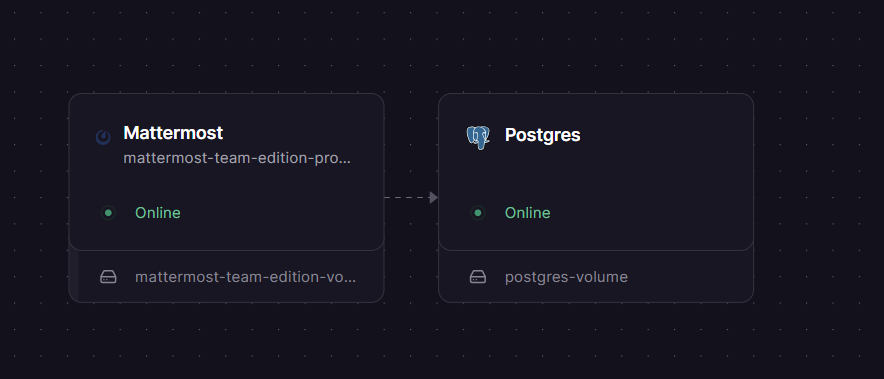
This Railway template deploys a fully self-hosted Mattermost Team Edition instance — an open-source, Slack-compatible team chat platform — backed by a managed PostgreSQL database. Both services are pre-wired together using Railway's private networking, so there is no manual database configuration required.
Getting Started with Mattermost on Railway
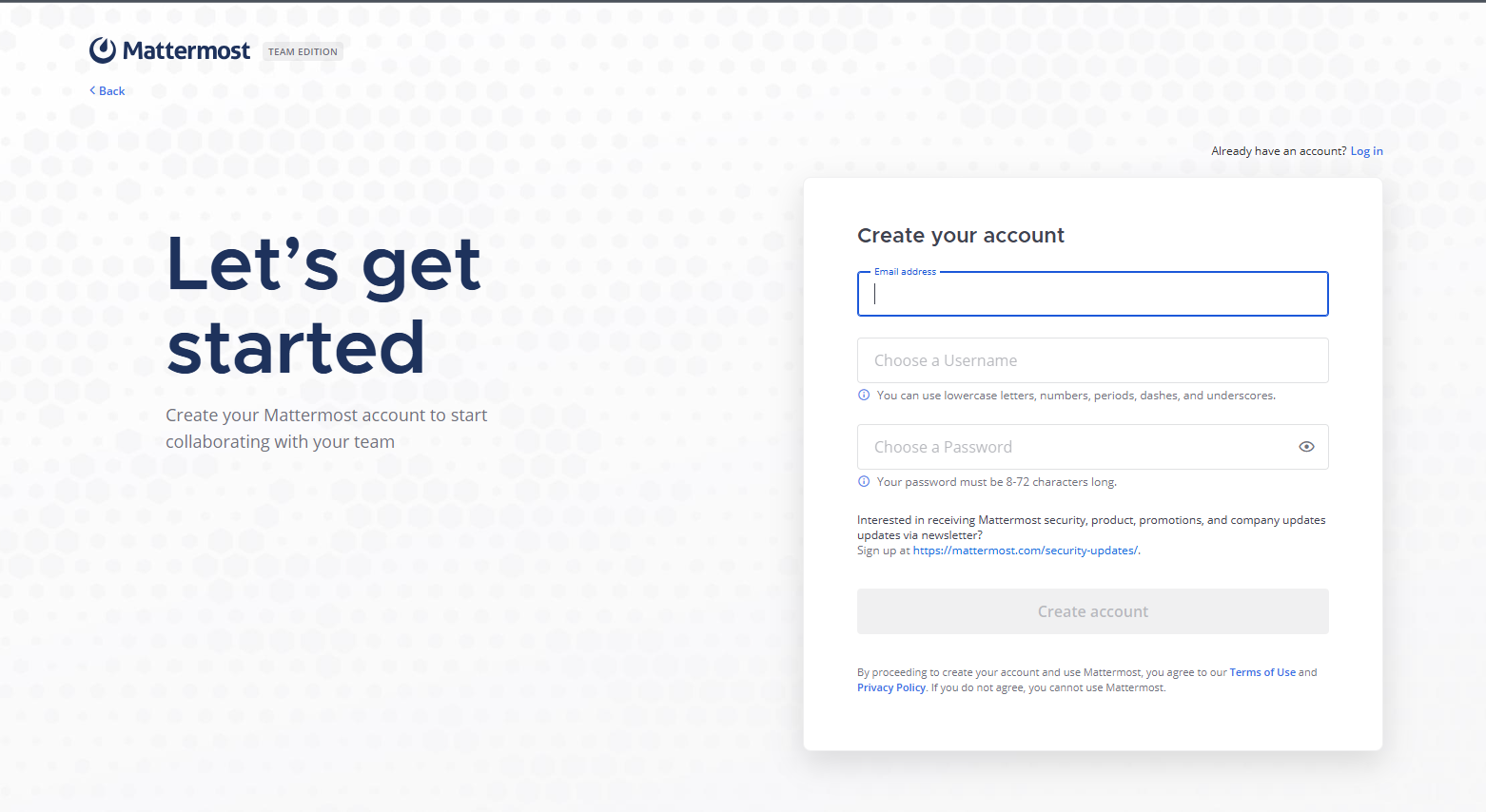
Once your Railway deployment is live and the health check passes, open your generated Railway public domain in a browser. You will land on the Mattermost setup wizard — click "Don't have an account? Create one" to register the first user, who automatically becomes the System Administrator. From there, create your first team, invite members via email or shareable link, and start messaging. To configure SMTP email notifications, go to System Console → Environment → SMTP and enter your mail server credentials. To add a custom domain, update the MM_SERVICESETTINGS_SITEURL environment variable in Railway to match the new domain and redeploy.
About Hosting Mattermost
Mattermost is an open-core, self-hosted collaboration platform written in Go and React. It gives teams full ownership of their messages, files, and user data — nothing leaves your infrastructure. It is widely used as a privacy-first alternative to Slack, especially by security-conscious teams, DevOps engineers, and organisations subject to data residency regulations.
Key features in the free Team Edition:
- Unlimited message history and search (stored in your own Postgres database)
- Channels, direct messages, and group messaging
- File sharing and in-line image previews
- Native voice/video calling and screen sharing (via the Calls plugin)
- Slash commands, webhooks, and a rich plugin marketplace
- Mobile apps for iOS and Android
- Markdown rendering and code syntax highlighting
- Emoji reactions and custom emoji
Why Deploy Mattermost on Railway
Self-hosting Mattermost on a VPS requires provisioning a server, installing Docker or a Linux binary, configuring Nginx as a reverse proxy, managing TLS certificates with Let's Encrypt, and wiring the database connection manually. On Railway, all of that is handled for you: HTTPS is terminated at the edge automatically, Postgres is a managed add-on with auto-generated credentials, environment variables are injected securely at runtime, and redeployments are one click. Railway's private networking means the database is never reachable from the public internet, which removes a common attack surface entirely.
Common Use Cases
- DevSecOps and engineering teams that need a Slack-like workspace where source code, secrets, and incident details never leave their own infrastructure
- Startups and small companies moving off Slack's paid tiers to avoid per-seat costs and message history limits
- Regulated industries (healthcare, finance, government) where data residency and audit logging requirements make SaaS chat tools non-compliant
- Internal tooling teams that want a messaging layer they can extend with custom plugins, bots, and webhook integrations into CI/CD pipelines
Mattermost vs Slack vs Rocket.Chat
| Feature | Mattermost (Team Ed.) | Slack | Rocket.Chat |
|---|---|---|---|
| Open source | ✅ MIT license | ❌ | ✅ MIT license |
| Self-hostable | ✅ | ❌ | ✅ |
| Free tier | ✅ (unlimited, self-hosted) | ✅ (limited history) | ✅ |
| Message history | Unlimited (your DB) | 90 days on free tier | Unlimited (your DB) |
| Voice/video calling | ✅ built-in (Calls plugin) | ✅ (Huddles) | ✅ |
| Mobile apps | ✅ iOS + Android | ✅ | ✅ |
| Custom plugins | ✅ | ✅ (3rd party only) | ✅ |
| Data sovereignty | Full | None | Full |
| Hosted cloud option | ✅ | ✅ | ✅ |
Mattermost's main advantage over Rocket.Chat is a cleaner UI closer to Slack's experience and stronger enterprise/compliance tooling at higher tiers. Slack wins on polish and app ecosystem but offers no self-hosting path at any price.
Dependencies for Mattermost
- Mattermost Team Edition —
mattermost/mattermost-team-edition:latest(Docker Hub) — the main application server, port8065 - PostgreSQL — Railway managed add-on — required for all persistent data: messages, users, channels, file metadata. Mattermost requires PostgreSQL v11 or higher.
Deployment Dependencies
- Docker Hub: mattermost/mattermost-team-edition
Minimum Hardware Requirements to Self-Host Mattermost
| Resource | Minimum | Recommended |
|---|---|---|
| CPU | 1 vCPU | 2 vCPU |
| RAM | 2 GB | 4 GB |
| Storage (volume) | 10 GB | 50 GB+ |
| PostgreSQL version | v11 | v15+ |
| Users supported | Up to 1,000 | Up to 5,000 (single server) |
The 2 GB RAM minimum covers up to approximately 1,000 registered users on a single server. File storage grows with usage — size your volume based on expected upload volume.
Self-Hosting Mattermost Outside Railway
To run Mattermost on your own VPS with Docker:
# 1. Create a volume directory
mkdir -p ~/mattermost/data

# 2. Start Postgres
docker run -d --name mattermost-db \
  -e POSTGRES_USER=mmuser \
  -e POSTGRES_PASSWORD=changeme \
  -e POSTGRES_DB=mattermost \
  -v ~/mattermost/db:/var/lib/postgresql/data \
  postgres:15

# 3. Start Mattermost
docker run -d --name mattermost \
  --link mattermost-db:db \
  -p 8065:8065 \
  -v ~/mattermost/data:/mattermost/data \
  -e MM_SQLSETTINGS_DRIVERNAME=postgres \
  -e MM_SQLSETTINGS_DATASOURCE="postgres://mmuser:changeme@db:5432/mattermost?sslmode=disable" \
  -e MM_SERVICESETTINGS_SITEURL="http://YOUR_SERVER_IP:8065" \
  mattermost/mattermost-team-edition:latest
Then navigate to http://YOUR_SERVER_IP:8065 to complete setup. For production, place Nginx in front to handle TLS.
Is Mattermost Free?
Mattermost Team Edition is completely free and open source under the MIT licence. There are no per-user fees, no message limits, and no storage caps — costs are infrastructure only. On Railway, you pay only for the compute and storage your two services consume (Mattermost container + Postgres add-on).
Mattermost also offers paid tiers: Professional (advanced access controls, AD/LDAP sync) and Enterprise (compliance exports, high availability, custom data retention). These require a commercial licence key and run on the Enterprise Edition image. The Team Edition image used in this template runs as a fully functional free server indefinitely with no licence required.
A cloud-hosted version is available at mattermost.com for teams that prefer not to self-host.
Production Best Practices in Mattermost
File storage with S3: By default, uploaded files are written to the local volume at MM_FILESETTINGS_DIRECTORY. For production workloads where durability matters — or if you plan to run multiple instances — switch to S3-compatible object storage:
MM_FILESETTINGS_DRIVERNAME="amazons3"
MM_FILESETTINGS_AMAZONS3BUCKET="your-bucket-name"
MM_FILESETTINGS_AMAZONS3ACCESSKEYID="your-access-key"
MM_FILESETTINGS_AMAZONS3SECRETACCESSKEY="your-secret-key"
MM_FILESETTINGS_AMAZONS3REGION="us-east-1"
This works with AWS S3, Cloudflare R2, MinIO, or any S3-compatible provider. See the official file storage docs for the full reference.
Email notifications: Mattermost sends no emails out of the box. To enable password resets, mention notifications, and team invites, configure SMTP under System Console → Environment → SMTP, or set these environment variables:
MM_EMAILSETTINGS_SMTPSERVER="smtp.yourprovider.com"
MM_EMAILSETTINGS_SMTPPORT="587"
MM_EMAILSETTINGS_SMTPUSERNAME="you@yourdomain.com"
MM_EMAILSETTINGS_SMTPPASSWORD="your-smtp-password"
MM_EMAILSETTINGS_ENABLESMTPAUTH="true"
MM_EMAILSETTINGS_SENDEMAILNOTIFICATIONS="true"
MM_EMAILSETTINGS_FEEDBACKEMAIL="noreply@yourdomain.com"
FAQ
What is Mattermost? Mattermost is an open-source, self-hosted team messaging platform designed as a privacy-first alternative to Slack. It is written in Go and React, stores all data in PostgreSQL, and supports channels, direct messages, file sharing, voice/video calling, and a plugin marketplace.
Why does this template include PostgreSQL? Mattermost requires a relational database to store all messages, users, channels, and file metadata. PostgreSQL v11+ is the only supported production database. Railway's managed Postgres add-on handles backups, connection pooling, and credential rotation automatically.
Can I use this in production?
Yes, with two caveats. First, configure S3-compatible file storage (MM_FILESETTINGS_DRIVERNAME=amazons3) instead of relying solely on the Railway volume for file uploads. Second, set up SMTP so users receive email notifications and can reset passwords. Both are described in the Production Best Practices section above.
What is the difference between Mattermost Team Edition and Enterprise Edition?
Team Edition (this template) is the free open-source build — suitable for small to medium teams needing core chat features. Enterprise Edition unlocks AD/LDAP, corporate SSO, compliance exports, and high-availability clustering, but requires a paid licence key. You can upgrade later by switching the Docker image to mattermost/mattermost-enterprise-edition without losing any data.
Does Mattermost support Slack import / migration? Yes. Mattermost includes a built-in Slack import tool under System Console → Bulk Import. Export your Slack workspace data as a zip, then import it to bring over channels, messages, and users.
Template Content