
Deploy MinIO | S3-Compatible Object Storage on Railway
Self Host MinIO. High performance obect storage, web UI, and full S3 API

MinIO
Just deployed
/data

Deploy and Host MinIO on Railway
Deploy MinIO on Railway to get S3-compatible object storage running in minutes. Self-host MinIO as a drop-in replacement for Amazon S3 with full API compatibility, a built-in web console, and persistent volume-backed storage.
This Railway template deploys MinIO with a pre-configured volume at /data, admin credentials, and a public domain pointing to the MinIO Console UI. The S3 API runs on port 9000 for programmatic access, while the web console on port 9001 lets you manage buckets, objects, and access policies visually.
Getting Started with MinIO on Railway
After deployment completes, open your Railway-provided URL to access the MinIO Console. Log in with the MINIO_ROOT_USER and MINIO_ROOT_PASSWORD credentials set during deployment. Your first step should be creating a bucket — click Create Bucket, give it a name, and optionally configure versioning or object locking. You can then upload files directly through the console or connect any S3-compatible client using the API endpoint. To generate access keys for applications, navigate to Access Keys in the console sidebar and create a new key pair.
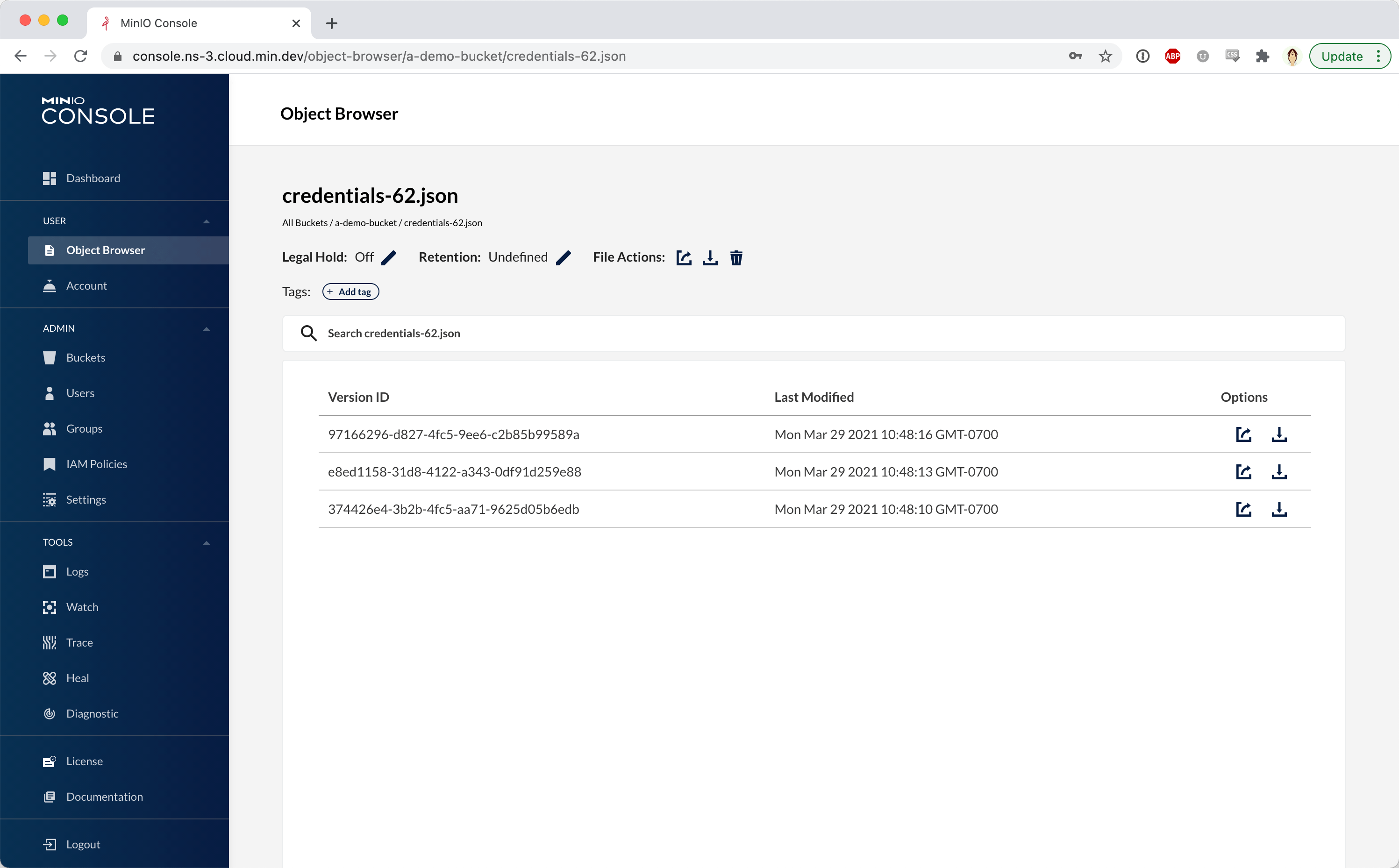
About Hosting MinIO
MinIO is a high-performance, S3-compatible object storage server released under the GNU AGPLv3 license. Built in Go, it implements the full Amazon S3 API, meaning any application, SDK, or tool designed for S3 works with MinIO without code changes.
Key features:
- Full S3 API compatibility — works with AWS SDKs,
aws-cli, Terraform S3 backends, and any S3-native tool - Built-in web console — manage buckets, objects, users, policies, and access keys from a browser
- Erasure coding — data protection across drives without RAID, with configurable parity
- Bucket notifications — trigger webhooks, AMQP, Kafka, or NATS events on object changes
- Server-side encryption — SSE-S3 and SSE-KMS with Vault integration
- Identity management — built-in IAM with users, groups, and policies, plus LDAP/OIDC federation
Why Deploy MinIO on Railway
A lightweight way to add S3-compatible storage to any Railway project:
- Drop-in S3 replacement with zero application code changes
- Persistent volume-backed storage with automatic data durability
- Web console for visual bucket and object management
- Internal networking for secure service-to-service access via
RAILWAY_PRIVATE_DOMAIN - No egress fees or per-request pricing — pay only for Railway infrastructure
Common Use Cases for Self-Hosted MinIO
- Application file storage — user uploads, avatars, documents, and media for web apps that expect an S3-compatible backend
- Data lake foundation — store Parquet files, CSV datasets, and ML training data with tools like Apache Spark, Trino, or DuckDB
- Backup repository — target for Restic, Velero, or pgBackRest backups using S3 endpoints
- CI/CD artifact storage — cache build artifacts, container layers, and test fixtures across pipeline runs
Dependencies for MinIO on Railway
- MinIO —
minio/minio:latest(Docker Hub) — the object storage server itself
Environment Variables Reference for MinIO
| Variable | Default | Description |
|---|---|---|
MINIO_ROOT_USER | minioadmin | Admin username for console and API |
MINIO_ROOT_PASSWORD | (generated) | Admin password — change from default |
PORT | 9001 | Railway domain routing port (console) |
MINIO_BROWSER_REDIRECT_URL | https://${{RAILWAY_PUBLIC_DOMAIN}} | Console redirect URL |
Deployment Dependencies
- Runtime: Go binary, statically compiled — no external dependencies
- Docker Hub: minio/minio
- GitHub: minio/minio
- Docs: min.io/docs
Hardware Requirements for Self-Hosting MinIO
| Resource | Minimum | Recommended |
|---|---|---|
| CPU | 1 vCPU | 2+ vCPUs |
| RAM | 1 GB (single-node) | 2+ GB |
| Storage | 1 GB | 10+ GB (depends on data volume) |
| Runtime | Docker or native binary | Docker with persistent volume |
MinIO is lightweight for single-node deployments. Production distributed setups (erasure coding across nodes) require significantly more resources — MinIO recommends 256 GB RAM per host for enterprise workloads.
Self-Hosting MinIO with Docker
Run MinIO locally with Docker in one command:
docker run -d \
  --name minio \
  -p 9000:9000 \
  -p 9001:9001 \
  -v minio-data:/data \
  -e MINIO_ROOT_USER=minioadmin \
  -e MINIO_ROOT_PASSWORD=your-secure-password \
  minio/minio server /data --console-address ":9001"
Or with Docker Compose for a more maintainable setup:
services:
  minio:
    image: minio/minio:latest
    command: server /data --console-address ":9001"
    ports:
      - "9000:9000"
      - "9001:9001"
    volumes:
      - minio-data:/data
    environment:
      MINIO_ROOT_USER: minioadmin
      MINIO_ROOT_PASSWORD: your-secure-password

volumes:
  minio-data:
Access the console at http://localhost:9001 and the S3 API at http://localhost:9000.
How Much Does MinIO Cost to Self-Host?
MinIO is free and open source under the GNU AGPLv3 license. The open-source version includes the full S3 API, web console, erasure coding, and all core features — no artificial limitations. Commercial support starts at $10/month for the Standard plan. On Railway, the only cost is infrastructure — compute and storage at Railway's standard pricing with no additional licensing fees.
MinIO vs AWS S3 for Self-Hosted Object Storage
| Feature | MinIO | AWS S3 |
|---|---|---|
| Pricing | Free (AGPLv3) + infra | Pay-per-request + storage + egress |
| S3 Compatibility | Full API parity | Native |
| Hosting | Self-hosted / any cloud | AWS only |
| Web Console | Built-in | AWS Console (separate) |
| Data Sovereignty | Full control | AWS regions |
| Operational Overhead | You manage it | Fully managed |
MinIO is ideal when you need S3 compatibility without vendor lock-in or egress fees. AWS S3 is better when you want zero operational overhead and are already in the AWS ecosystem.
FAQ
What is MinIO and why self-host it? MinIO is a high-performance, S3-compatible object storage server. Self-hosting gives you full control over your data, eliminates egress fees, and provides a drop-in S3 replacement for development or production workloads.
What does this Railway template deploy?
This template deploys a single MinIO server with a persistent volume at /data, the web console accessible on port 9001 via a public Railway domain, and the S3 API on port 9000 available internally via RAILWAY_PRIVATE_DOMAIN.
How do I connect an application to MinIO on Railway?
Use the S3 API endpoint at http://${{MinIO.RAILWAY_PRIVATE_DOMAIN}}:9000 for internal services, or the public domain for external access. Set your S3 client's endpoint URL, access key (MINIO_ROOT_USER), and secret key (MINIO_ROOT_PASSWORD). Enable path-style access (forcePathStyle: true) as MinIO does not support virtual-hosted-style URLs.
Can I use MinIO with the AWS CLI or AWS SDKs?
Yes. MinIO implements the full S3 API. Configure aws-cli with aws configure and set --endpoint-url to your MinIO URL. For SDKs, set the endpoint and enable path-style access. Example: aws --endpoint-url http://localhost:9000 s3 ls.
How do I enable HTTPS for the MinIO S3 API? Railway automatically provides HTTPS via its edge proxy for the public domain. Internal service-to-service traffic uses HTTP over Railway's private network, which is secure by default. No additional TLS configuration is needed.
Template Content
MinIO
minio/minio:latest

