
Deploy miniserve
Serve any folder over HTTP with a browsable listing and uploads
miniserve
Just deployed
/data
Deploy and Host miniserve on Railway
Deploy miniserve when you want a directory on the internet in the time it takes to click once. miniserve is a small, self-contained Rust program that turns any folder into a browsable web page: a sortable listing, a search box, on-the-fly folder archives, drag-and-drop uploads, deletion, resumable downloads and read-only WebDAV. It is what people reach for instead of python -m http.server when the share has to outlive a terminal session, be reachable outside the LAN, and sit behind a password.
Self-host miniserve on Railway and this template configures the whole thing: one service named miniserve running the official svenstaro/miniserve image, a persistent volume mounted at /data, and a public HTTPS domain in front of it. Traffic terminates TLS at Railway's edge and reaches the container on port 8080, where every request except the health check is challenged with HTTP basic auth using the username and password you supply at deploy time. Files are served from /data/files and uploads staged in /data/tmp on the same volume, so a redeploy never loses them. No database or object storage is involved — the filesystem is the state.

Getting Started with miniserve on Railway
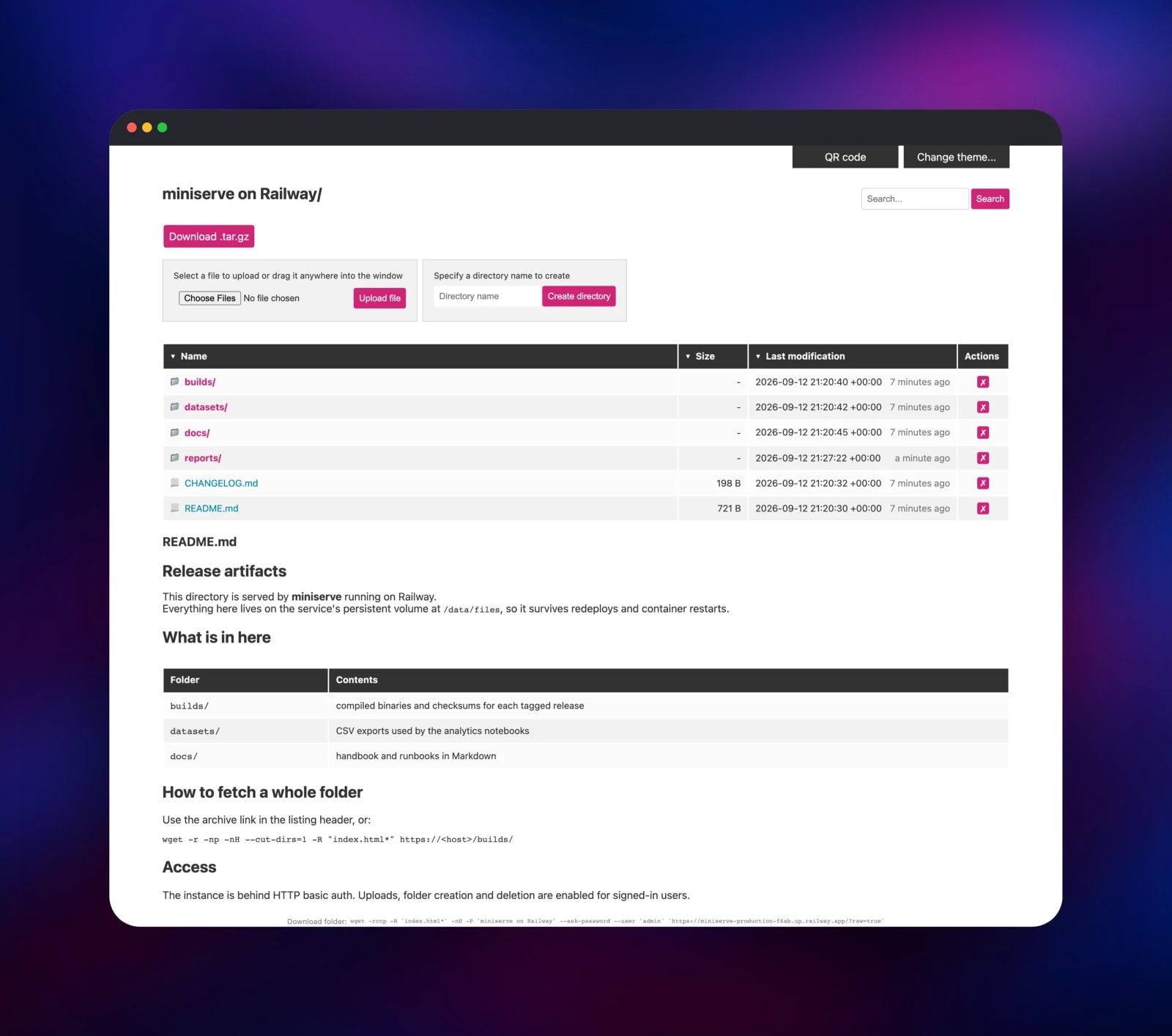
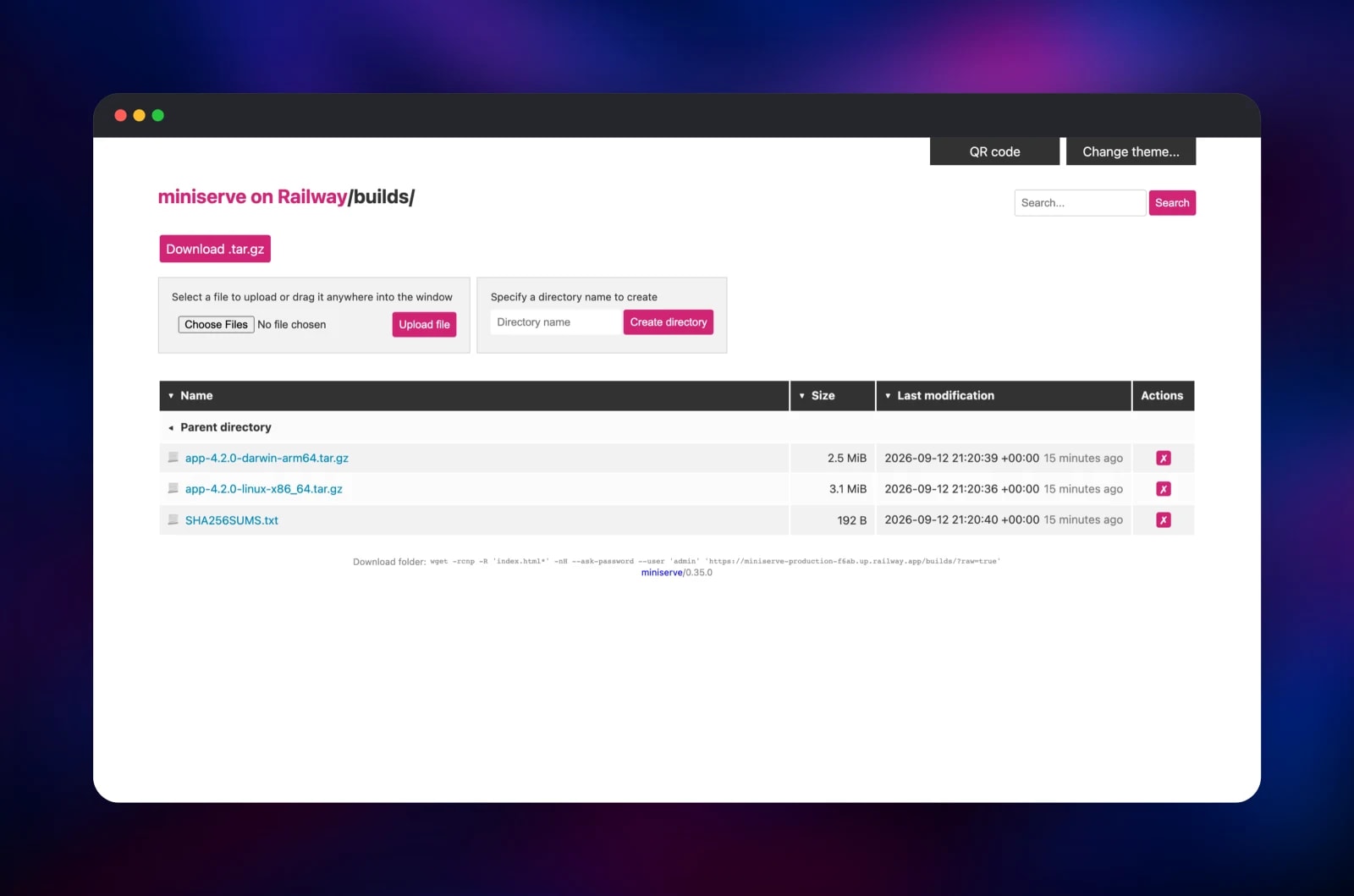
Set MINISERVE_USERNAME and MINISERVE_PASSWORD when you deploy — those two values are the only decisions the template asks for, and together they become the basic-auth credential. When the deployment goes green, open the generated *.up.railway.app URL; the browser shows a native sign-in prompt and the same pair gets you in. There is no registration page and no first-run wizard, so a correct password puts you straight on the listing. The folder starts empty: use the Specify a directory name to create box, then drop files onto the page or use Choose Files and Upload file. Download .tar.gz pulls a whole folder down as one archive, and the search box filters a long listing. To confirm the deployment really persists data, upload a file, redeploy from the Railway dashboard and reload — it is still there. A README.md in a folder is rendered under the listing.
About Hosting miniserve
miniserve solves a narrow problem completely: getting files to other people over HTTP, with no account system, no database schema and no plugins to maintain. Self-host it when the alternative is emailing archives around, paying a file-sharing seat per person, or running a full file manager whose feature list you will never touch. It is one Rust binary on a slim Debian base, so the container starts in under a second.
Key features:
- HTTP basic auth with plaintext, SHA-256 or SHA-512 passwords, or a multi-user auth file
- Uploads, folder creation and deletion, each restrictable to a subdirectory
- Folder downloads generated on the fly as
.tar,.tar.gzor.zip - Search by filename, sortable columns, and range requests so downloads resume
- Read-only WebDAV, so the share mounts in Finder, Explorer or a file manager
- A rendered
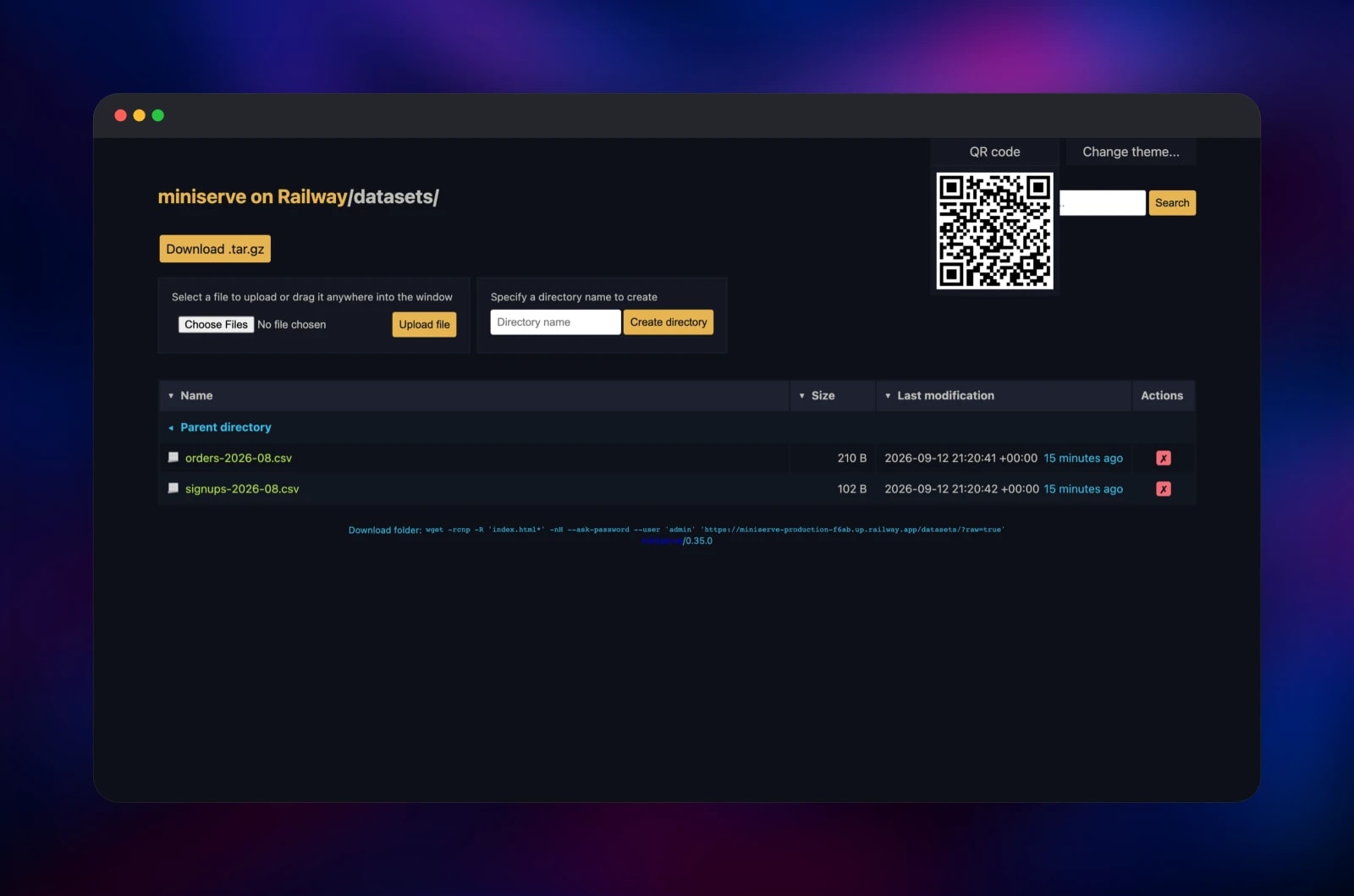
README.mdper directory, a QR code panel, five colour themes, and a copy-pastable recursivewgetline
The Railway architecture is deliberately flat: one service runs the app, one volume holds the data. The volume mounts at /data rather than at the served directory, and the start command creates /data/files and /data/tmp inside it — which keeps the lost+found directory every Linux filesystem carries out of your listing, and puts upload staging on the same filesystem as the destination.
Why Deploy miniserve on Railway
Railway removes the parts of self-hosting a file server that are not about files:
- HTTPS and a public domain provisioned automatically, no certificate renewal
- A persistent volume attached in one step, surviving every redeploy
- Credentials supplied as deploy-time variables, never baked into an image
- One container to watch, with logs, metrics and a real health check
- Upgrade to a newer release without touching your data
Common Use Cases
- Release and artifact hosting — publish build tarballs with a
SHA256SUMS.txtbeside them and hand teammates the recursivewgetline from the footer. - Dataset distribution — share CSV or Parquet exports with collaborators who need a URL, not a cloud account.
- A password-protected drop box — turn uploads on so clients or contractors can send you files without an invite flow.
- Static asset and firmware mirror — serve installers or device firmware over resumable HTTP.
Dependencies for miniserve
svenstaro/miniserve:0.35.0— the app, one Rust binary on a slim Debian base- A 5 GB Railway volume mounted at
/data— the only persistence layer
miniserve keeps nothing outside the filesystem it serves — no database, cache or bucket — so the volume is the one component to size deliberately.
Environment Variables Reference
| Variable | Purpose |
|---|---|
MINISERVE_USERNAME | Basic-auth username you sign in with |
MINISERVE_PASSWORD | Basic-auth password; generated for you if left alone |
MINISERVE_AUTH | Combined user:password credential miniserve reads |
MINISERVE_PATH | Directory served to visitors, /data/files |
MINISERVE_ALLOWED_UPLOAD_DIR | Enables uploads; / allows them anywhere |
MINISERVE_ALLOWED_RM_DIR | Enables deletion; / allows it anywhere |
MINISERVE_MKDIR_ENABLED | Shows the create-directory form |
MINISERVE_ENABLE_WEBDAV | Enables read-only WebDAV requests |
MINISERVE_ON_DUPLICATE_FILES | error, overwrite or rename on a clash |
Deployment Dependencies
- Source: github.com/svenstaro/miniserve (MIT)
- Image: hub.docker.com/r/svenstaro/miniserve
- Runtime: none — the binary is self-contained
Hardware Requirements for Self-Hosting miniserve
| Resource | Minimum | Recommended |
|---|---|---|
| CPU | 0.1 vCPU | 1 vCPU |
| RAM | 64 MB | 512 MB |
| Storage | 1 GB volume | Sized to your files |
| Runtime | None (static binary) | None |
Memory use tracks concurrent transfers, not file count. Raise the volume size before you fill it; enabling .zip archives raises the ceiling too, since zip is built in memory while .tar.gz streams.
Self-Hosting miniserve
Locally, one command is the whole install. The following is a shell session using Docker:
docker run -p 8080:8080 -v "$PWD/share:/data/files" \
  -e MINISERVE_PATH=/data/files \
  -e MINISERVE_AUTH=admin:changeme \
  -e MINISERVE_ALLOWED_UPLOAD_DIR=/ \
  svenstaro/miniserve:0.35.0
Without Docker, install the binary with Cargo and point it at a directory:
cargo install --locked miniserve
miniserve --auth admin:changeme --upload-files / --enable-tar-gz ./share
Every setting is available as a flag or a MINISERVE_* environment variable, which is what lets the Railway template run the published image unmodified.
How Much Does miniserve Cost to Self-Host?
miniserve is free and open source under the MIT licence. There is no paid tier, hosted edition or per-seat pricing, so the whole cost is infrastructure: on Railway, the container's actual CPU and memory — small, since the process idles between transfers — plus the volume size and download egress.
FAQ
What is miniserve? An open-source command-line tool written in Rust that serves a file or directory over HTTP, giving you a browsable listing with search, uploads, folder archives, WebDAV and password protection from one binary.
What does this Railway template deploy? One service running the official svenstaro/miniserve image with a persistent volume at /data, a public HTTPS domain, basic auth on, uploads and deletion enabled, and a health check on miniserve's own /__miniserve_internal/healthcheck route.
Why does the template include a volume? miniserve has no database and no object-storage backend — the directory it serves is its data, so without a volume every uploaded file would vanish when the container was next recreated.
How do I stop strangers uploading or deleting files? Everything except the health check sits behind basic auth. To make the share read-only, remove MINISERVE_ALLOWED_UPLOAD_DIR, MINISERVE_ALLOWED_RM_DIR and MINISERVE_MKDIR_ENABLED; to confine writes to one folder, set the upload variable to a path like /incoming.
Can I mount a self-hosted miniserve share as a network drive? Yes — MINISERVE_ENABLE_WEBDAV is on, so any WebDAV client can connect to the public URL with the same credentials. WebDAV is read-only by design; uploads go through the web page or an HTTP POST.
How do I upload a file from a script instead of the browser? POST a multipart form to /upload with the target path as a query parameter: curl -u user:pass -F "path=@build.tar.gz" "https:///upload?path=/builds".
How do I serve a static website instead of a file listing? Set MINISERVE_INDEX to index.html, and miniserve serves that file for a directory rather than generating a listing. Adding MINISERVE_SPA forwards unknown paths to it so a client-side router can handle them.
Template Content
miniserve
svenstaro/miniserve:0.35.0

