
Deploy N8N [w/ Postgres + Redis + Ollama] | Pro Stack
[Jun '26] Build Automation Workflows Using Self Hosted LLM Models
worker
Just deployed

Ollama
Just deployed
/root/.ollama
main
Just deployed
/data

Just deployed
/var/lib/postgresql/data

Redis
Just deployed
/data
Deploy and Host N8N with Ollama to build private, self-hosted AI automation workflows on Railway
N8N with Ollama lets you build powerful, private AI-powered automation workflows using locally deployed large language models. This template provisions n8n, Ollama, PostgreSQL, and Redis together so you can run LLM-driven workflows without relying on external AI APIs or exposing sensitive data.
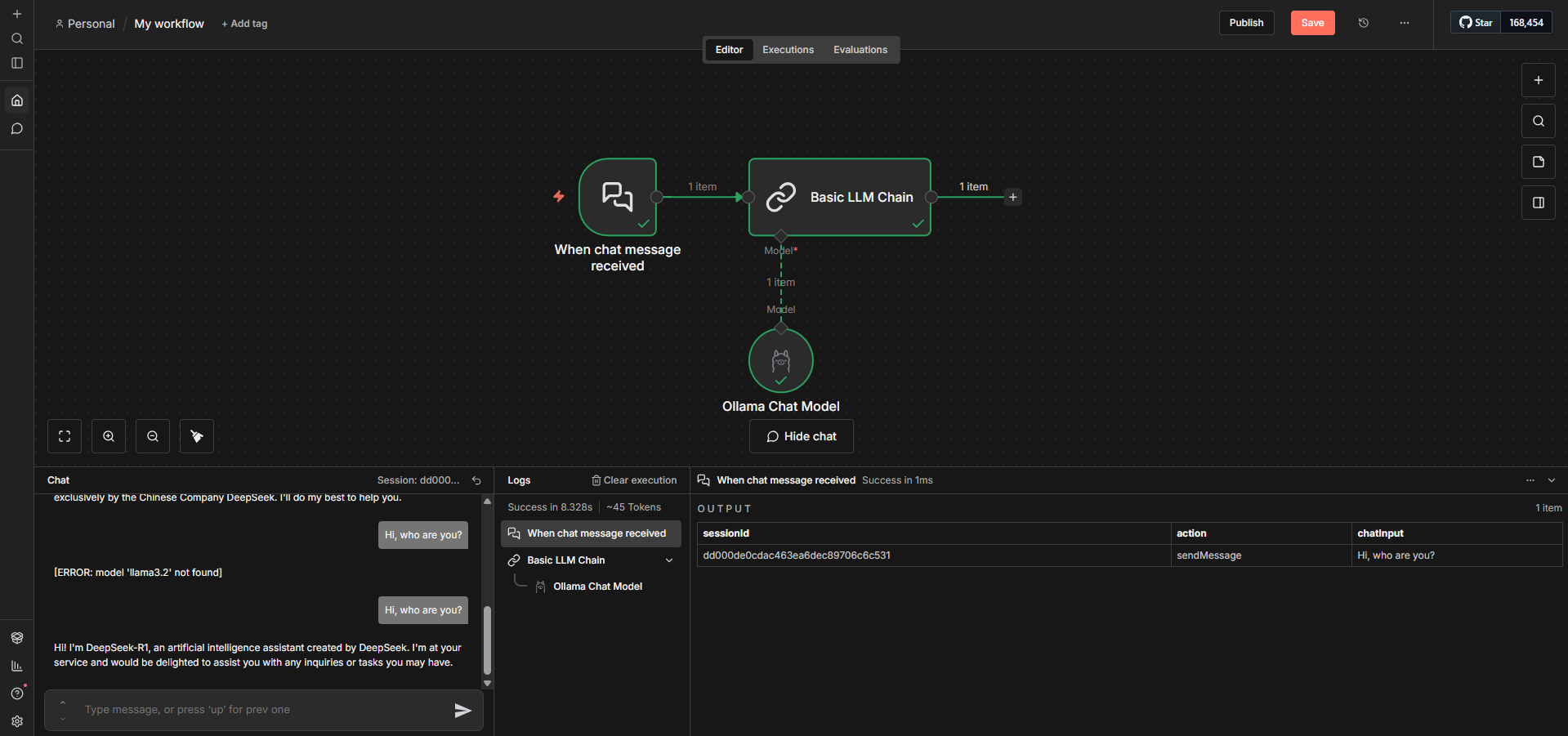
How to Use Locally Deployed LLMs inside n8n (Step-by-Step)
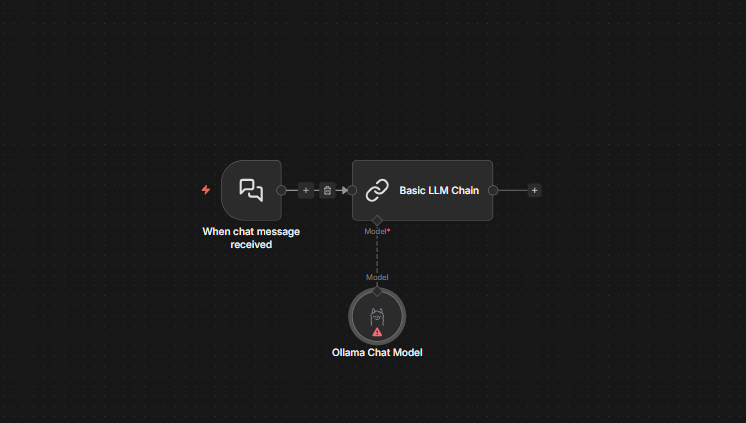
Step 1: Add "Ollama Chat Model" node from AI section. Then double click on "Ollama Chat Model" node
Step 2: Click "Credential to connect with" → "Create New Credential".
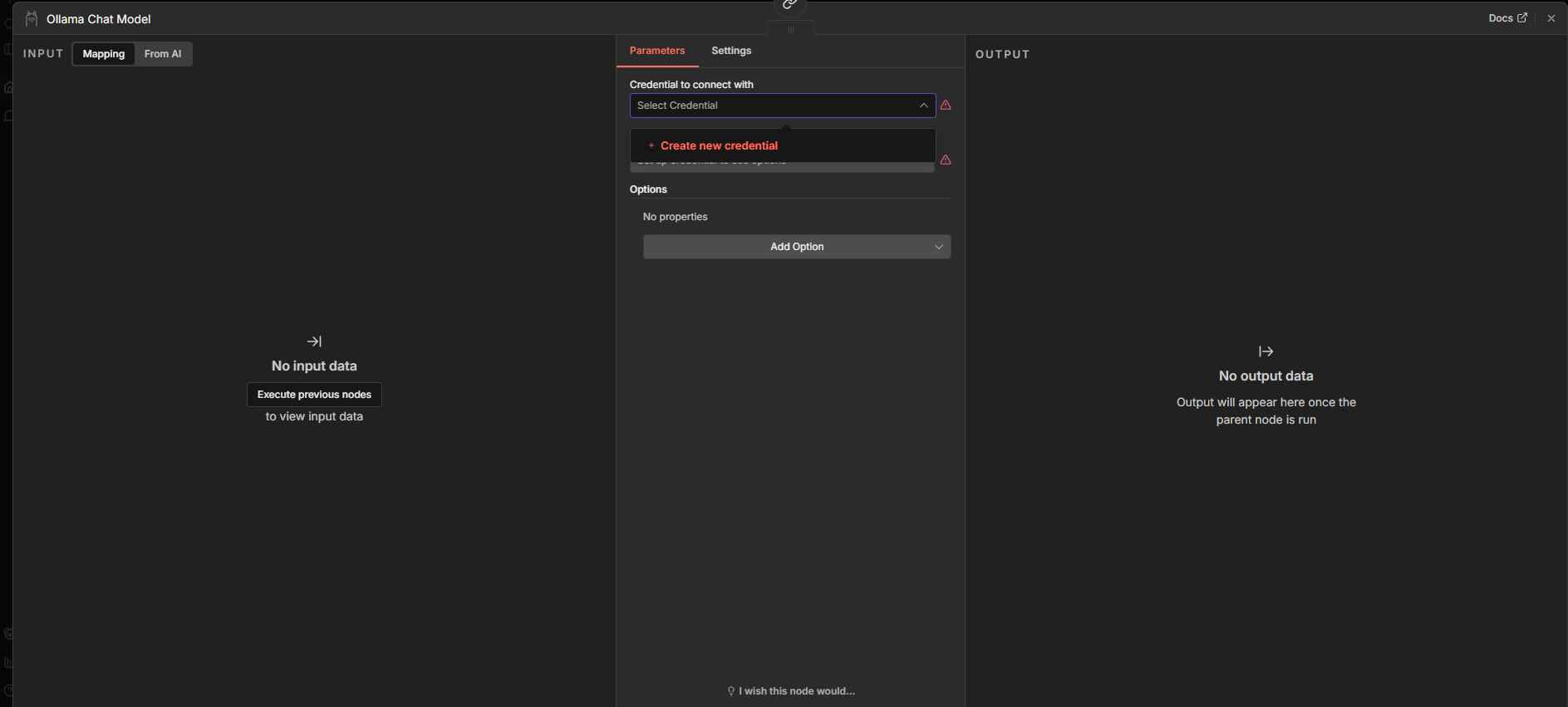
Step 3: Enter Base URL: http://ollama.railway.internal:11434
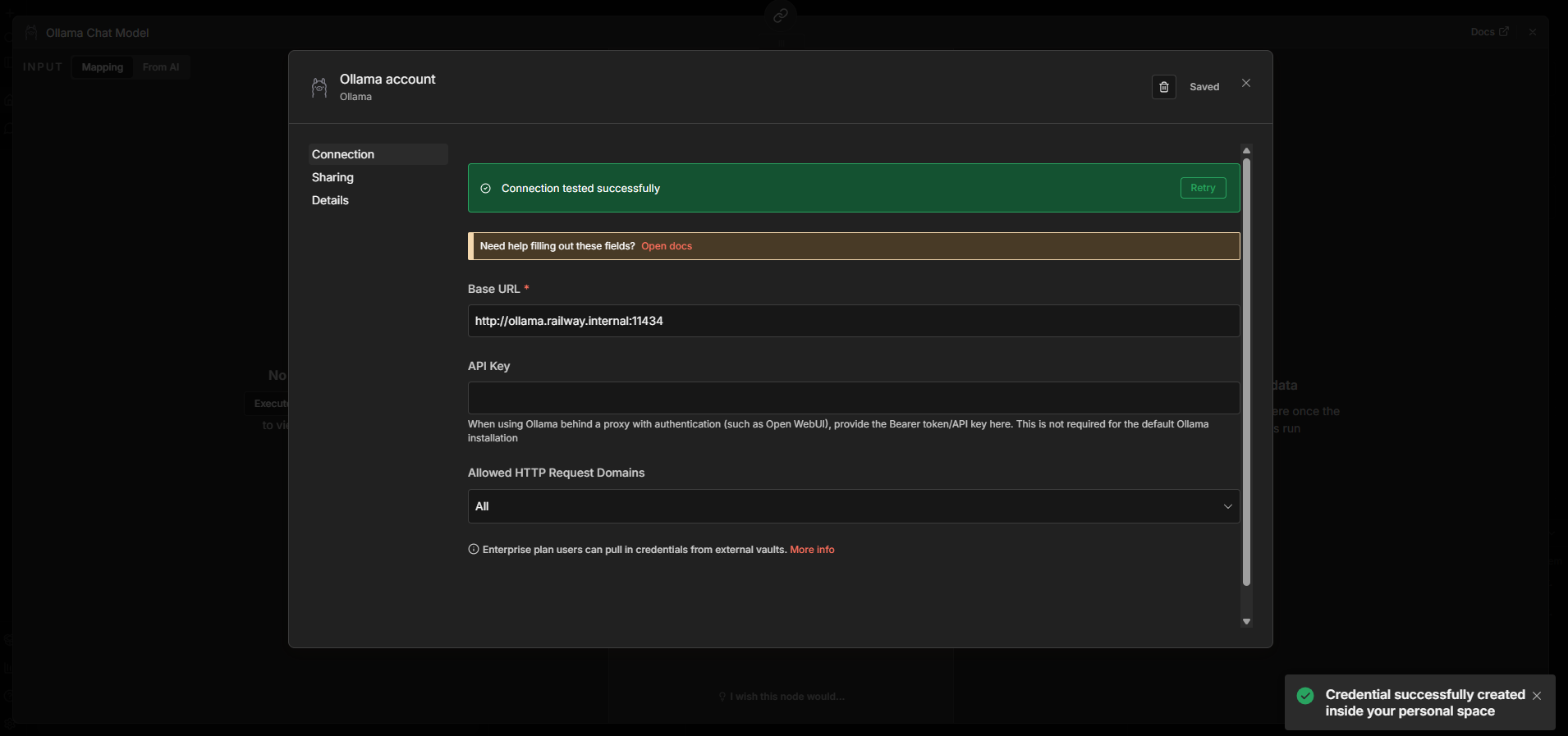
Step 4: Save and test connection. If it fails, verify Ollama is running and OLLAMA_BASE_URL matches in n8n's env vars.
Step 5: Select your model from dropdown (e.g., deepseek-r1:1.5b). If you want to add more models, simply specify in OLLAMA_DEFAULT_MODELS.
Switching LLM Models
Change OLLAMA_DEFAULT_MODELS to deploy different models:
Fast (<2GB RAM):
deepseek-r1:1.5b: Best reasoning for small modelsqwen3:1.7b: Multilingual supportphi3:3.8b: Good for code
Balanced (8GB RAM):
mistral:7b: Excellent code + structured outputsllama3.2:8b: Strong general knowledgeqwen3:7b: Best for non-English
High Quality (16GB+):
deepseek-r1:14b: Near-GPT-3.5 reasoningmixtral:8x7b: Complex tasksllama3.3:70b: Requires 32GB+ RAM
Attach Railway volume to /root/.ollama/models to cache models across deployments.
About Hosting N8N with Ollama to build private, self-hosted AI automation workflows
This template deploys a complete, production-ready automation stack using n8n and Ollama on Railway.
n8n handles workflow orchestration and automation, while Ollama runs local large language models such as DeepSeek or LLaMA variants. PostgreSQL is used for persistent workflow data, and Redis powers queue-based execution with scalable workers.
The result is a fully private, self-hosted AI automation platform where all inference stays inside your infrastructure. This setup is ideal for teams that need reliability, scalability, and data control without managing complex networking or orchestration manually.
Common Use Cases
Private AI agents for internal tools, ops automation, or customer support
LLM-powered workflows (summarization, classification, extraction) without sending data to third-party APIs
AI automation pipelines triggered by webhooks, schedules, or events
Local model experimentation using Ollama inside real production workflows
n8n vs Other Automation Platforms
| Feature | n8n (This Template) | Zapier | Make | Activepieces |
|---|---|---|---|---|
| Pricing | $20-50/month flat | $20-600/month usage | $9-299/month ops | $0-40/month |
| Local LLM | Yes (Ollama) | No | No | Partial |
| Data Privacy | Full control | Passes through servers | Passes through servers | Full if self-hosted |
| Complexity | Advanced | Basic-Medium | Advanced | Medium |
| Custom Code | JS/Python nodes | Limited (paid) | Yes | Limited |
Use n8n + Ollama for sensitive data processing, unlimited AI ops without per-call costs, or complex workflows with loops and error handling.
Use Zapier for zero setup but pay exponentially more at scale.
Use Make for visual routing with cloud hosting—better pricing than Zapier but still costs more than self-hosting.
Railway vs Other n8n Hosting
| Platform | Railway | n8n Cloud | AWS/GCP | DigitalOcean |
|---|---|---|---|---|
| Setup | 1 min | 2 min | 60+ min | 30 min |
| Ollama | Pre-configured | No | Manual | Manual |
| Workers | Yes | Yes | Manual | Manual |
| Cost | $10-30/mo | $20-250/mo | $50-200/mo | $30-100/mo |
Use Railway for n8n + Ollama working together in under a minute with predictable costs and zero networking configuration.
Dependencies for N8N with Ollama to build private, self-hosted AI automation workflows Hosting
n8n – workflow automation engine
PostgreSQL – workflow and credential storage
Redis – queue-based execution and workers
Ollama – Local LLM runtime serving DeepSeek, Mistral, Llama, or 50+ models. n8n connects via Railway's private network, no data leaves your infrastructure.
Deployment Dependencies
- n8n Docs: docs.n8n.io
- Ollama Models: ollama.com/library
- n8n Community: community.n8n.io
- Railway Docs: docs.railway.app
- Workflow Templates: n8n.io/workflows
Key Environment Variables
OLLAMA_BASE_URL: Points n8n to Ollama at http://${{Ollama.RAILWAY_PRIVATE_DOMAIN}}:11434 for AI operations.
OLLAMA_DEFAULT_MODELS: Comma-separated models to download at boot (default model is "deepseek-r1:1.5b,mistral:7b"). Change this to deploy different LLMs. Make sure you have enough RAM to deploy the specified model(s).
FAQ
Can I use multiple models in one N8N workflow?
Yes. just specify the model under OLLAMA_DEFAULT_MODELS and you will see those models in the dropdown. See the steps above to connect n8n with Ollama.
Which models can I use with Ollama?
Any model supported by Ollama, including DeepSeek, LLaMA, Mistral, and more. You can change or add models at runtime. Refer to ollama.com/library for model library.
Can I Use external APIs (OpenAI, Anthropic) alongside Ollama?
Yes. n8n includes nodes for all major AI providers. You can mix and match whichever model you want.
Why use Redis and workers?
Redis enables queue mode, allowing workflows to scale horizontally using workers. This prevents long-running AI tasks from blocking the UI.
Can I expose Ollama publicly?
You can, but it’s not recommended. This template is designed so n8n accesses Ollama privately for better security.
What happens if I restart the services on Railway?
PostgreSQL and Redis persist data using Railway volumes. Your workflows and credentials remain intact.
Is this n8n with Ollama template suitable for production?
Yes. This setup follows n8n’s recommended production architecture with queue mode, workers, persistent storage, and encrypted credentials.
Can I extend this with other AI tools?
Absolutely. You can add vector databases, observability tools, or external APIs alongside Ollama.
Why Deploy N8N with Ollama to build private, self-hosted AI automation workflows on Railway?
Railway is a singular platform to deploy your infrastructure stack. Railway will host your infrastructure so you don't have to deal with configuration, while allowing you to vertically and horizontally scale it.
By deploying N8N with Ollama to build private, self-hosted AI automation workflows on Railway, you are one step closer to supporting a complete full-stack application with minimal burden. Host your servers, databases, AI agents, and more on Railway.
Template Content