Deploy NocoDB | Open Source Airtable Alternative on Railway
Self Host NocoDB. Turn any database into a smart spreadsheet

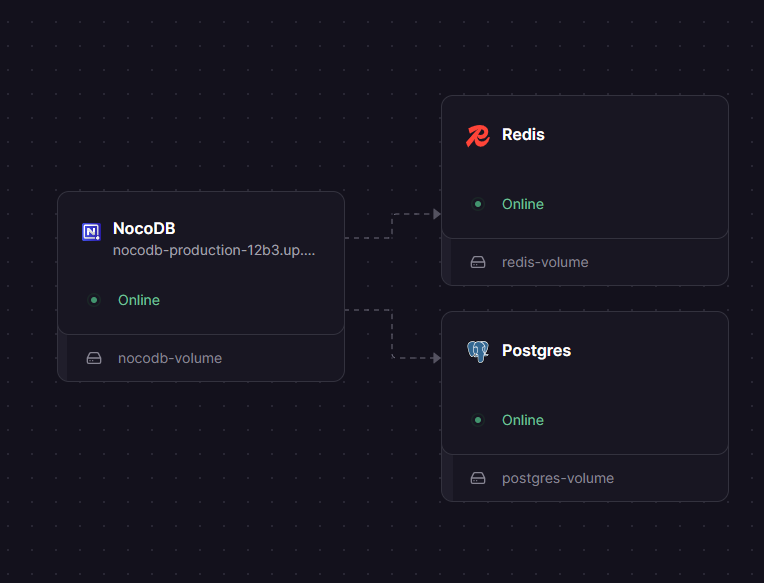
Redis
Just deployed
/data

NocoDB
Just deployed
/usr/app/data

Just deployed
/var/lib/postgresql/data
Deploy and Host NocoDB on Railway
Deploy NocoDB on Railway to get a fully self-hosted Airtable alternative backed by PostgreSQL. NocoDB turns any database into a smart spreadsheet with grid, gallery, kanban, calendar, and form views — all without writing code.
This Railway template pre-configures NocoDB with a managed PostgreSQL database and persistent volume storage. Self-host NocoDB on Railway and get unlimited users, unlimited storage, and full API access with zero per-seat pricing.
Getting Started with NocoDB on Railway
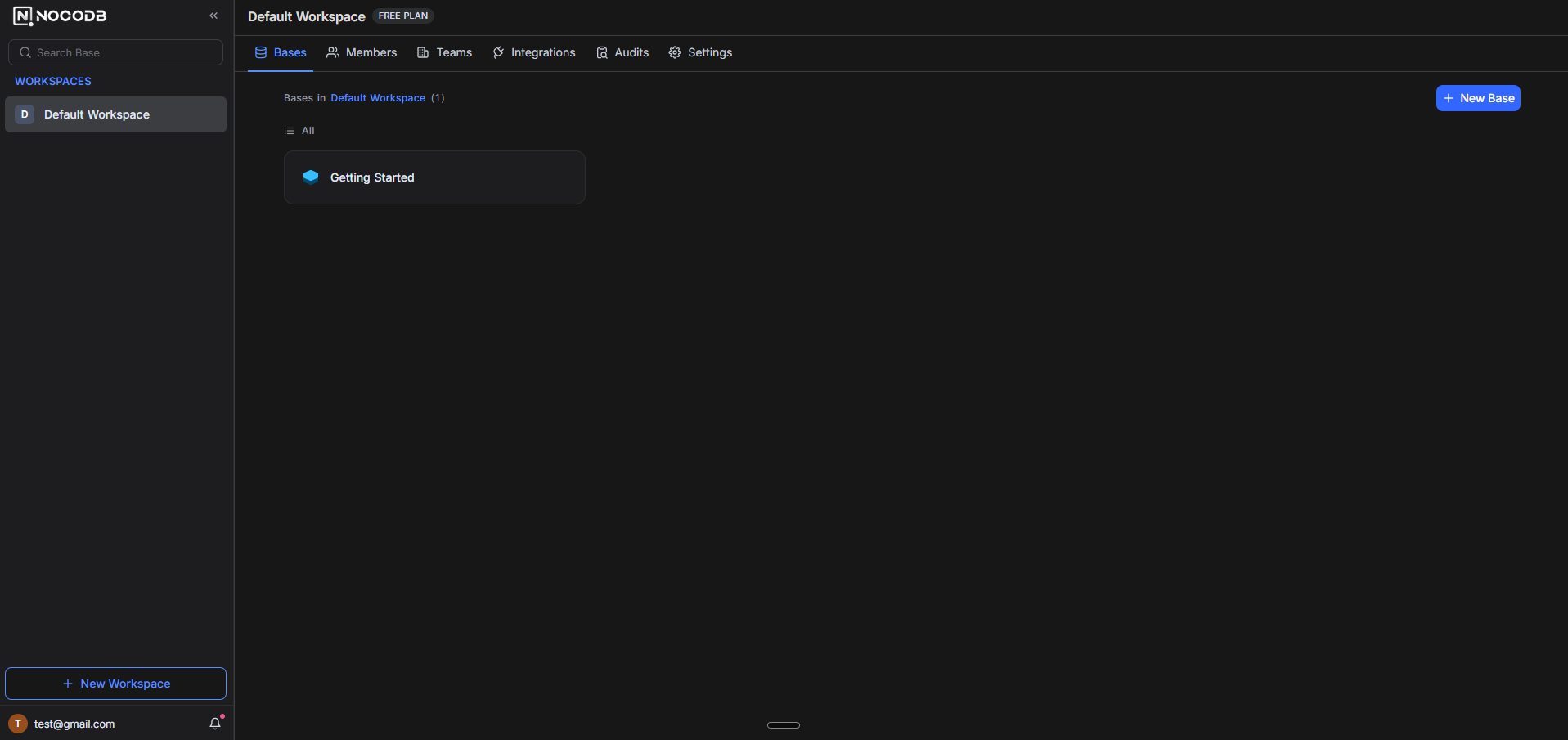
After deployment completes, open your NocoDB URL to reach the first-time setup wizard. Create your admin account by entering an email and password. Once logged in, create a new workspace, then create your first base (database). You can start from scratch with an empty table or import data from CSV, Excel, or Airtable. Connect an existing PostgreSQL or MySQL database to turn it into a spreadsheet interface instantly. Each base supports multiple tables with relations, lookups, rollups, and formula fields.
About Hosting NocoDB
NocoDB is an open-source no-code database platform with 62.7k+ GitHub stars. It provides a spreadsheet interface on top of relational databases, making production data accessible to non-technical team members without SQL.
- Multiple views: Grid, Gallery, Kanban, Calendar, Form
- Rich field types: Attachments, formulas, lookups, rollups, links, QR codes
- Role-based access control: Owner, Creator, Editor, Commenter, Viewer roles
- REST API: Auto-generated API for every table with Swagger docs
- Webhooks and automations: Trigger actions on record create, update, delete
- Integrations: Slack, Discord, Mattermost, AWS S3, Minio, SMTP
Why Deploy NocoDB on Railway
Railway simplifies NocoDB deployment to a single click with managed infrastructure:
- Managed PostgreSQL with automatic backups and failover
- Persistent volume storage for attachments and uploads
- Auto-generated HTTPS domain with SSL termination
- No per-seat licensing — unlimited users on self-hosted
- Scale compute resources on demand without re-deployment
Common Use Cases for Self-Hosted NocoDB
- Project management: Track tasks, milestones, and team assignments with Kanban and Calendar views
- CRM and contact management: Build a custom CRM with linked tables, rollups, and form-based data entry
- Inventory tracking: Manage stock levels, suppliers, and orders with gallery views for product catalogs
- Internal tools: Replace spreadsheet-based workflows with a structured database that non-technical users can query and update
Dependencies for NocoDB on Railway
- NocoDB (
nocodb/nocodb:latest) — Main application server - PostgreSQL (
ghcr.io/railwayapp-templates/postgres-ssl:18) — Primary database for metadata and user data
Environment Variables Reference for NocoDB
| Variable | Description | Default |
|---|---|---|
NC_DB | PostgreSQL connection string in NocoDB format | Required |
NC_AUTH_JWT_SECRET | JWT signing secret for authentication | Auto-generated |
NC_PUBLIC_URL | Public-facing URL for email links and Swagger | Required |
PORT | HTTP server listening port | 8080 |
NODE_OPTIONS | Node.js runtime flags | --max-old-space-size=512 |
NC_REDIS_URL | Redis URL for caching (optional) | None |
Deployment Dependencies
- Runtime: Node.js (bundled in Docker image)
- GitHub: nocodb/nocodb
- Docker Hub: nocodb/nocodb
- Docs: nocodb.com/docs/self-hosting
Hardware Requirements for Self-Hosting NocoDB
| Resource | Minimum | Recommended |
|---|---|---|
| CPU | 1 vCPU | 2 vCPU |
| RAM | 512 MB | 1 GB |
| Storage | 1 GB | 10 GB+ |
| Runtime | Docker 20+ | Docker 24+ |
NocoDB is lightweight for small teams (under 50 users). The NODE_OPTIONS=--max-old-space-size=512 setting is required on Railway to prevent JavaScript heap out-of-memory crashes during startup.
Self-Hosting NocoDB with Docker
Run NocoDB locally with PostgreSQL using Docker Compose:
version: "2.1"
services:
  nocodb:
    image: nocodb/nocodb:latest
    ports:
      - "8080:8080"
    environment:
      NC_DB: "pg://db:5432?u=postgres&p=password&d=nocodb"
      NC_AUTH_JWT_SECRET: "change-me-to-a-random-secret"
    volumes:
      - nc_data:/usr/app/data
    depends_on:
      db:
        condition: service_healthy
  db:
    image: postgres:16
    environment:
      POSTGRES_DB: nocodb
      POSTGRES_USER: postgres
      POSTGRES_PASSWORD: password
    healthcheck:
      test: pg_isready -U postgres
      interval: 10s
      retries: 10
    volumes:
      - db_data:/var/lib/postgresql/data
volumes:
  nc_data:
  db_data:
Or run NocoDB with a single Docker command using SQLite (no external database needed):
docker run -d --name nocodb \
  -p 8080:8080 \
  -v nocodb_data:/usr/app/data \
  nocodb/nocodb:latest
Is NocoDB Free to Self-Host?
NocoDB is free to self-host under the Sustainable Use License. The self-hosted Community Edition includes unlimited users, unlimited storage, and full API access. Premium features like AI fields, advanced forms, and extensions require a cloud or enterprise license. On Railway, your only cost is infrastructure — typically $5-10/month for a small team deployment with PostgreSQL.
NocoDB vs Baserow on Railway
| Feature | NocoDB | Baserow |
|---|---|---|
| License | Sustainable Use | MIT (core) |
| Database support | PostgreSQL, MySQL, SQLite | PostgreSQL only |
| Connect existing DB | Yes | No |
| Real-time collaboration | Limited | Full |
| Application builder | No | Yes |
| Automations | Webhooks | Built-in engine |
| RAM usage | ~512 MB | ~1 GB+ |
| GitHub stars | 62.7k | 25k+ |
NocoDB is ideal if you want to put a spreadsheet UI on an existing database. Baserow is better for teams that need a full no-code platform with real-time collaboration and an application builder.
FAQ
What is NocoDB and why should I self-host it? NocoDB is an open-source no-code database platform that provides an Airtable-like spreadsheet interface on top of relational databases. Self-hosting gives you unlimited users, full data ownership, and zero per-seat costs compared to Airtable's $20/user/month pricing.
What does this Railway template deploy for NocoDB?
This template deploys the NocoDB application server (nocodb/nocodb:latest) with a managed PostgreSQL database and persistent volume storage. Everything is pre-configured with secure defaults including JWT authentication and HTTPS.
Why does NocoDB need PostgreSQL on Railway? PostgreSQL stores all NocoDB metadata (bases, tables, views, users, permissions) and user-created data. While NocoDB supports SQLite for testing, PostgreSQL is required for production use with concurrent users and data reliability.
How do I connect NocoDB to an existing external database? After deploying on Railway, log in to your NocoDB instance and create a new base. Select "Connect to External Database" and enter your database connection string. NocoDB supports PostgreSQL, MySQL, MariaDB, MSSQL, and SQLite as external data sources.
Can I migrate my Airtable data to self-hosted NocoDB on Railway? Yes. NocoDB supports importing data from Airtable, CSV, and Excel files. Create a new base, click the import icon, and select your Airtable base to migrate. Views, field types, and relations are preserved during import.
How do I enable API access for NocoDB on Railway?
NocoDB automatically generates REST APIs for every table. Navigate to your base settings, open the API Tokens section, and create a new token. The Swagger documentation is available at your NocoDB URL under /dashboard/#/nc/swagger.
Template Content


