Deploy NOFX | Self-Hosted AI Crypto Trading System
Self Host NOFX: Autonomous AI trader: multi-model, multi-exchange.
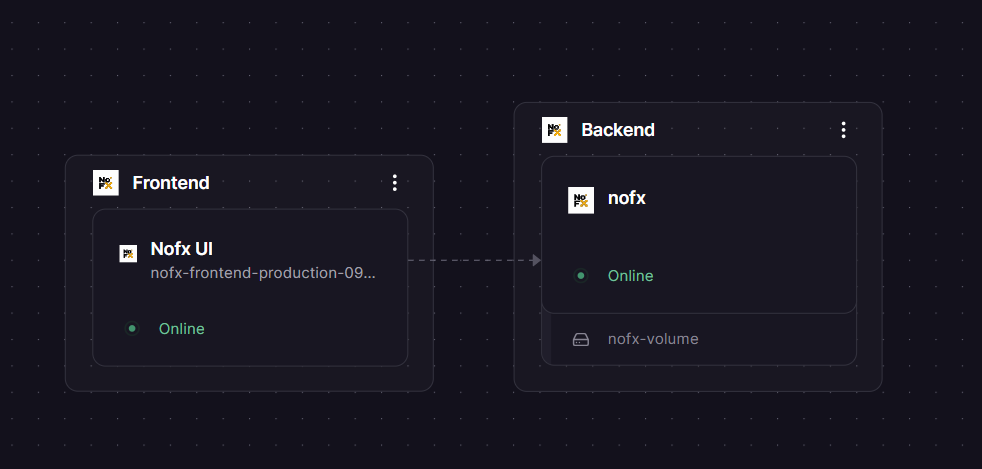
Frontend
Just deployed
Backend
Just deployed
/app/data
Deploy and Host NOFX — AI-Powered Trading OS
NOFX is an open-source autonomous AI trading system that connects to crypto exchanges, selects AI models automatically, and executes trades — all without manual configuration. Unlike traditional bots where you write Python strategies or wrangle API keys, NOFX's AI perceives the market, picks the model, and decides when to trade.
Self-host NOFX on Railway with this two-service template: a Go backend (API server + SQLite) and an nginx frontend (React dashboard) — pre-wired with private networking, persistent storage, and encrypted credential handling out of the box.
⚠️ Before You Deploy: Generate Your RSA Private Key
NOFX requires an RSA private key to encrypt exchange API keys stored in the database. The backend will crash on startup without it. Generate it once and save it — changing it later will corrupt stored credentials.
Linux / Mac:
openssl genpkey -algorithm RSA -pkeyopt rsa_keygen_bits:2048 | openssl pkcs8 -topk8 -nocrypt -outform PEM | awk 'NF {printf "%s\\n", $0}' | sed 's/\\n$//'
Windows PowerShell:
(openssl genpkey -algorithm RSA -pkeyopt rsa_keygen_bits:2048 | openssl pkcs8 -topk8 -nocrypt -outform PEM) -join '\n'
Copy the single-line output and paste it as the RSA_PRIVATE_KEY variable value.
Getting Started with NOFX on Railway
Once deployed, open the public URL assigned to the nofx-frontend service. The UI will load and prompt you to log in/sign up. After signing up you will land on the dashboard.
![NOFX Dashboard]](https://res.cloudinary.com/asset-cloudinary/image/upload/v1773775388/nofx_dashboard_ybqxcj.png)
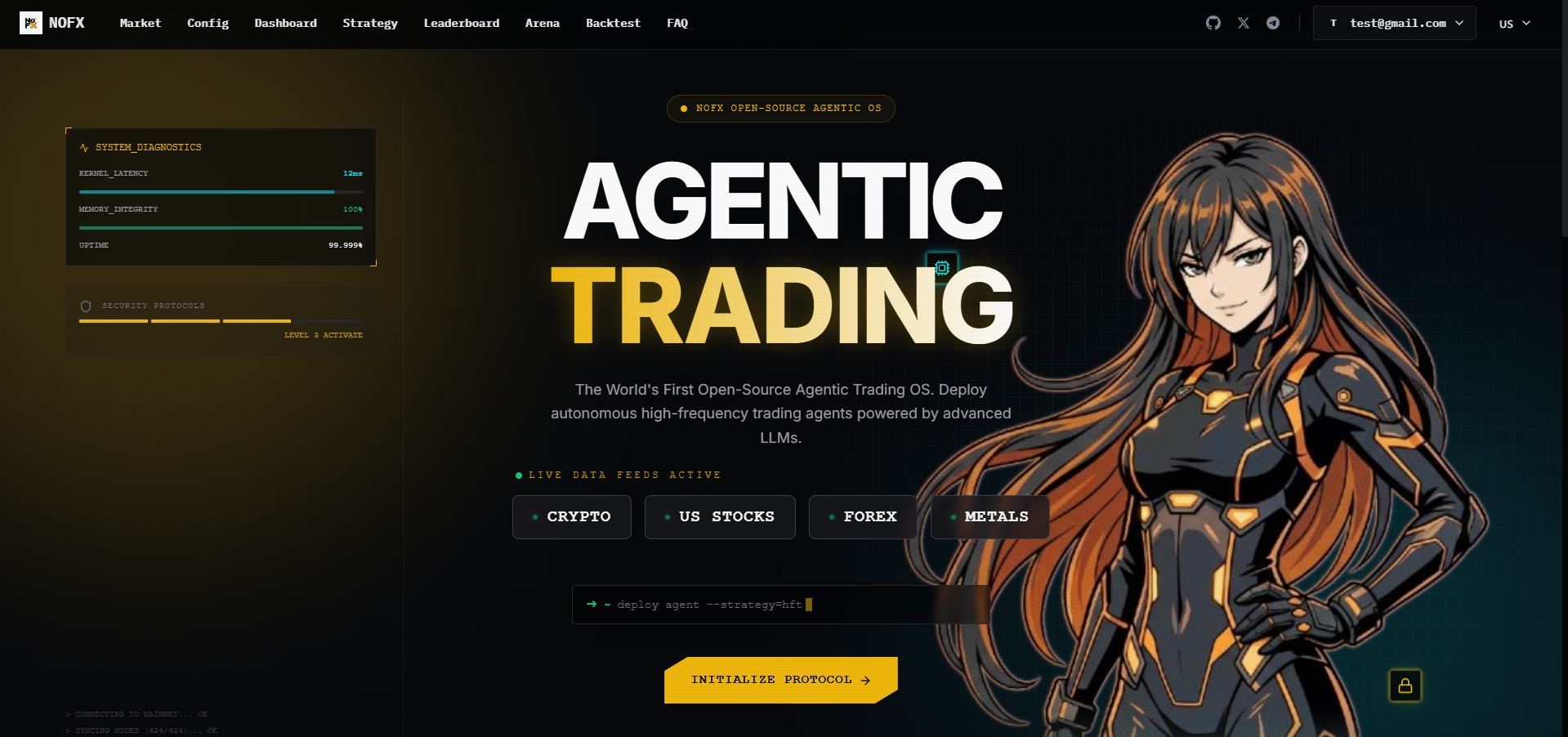
From the dashboard, navigate to AI to configure your AI provider (DeepSeek is recommended for cost), then Exchange to connect your exchange API credentials. Finally, go to Strategy to build your first trading strategy in the visual Studio. Hit Trader to combine AI + exchange + strategy and start a live or paper trading session.
About Hosting NOFX
NOFX is a full-stack AI trading OS built with Go (backend) and React/TypeScript (frontend). It routes market data through an MCP AI client layer that supports 41+ models — DeepSeek, GPT, Claude, Qwen — and connects to 8 exchanges via unified adapters.
Key features:
- Multi-exchange support: Binance, Bybit, OKX, Bitget, KuCoin, Gate, Hyperliquid, Aster DEX
- AI Debate Arena: Multiple models argue Bull/Bear/Analyst roles before a trade is placed
- AI Competition Mode: Two AI traders run in parallel with separate accounts — compare ROI live
- Strategy Studio: Visual builder for coin sources, indicators, and risk controls — no JSON editing
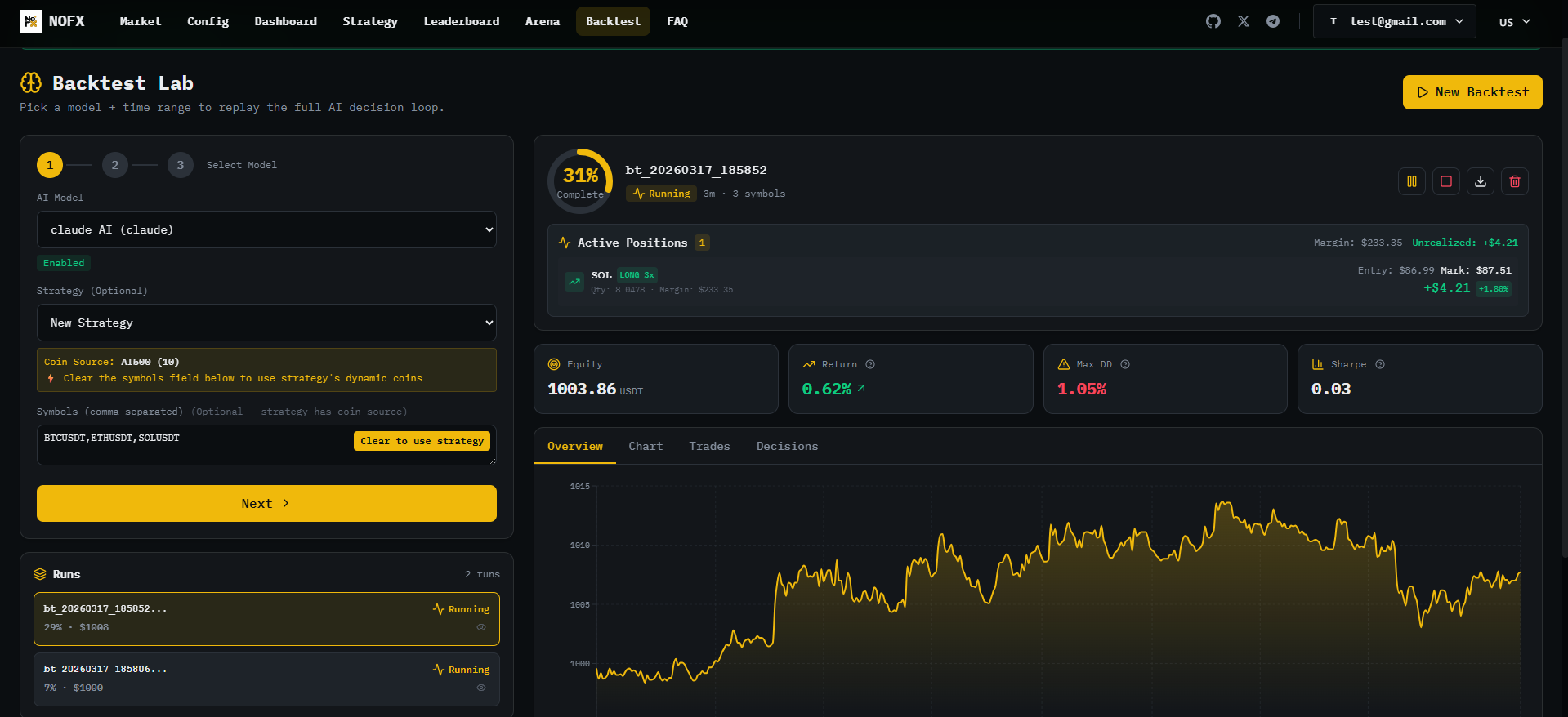
- Backtest Lab: Replay strategies against historical data with full equity curve reporting
- x402 micropayments: Pay per AI request with a USDC wallet — no API key management needed
- Chain-of-Thought logs: Full AI reasoning visible in the dashboard, updated every 10 seconds
- SQLite persistence: All data (users, trades, strategies, backtest history) stored on a mounted volume
Why Deploy NOFX on Railway
One-click deploy gets you a production NOFX instance with no Docker config or volume management:
- Persistent SQLite volume mounted automatically — no data loss on redeploys
- Private networking between backend and frontend — backend port never exposed publicly
- Managed TLS and public HTTPS URL on the frontend out of the box
- Auto-generated secrets for
JWT_SECRETandDATA_ENCRYPTION_KEYon first deploy - Redeploy with one click to pull the latest
stableimage
Common Use Cases
- AI model benchmarking: Run DeepSeek vs Qwen in Competition Mode on a paper account to compare decision quality before risking real capital
- Strategy research: Use the Backtest Lab to validate a coin selection + indicator combination on historical data across multiple exchanges
- Automated crypto futures trading: Set a strategy, connect Binance or Hyperliquid, and let the AI manage position sizing and leverage within your defined risk limits
- Self-hosted alternative to 3Commas / Pionex: Full control over your exchange credentials, no third-party custody, AGPL-licensed codebase you can audit
NOFX vs Freqtrade vs Jesse
| Feature | NOFX | Freqtrade | Jesse |
|---|---|---|---|
| Open source | ✅ AGPL-3.0 | ✅ MIT | ✅ MIT |
| AI model integration | ✅ LLM-native (41+ models) | ⚠️ FreqAI (ML only) | ⚠️ JesseGPT (strategy assist) |
| No-code strategy builder | ✅ Visual Studio | ❌ Python required | ❌ Python required |
| Multi-AI competition mode | ✅ Built-in | ❌ | ❌ |
| Language | Go + React | Python | Python |
| Exchange count | 8 (CEX + DEX) | 100+ via CCXT | Binance, Bybit |
| Self-hostable | ✅ | ✅ | ✅ |
NOFX's core differentiator is LLM-native decision making — the AI reads market data and reasons about trades in natural language, visible in full in the dashboard. Freqtrade and Jesse require developers to write strategy code; NOFX targets traders who want to configure, not code.
Dependencies for NOFX
ghcr.io/nofxaios/nofx/nofx-backend:stable— Go API server, SQLite, trading engineghcr.io/nofxaios/nofx/nofx-frontend:stable— nginx + React SPA dashboard
Deployment Dependencies
- Backend image:
ghcr.io/nofxaios/nofx/nofx-backend:stable - Frontend image:
ghcr.io/nofxaios/nofx/nofx-frontend:stable - GitHub repo: https://github.com/NoFxAiOS/nofx
- Backend service must be named exactly
nofxin Railway — the frontend nginx config is hardcoded to this hostname
Minimum Hardware Requirements for NOFX
| Minimum | Recommended | |
|---|---|---|
| CPU | 0.5 vCPU | 1 vCPU |
| RAM | 512 MB | 1 GB |
| Storage (volume) | 1 GB | 5 GB |
| Go runtime | 1.21+ | 1.21+ |
| Node.js (build) | 18+ | 20+ |
The Go backend is lightweight at idle. RAM usage grows with the number of concurrent AI traders and backtest runs in flight.
Self-Hosting NOFX
Docker (recommended):
curl -O https://raw.githubusercontent.com/NoFxAiOS/nofx/main/docker-compose.prod.yml
# Copy and fill in .env (RSA_PRIVATE_KEY, DATA_ENCRYPTION_KEY, JWT_SECRET, NOFX_ADMIN_PASSWORD)
docker compose -f docker-compose.prod.yml up -d
# Access at http://localhost:3000
From source (Go 1.21+ and Node 18+ required):
git clone https://github.com/NoFxAiOS/nofx.git && cd nofx
# Install TA-Lib: brew install ta-lib (Mac) | apt install libta-lib0-dev (Ubuntu)
go build -o nofx && ./nofx          # backend on :8080
cd web && npm install && npm run dev # frontend on :3000
Is NOFX Free?
NOFX is fully open-source under AGPL-3.0 — free to self-host with no license fees. On Railway, you pay only for the compute and storage your two services consume (typically under $5/month on hobby plans for light use). There is no NOFX cloud-hosted SaaS tier. The optional x402 micropayment mode lets the AI pay for model API calls using USDC from a wallet you fund — this is an alternative to managing your own AI provider API keys, not a subscription fee.
FAQ
What is NOFX? NOFX is an open-source AI trading operating system. It connects to crypto exchanges, uses large language models (DeepSeek, GPT, Claude, Qwen, and 38+ others) to analyze market data and make trading decisions, and executes trades autonomously. You configure strategy parameters via a web UI — no coding required.
Why does the backend service need to be named exactly nofx?
The frontend nginx config has the backend hostname hardcoded as nofx. Railway resolves private service hostnames as .railway.internal, so naming the backend nofx ensures nginx can reach it. Naming it anything else will cause the frontend to crash with a DNS resolution error.
What AI providers does NOFX support? Any OpenAI-compatible API endpoint — including DeepSeek, Qwen, GPT-4, Claude, and self-hosted models via Ollama or similar. You can also use the built-in x402 micropayment system to access 41+ models by funding a USDC wallet, with no API key management.
Is NOFX safe for live trading with real money? NOFX is experimental software. The team recommends using it for research, paper trading, or small-scale capital testing only. Exchange credentials are encrypted at rest using RSA + AES encryption, and the backend port is never exposed publicly on this Railway template. That said, AI auto-trading carries significant financial risk regardless of the infrastructure security.
Can I run multiple AI traders simultaneously? Yes. The Trader Manager supports multiple concurrent traders, each with independent configuration, decision logs, and P/L tracking. Competition Mode runs two traders head-to-head with live performance comparison in the dashboard.
Template Content
RSA_PRIVATE_KEY
Generate 2048-bit {PKCS #8} RSA private key (use generator: https://www.csfieldguide.org.nz/en/interactives/rsa-key-generator/); self-generate recommended (see setup guide: https://railway.com/deploy/nofx-ai-trading)