
Deploy Open Notebook
AI research notebooks that chat with your documents and files.

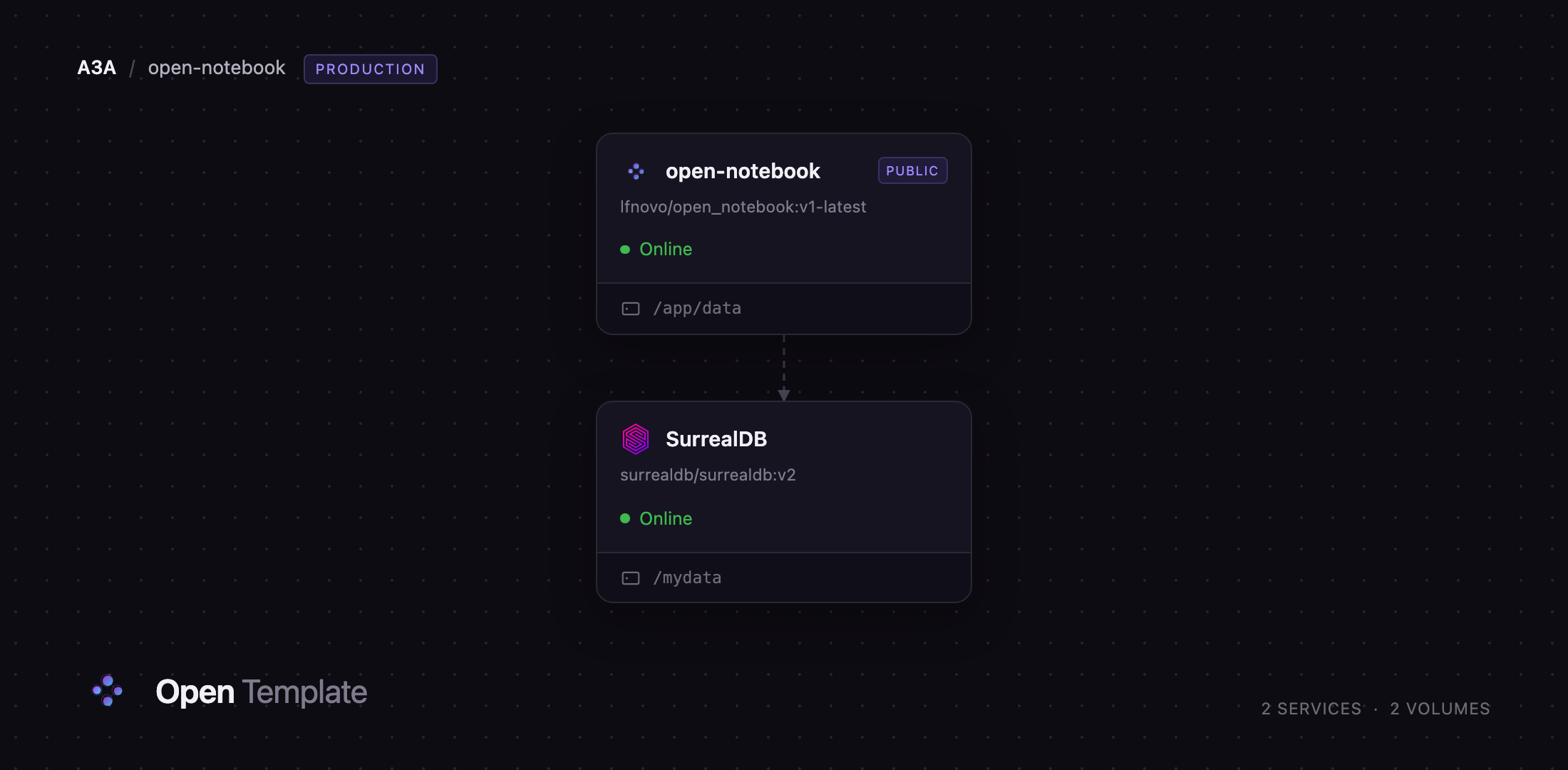
SurrealDB
Just deployed
/mydata
open-notebook
Just deployed
/app/data
Deploy and Host Open Notebook on Railway
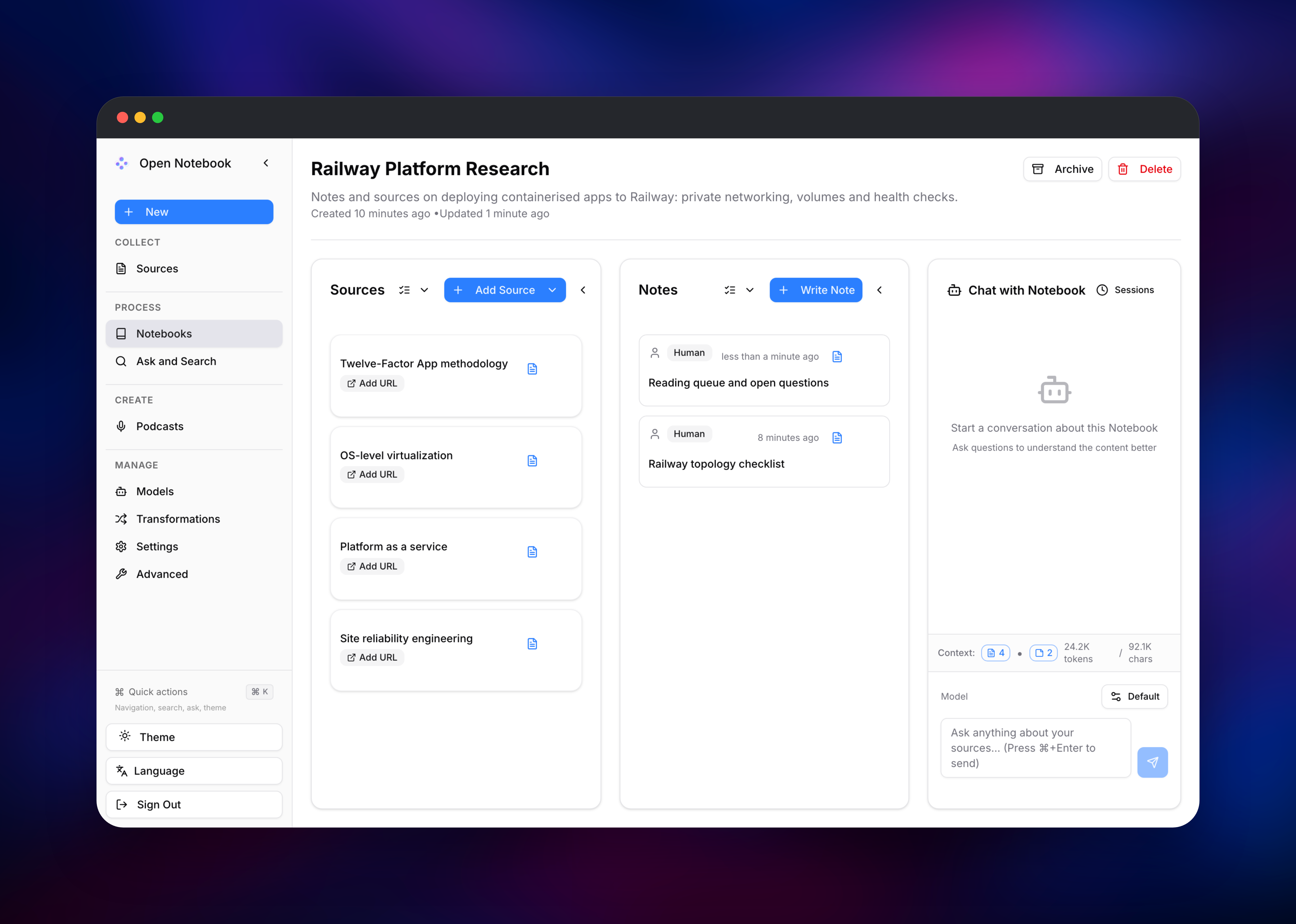
Open Notebook is an open-source, privacy-first research workspace — a self-hosted implementation of Google's NotebookLM. You create a notebook, add sources (web pages, PDFs, EPUBs, YouTube links, audio, video or raw text), then chat with them, generate summaries, search across everything, and turn a set of documents into a multi-speaker podcast. The difference from the Google product is control: you choose which AI provider sees your material, and everything lives in a database you own. MIT-licensed, 37,000+ GitHub stars.
This template runs Open Notebook as two services. open-notebook is the official lfnovo/open_notebook:v1-latest image, supervising three processes in one container: a FastAPI backend on 5055, a worker for ingestion, embedding and podcasts, and a Next.js frontend on 8502. Only the frontend port is published — Next.js rewrites /api/* to the backend internally, so one domain covers the app. SurrealDB is surrealdb/surrealdb:v2 on the RocksDB engine, holding notebooks, sources, notes, search indexes, the job queue and your encrypted credentials on a private volume. Uploads sit on a volume at /app/data.
Getting Started with Open Notebook on Railway
Set OPEN_NOTEBOOK_PASSWORD to a strong passphrase before you deploy — it is the app's only credential, and leaving it empty disables authentication entirely. There is no registration and no admin account: the public URL shows one password prompt, and that value is also the REST API's bearer token.
Your first stop after signing in is Models. Open Notebook ships with no provider configured, so add one — an OpenAI, Anthropic, Google or OpenRouter key, or an Ollama server for local inference — then assign a Chat Model and an Embedding Model. Do this before adding content: the shipped "Dense Summary" transformation runs on every new source and, without a model, marks it Failed even though the text was fetched and stored.
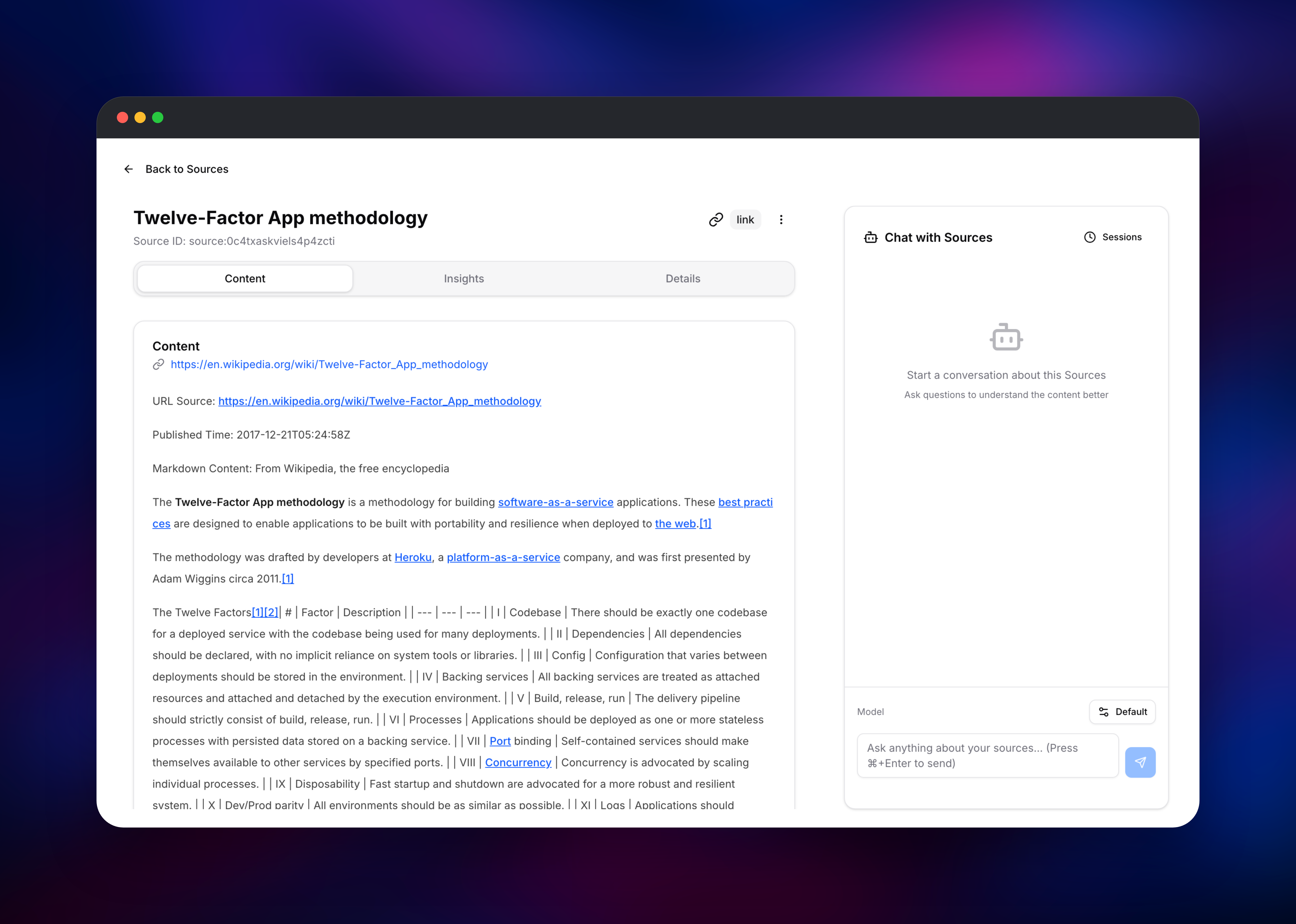
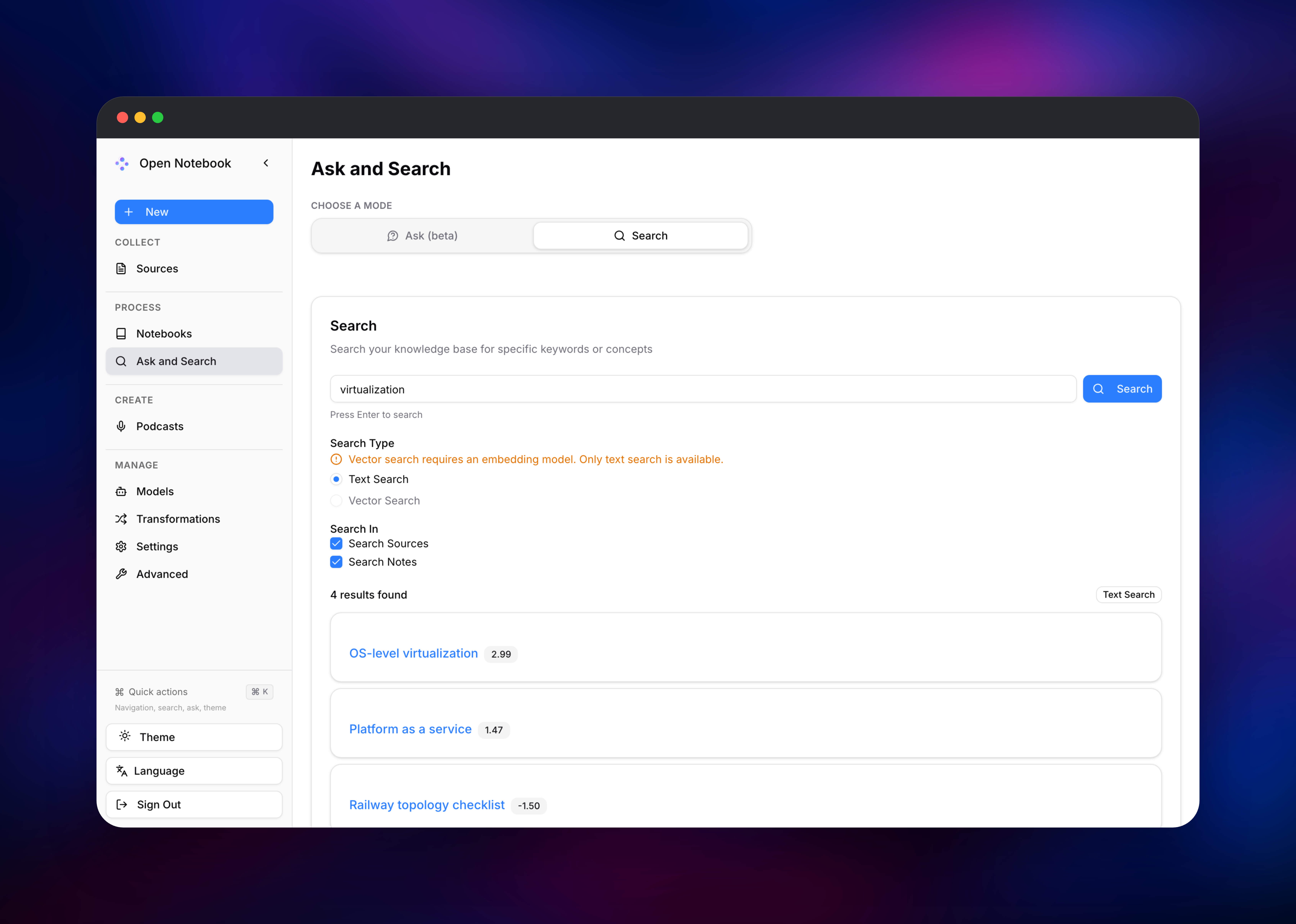
Then create a notebook, click Add Source, and paste a URL. Open the source to confirm the extracted text landed, write a note in the markdown editor, and use Ask and Search to check results come back across both. Full-text search needs no model, making it the quickest end-to-end health check.
About Hosting Open Notebook
Research assistants are most useful on exactly the material you would rather not upload anywhere — legal documents, unpublished manuscripts, internal reports, interview transcripts. Self-hosting removes that governance question, and since the provider is your choice, an Ollama endpoint keeps the workflow in-house.
Key capabilities:
- Multi-format ingestion — web pages, PDFs, EPUBs, Office documents, YouTube transcripts, and audio or video with speech-to-text
- Chat grounded in your sources, with per-source control over the context window
- Transformations — reusable prompts producing summaries, insights or reflection questions
- Hybrid search — BM25 full-text and vector similarity over the same records
- Podcast generation — a notebook becomes a scripted multi-speaker episode
- Provider freedom — OpenAI, Anthropic, Google, Groq, ElevenLabs, Deepgram, OpenRouter, Ollama and any OpenAI-compatible endpoint
SurrealDB does more than persistence: it is the search engine, the vector store and the job queue, which is why both the API and the worker connect to it. Keeping API, worker and web UI in one container is upstream's supported production shape, and holds the running cost to two containers.
Why Deploy Open Notebook on Railway
Railway removes the infrastructure work this stack would otherwise need:
- Private networking between the app and SurrealDB, with no exposed database port
- Persistent volumes for the RocksDB data directory and uploaded files
- One-click TLS, with the API reachable through the same origin
- Health checks that probe the API process, not just the container
- Vertical scaling when large PDFs or podcasts need memory
Common Use Cases
- Literature and market research — collect dozens of papers in one notebook, summarise them, then interrogate the set in chat
- Private document analysis — run contracts or clinical notes through a local Ollama model so nothing leaves your network
- Team knowledge base — a shared, password-protected instance searchable with full-text and vector queries
Dependencies for Open Notebook
lfnovo/open_notebook:v1-latest— the application container: API (5055), thesurreal-commandsworker and the Next.js frontend (8502) under supervisord, volume at/app/data.surrealdb/surrealdb:v2— database, search index and job queue on the RocksDB engine, volume at/mydata. Pinned to v2; Open Notebook does not support SurrealDB v3.
Environment Variables Reference
| Variable | Service | Purpose |
|---|---|---|
OPEN_NOTEBOOK_PASSWORD | app | Instance login and API bearer token. Auth is off when unset |
OPEN_NOTEBOOK_ENCRYPTION_KEY | app | Encrypts stored provider keys; changing it makes them unreadable |
API_URL | app | Public base URL the browser calls; must match the domain |
SURREAL_URL | app | Private WebSocket address of the database |
SURREAL_USER / SURREAL_PASS | database | Root credentials created on first boot |
Deployment Dependencies
- Source and documentation:
- Application image:
- Database image:
Hardware Requirements for Self-Hosting Open Notebook
| Resource | Minimum | Recommended |
|---|---|---|
| CPU | 1 vCPU | 2 vCPU |
| RAM | 2 GB | 4 GB |
| Storage | 5 GB across both volumes | 20 GB+ for large media |
| Runtime | Python 3.12, Node.js 22, SurrealDB 2.x | same |
Memory is the constraint that bites: the optional Docling engine pulls in a multi-gigabyte ML stack, and speech-to-text on long audio is hungry. Size a local Ollama server separately.
Self-Hosting Open Notebook
Open Notebook ships as Docker images in the same two-container arrangement this template deploys. Save this as docker-compose.yml:
services:
  surrealdb:
    image: surrealdb/surrealdb:v2
    command: ["start","--user","root","--pass","CHANGE_ME","rocksdb:/mydata/mydatabase.db"]
    user: root
    volumes:
      - ./surreal_data:/mydata
  open_notebook:
    image: lfnovo/open_notebook:v1-latest
    ports:
      - "8502:8502"
    environment:
      - OPEN_NOTEBOOK_ENCRYPTION_KEY=change-me-to-a-long-random-string
      - OPEN_NOTEBOOK_PASSWORD=CHANGE_ME
      - SURREAL_URL=ws://surrealdb:8000/rpc
      - SURREAL_USER=root
      - SURREAL_PASSWORD=CHANGE_ME
    volumes:
      - ./notebook_data:/app/data
Bring it up and open the UI on port 8502:
docker compose up -d
docker compose logs -f open_notebook
Behind a reverse proxy, forward only port 8502 and set API_URL to the public HTTPS address. Without it the frontend guesses the API location from the request host and appends port 5055, which a single-port proxy will not serve.
Is Open Notebook Free?
Yes. Open Notebook is MIT-licensed and free to use, modify and run commercially, with no paid tier or usage caps. Your costs are the Railway infrastructure — two small containers and two volumes — plus whatever your AI provider charges for tokens, which a local Ollama server reduces to nothing.
FAQ
What is Open Notebook? An open-source, self-hosted research workspace that collects documents, chats with them using an AI model of your choice, generates summaries and podcasts, and searches everything — NotebookLM on infrastructure you control.
What does this Railway template deploy? Two services: the official Open Notebook image running its API, worker and web interface, and a SurrealDB v2 database. Both get volumes, the database stays private, and only the web interface gets a public domain.
Why does the template include SurrealDB instead of Postgres? Open Notebook is built on SurrealDB and uses it for four jobs at once — relational storage, full-text search, vector search, and the job queue via live queries. Postgres is not a supported substitute.
Do I need an OpenAI API key to use self-hosted Open Notebook? Not to deploy it. The app runs, ingests sources and does full-text search with no provider configured. Chat, summaries, embeddings, vector search and podcasts need a model — which can be a local Ollama endpoint rather than a paid API.
Why does my new source say "Failed" in self-hosted Open Notebook? Almost always a missing model. The default transformation and the embedding step both need one and fail independently of the fetch, so the page text is stored and searchable regardless. Set a Chat Model and an Embedding Model, then use Retry Processing.
Can I upgrade Open Notebook without losing my notebooks?
Yes. All state lives in SurrealDB and on the /app/data volume, both of which survive redeploys, and migrations run when the API starts. Keep OPEN_NOTEBOOK_ENCRYPTION_KEY unchanged — losing it makes stored credentials unrecoverable.
Template Content
SurrealDB
surrealdb/surrealdb:v2open-notebook
lfnovo/open_notebook:v1-latest

