
Deploy Open WebUI and Ollama
Private AI: Ollama inference behind an authenticated Open WebUI chat UI

Redis
Just deployed
/data
OpenWebUI
Just deployed
/data

Just deployed
/var/lib/postgresql/data

Ollama
Just deployed
/root/.ollama

Deploy and Host Ollama + Open WebUI on Railway
Open WebUI is a self-hosted, ChatGPT-style AI chat platform with multi-user accounts, RBAC and document RAG; Ollama is the open-source runtime that serves quantised open-weight LLMs over HTTP. Together they are the default self-hosted local-LLM stack: private team chat with no API key, and no prompt leaving your own infrastructure.
Deploy Ollama and Open WebUI on Railway as four services. open-webui (ghcr.io/open-webui/open-webui:v0.10.2, port 8080) is the only one with a public domain; it keeps users, chats and settings in managed Postgres, uses managed Redis for websockets, and mounts a volume at /data. ollama (ollama/ollama:0.32.5, port 11434) gets no public domain by design — it enforces no authentication on any route — and answers only at ollama.railway.internal:11434, weights on /root/.ollama.
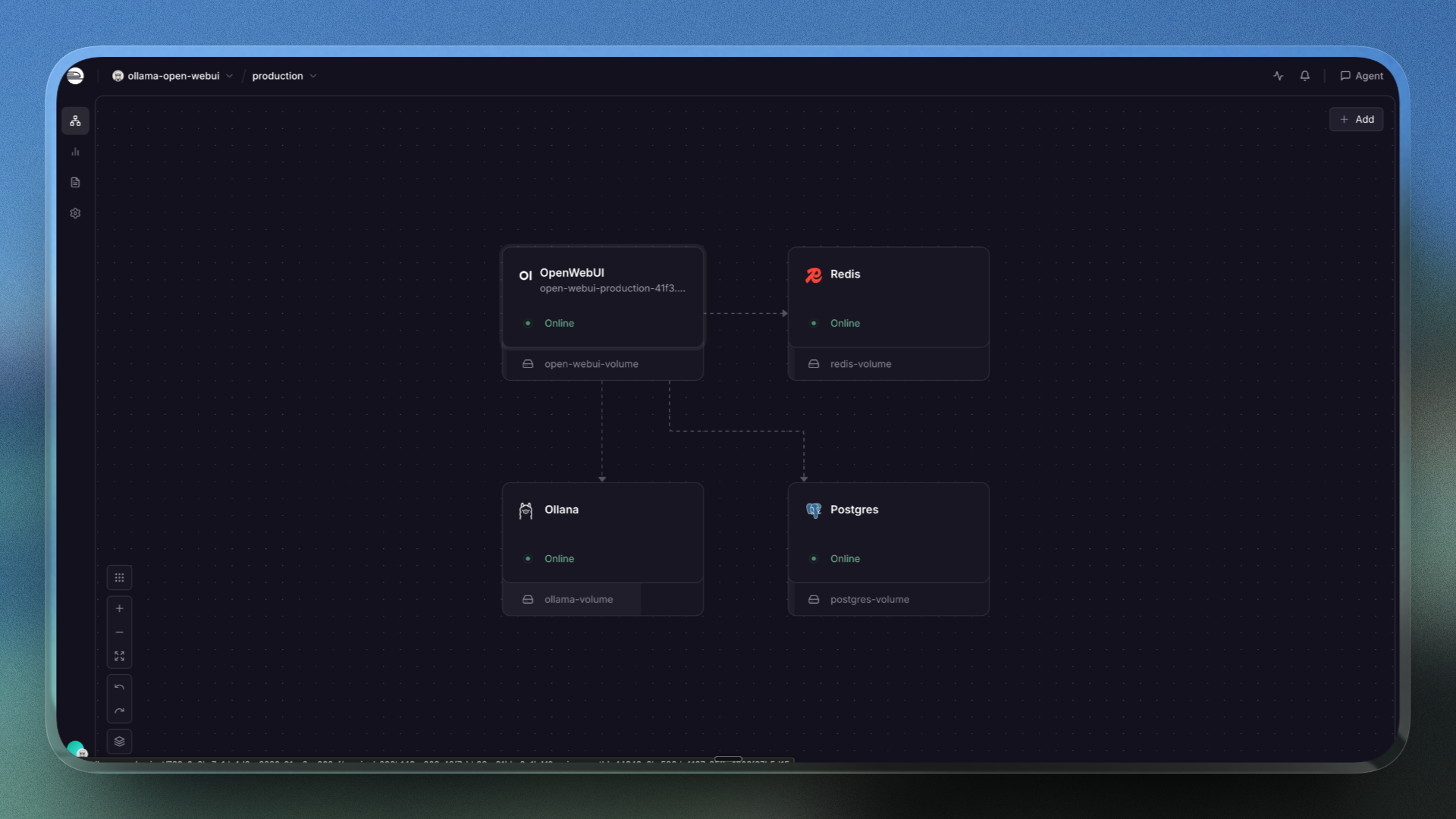
Getting Started with Ollama and Open WebUI on Railway
The generated domain opens on an onboarding screen, not a login prompt: there are no default credentials, and the first account created becomes the administrator. Sign-up then closes; new registrations wait in a pending role. The Ollama connection is pre-wired, but Ollama ships with zero models, so the picker is empty at first. Pull one from Admin Panel → Settings → Models, then cap its threads as described next — before you chat, or the first message hangs. Send a short message on the capped model; a streamed reply confirms the path. Restart both: still signed in with the chat listed proves state is in Postgres, weights on the volume.
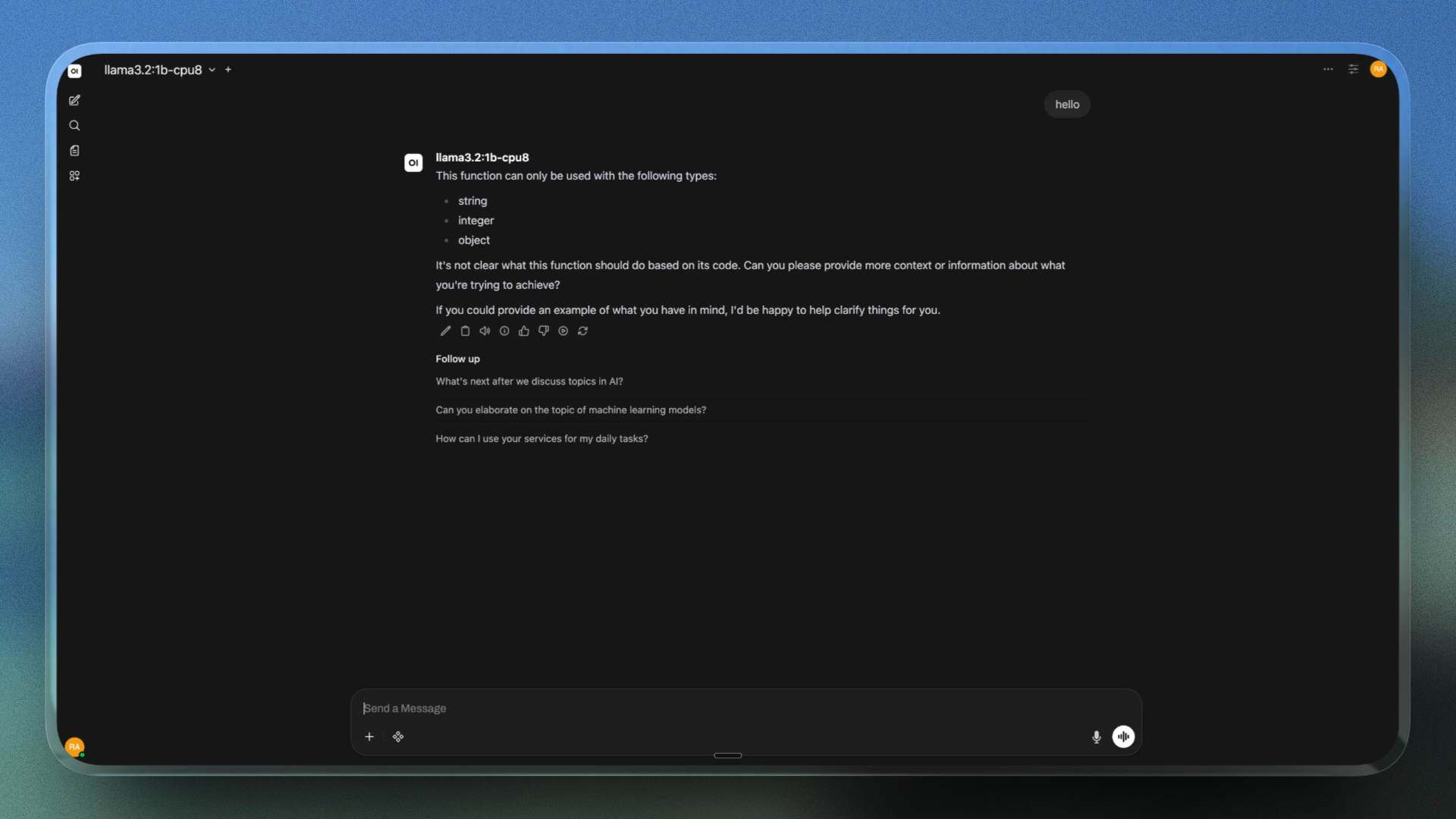
Required: Cap CPU Threads on Self-Hosted Ollama Models
Ollama's llama.cpp backend sizes its threadpool from the host's core count, not the container's CPU quota, so an 8 vCPU container can start ~48 threads. Uncapped, llama3.2:1b runs at roughly 0.2 tokens/second and times out; capped to the vCPU count, 64 tokens/second.
There is no server-wide setting, and Open WebUI does not send num_thread, so the cap must live in the model:
curl -X POST http://ollama.railway.internal:11434/api/create \
  -d '{"model":"llama3.2:3b-cpu8","from":"llama3.2:3b",
       "parameters":{"num_thread":8},"stream":false}'
Then delete the uncapped base tag so the dropdown cannot offer a hanging model — Ollama refcounts blobs, so the derived model still works. Match num_thread to your vCPU limit.
About Hosting Ollama and Open WebUI
Self-hosting replaces personal vendor accounts, scattered keys and documents in someone else's logs with one governed URL.
- ChatGPT-style UI over local models — streaming threads, code rendering, multi-model comparison, voice input.
- Built-in RAG — documents and URLs in shared knowledge bases with hybrid search; embedding and Whisper models ship in the image, so nothing downloads at boot.
- Multi-tenancy and tooling — per-group model permissions, LDAP/OAuth/SSO/SCIM, Tools, Functions, Pipes, MCP servers.
Why Deploy Ollama and Open WebUI on Railway
- One-click deploy of both official images, already wired over private networking.
- Managed Postgres and Redis provisioned automatically — no SQLite file to lose.
- Volumes keep models, uploads and vectors across restarts, and resize live.
- Ollama stays off the public internet; only the authenticated UI gets a domain.
Common Use Cases for a Self-Hosted Ollama and Open WebUI Stack
- A private ChatGPT for a team — one domain, managed accounts, conversations in a database you own.
- Chat over internal documents — load handbooks or runbooks into a knowledge base and query them with hybrid search.
- A UI in front of your own inference — a front end for the Ollama service your app already calls, or a bench for open-weight models.
Dependencies for Ollama and Open WebUI
open-webui—ghcr.io/open-webui/open-webui:v0.10.2: FastAPI and SvelteKit on port8080, health-checked at/health. Pin a version —latestmakes a redeploy an upgrade.ollama—ollama/ollama:0.32.5: official image, entrypoint/bin/ollama serve, health-checked at/.- Postgres holds users, chats and admin settings; Redis backs the websocket manager; volumes hold model blobs (
/root/.ollama) and uploads plus vectors (/data).
Do not mount the Open WebUI volume at /app/backend/data. The image pre-downloads its embedding, reranking, Whisper and tiktoken models there at build time; a volume over that path hides them and forces a cold re-download during the health check. Run one replica of each app service.
Environment Variables Reference for Ollama and Open WebUI
| Variable | Service | Value | What it does |
|---|---|---|---|
OLLAMA_BASE_URL | open-webui | http://ollama.railway.internal:11434 | Private Ollama endpoint |
AIOHTTP_CLIENT_TIMEOUT | open-webui | 300 | Timeout on Ollama calls |
WEBUI_SECRET_KEY | open-webui | generated | Signs JWTs; keep stable |
OLLAMA_HOST | ollama | [::]:11434 | Private DNS is AAAA-only |
OLLAMA_MAX_LOADED_MODELS | ollama | 1 | Default of 3 exhausts RAM |
OLLAMA_BASE_URL, ENABLE_OLLAMA_API and ENABLE_OPENAI_API are persistent config variables: they seed the database on first boot, then the database wins — change them in Admin Panel → Settings → Connections.
Deployment Dependencies
Docs: docs.openwebui.com, docs.ollama.com. Models pull from ollama.com/library.
Hardware Requirements for Self-Hosting Ollama and Open WebUI
| Resource | Minimum | Recommended |
|---|---|---|
| CPU | 4 vCPU with AVX2 | 8 vCPU with AVX-512/VNNI |
| RAM | 6 GB across services | 10–12 GB across services |
| Storage | 5 GB per volume | 10–20 GB for models |
| Runtime | Bundled in images | Bundled in images |
Open WebUI stays under 2 GB resident. Ollama is the expensive half — Railway offers no GPU instances, so this is CPU inference. On 8 vCPU / 8 GB with threads capped, llama3.2:1b runs at 64 tok/s and llama3.2:3b at 48 tok/s; 7B is sluggish and 1B answers weak, so prefer 3B.
Self-Hosting Ollama and Open WebUI with Docker
Both images run anywhere Docker does; a volume on each keeps models and chats:
docker network create llm
docker run -d --name ollama --network llm -v ollama-models:/root/.ollama \
  -e OLLAMA_HOST=0.0.0.0:11434 ollama/ollama:0.32.5
docker run -d --name open-webui --network llm -p 3000:8080 -v open-webui-data:/data \
  -e DATA_DIR=/data -e OLLAMA_BASE_URL=http://ollama:11434 \
  -e WEBUI_SECRET_KEY=change-me ghcr.io/open-webui/open-webui:v0.10.2
docker exec ollama ollama pull llama3.2:3b
Use 0.0.0.0:11434 locally and [::]:11434 on Railway; cap threads before opening http://localhost:3000. Leave Uvicorn's bind at 0.0.0.0 — IPv6-only looks healthy while the edge 502s.
Is Ollama + Open WebUI Free? How Much Does It Cost to Self-Host?
Both are free: Ollama is MIT-licensed with open-weight models, and Open WebUI is BSD-3-Clause plus one addition since v0.6.6 — above 50 users in a 30-day window you must keep its branding unless you hold an Enterprise Licence. No seat charges or per-token fees. On Railway you pay infrastructure only: vCPU and RAM per second plus volume storage at $0.15/GB/month. CPU bills while a model sits loaded, so OLLAMA_KEEP_ALIVE is the cost lever.
FAQ
What is Ollama + Open WebUI?
A two-part self-hosted AI stack: Ollama pulls quantised open-weight LLMs and serves them over HTTP; Open WebUI is a ChatGPT-style web app with accounts, RBAC and RAG on top.
What does this Railway template deploy?
open-webui (port 8080, public domain, volume at /data), ollama (port 11434, no domain, volume at /root/.ollama), plus managed Postgres and Redis.
Why does this template include Postgres, Redis and two volumes?
Postgres replaces Open WebUI's SQLite default, which does not survive container replacement; Redis backs the websocket manager. The volumes hold uploads and model weights, which download at runtime.
Why is my self-hosted Ollama chat hanging or extremely slow?
Almost always an uncapped threadpool: llama.cpp reads the host's core count, not the container's quota, and Open WebUI does not send num_thread. Bake it into the model, then delete the uncapped tag.
Is the Ollama API exposed publicly, and can I run it on a GPU?
Not exposed: Ollama has no public domain, and Open WebUI's /ollama/* proxy rejects signed-out requests. No GPU either — Railway offers none, so inference uses llama.cpp's AVX2/AVX-512 kernels, best for 1B–3B models.
Template Content
Redis
redis:8.2.1Ollama
ollama/ollama:0.32.5

