
Deploy OpenClaw Railway Template
[Jun '26] Simple 1-click deploy OpenClaw (Clawdbot) on VPS | TUI Support

OpenClaw | AIAssistant
Just deployed
/data
Deploy and Host OpenClaw Railway Template on Railway
OpenClaw is a self-hosted AI agent framework that can execute commands, manage files, and perform tasks autonomously based on user instructions. This template deploys OpenClaw on Railway with minimal configuration, allowing you to run and access it remotely without managing servers. 🤖⚙️
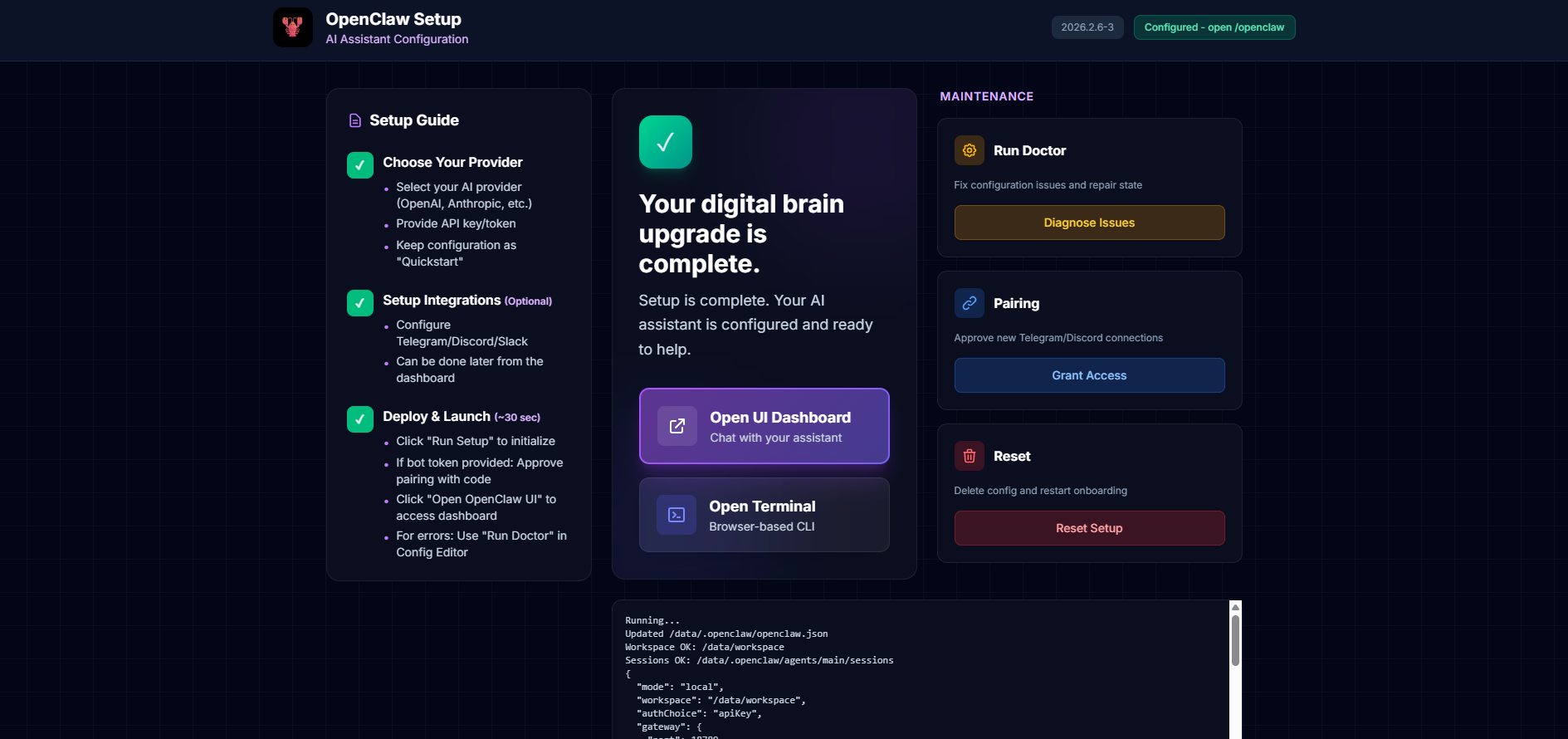
🚀 Quick Start Deployment Guide
Step 1: Deploy on Railway
- Click the "Deploy on Railway" button at the top of this page & wait for the initial deployment to complete (~3-5 minutes)
Step 2: Note Your Credentials
Check the Variables tab and save following:
- SETUP_PASSWORD: Your password for accessing the setup wizard
⚠️ Keep this secure! You'll need this in the next steps.
Step 3: Access Setup Wizard
- Click on the URL provided by Railway in your project dashboard (e.g.,
https://your-app-xyz.up.railway.app) - Login prompt appears:
- Username: Leave blank
- Password: Enter your
SETUP_PASSWORD
Step 4: Complete the Setup Wizard
Once you log in, follow the intuitive 7-step guide on the left side of the setup screen to bring your AI agent online:
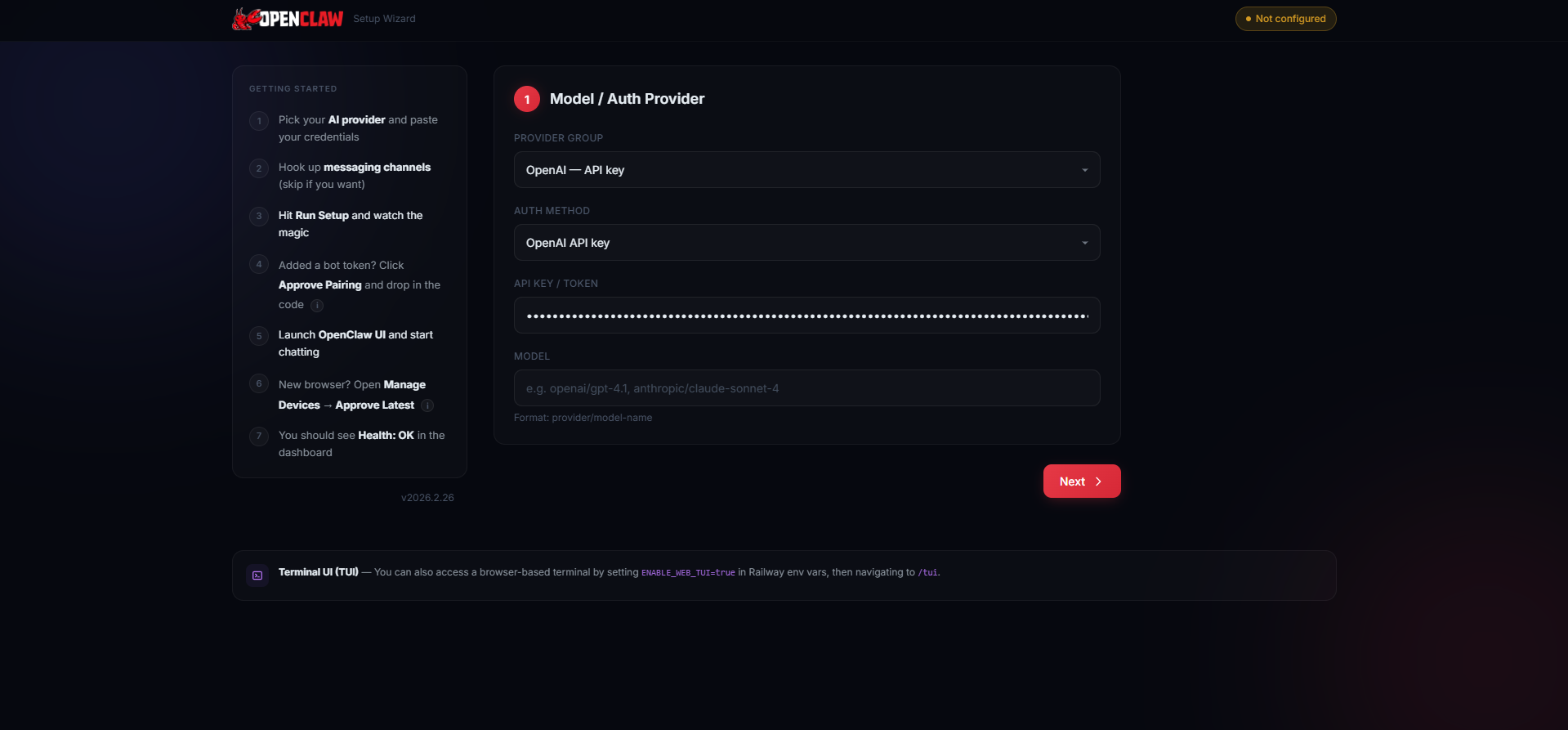
- Select your provider & auth type, then paste your API key
- Add channels (optional — can be done later)
- Click Run Setup
- If you added a channel token, click Authorize Channel and enter the code (After setup, message your bot on the channel. It will reply with a pairing code. Enter that code here to grant DM access.)
- Click Launch Dashboard
- First login? Click Approve Pairing → Approve Latest Request (New browsers need a one-time device approval. After clicking "Launch Dashboard", come back here, click "Approve Pairing", and approve the pending request.)
- You should now see Health: OK in the OpenClaw UI.

Step 5: Start Chatting
- Click "Chat" in the sidebar of the newly opened OpenClaw UI
- Type your first message
- Enjoy your self-hosted AI assistant! 🎉
About Hosting OpenClaw Railway Template
Hosting OpenClaw involves running it as a long-lived service with access to environment variables, compute resources, and optional external APIs. This Railway template packages OpenClaw in a containerized service, handles startup configuration, and exposes it over Railway’s infrastructure. You deploy it with a few clicks, configure required environment variables, and interact with OpenClaw remotely via supported clients or SSH. No manual server setup or VM management required. 🚀
Common Use Cases
- Running a self-hosted AI agent for task automation
- Experimenting with autonomous agents and workflows
- Hosting OpenClaw for development, testing, or internal tools
Dependencies for OpenClaw Railway Template Hosting
- Railway account
- Supported LLM provider API key (for example, OpenAI or equivalent)
Deployment Dependencies
- OpenClaw GitHub Repository - Source code for the AI agent framework
- Anthropic API Keys - Claude AI models (recommended)
- OpenAI API Keys - GPT models (alternative)
- Google AI Studio - Gemini models (alternative)
- Telegram BotFather - Create Telegram bots for messaging
- Discord Developer Portal - Create Discord bots
Frequently Asked Questions (FAQ)
What is OpenClaw?
OpenClaw is a self-hosted AI agent framework that can execute commands, manage files, and perform automated tasks based on user instructions. It runs as a service and can be controlled remotely. 🤖
What does this Railway template deploy?
This Railway template deploys OpenClaw as a containerized service on Railway with predefined startup and configuration support.
Where can OpenClaw be deployed using this template?
Using this template, OpenClaw is deployed on Railway’s infrastructure and can be accessed remotely from your local machine or supported clients. ☁️
How to deploy OpenClaw on Railway?
Click Deploy on Railway, follow the on screen simple steps and click on Run Setup. Once running, use the service URL or Railway SSH to interact with OpenClaw. 🚀
Does this template deploy OpenClaw locally?
No. This template deploys OpenClaw on Railway, not on your local machine.
What environment variables are required to run OpenClaw?
At minimum, you need an API key for a supported LLM provider. Additional variables may be required depending on your OpenClaw configuration.
Can OpenClaw be accessed publicly when deployed on Railway?
Yes, depending on Railway settings (using SETUP_PASSWORD). You should restrict access if OpenClaw is running with sensitive permissions. 🔒
Does this template include OpenClaw plugins or skills?
No. Only base OpenClaw is deployed. Plugins or skills must be added manually after deployment from the OpenClaw UI
Is data persisted when OpenClaw is hosted on Railway?
Yes, because this template comes with a volume which is persisted across deployments.
Why Deploy OpenClaw Railway Template on Railway?
Railway is a singular platform to deploy your infrastructure stack. Railway will host your infrastructure so you don't have to deal with configuration, while allowing you to vertically and horizontally scale it.
By deploying OpenClaw Railway Template on Railway, you are one step closer to supporting a complete full-stack application with minimal burden. Host your servers, databases, AI agents, and more on Railway.
Template Content
OpenClaw | AIAssistant
praveen-ks-2001/openclaw-self-host-on-vps

