
Deploy OpenCloud
File sync and sharing platform with browser-based office editing

Just deployed

collabora
Just deployed
opencloud
Just deployed
/data
opencloud-blobs
Bucket
Just deployed
Deploy and Host OpenCloud on Railway
OpenCloud is an open-source file sync and share platform written in Go by the Heinlein Group in Berlin, and the successor to ownCloud Infinite Scale. It gives a team its own storage: personal drives, shared project Spaces, password-protected public links, desktop and mobile sync clients, and office documents edited in the browser. Teams self-host OpenCloud when files must stay under their own control — GDPR obligations, client confidentiality, or simply not paying per seat for storage they already own.
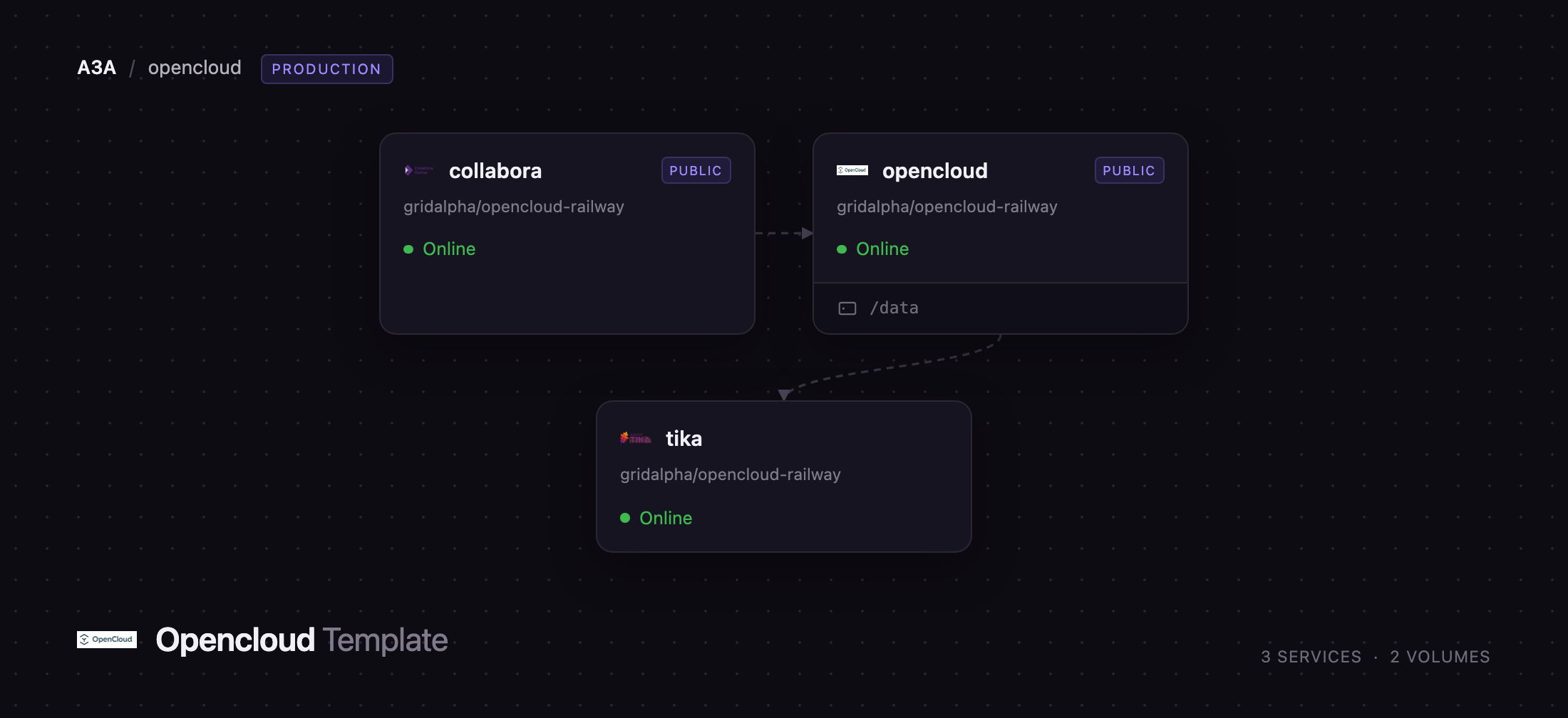
Deploy OpenCloud on Railway and the whole stack comes up configured. The opencloud service runs the server and takes the public domain. The collabora service runs Collabora Online, so documents open in a real editor rather than a download prompt. The tika service runs Apache Tika on the private network for text extraction. File contents go to a Railway object storage bucket through OpenCloud's decomposeds3 driver, so the volume holds only configuration, metadata and the search index rather than every byte your users upload.
Getting Started with OpenCloud on Railway
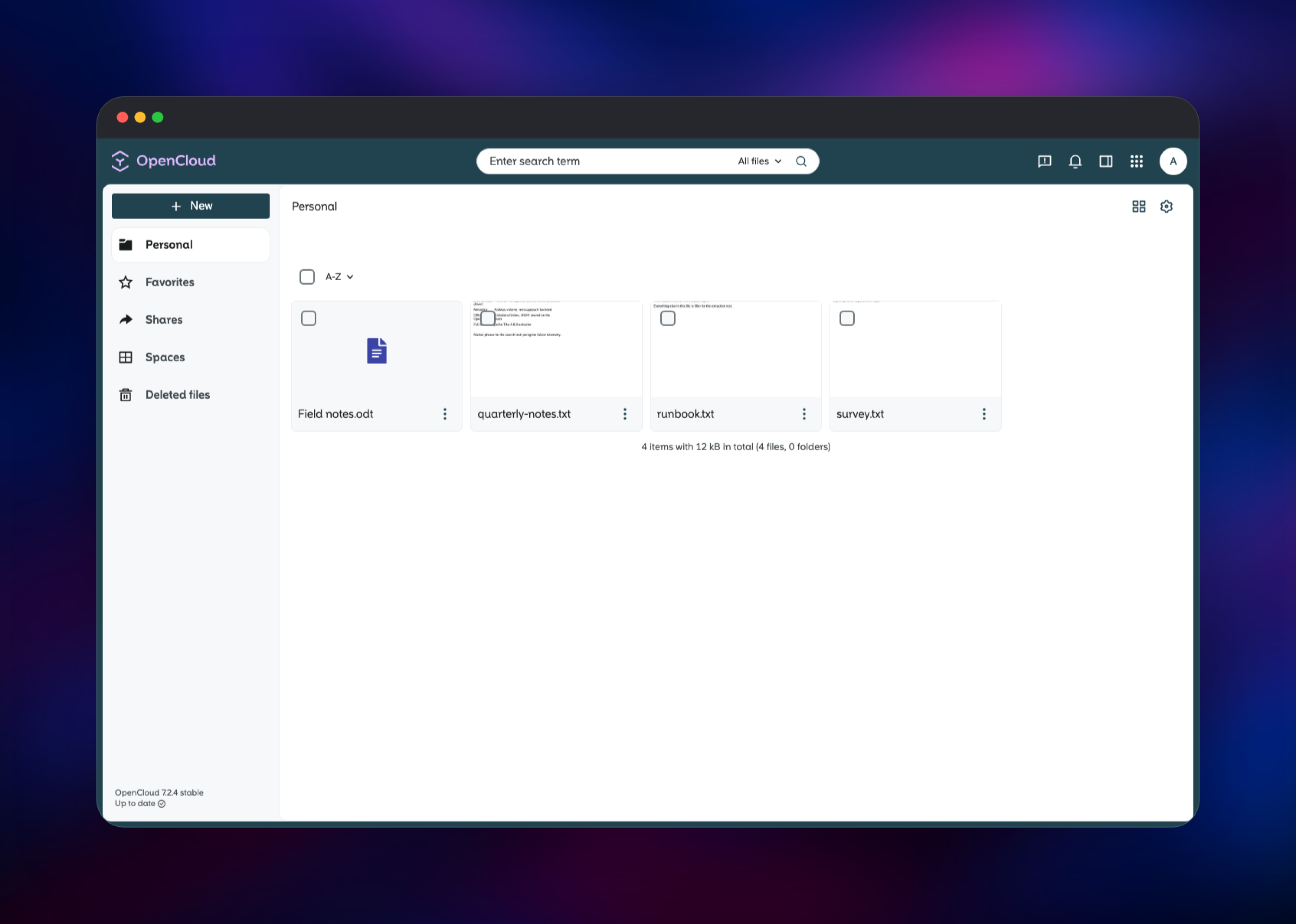
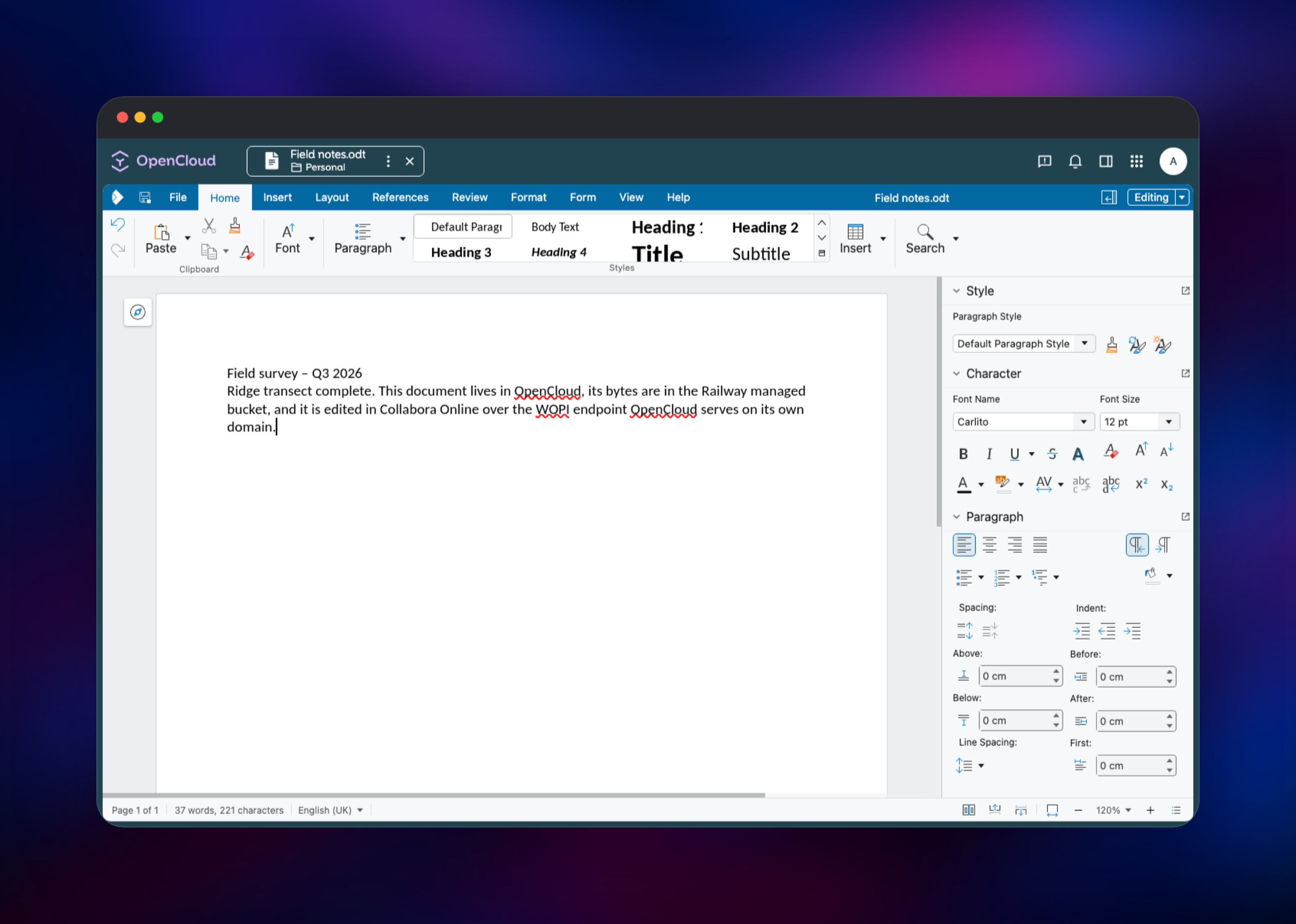
Set IDM_ADMIN_PASSWORD before you deploy — it is the password for the built-in admin account and is read exactly once, on first start. When the deploy is green, open the opencloud service's public URL and sign in as admin. You land in Personal, your own drive. Drag a file onto the page, or use New to create a folder or an .odt document. Clicking a document opens it in Collabora Online inside OpenCloud; type a line and it saves back to storage automatically.
To confirm the deployment end to end, upload a file, then use its three-dot menu to create a public link and open that link in a private window. Next visit Spaces and create a project Space, which shares a folder tree with a group rather than one file at a time. Add users from the settings screen; each gets a Personal drive backed by the same bucket. Change the admin password in the settings UI afterwards, not by editing the variable.
About Hosting OpenCloud
OpenCloud is a single Go binary running around thirty internal microservices in one process — proxy, identity provider, storage, sharing, search, activity log — so it needs no PHP runtime and no relational database. Users live in a built-in LibreGraph directory; everything else is files. That is what makes it comfortable on Railway, where a LAMP-style stack would need several more moving parts.
Key features:
- Personal drives and shared project Spaces with per-member roles
- Public links with expiry dates and enforced passwords
- Desktop sync clients for macOS, Windows and Linux, plus iOS and Android apps
- Browser office editing through Collabora Online (Writer, Calc, Impress)
- WebDAV access, plus a built-in OpenID Connect provider
- File versioning, a trash bin and a per-resource activity feed
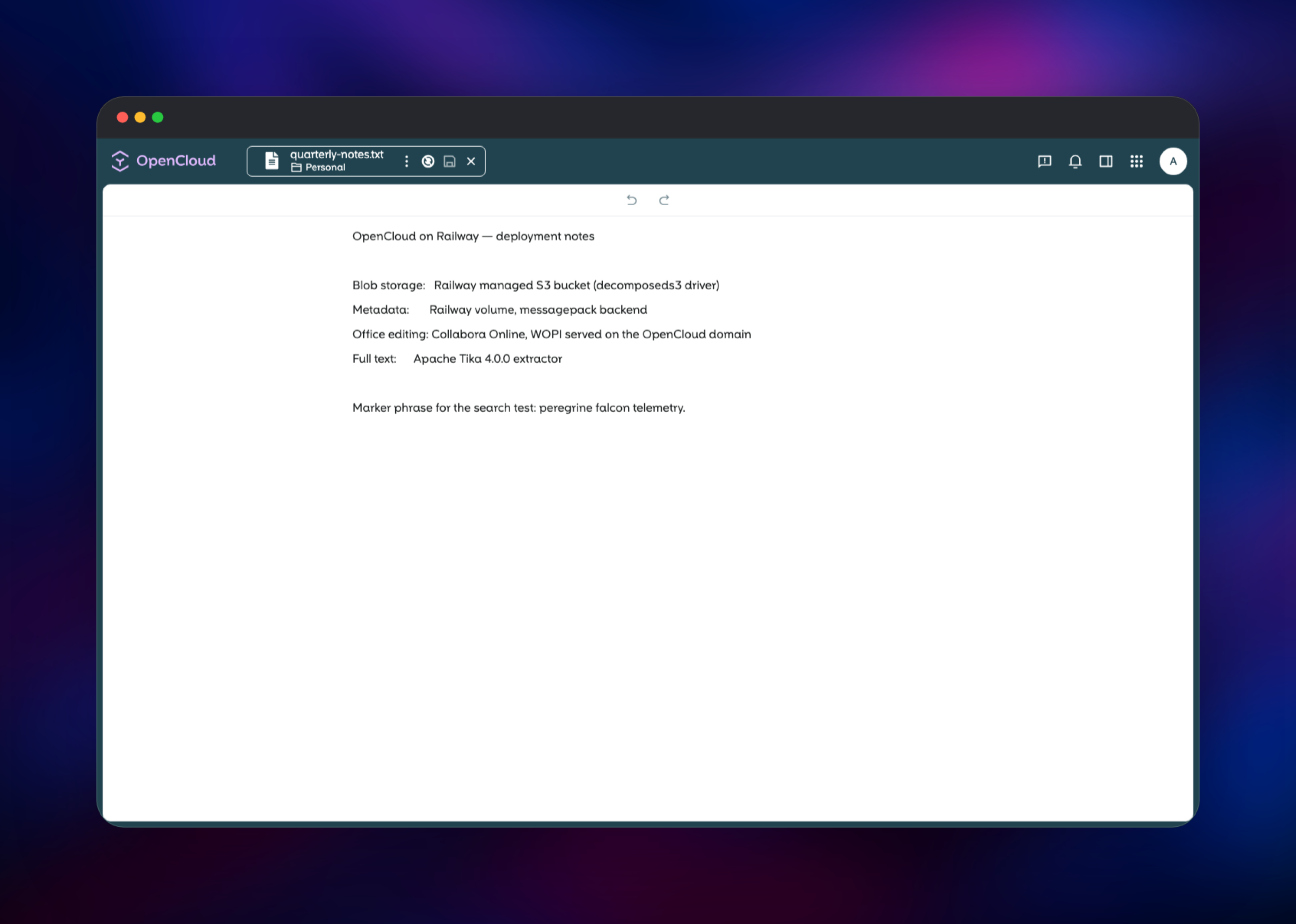
Architecture on Railway: opencloud takes the app domain and also serves the WOPI endpoint Collabora calls back to at /wopi. collabora has its own domain because the browser loads the editor in an iframe. tika stays private on tika.railway.internal. The bucket holds file bodies; the volume at /data holds configuration, the identity database, thumbnails and the search index.
Why Deploy OpenCloud on Railway
Railway removes the parts of an OpenCloud install that take an afternoon:
- TLS and a public domain for the app and the editor, with no reverse proxy to write
- Object storage provisioned and wired to the storage driver
- A persistent volume for configuration and metadata, attached on the first boot
- Health checks, restart policy and private networking already set
- One click to redeploy after an upstream release
Common Use Cases
- A company replacing a paid Drive or Dropbox plan with storage it controls
- An agency sending clients large deliverables through expiring, password-protected links
- A research group keeping datasets and notes in project Spaces with per-member roles
- A team needing GDPR-compliant document collaboration in its own infrastructure
Dependencies for OpenCloud
- opencloud —
opencloudeu/opencloud:7, the server. Pinned to the major because OpenCloud owns its on-disk layout and a major upgrade needs a migration. - collabora —
collabora/code:latest, Collabora Online Development Edition, the office editor. - tika —
apache/tika:latest, which extracts text from uploaded documents for indexing. - Object storage bucket — holds every file body written by the
decomposeds3driver.
Environment Variables Reference
| Variable | Service | Purpose |
|---|---|---|
IDM_ADMIN_PASSWORD | opencloud | Password for the built-in admin account, read on first start only |
OC_URL | opencloud | Public base URL; the OIDC issuer and share-link prefix |
OC_SHARING_PUBLIC_SHARE_MUST_HAVE_PASSWORD | opencloud | Forces a password on every public link |
STORAGE_USERS_DRIVER | opencloud | decomposeds3 sends file bodies to the bucket |
SEARCH_EXTRACTOR_TYPE | opencloud | tika enables document text extraction |
aliasgroup1 | collabora | Regex of hosts allowed to use the editor |
extra_params | collabora | coolwsd flags, including the frame-ancestors policy |
Deployment Dependencies
- Source repository: https://github.com/gridalpha/opencloud-railway
- Upstream project: https://github.com/opencloud-eu/opencloud
- Documentation: https://docs.opencloud.eu
- Images:
opencloudeu/opencloud,collabora/code,apache/tikaon Docker Hub
Hardware Requirements for Self-Hosting OpenCloud
| Resource | Minimum | Recommended |
|---|---|---|
| CPU | 2 vCPU across the three services | 4 vCPU |
| RAM | 2 GB (1 GB OpenCloud, 512 MB Collabora, 512 MB Tika) | 4 GB |
| Storage | 5 GB volume plus bucket capacity for files | 10 GB volume |
| Runtime | Linux container; no external database required | — |
Collabora is the memory-hungry component: each open document forks a child process, so allow roughly 100 MB per concurrent editing session.
Self-Hosting OpenCloud
Outside Railway, the quickest route is upstream's Docker Compose repository. The following shell commands clone it and bring the stack up:
git clone https://github.com/opencloud-eu/opencloud-compose.git
cd opencloud-compose
cp .env.example .env
# set OC_DOMAIN and INITIAL_ADMIN_PASSWORD in .env
docker compose up -d
For a single container, run the published image directly. opencloud init must complete before the server starts, and OC_INSECURE has to be set or the initialiser waits on a terminal prompt:
docker run -d --name opencloud \
  -e OC_URL=https://cloud.example.com \
  -e OC_INSECURE=false \
  -e PROXY_TLS=false \
  -e IDM_ADMIN_PASSWORD=change-me \
  -v opencloud-config:/etc/opencloud \
  -v opencloud-data:/var/lib/opencloud \
  -p 9200:9200 \
  opencloudeu/opencloud:7 \
  /bin/sh -c "opencloud init || true; opencloud server"
Is OpenCloud Free?
OpenCloud is free and open source under the Apache 2.0 licence, with the full server, the sync clients and the mobile apps in the community edition. The company behind it sells support subscriptions and an enterprise edition with extras such as advanced auditing, but nothing in this template is gated. On Railway you pay only for the compute, volume and bucket the deployment uses.
FAQ
What is OpenCloud? OpenCloud is a self-hosted file sync and share platform written in Go, forked from ownCloud Infinite Scale by the original engineering team. It provides personal drives, shared Spaces, public links, sync clients and browser-based office editing.
What does this Railway template deploy? Three services — the OpenCloud server, Collabora Online for document editing and Apache Tika for text extraction — plus an object storage bucket for file contents and a volume for configuration and metadata.
Why does the template include an object storage bucket?
The decomposeds3 driver writes file bodies to S3-compatible storage and keeps only small metadata records on disk, so the volume stays small no matter how much your users upload.
How is OpenCloud different from Nextcloud? Nextcloud is a PHP application with a large app ecosystem covering calendars, mail and chat. OpenCloud is a Go binary focused on files, with delta sync and no database server. Choose Nextcloud for breadth, OpenCloud for a leaner file platform.
How do I add users to self-hosted OpenCloud?
Sign in as admin, open settings from the user menu and create accounts in the user management screen. Each user gets a Personal drive and can be invited into project Spaces.
Can I connect an external identity provider?
Yes. OpenCloud ships its own OpenID Connect provider and can be pointed at an external one such as Keycloak with IDP_ISSUER_URL and the proxy role-assignment variables. That replaces the built-in directory, so plan it before creating accounts.
How do I change the admin password after deployment?
Through the OpenCloud user settings UI. IDM_ADMIN_PASSWORD is only consulted while the identity database is being created, so editing it later has no effect.
Template Content


