
Deploy Paperless-ngx
Open-source document management with automatic tagging and OCR

Just deployed
/var/lib/postgresql/data

gotenberg
Just deployed

Redis
Just deployed
/data

paperless
Just deployed
/data

tika
Just deployed
Deploy and Host Paperless-ngx on Railway
Paperless-ngx is an open-source document management system that turns scanned paper, PDFs and Office files into a searchable archive. You feed it a document, it runs OCR, extracts the text, guesses the date, correspondent and tags from what it learned about your previous filing, and stores the original alongside a text-searchable archive copy. It is the community-maintained continuation of Paperless-ng, and the usual pick for a self-hosted DocuWare replacement that keeps every original on infrastructure you control.
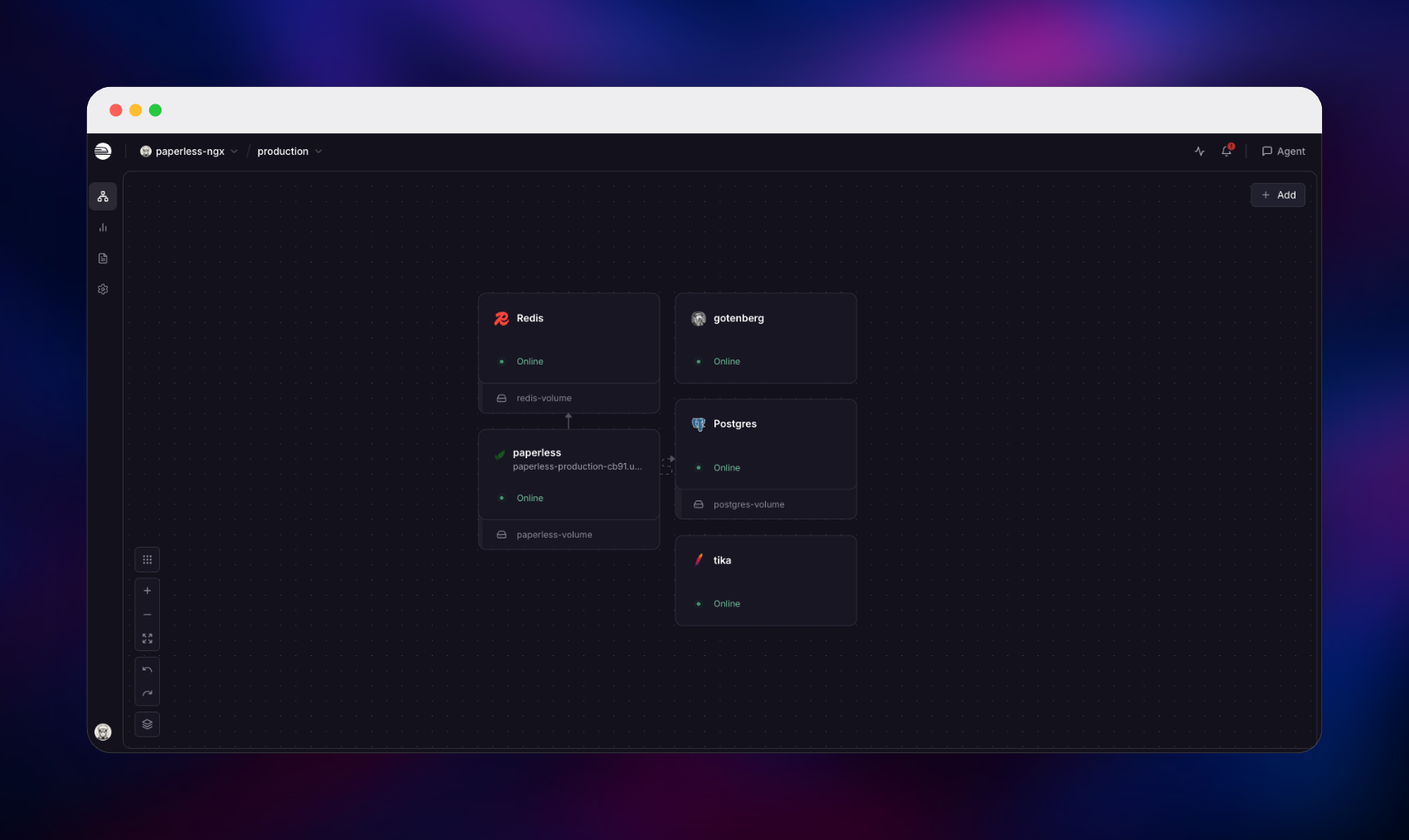
Deploy Paperless-ngx on Railway and you get upstream's full production topology rather than a stripped-down single container. Five services run: the application, a PostgreSQL database, a Redis broker for the background task queue, and the Gotenberg and Apache Tika services that convert Word, Excel, PowerPoint and LibreOffice files before indexing. Only the application has a public URL; everything else stays on Railway's private network. Uploaded files, OCR archive copies, thumbnails and the search index live on a persistent volume, so redeploying never costs a document.
Getting Started with Paperless-ngx on Railway
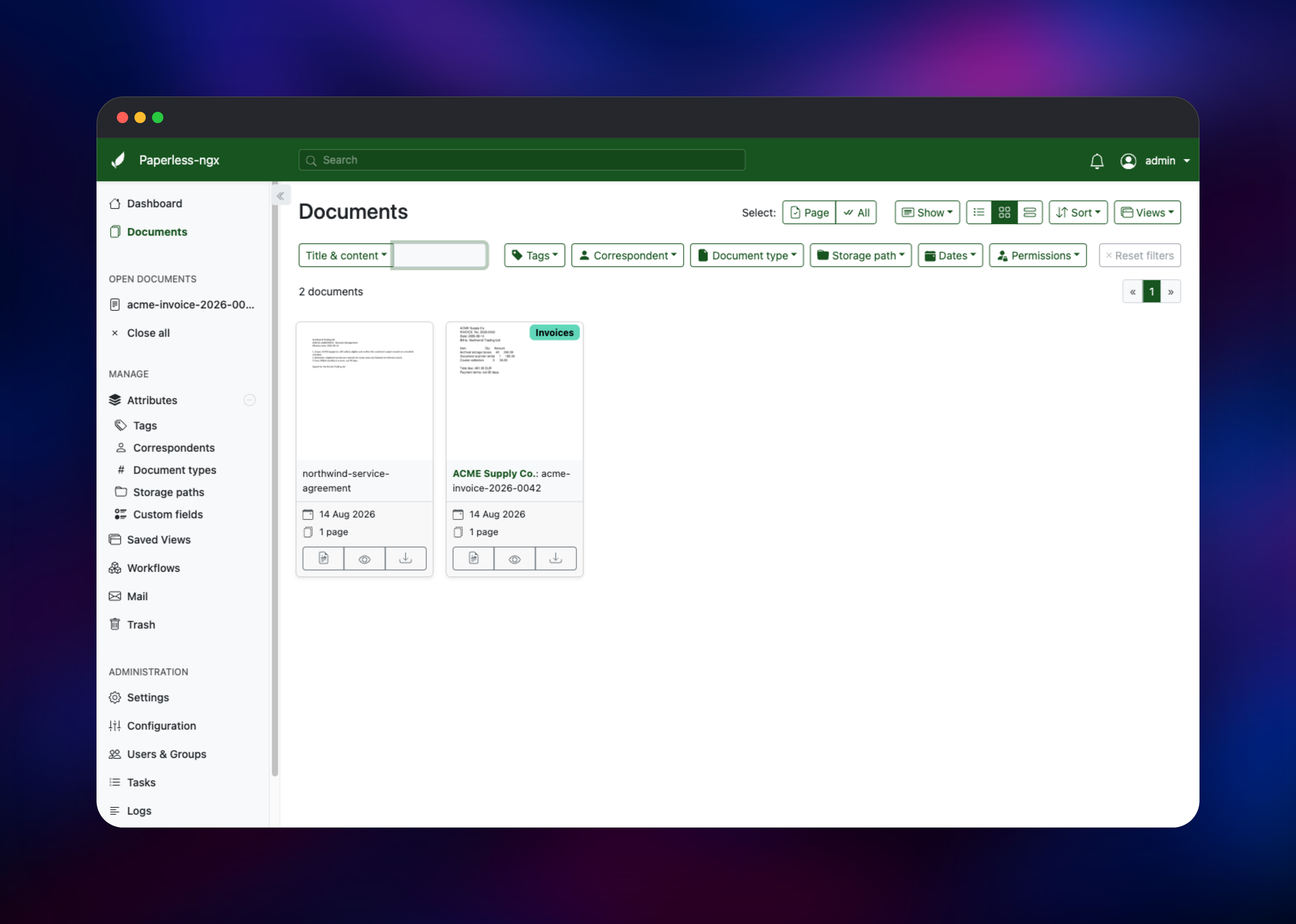
Set PAPERLESS_ADMIN_USER and PAPERLESS_ADMIN_PASSWORD before you deploy — those two values create the first superuser on the very first boot, and there are no default credentials to fall back on. When the deploy finishes, open the public URL and sign in; self-registration is disabled, so nobody else can create an account until you invite them under Users & Groups. The dashboard offers a short tour and a large Upload documents drop zone. Drag in a PDF or a .docx to confirm the chain works: the file is queued to Redis, a worker OCRs or converts it, and within seconds it appears under Documents with a thumbnail and extracted text.
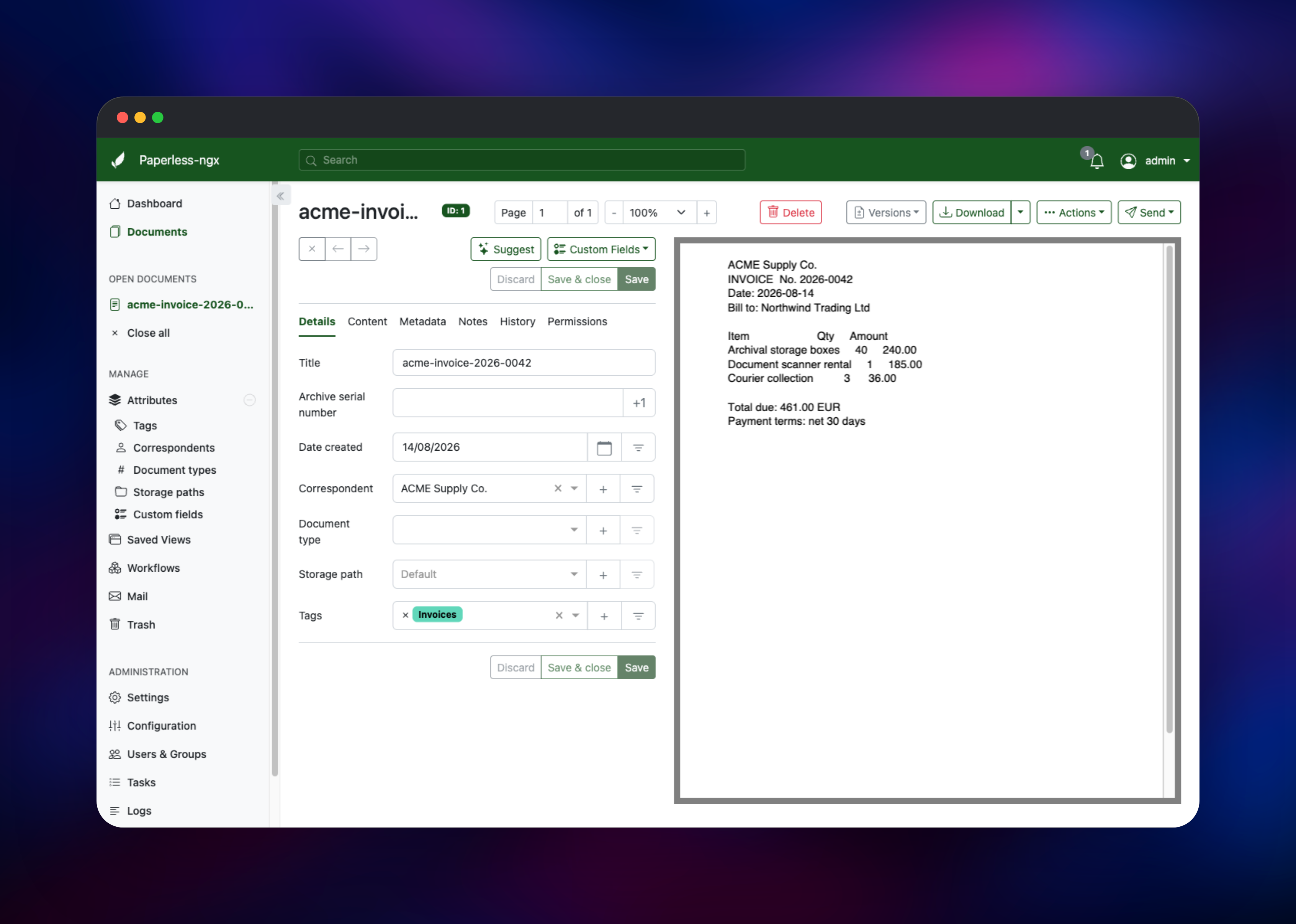
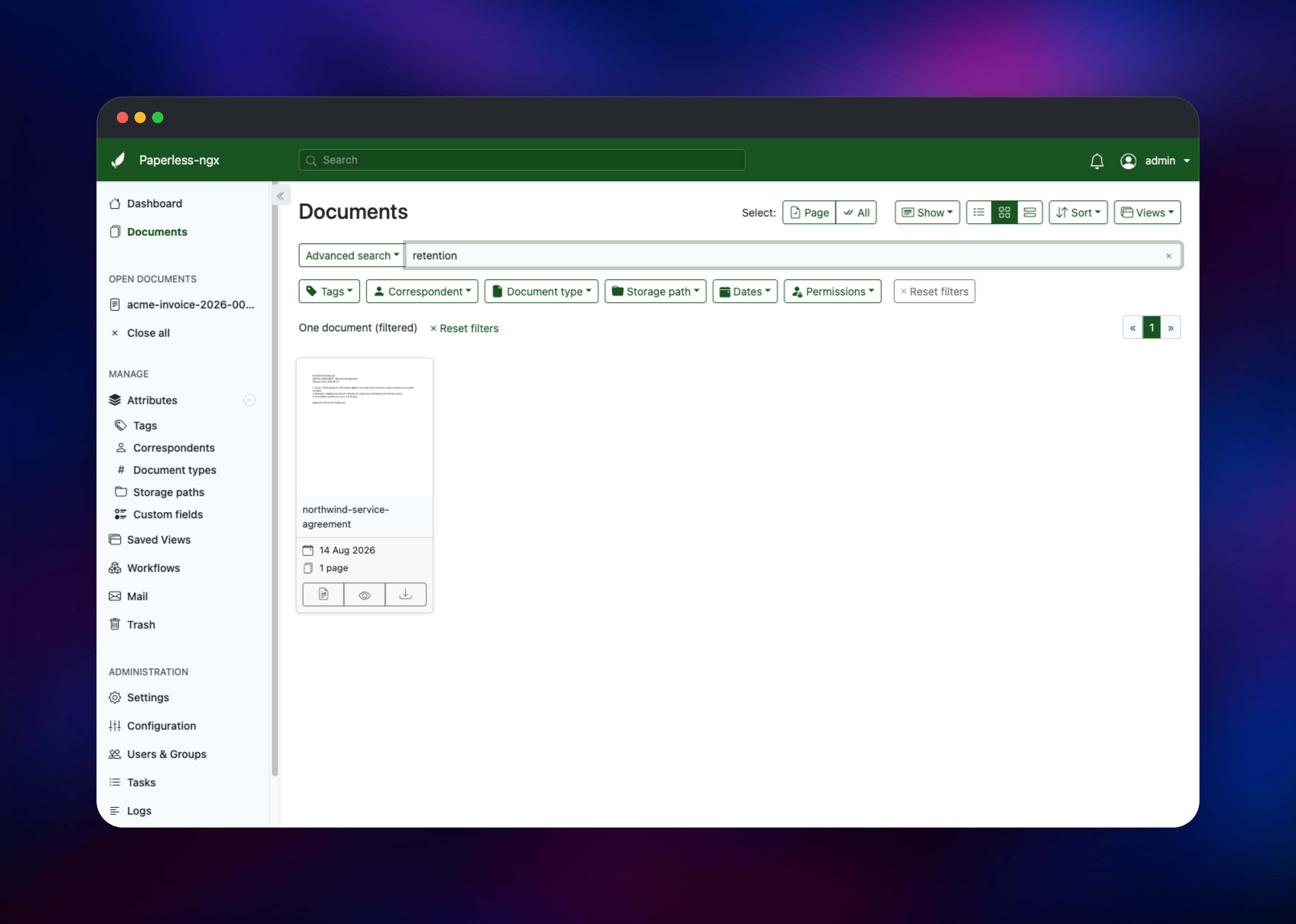
Open that document and check the Content tab — readable text there means OCR and indexing are healthy. Give it a tag and a correspondent, then search for a word that appears only inside the body; a match proves the index on the volume is live. Then create the tags and document types you file by, and add a Workflow so new uploads are tagged automatically.
About Hosting Paperless-ngx
Paperless-ngx solves a narrow problem completely: you have documents, and you need to find them again years later. Self-hosting matters more here than in most categories, because the archive is your most sensitive paper — bank statements, medical letters, legal agreements.
Key features:
- OCR via Tesseract with over 100 language packs, producing selectable-text archive PDFs
- Automatic tagging, correspondent and document-type matching that learns from your filing
- Full-text search with advanced query syntax and saved views
- Office document support via Gotenberg and Tika:
.docx,.xlsx,.pptx,.odt,.eml - Workflows that trigger on consumption, plus a watched folder for scanner drops
- Per-user permissions, two-factor authentication, a REST API, and IMAP mailbox ingestion
The Railway architecture maps onto upstream's production Docker Compose file. The application container runs the web server, Celery worker, scheduler and folder watcher together. Gotenberg converts Office formats to PDF with headless Chromium and LibreOffice; Tika extracts their text and metadata.
Why Deploy Paperless-ngx on Railway
Railway removes the infrastructure work self-hosting normally implies.
- PostgreSQL and Redis provisioned and wired up for you, with managed backups
- A persistent volume keeping originals, archives, thumbnails and the search index safe
- HTTPS and a public domain issued automatically, with correct proxy headers pre-set
- Private networking keeping the database, broker and converters off the internet
- Health checks and restart policies already configured on every service
Common Use Cases
- A paperless home or office archive — scan mail to the watched folder and let rules file it by correspondent
- Invoice retention for tax season — tag by year and supplier, export the set at audit time
- Contract storage for a small practice — per-user permissions keep client files separated
- A searchable knowledge archive — drop in papers and manuals, find them by any phrase
Dependencies for Paperless-ngx
- Paperless-ngx —
ghcr.io/paperless-ngx/paperless-ngx:latest— web UI, REST API, OCR worker, scheduler, folder watcher - PostgreSQL — Railway managed — documents, tags, correspondents, users, permissions, sessions
- Redis — Railway managed — the Celery broker carrying consumption and indexing jobs
- Gotenberg —
gotenberg/gotenberg:8— converts Office and email files to PDF for archiving - Apache Tika —
apache/tika:latest— extracts text and metadata from those same files
Environment Variables Reference
| Variable | Purpose |
|---|---|
PAPERLESS_ADMIN_USER | Username of the superuser created on first boot |
PAPERLESS_ADMIN_PASSWORD | Password for that superuser — set it before deploying |
PAPERLESS_SECRET_KEY | Signs sessions and API tokens; changing it logs everyone out |
PAPERLESS_URL | Public base URL, used for CSRF and CORS validation |
PAPERLESS_OCR_LANGUAGE | Tesseract language, e.g. eng or eng+deu |
PAPERLESS_OCR_LANGUAGES | Extra language packs to install at startup |
PAPERLESS_TASK_WORKERS | Documents processed in parallel |
PAPERLESS_THREADS_PER_WORKER | OCR threads per document |
PAPERLESS_ACCOUNT_ALLOW_SIGNUPS | Leave false to keep self-registration closed |
Deployment Dependencies
- Source repository:
- Documentation:
- Gotenberg: · Apache Tika:
Hardware Requirements for Self-Hosting Paperless-ngx
OCR is the expensive part. Idle usage is modest; a long scanned PDF uses every thread you give it.
| Resource | Minimum | Recommended |
|---|---|---|
| CPU | 1 vCPU | 2–4 vCPU |
| RAM | 2 GB | 4 GB or more |
| Storage | 5 GB volume | 20 GB+, scaling with the archive |
| Runtime | Docker / Python 3.12 | Docker / Python 3.12 |
Keep PAPERLESS_TASK_WORKERS × PAPERLESS_THREADS_PER_WORKER at or below your CPU count — oversubscribing threads makes OCR slower, not faster.
Self-Hosting Paperless-ngx with Docker
Upstream ships Docker Compose files for every database and converter combination. The quickest local instance uses their bootstrap script, which fetches the right compose file and prompts for your choices:
bash -c "$(curl --location --silent --fail https://raw.githubusercontent.com/paperless-ngx/paperless-ngx/main/install-paperless-ngx.sh)"
To run from source, clone the repository and start the Postgres-plus-Tika compose file directly. Edit docker-compose.env first — at minimum PAPERLESS_SECRET_KEY, PAPERLESS_ADMIN_USER and PAPERLESS_ADMIN_PASSWORD:
git clone https://github.com/paperless-ngx/paperless-ngx.git
cd paperless-ngx/docker/compose
cp docker-compose.postgres-tika.yml docker-compose.yml
cp docker-compose.env.example docker-compose.env
docker compose up -d
docker compose logs -f webserver
Paperless-ngx then answers on http://localhost:8000. Deploying on Railway skips all of it — database, broker, converters, volume and HTTPS domain arrive already wired together.
How Much Does Paperless-ngx Cost to Self-Host?
Paperless-ngx is free and open source under the GNU GPL v3 — no paid tier, no license key, no feature gating, no hosted edition upselling you. Your only cost is infrastructure, which on Railway is usage-based across the five services and the volume. An archive OCRing a few documents a week sits at the low end; an office scanning continuously uses more CPU.
FAQ
What is Paperless-ngx? An open-source document management system that OCRs, indexes and tags your documents so you can search their full text later. It is the actively maintained successor to Paperless-ng.
What does this Railway template deploy? Five services: the application with a persistent volume, PostgreSQL, Redis, and the Gotenberg and Tika converters. Only the application is internet-reachable.
Why does Paperless-ngx need PostgreSQL and Redis? PostgreSQL stores document metadata, tags, users and permissions; SQLite is only the single-user fallback. Redis carries jobs to the background workers that do OCR and indexing, so uploads return immediately instead of blocking.
How do I create the first admin user in self-hosted Paperless-ngx?
Set PAPERLESS_ADMIN_USER and PAPERLESS_ADMIN_PASSWORD before the first deploy. The superuser is created at startup, and later boots never change an existing password.
How do I add OCR languages other than English?
Set PAPERLESS_OCR_LANGUAGE to a Tesseract code such as eng+deu, and list any packs that are not bundled in PAPERLESS_OCR_LANGUAGES, for example deu fra.
Can I send documents in without the web UI? Yes — it watches a consumption directory on the volume, exposes a REST API, and can poll an IMAP mailbox.
Template Content


