
Deploy Penpot | Open-Source Figma Alternative
Self host Pentop. UI/UX design, prototype, real-time collaboration & more
DBs

MinIO
Just deployed
/data

Valkey
Just deployed

Just deployed
/var/lib/postgresql/data
Backend
Just deployed
Exporter
Just deployed
Frontend
Just deployed
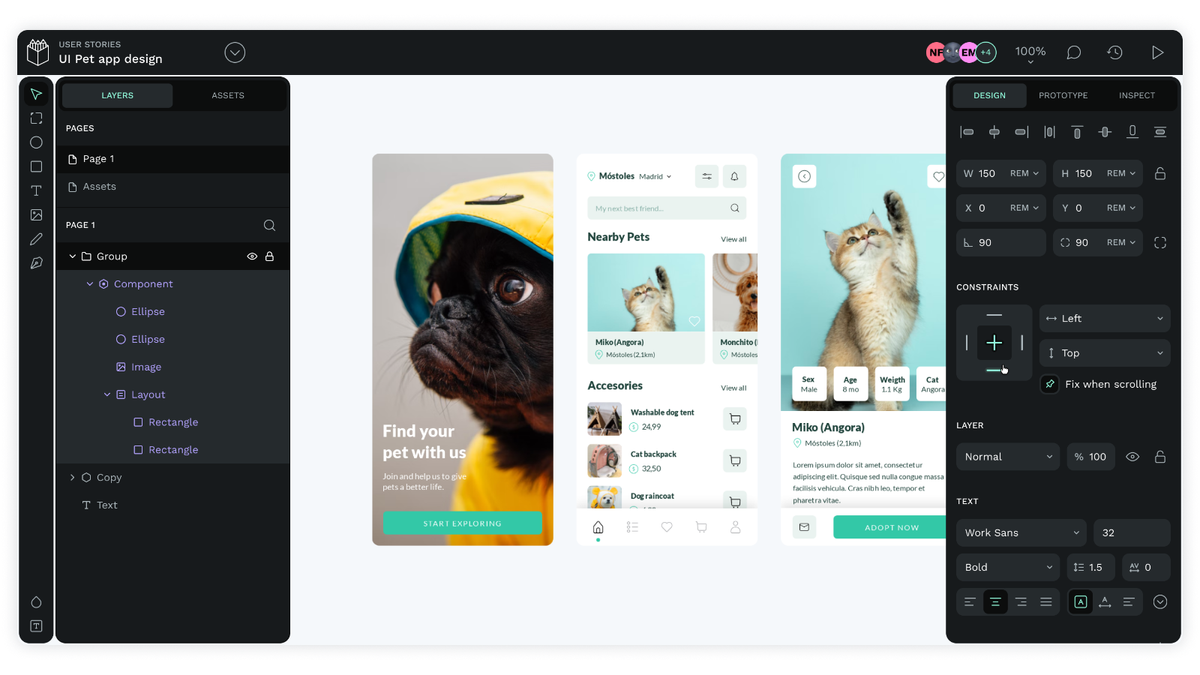
Deploy and Host Penpot on Railway

Deploy Penpot on Railway to get a fully self-hosted, open-source design and prototyping platform — no vendor lock-in, no per-seat licensing, full data sovereignty. Self-host Penpot as a real alternative to Figma that runs on open web standards (SVG, CSS) and works in any browser.
Getting Started with Penpot on Railway
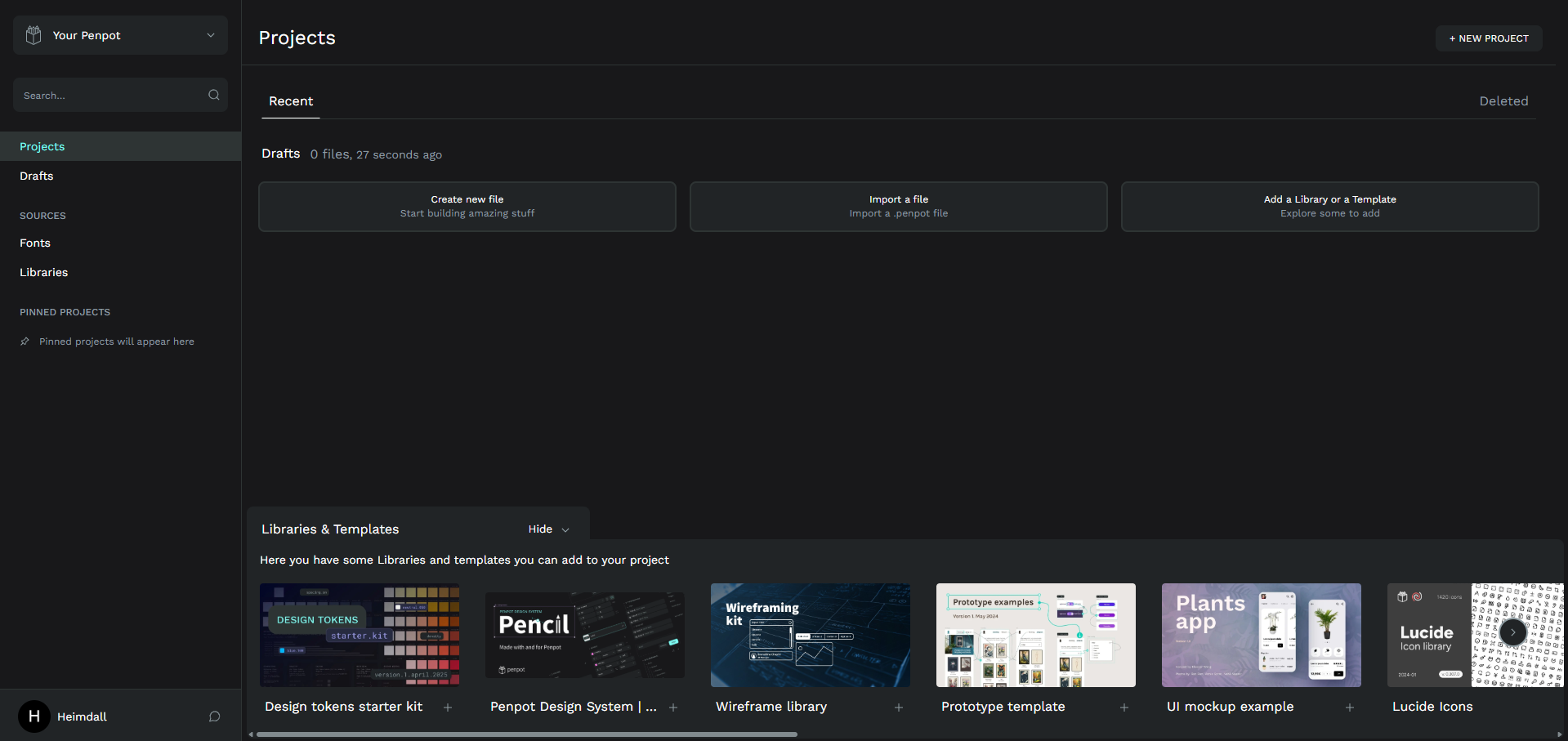
Once all six services show a green "Success" status, open the Frontend service URL. You'll see the Penpot login screen. Click Create an account to register — email verification is disabled by default, so you can sign up with any email and start immediately.
After registering, create your first project from the dashboard. Penpot supports multiplayer editing out of the box — invite teammates by email from the project settings. Import .penpot files, SVGs, or start from scratch with the built-in component library. The Inspect tab provides ready-to-use CSS and SVG code for developer handoff.
To install plugins, open the Plugin Manager from the main menu. Community plugins for React/Vue/Angular code generation, Unsplash stock images, and icon libraries are available from the Penpot plugin directory.
About Hosting Penpot
Penpot is the first open-source design and prototyping platform built for cross-domain teams. Created by Kaleidos, it provides a browser-based design tool that rivals Figma
Key features:
- Real-time multiplayer editing — multiple designers work simultaneously with live cursors and presence indicators
- Design tokens — first design tool with native design token support for consistent design systems
- Components and variants — reusable UI elements with overrides, just like Figma components
- Interactive prototyping — clickable prototypes with transitions, overlays, and scroll behaviors
- Inspect mode — developers get exact CSS properties, SVG code, and measurements without plugins
- Plugin ecosystem — 100+ community plugins for code generation, stock images, AI tools, and more
- Open standards — SVG-native format means no proprietary lock-in; files are human-readable XML
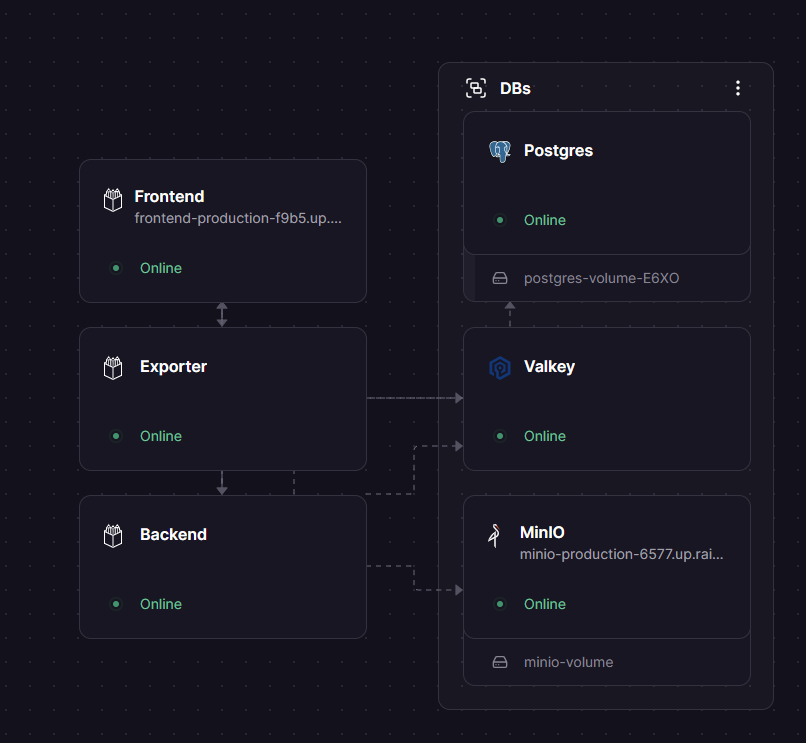
The architecture separates the frontend (Nginx + ClojureScript SPA), backend (JVM API server handling auth, persistence, and WebSockets), and exporter (Node.js + Puppeteer for rendering). Assets are stored in S3-compatible storage (MinIO on Railway), while PostgreSQL holds project data and Valkey coordinates real-time notifications.
Why Deploy Penpot on Railway
- Zero per-seat costs — unlimited editors and viewers, forever
- Full data sovereignty — designs never leave your infrastructure
- One-click deploy with pre-configured PostgreSQL, Valkey, and MinIO
- Private networking between all six services for secure internal communication
Common Use Cases for Self-Hosted Penpot
- UI/UX design for product teams — replace Figma with a self-hosted tool that keeps design files on your own infrastructure, critical for regulated industries
- Design system management — use native design tokens and components to maintain a consistent UI library across multiple products
- Open-source project design — provide a free, accessible design tool for open-source communities where commercial tool licenses are impractical
Dependencies for Penpot on Railway
This template deploys six services:
- Frontend —
penpotapp/frontend:2.14.3— Nginx serving the web app and proxying API/WebSocket/export requests - Backend —
penpotapp/backend:2.14.3— Clojure/JVM API server handling auth, file operations, real-time collaboration - Exporter —
penpotapp/exporter:2.14.3— Node.js + Puppeteer headless browser for PDF/SVG/PNG exports - PostgreSQL —
postgres— primary data store for users, projects, files, and design data - Valkey —
valkey/valkey:8.1— Redis-compatible pub/sub for WebSocket notification coordination - MinIO —
minio/minio:latest— S3-compatible object storage for uploaded assets and exported files
Deployment Dependencies
- GitHub: github.com/penpot/penpot — 45k+ stars
- Docker Hub: penpotapp/frontend, penpotapp/backend, penpotapp/exporter
- Docs: help.penpot.app/technical-guide
Hardware Requirements for Self-Hosting Penpot
| Resource | Minimum | Recommended |
|---|---|---|
| CPU | 1 vCPU | 2+ vCPUs |
| RAM | 2 GB | 4 GB |
| Storage | 10 GB | 20+ GB (scales with design assets) |
The JVM backend and headless Chromium exporter are the heaviest processes. Valkey is capped at 128 MB by default. Asset storage scales linearly with uploaded files — using S3/MinIO offloads this from the application server.
Self-Hosting Penpot with Docker Compose
Clone the repository and use the official Docker Compose configuration:
git clone https://github.com/penpot/penpot.git
cd penpot/docker/images
docker compose -p penpot -f docker-compose.yaml up -d
Or run Penpot with a minimal docker-compose.yml:
services:
  penpot-frontend:
    image: penpotapp/frontend:2.14.3
    ports:
      - "9001:8080"
    environment:
      - PENPOT_FLAGS=disable-email-verification enable-login-with-password
      - PENPOT_BACKEND_URI=http://penpot-backend:6060
      - PENPOT_EXPORTER_URI=http://penpot-exporter:6061
    depends_on:
      - penpot-backend
      - penpot-exporter

  penpot-backend:
    image: penpotapp/backend:2.14.3
    environment:
      - PENPOT_FLAGS=disable-email-verification enable-login-with-password
      - PENPOT_SECRET_KEY=your-secret-key-here
      - PENPOT_PUBLIC_URI=http://localhost:9001
      - PENPOT_DATABASE_URI=postgresql://penpot-postgres/penpot
      - PENPOT_DATABASE_USERNAME=penpot
      - PENPOT_DATABASE_PASSWORD=penpot
      - PENPOT_REDIS_URI=redis://penpot-redis/0
    depends_on:
      - penpot-postgres
      - penpot-redis

  penpot-exporter:
    image: penpotapp/exporter:2.14.3
    environment:
      - PENPOT_PUBLIC_URI=http://penpot-frontend:8080
      - PENPOT_REDIS_URI=redis://penpot-redis/0

  penpot-postgres:
    image: postgres:15
    environment:
      - POSTGRES_DB=penpot
      - POSTGRES_USER=penpot
      - POSTGRES_PASSWORD=penpot
    volumes:
      - penpot_postgres:/var/lib/postgresql/data

  penpot-redis:
    image: valkey/valkey:8.1
    command: valkey-server --maxmemory 128mb --maxmemory-policy volatile-lfu

volumes:
  penpot_postgres:
How Much Does Penpot Cost to Self-Host?
Penpot is 100% free and open-source under the MPL-2.0 license — unlimited users, unlimited projects, no feature gates. Self-hosting costs are infrastructure only.
The hosted SaaS at design.penpot.app offers a free Professional plan (up to 8 members, 10 GB storage), an Unlimited plan at $7/user/month capped at $175/month, and Enterprise at $950/month flat rate. Self-hosting on Railway gives you the full feature set with no per-user fees — you only pay for the compute and storage resources your services consume.
Penpot vs Figma for Self-Hosted Design
| Feature | Penpot | Figma |
|---|---|---|
| Self-hosting | Yes (Docker) | No |
| Price | Free / open-source | $15+/editor/month |
| Open standards | SVG-native | Proprietary format |
| Real-time collab | Yes | Yes |
| Design tokens | Native support | Plugin required |
| Plugins | 100+ community | Extensive ecosystem |
| Platform | Any browser | Any browser |
| Inspect/handoff | Built-in (CSS, SVG) | Built-in |
Penpot is the strongest choice for teams that need data sovereignty, want to avoid per-seat licensing, or contribute to open-source workflows. Figma remains ahead in ecosystem maturity and third-party integrations.
FAQ
What is Penpot and why self-host it? Penpot is an open-source design and prototyping platform — a self-hostable alternative to Figma. Self-hosting gives you full control over your design data, eliminates per-seat licensing costs, and ensures compliance with data residency requirements.
Why does the Penpot template include MinIO instead of using filesystem storage? Penpot's default filesystem storage requires a shared volume between the Frontend and Backend services. Railway enforces a strict one-volume-per-service policy, so sharing is impossible. MinIO provides S3-compatible object storage as a separate service that both Frontend and Backend access via the network.
How do I enable email verification and SMTP in self-hosted Penpot on Railway?
Remove disable-email-verification from PENPOT_FLAGS and add enable-smtp. Then set PENPOT_SMTP_HOST, PENPOT_SMTP_PORT, PENPOT_SMTP_USERNAME, and PENPOT_SMTP_PASSWORD on the Backend service. Note that Railway's Hobby plan blocks outbound SMTP — use a Pro plan or an external SMTP relay like Resend or Mailgun.
Can I use SSO or LDAP with self-hosted Penpot on Railway?
Yes. Add enable-login-with-oidc or enable-login-with-ldap to PENPOT_FLAGS and configure the corresponding environment variables (PENPOT_OIDC_BASE_URI, PENPOT_OIDC_CLIENT_ID, etc.) on the Backend service. Penpot supports Google, GitHub, GitLab, generic OIDC, and LDAP authentication.
How do I export designs from self-hosted Penpot? The Exporter service handles all exports. It loads the Frontend in a headless Chromium browser and renders designs to PNG, SVG, or PDF.
Template Content
MinIO
minio/minio:latestValkey
valkey/valkey:8.1Backend
penpotapp/backend:2.14.3Exporter
penpotapp/exporter:2.14.3Frontend
penpotapp/frontend:2.14.3
