
Deploy PgAdmin
Web app for managing PostgreSQL databases and running SQL

pgadmin
Just deployed
/var/lib/pgadmin
Just deployed
/var/lib/postgresql/data
Deploy and Host pgAdmin on Railway
pgAdmin is the official administration console for PostgreSQL, maintained by the community that builds the database. It puts an object explorer, a SQL editor with result grids, live dashboards, and backup, restore and ERD tooling behind a browser tab, so a team can inspect schemas, tune queries and grant roles without a desktop client on every laptop. Self-host pgAdmin when your databases sit on a private network, or when saved connections and query history should be shared by URL rather than trapped on one machine.
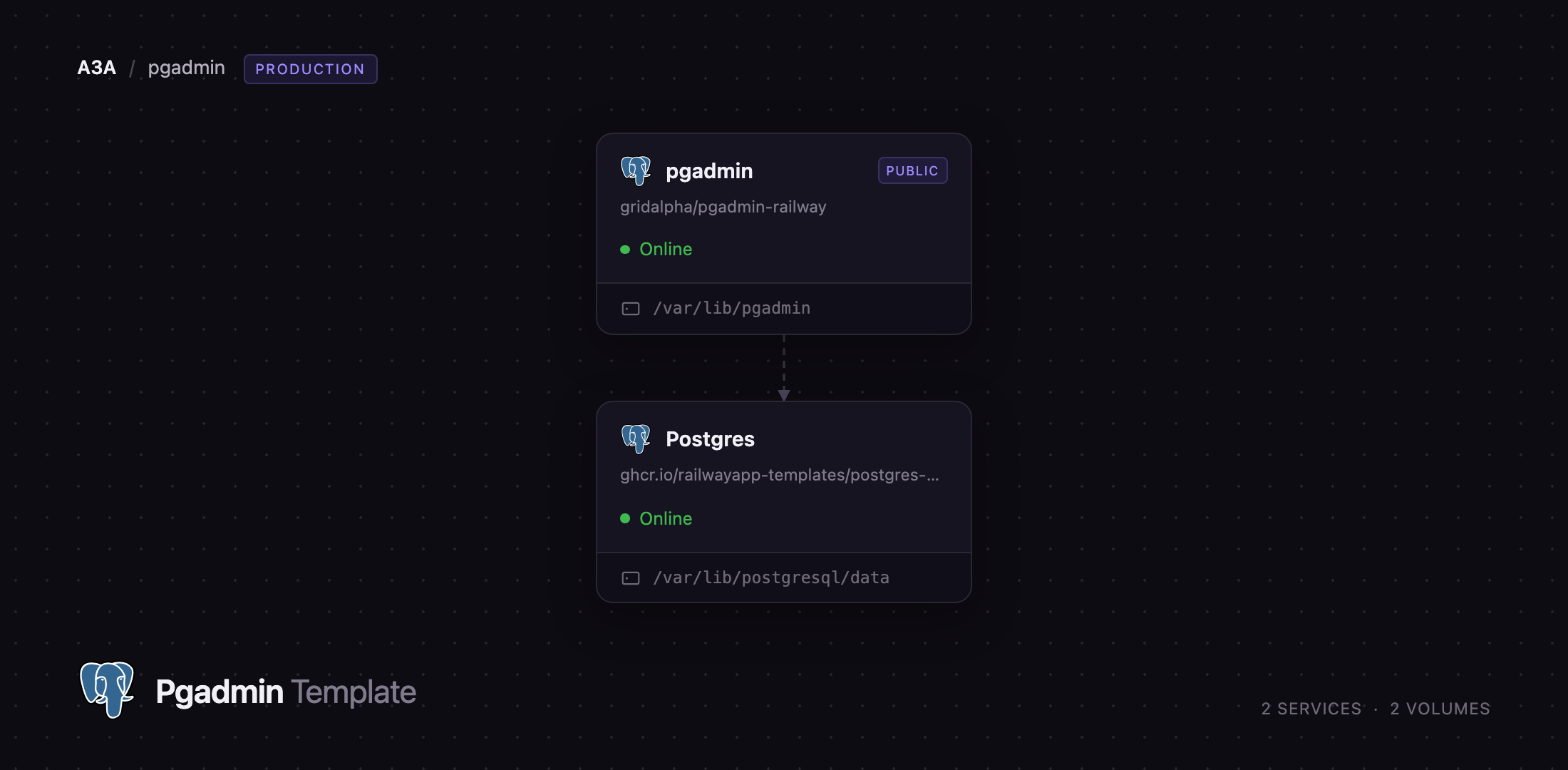
Deploy pgAdmin on Railway and you get more than one container. The template provisions pgAdmin next to a managed PostgreSQL server, creates a pgadmin database on it for pgAdmin's own configuration, and registers that server in the browser tree before you log in. A volume at /var/lib/pgadmin keeps the session store and per-user files. The first screen after sign-in is a working server, not an empty "Add New Server" dialog.
Getting Started with pgAdmin on Railway
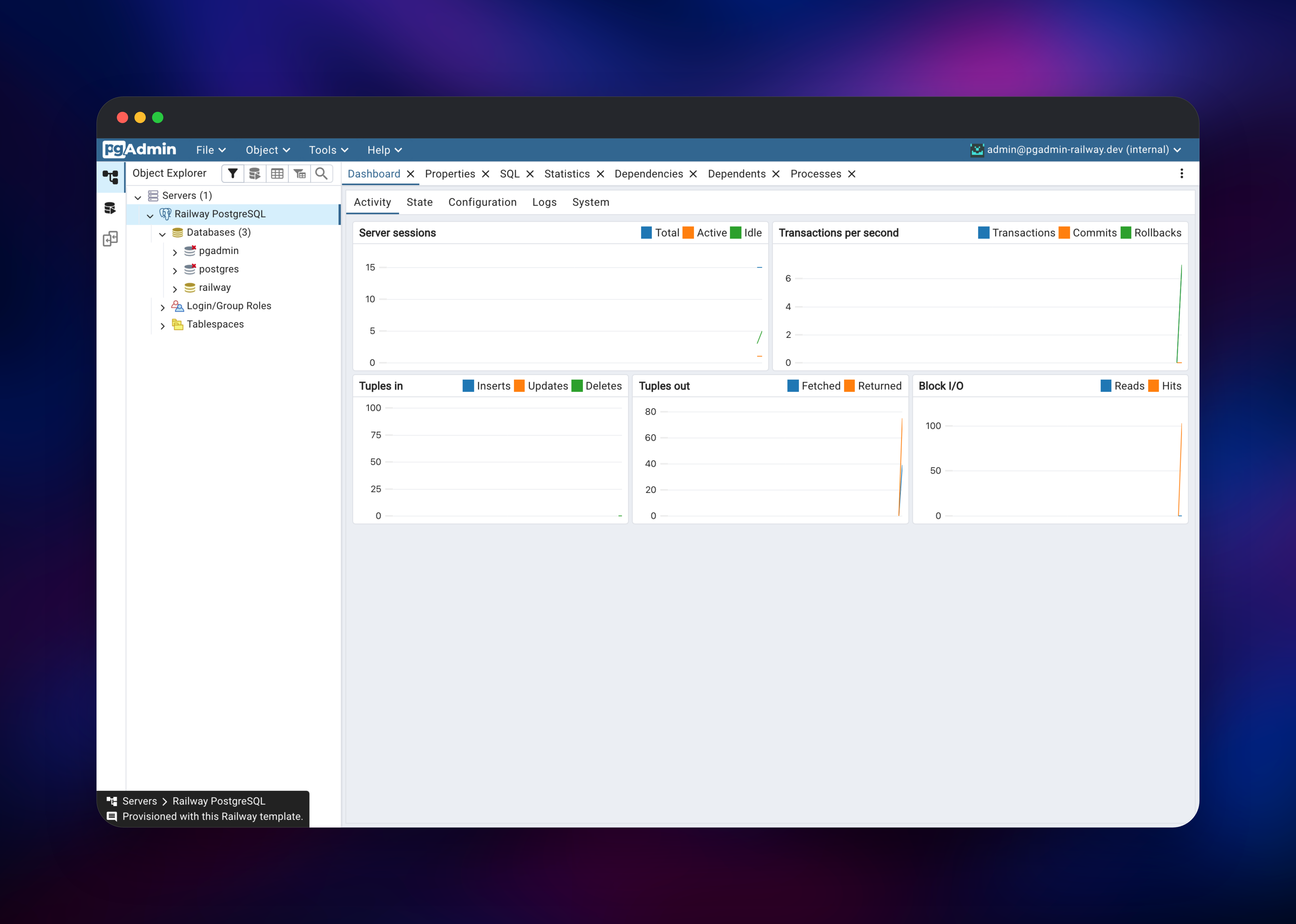
Set PGADMIN_DEFAULT_EMAIL and PGADMIN_DEFAULT_PASSWORD when you deploy — those two become the first administrator account, and pgAdmin creates no other user. The email must look real: pgAdmin runs a deliverable-domain check and refuses to start on admin@localhost or anything ending in .local, .test or .invalid. Nothing is sent to it. Open the Railway URL, sign in, and the object explorer appears with a Railway PostgreSQL entry under Servers.
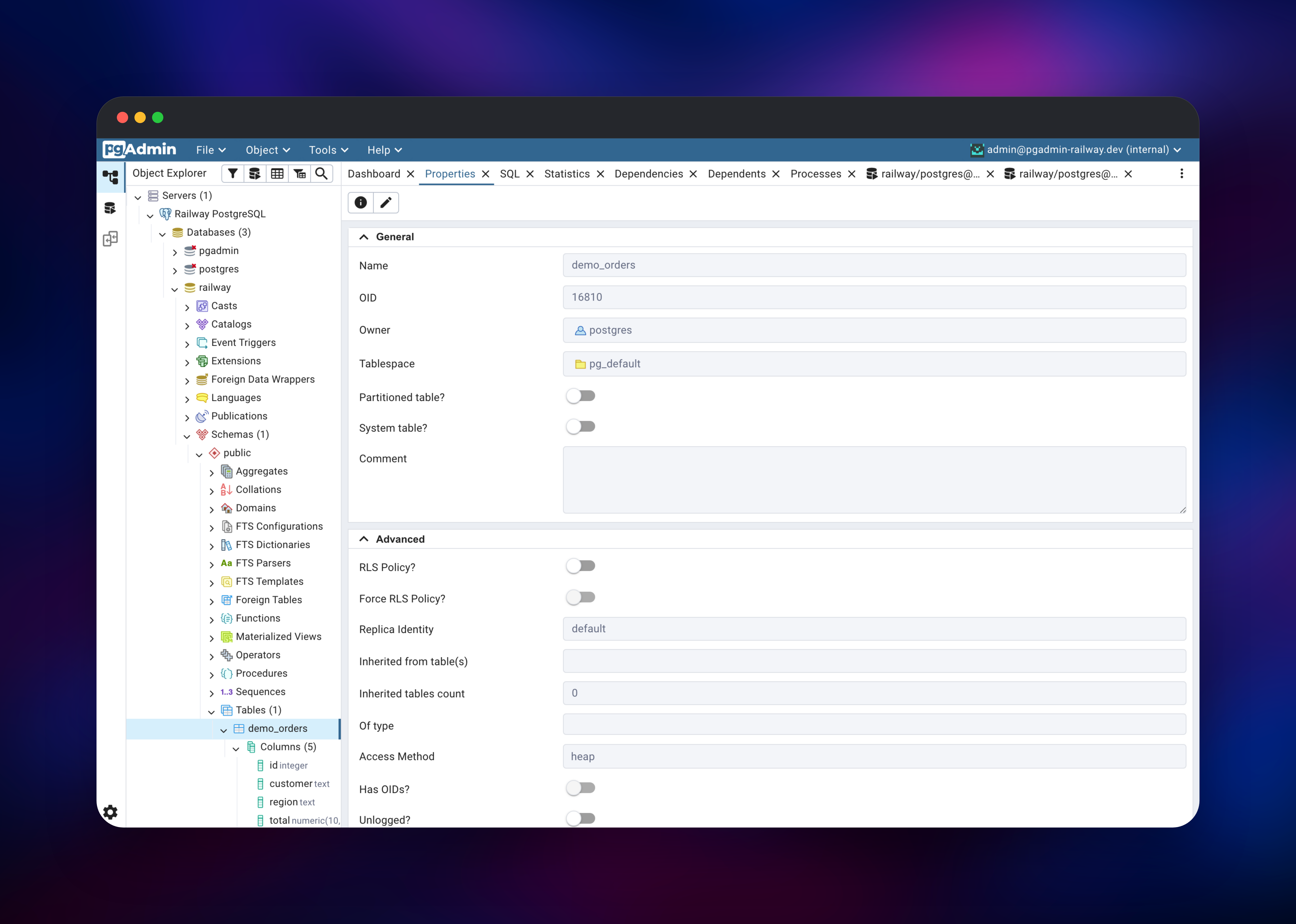
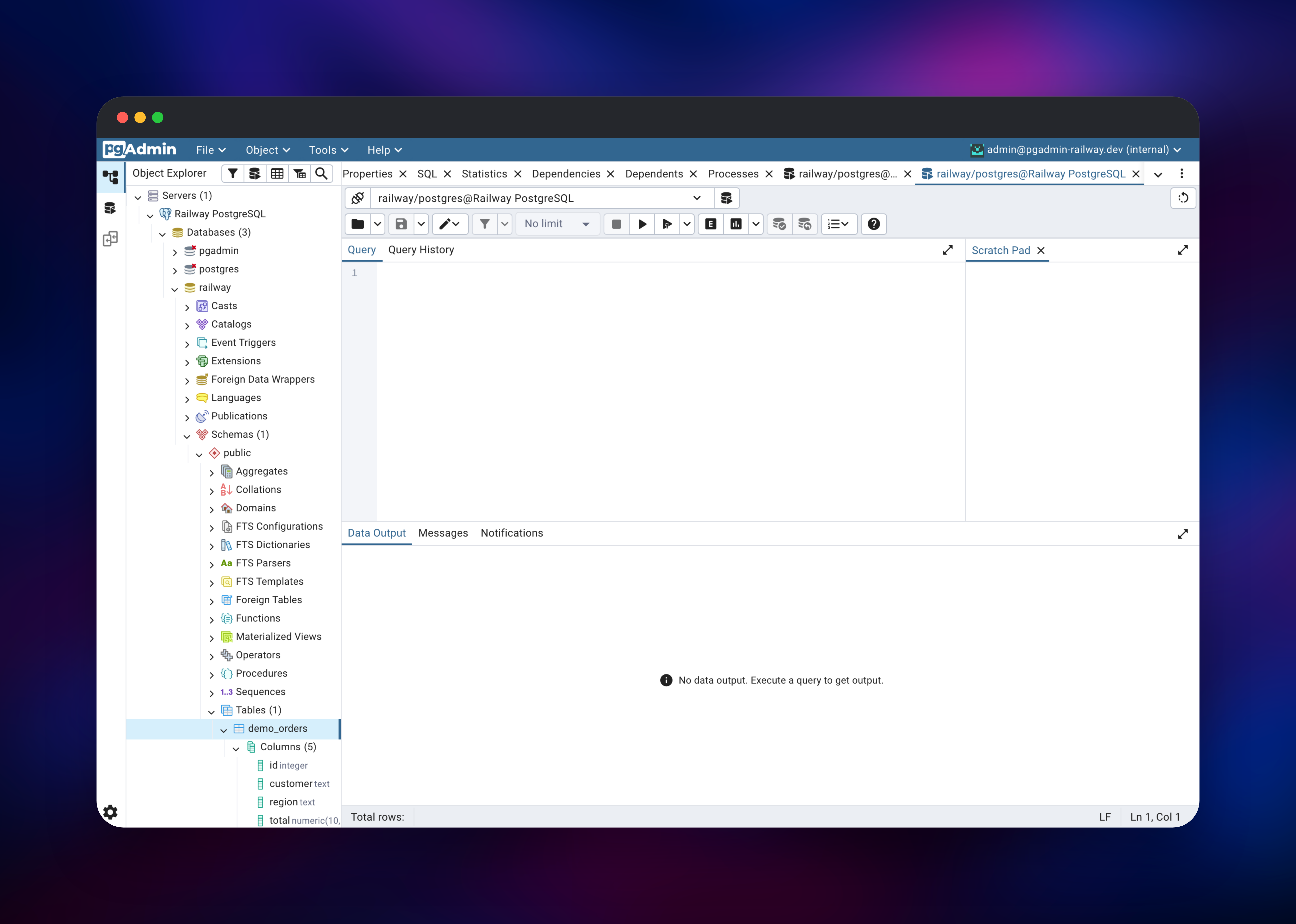
Expand that entry. It connects immediately from a password file written at boot, so nothing prompts you for the database password. Under Databases are three: railway, empty and yours to use; postgres, the maintenance database; and pgadmin, holding pgAdmin's own users, preferences and saved connections. Open Tools → Query Tool and run SELECT version(); — a result grid confirms the path works. Then create a table, load rows, and page through them with View/Edit Data.
About Hosting pgAdmin
pgAdmin is a Python web application: Flask behind gunicorn, serving a React front end. Every database connection opens server-side from the container, which is what makes it useful on Railway — PostgreSQL services stay on the private network with no public port, while pgAdmin is the only thing exposed, behind its own login.
Key capabilities:
- Object explorer for databases, schemas, tables, views, functions and roles, with property panels and generated DDL for each
- Query Tool with autocompletion, explain plans, history and CSV export
- Live dashboards for sessions, transactions, tuple activity and block I/O
- Backup, restore, import/export and maintenance (VACUUM, ANALYZE) from the UI
Two services make this up. pgAdmin is the web console, holding the volume and the public domain. Postgres plays two roles: pgAdmin's configuration store, and a real database you can use immediately. Register more servers afterwards — other PostgreSQL services in the project resolve by internal hostname.
Why Deploy pgAdmin on Railway
Railway removes the setup work around the console:
- PostgreSQL is provisioned and wired up, with no connection string to copy
- A volume is attached at the right path
- HTTPS and a public domain are issued automatically
- The private network keeps your databases unexposed
- Updating means redeploying; the configuration database is untouched
Common Use Cases
- Give a team one shared PostgreSQL console with individual logins instead of handing out
psqlcredentials - Inspect and fix production data from a browser during an incident, with no VPN or local client
- Teach or demo SQL against a real server, with the Query Tool and ERD view on a shared screen
- Run maintenance and one-off restores through a UI that records what ran
Dependencies for pgAdmin
- pgAdmin — built on
dpage/pgadmin4:latest, published by the pgAdmin project. Listens on port 8080; sessions and user files sit on a volume at/var/lib/pgadmin. - Postgres — Railway's managed PostgreSQL, holding the
pgadminconfiguration database and registered as the first server in the console.
Environment Variables Reference
| Variable | Purpose |
|---|---|
PGADMIN_DEFAULT_EMAIL | First administrator's login; must be a deliverable-looking address |
PGADMIN_DEFAULT_PASSWORD | Password for that account |
PGADMIN_DATABASE_URL | URL of the configuration database and the pre-registered server |
PORT | HTTP port pgAdmin listens on |
PGADMIN_CONFIG_PROXY_X_FOR_COUNT | Proxy hops trusted for the client IP; 2 behind Railway |
PGADMIN_CONFIG_SESSION_COOKIE_SECURE | Marks the session cookie HTTPS-only |
PGADMIN_CONFIG_MAX_LOGIN_ATTEMPTS | Failed logins before lockout; 0 disables it |
PGADMIN_CONFIG_DB_NAME | Configuration database name; defaults to pgadmin |
PGADMIN_SERVER_NAME | Label for the pre-registered server |
PGADMIN_REGISTER_BUNDLED_SERVER | false starts with an empty server tree |
Any setting from pgAdmin's config.py applies when prefixed with PGADMIN_CONFIG_. String values need their own quotes, since they are written into a Python file — PGADMIN_CONFIG_MAIL_SERVER="'smtp.example.com'" — while numbers and True/False are bare.
Deployment Dependencies
- Image: dpage/pgadmin4
- Source: github.com/pgadmin-org/pgadmin4
- Docs: pgadmin.org/docs
- Runtime: Python 3.14, gunicorn, PostgreSQL 13–18 client tools in the image
Hardware Requirements for Self-Hosting pgAdmin
| Resource | Minimum | Recommended |
|---|---|---|
| CPU | 0.5 vCPU | 1 vCPU |
| RAM | 512 MB | 1 GB |
| Storage | 1 GB volume | 5 GB volume |
| Runtime | Python 3.11+ | Python 3.14 (bundled) |
pgAdmin runs one gunicorn worker with a thread pool, because sessions are files. Memory grows with open connections and result-set size, so add RAM if several people run large queries at once. Keep the replica count at one — the session model does not scale out.
How Much Does pgAdmin Cost to Self-Host?
pgAdmin is free and open source under the PostgreSQL Licence, with no paid tier, seat limit or feature gate — the hosted console is the same software the project ships for desktops. The only cost is the Railway infrastructure: one small web service, one managed PostgreSQL instance and their volumes. A single-team console sits at the low end of usage-based pricing and idles cheaply.
Self-Hosting pgAdmin
The minimal Docker run:
docker run -p 8080:80 \
  -e PGADMIN_DEFAULT_EMAIL=you@example.com \
  -e PGADMIN_DEFAULT_PASSWORD=change-me \
  -v pgadmin-data:/var/lib/pgadmin \
  dpage/pgadmin4:latest
To keep users, preferences and saved servers in PostgreSQL instead of a SQLite file on the volume — what this template does — point it at a database that already exists. Note the nested quotes; the value goes into a Python config file:
docker run -p 8080:80 \
  -e PGADMIN_DEFAULT_EMAIL=you@example.com \
  -e PGADMIN_DEFAULT_PASSWORD=change-me \
  -e PGADMIN_CONFIG_CONFIG_DATABASE_URI="'postgresql://user:pass@db:5432/pgadmin'" \
  -v pgadmin-data:/var/lib/pgadmin \
  dpage/pgadmin4:latest
FAQ
What is pgAdmin? pgAdmin is the official open-source management tool for PostgreSQL: a graphical interface for browsing and editing database objects, writing and running SQL, monitoring server activity, and performing backups and restores.
What does this Railway template deploy? Two services: pgAdmin, with a public HTTPS URL and a volume, and a managed PostgreSQL server that is both pgAdmin's configuration store and the first database registered in the console.
Why does the template include a PostgreSQL service? pgAdmin keeps its users, preferences, saved servers and query history in a configuration database. PostgreSQL rather than a SQLite file is what the project recommends for containers, and it gives the console a real server to manage from the first login.
How do I connect pgAdmin to another database on Railway?
Use Object → Register → Server with the other service's internal hostname, such as postgres.railway.internal, on port 5432. Services in the same project and environment reach each other privately, so the target needs no public port.
Can several people use one self-hosted pgAdmin instance? Yes. pgAdmin runs in server mode, so the first administrator adds users under File → Preferences → Users. Each gets their own saved servers, preferences and history.
Why am I asked to sign in again after a redeploy? Browser sessions do not survive a container replacement. Everything else does — registered servers, preferences and saved queries live in the configuration database — so signing in again puts you back where you were.
Does pgAdmin send email?
Only for password resets, and only once configured. Set PGADMIN_ENABLE_POSTFIX=1, or point PGADMIN_CONFIG_MAIL_SERVER and the related PGADMIN_CONFIG_MAIL_* settings at an SMTP provider. An administrator can change a password from inside the console.
Template Content


