
Deploy pgAdmin
A powerful web interface for managing PostgreSQL databases.
pgAdmin
Just deployed
/var/lib/pgadmin
Deploy and Host pgAdmin on Railway
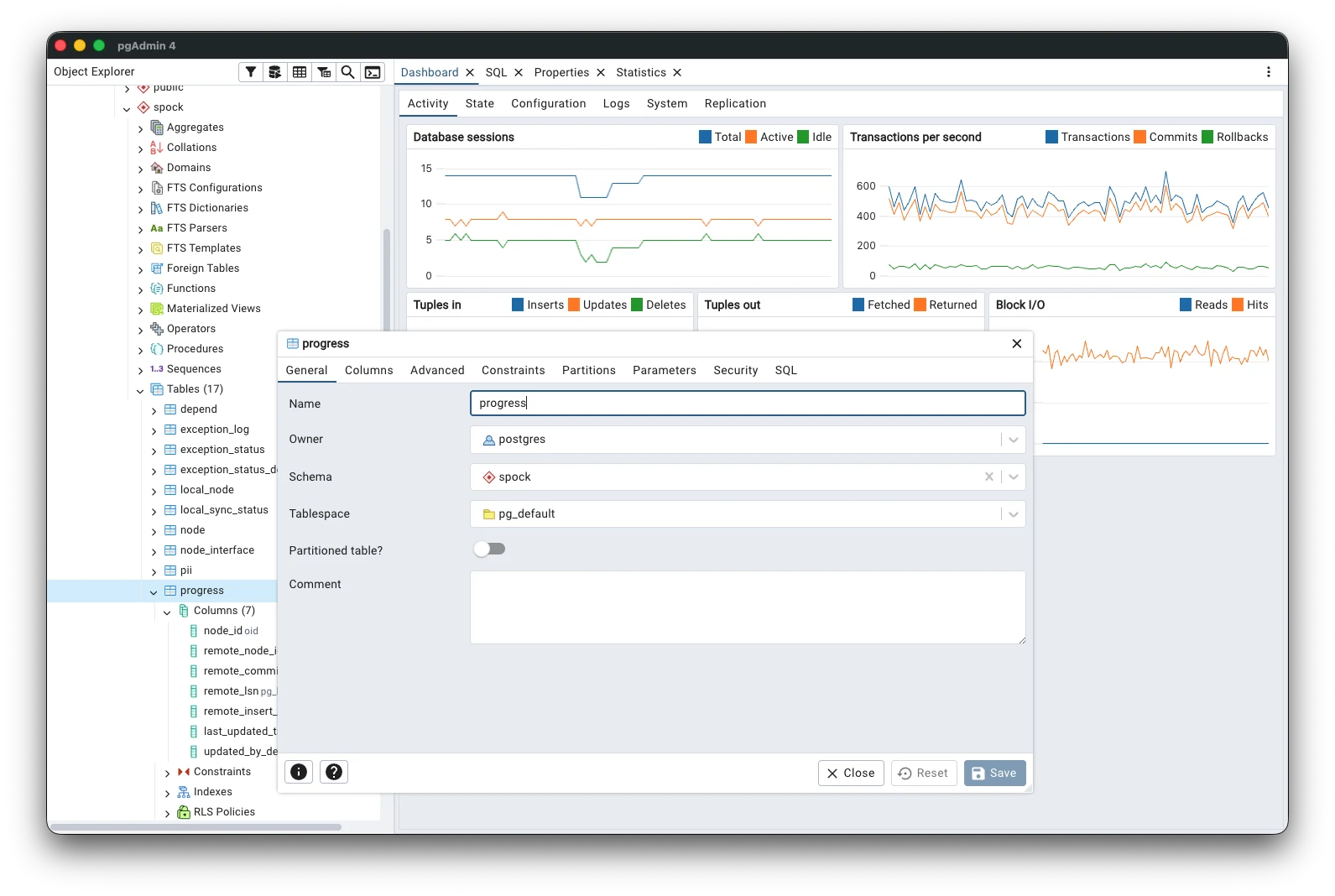
pgAdmin is a popular open-source administration and development platform for PostgreSQL. It provides a browser-based interface for managing database servers, running SQL queries, inspecting schemas, monitoring activity, managing users, and performing common PostgreSQL administration tasks from a centralized web interface.
About Hosting pgAdmin
Hosting pgAdmin gives you remote access to a full PostgreSQL administration interface without installing a desktop database client on every machine.
A hosted pgAdmin instance can connect to PostgreSQL databases running on Railway, another cloud provider, private infrastructure, or any reachable PostgreSQL server.
Railway simplifies the deployment by handling the underlying application infrastructure, persistent storage, networking, and service availability. pgAdmin also includes built-in authentication, making it more suitable for internet-facing administration than database tools that provide no access control.
Required Setup Before Deployment
Before clicking Deploy, you must provide values for the following variables:
| Variable | Required | Description |
|---|---|---|
PGADMIN_DEFAULT_EMAIL | ✅ | Email/username used to sign in to pgAdmin |
PGADMIN_DEFAULT_PASSWORD | ✅ | Password used to sign in to pgAdmin |
Both values are intentionally left empty in this Railway template so each deployment receives its own administrator credentials.
Important Notes
- ✅ Enter both values before deploying
- ✅ Use a strong password
- ✅ The email value is used primarily as the administrator login
- ✅ The email does not necessarily need to be an active mailbox for basic pgAdmin usage
- ⚠️ Use a real email address if you plan to configure email-based features such as password recovery
- ❌ Do not leave either variable empty
Why Use pgAdmin?
| Capability | pgAdmin |
|---|---|
| 🌐 Browser-based PostgreSQL management | ✅ |
| 📝 SQL query editor | ✅ |
| 🗂️ Database and schema exploration | ✅ |
| 👥 Role and user management | ✅ |
| 📊 Server monitoring | ✅ |
| 🔍 Query and activity inspection | ✅ |
| 💾 Backup and restore tooling | ✅ |
| 🔐 Built-in authentication | ✅ |
| 🖥️ Multiple PostgreSQL server connections | ✅ |
| 🏠 Self-hosted deployment | ✅ |
| 🐘 PostgreSQL-focused tooling | ✅ |
pgAdmin is particularly useful when you need a complete PostgreSQL administration environment rather than a generic multi-database client.
Common Use Cases
| Use Case | Description |
|---|---|
| 🐘 PostgreSQL administration | Manage PostgreSQL servers from a web browser |
| 📝 SQL development | Write, test, and execute SQL queries |
| 🔎 Schema exploration | Inspect databases, schemas, tables, indexes, and other objects |
| 👥 User management | Create and manage PostgreSQL roles and permissions |
| 📊 Database monitoring | Inspect sessions, activity, locks, and server statistics |
| 💾 Backup management | Perform common PostgreSQL backup and restore operations |
| ☁️ Cloud database management | Manage PostgreSQL databases running across cloud environments |
| 👨💻 Developer tooling | Give developers a centralized PostgreSQL management interface |
Dependencies for pgAdmin Hosting
| Dependency | Required |
|---|---|
| pgAdmin application | ✅ |
| Persistent storage | ✅ Recommended |
| PostgreSQL server to manage | ✅ External or existing |
| Separate PostgreSQL database for pgAdmin | ❌ |
| Redis | ❌ |
| Separate authentication service | ❌ |
pgAdmin runs as a standalone administration application. The PostgreSQL servers you manage can run on Railway or any other reachable infrastructure.
pgAdmin vs Other Relevant Platforms
| Feature | pgAdmin | DBX | CloudBeaver | Adminer |
|---|---|---|---|---|
| 🌐 Web interface | ✅ | ✅ | ✅ | ✅ |
| 🏠 Self-hosted | ✅ | ✅ | ✅ | ✅ |
| 🐘 PostgreSQL support | ✅ Excellent | ✅ | ✅ | ✅ |
| 🗄️ Multi-database support | ❌ PostgreSQL-focused | ✅ | ✅ | ✅ |
| 📝 SQL editor | ✅ | ✅ | ✅ | ✅ |
| 🔎 Schema exploration | ✅ | ✅ | ✅ | ✅ |
| 👥 PostgreSQL role management | ✅ | ⚠️ | ⚠️ | ⚠️ |
| 📊 PostgreSQL monitoring | ✅ | ⚠️ | ⚠️ | ❌ |
| 💾 Backup & restore tooling | ✅ | ⚠️ | ⚠️ | ⚠️ |
| 🔐 Built-in authentication | ✅ | ✅ | ✅ | ⚠️ |
| 🎯 Primary focus | PostgreSQL administration | Multi-DB client | Enterprise DB workspace | Simple DB administration |
Which One Should You Use?
| Platform | Best Choice When |
|---|---|
| pgAdmin | ✅ You primarily manage PostgreSQL and want deep PostgreSQL administration features |
| DBX | ✅ You work with many different database engines from one interface |
| CloudBeaver | ✅ You need a broader collaborative database management workspace |
| Adminer | ✅ You want a very lightweight database administration interface |
pgAdmin is the strongest choice when PostgreSQL is your primary database platform and you need more than basic querying, including role management, server monitoring, backup operations, and deeper PostgreSQL-specific tooling.
Security Considerations
pgAdmin includes built-in authentication, but database administration interfaces should still be treated as sensitive infrastructure.
| Security Consideration | Recommendation |
|---|---|
| 🔐 Administrator password | Use a strong and unique password |
| 👤 Administrator email | Do not share administrator credentials |
| 🌐 Public access | Limit exposure when external access is unnecessary |
| 🗄️ Database exposure | Avoid exposing PostgreSQL directly to the public internet when possible |
| 🔄 Credentials | Rotate credentials when access changes |
| 📋 Permissions | Use least-privilege PostgreSQL accounts where appropriate |
For private or internal use, consider disabling public access when you no longer need to reach pgAdmin from the internet.
Important Usage Notes
| Consideration | Recommendation |
|---|---|
| 🔑 Initial credentials | Enter both required administrator variables before deployment |
| 💾 Persistent data | Keep application data persistent across redeployments |
| 🐘 PostgreSQL connectivity | Ensure the target PostgreSQL server is reachable from pgAdmin |
| 🔐 Database credentials | Use dedicated database accounts where practical |
| 🌐 Internet exposure | Avoid unnecessary public exposure of administration tools |
| 📦 Backups | Back up both important PostgreSQL data and relevant pgAdmin configuration |
Why Deploy pgAdmin on Railway?
Railway is a singular platform to deploy your infrastructure stack. Railway will host your infrastructure so you don't have to deal with configuration, while allowing you to vertically and horizontally scale it.
By deploying pgAdmin on Railway, you are one step closer to supporting a complete full-stack application with minimal burden. Host your servers, databases, AI agents, and more on Railway.
Template Content
pgAdmin
dpage/pgadmin4:latestPGADMIN_DEFAULT_EMAIL
Admin email used to sign in to pgAdmin
PGADMIN_DEFAULT_PASSWORD
Admin password used to sign in to pgAdmin


