
Deploy PhotoPrism
AI photo library that tags and searches your pictures
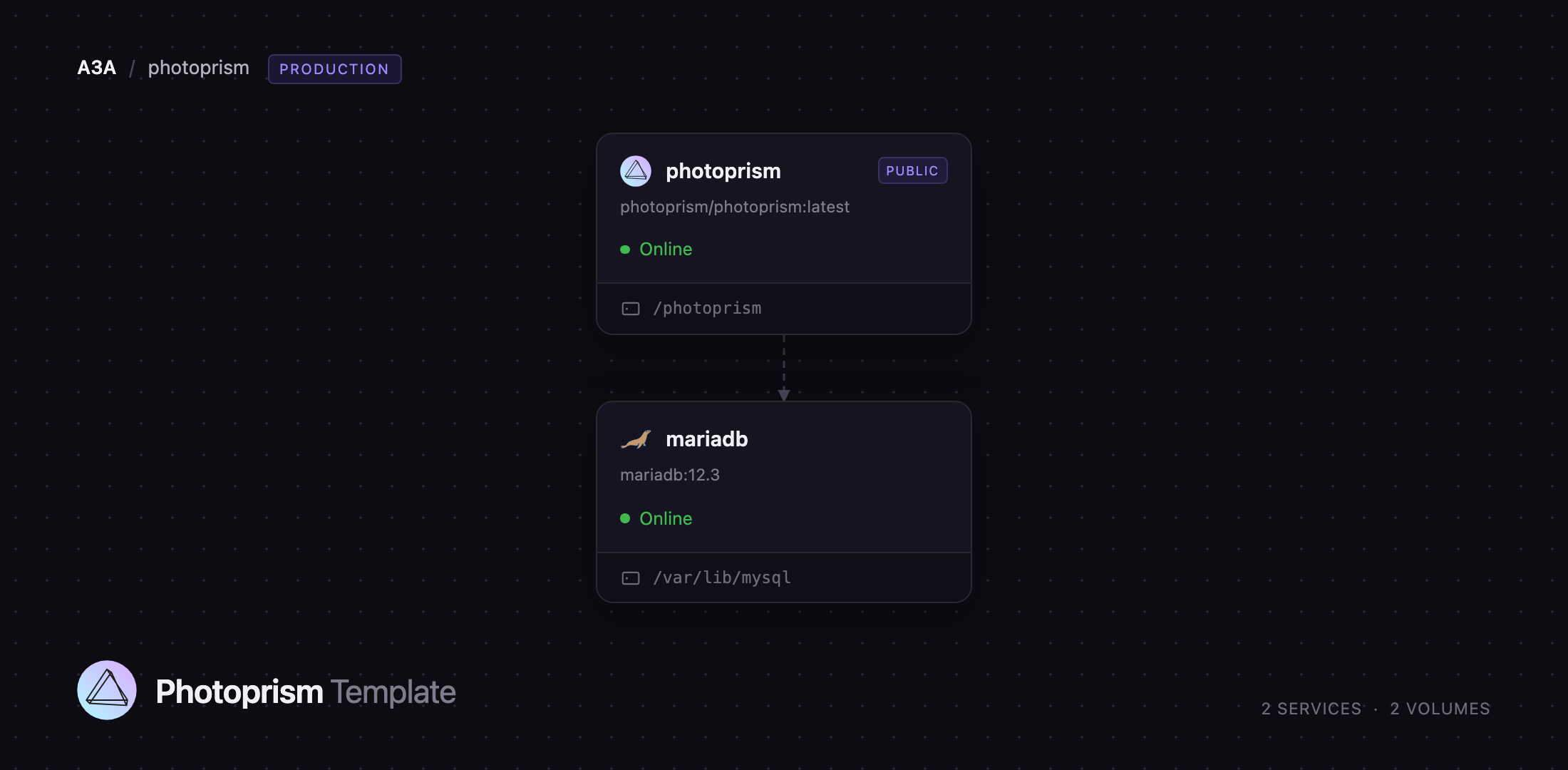
photoprism
Just deployed
/photoprism

mariadb
Just deployed
/var/lib/mysql
Deploy and Host PhotoPrism on Railway
PhotoPrism is an AI-powered photo and video library you run yourself. It indexes a folder of originals, generates thumbnails, reads Exif and XMP metadata, and uses on-device TensorFlow models to classify each picture and recognise faces — so a collection that arrived as IMG_4821.jpg becomes searchable by subject, place, colour, camera and date. Photographers, families and small teams self-host PhotoPrism to keep a lifetime of pictures out of Google Photos and iCloud while still getting automatic tagging, world maps and albums. It also speaks WebDAV, so Finder, Windows Explorer and sync apps such as PhotoSync upload into it directly.
This template runs PhotoPrism with the database it is designed for. Two services deploy together: photoprism, the Go application serving the web interface, API and WebDAV endpoint on port 2342, and mariadb, a MariaDB 12.3 server on the private network holding the index — photos, labels, faces, albums, users and sessions. Each service keeps its own volume: the app's holds originals/, import/ and storage/ (thumbnail cache, sidecar files and scheduled backups), the database's holds the MariaDB data directory. Only the app gets a public domain; the database is reachable solely over the private network, and a login sits in front of every route.
Getting Started with PhotoPrism on Railway
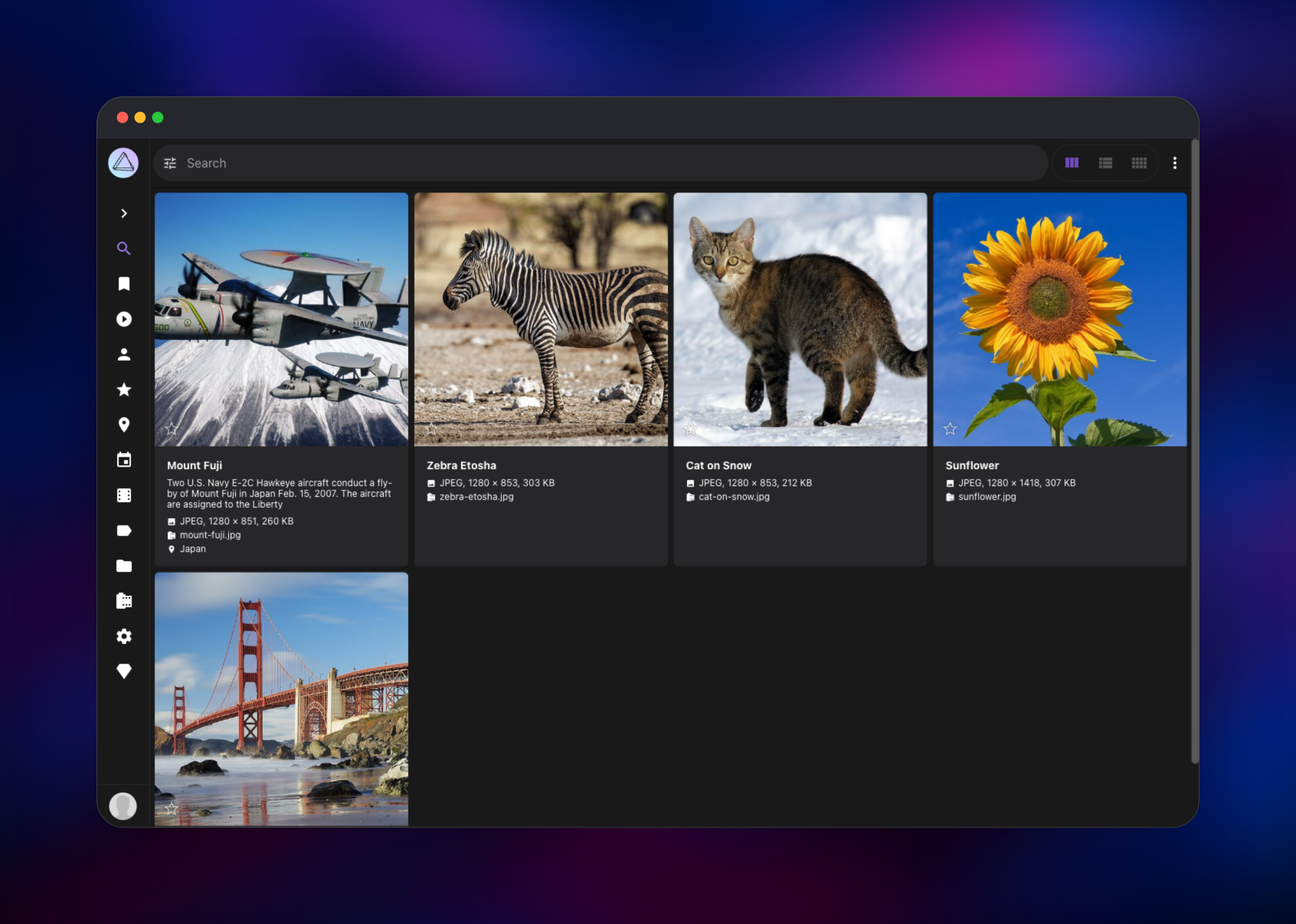
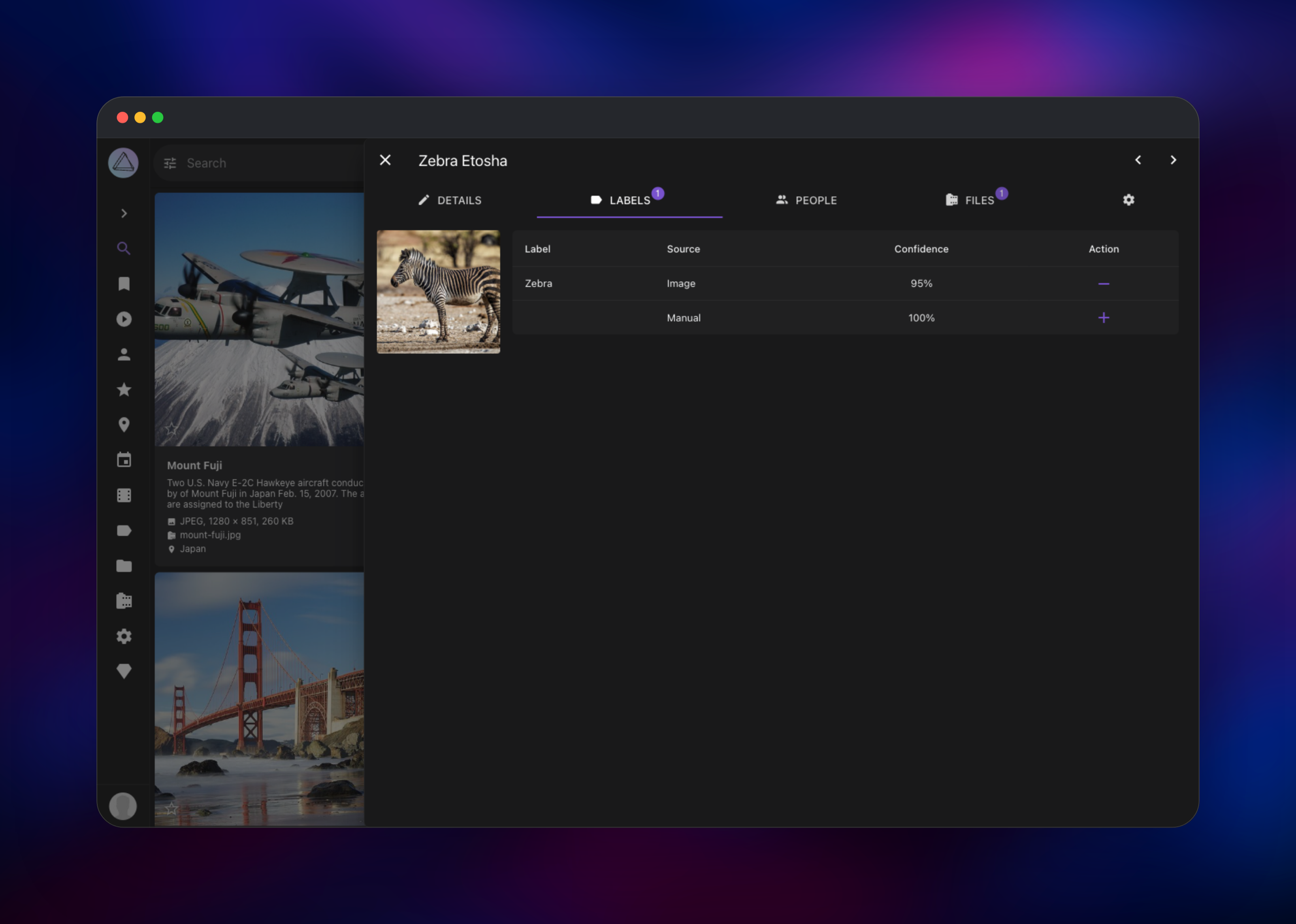
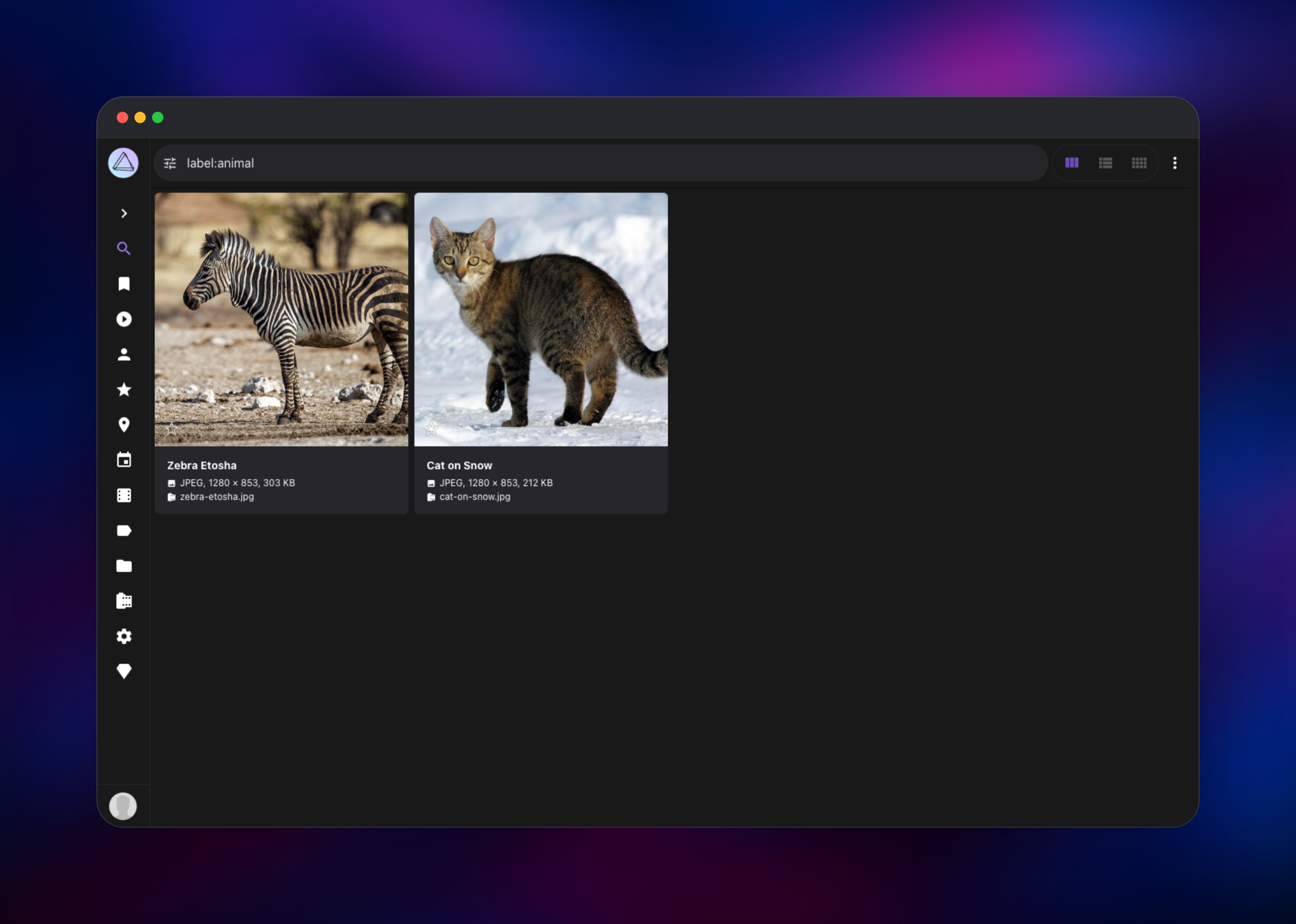
Set PHOTOPRISM_ADMIN_PASSWORD before deploying — it seeds the superadmin account on first start, and there are no vendor default credentials. When the deployment goes green, open the generated URL and sign in as admin with that password. You land on the empty Search view; open the toolbar menu (three dots, right) and choose Upload…, pick a few pictures, optionally name an album above the file list, and confirm. PhotoPrism copies the files into originals/, extracts metadata and classifies them — a few seconds per file while the model loads. Pictures scoring below its quality threshold wait in Library → Review; press the tick on each to move it into the library. Then click a picture's title and open the Labels tab to see what the model recognised and how confident it was, and search label:animal to confirm the index is reaching MariaDB.
About Hosting PhotoPrism
PhotoPrism solves the problem of a photo archive that has outgrown folders. It never modifies your originals unless you ask it to, keeps derived data separate, and runs its machine learning locally, so nothing about your pictures leaves the server.
- Automatic labels, face clustering and Exif-based places from bundled TensorFlow models
- Search filters for label, colour, quality, resolution, camera, country and date
- Albums, moments, calendar, folders and shareable links
- RAW conversion, video transcoding, Live Photo and HEIC support
- Built-in WebDAV server for two-way sync with desktop and mobile clients
- Scheduled sidecar and database backups on the app's volume
The photoprism service is the whole application: web UI, REST API, background workers, indexer and WebDAV endpoint. The mariadb service holds the searchable index. PhotoPrism also runs on SQLite, but SQLite locks under concurrent indexing, which is why the project recommends MariaDB for any library that will grow.
Why Deploy PhotoPrism on Railway
Railway removes the server admin work self-hosting a photo library usually implies.
- Both services and both volumes provision from one click, already wired together
- TLS, a public domain and HTTP compression are handled at the edge
- The database stays private, with no public endpoint
- Volumes keep originals, thumbnails and the index across redeploys
- Scaling up is a slider when the library outgrows its plan
Common Use Cases
- A private replacement for Google Photos for a household, synced over WebDAV
- A searchable archive of a photographer's RAW library, browsable by subject, place and camera
- A shared media library for a small studio, with per-user accounts and expiring share links
Dependencies for PhotoPrism
photoprism/photoprism:latest— official multi-arch image on Docker Hub, built from github.com/photoprism/photoprismmariadb:12.3— official MariaDB image, the version PhotoPrism's own compose file deploys
The image's entrypoint is a process supervisor that does not run on Railway, so both services set a start command. For the app it is what the image's own service definition runs:
/scripts/cmd.sh /opt/photoprism/bin/photoprism start
MariaDB runs with the tuning PhotoPrism recommends — READ-COMMITTED isolation, a utf8mb4 server character set and a sized InnoDB buffer pool.
Environment Variables Reference
| Variable | Purpose |
|---|---|
PHOTOPRISM_ADMIN_USER / PHOTOPRISM_ADMIN_PASSWORD | Superadmin account, created on first boot |
PHOTOPRISM_AUTH_MODE | password requires login; public opens the library to anyone |
PHOTOPRISM_SITE_URL | Public URL used in links; keep the trailing slash |
PHOTOPRISM_DISABLE_TLS / PHOTOPRISM_DEFAULT_TLS | Leave TLS to the Railway edge |
PHOTOPRISM_DATABASE_* | Driver, host, schema and credentials for the MariaDB service |
PHOTOPRISM_INDEX_WORKERS | Parallel indexing workers; raise on a larger plan |
PHOTOPRISM_DISABLE_TENSORFLOW | Set true to turn off classification and faces |
MARIADB_DATABASE / MARIADB_USER / MARIADB_PASSWORD | Schema and account created on an empty volume |
Deployment Dependencies
- Docs and configuration reference: docs.photoprism.app
- Source and issue tracker: github.com/photoprism/photoprism
Hardware Requirements for Self-Hosting PhotoPrism
| Resource | Minimum | Recommended |
|---|---|---|
| CPU | 2 cores | 4+ cores |
| RAM | 2 GB | 4–8 GB |
| Storage | 5 GB plus your originals | Library size plus ~25% for thumbnails |
| Runtime | Docker, MariaDB 10.5.12+ | Docker, MariaDB 12.x |
PhotoPrism asks for at least 4 GB of memory or swap; under about 1 GB it disables TensorFlow and RAW conversion automatically. Thumbnails grow with the library, so give the app volume headroom beyond the originals.
Self-Hosting PhotoPrism with Docker
Locally, PhotoPrism is two containers — a minimal Compose file:
services:
  photoprism:
    image: photoprism/photoprism:latest
    ports: ["2342:2342"]
    environment:
      PHOTOPRISM_ADMIN_PASSWORD: "change-me"
      PHOTOPRISM_DATABASE_DRIVER: "mysql"
      PHOTOPRISM_DATABASE_SERVER: "mariadb:3306"
      PHOTOPRISM_DATABASE_PASSWORD: "change-me"
    volumes: ["~/Pictures:/photoprism/originals", "./storage:/photoprism/storage"]
  mariadb:
    image: mariadb:12.3
    environment:
      MARIADB_DATABASE: "photoprism"
      MARIADB_USER: "photoprism"
      MARIADB_PASSWORD: "change-me"
      MARIADB_ROOT_PASSWORD: "change-me"
    volumes: ["./database:/var/lib/mysql"]
Running that means owning backups, TLS, upgrades and the reverse proxy yourself. This template gives you the same two containers with volumes, a domain and certificates in place.
How Much Does PhotoPrism Cost to Self-Host?
PhotoPrism's Community Edition is free and open source under the AGPL-3.0 licence, with no feature gate on indexing, classification, faces, albums or WebDAV. The project funds itself through optional memberships and commercial editions adding extras such as richer maps and more user roles; nothing here requires one. On Railway you pay only for the compute, memory and volume storage the two services use.
FAQ
What is PhotoPrism? PhotoPrism is an open-source, self-hosted photo and video library that indexes your originals and makes them searchable using on-device AI for labels, faces and places.
What does this Railway template deploy? The PhotoPrism application on a public domain with a volume for originals, imports and thumbnails, plus a private MariaDB 12.3 server with its own volume for the index.
Why does the template include a MariaDB service instead of using SQLite? PhotoPrism supports SQLite, but it serialises writes and locks during indexing, and upstream has discontinued MySQL 8 support. MariaDB is what the project recommends and tests against.
How do I upload photos to self-hosted PhotoPrism?
Use Upload… in the toolbar menu for one-off batches, or point a WebDAV client at https://your-domain/originals/ from Finder, Windows Explorer or a sync app such as PhotoSync. WebDAV uploads are indexed automatically minutes later.
Why can't I see the pictures I just uploaded? Pictures below PhotoPrism's quality threshold wait in Library → Review until you approve them, and large libraries finish indexing in the background. Check that page before assuming an upload failed.
Is my photo library private?
Yes. Classification runs locally, the database has no public endpoint, and the app requires a login while PHOTOPRISM_AUTH_MODE is password. Only switch it to public on a network you control.
Template Content
photoprism
photoprism/photoprism:latestmariadb
mariadb:12.3

