Deploy phpMyAdmin | Web-Based MySQL & MariaDB GUI
Self Host phpMyAdmin: manage any MySQL/MariaDB db, run SQL on Railway
phpMyAdmin
Just deployed
Deploy and Host phpMyAdmin on Railway
phpMyAdmin is a free, open-source web-based administration tool for MySQL and MariaDB databases. Written in PHP, it gives developers a browser-based GUI to manage tables, run SQL queries, handle users and permissions, import/export data — without touching the command line.
Self-host phpMyAdmin on Railway in one click using the linuxserver/phpmyadmin image pre-configured with PMA_ARBITRARY=1 so you can connect it to any MySQL or MariaDB server at login time — no hardcoded host required.
Getting Started with phpMyAdmin on Railway
Once your Railway deploy is live, open the public URL assigned to your service. You'll land on the phpMyAdmin login screen with a Server field — this is where you enter the TCP connection string for your MySQL or MariaDB instance (e.g. a Railway MySQL service's TCP host and port). Enter your database username and password, then click Go. From there you can browse databases, run queries, manage users, and import/export — no further setup needed.
About Hosting phpMyAdmin
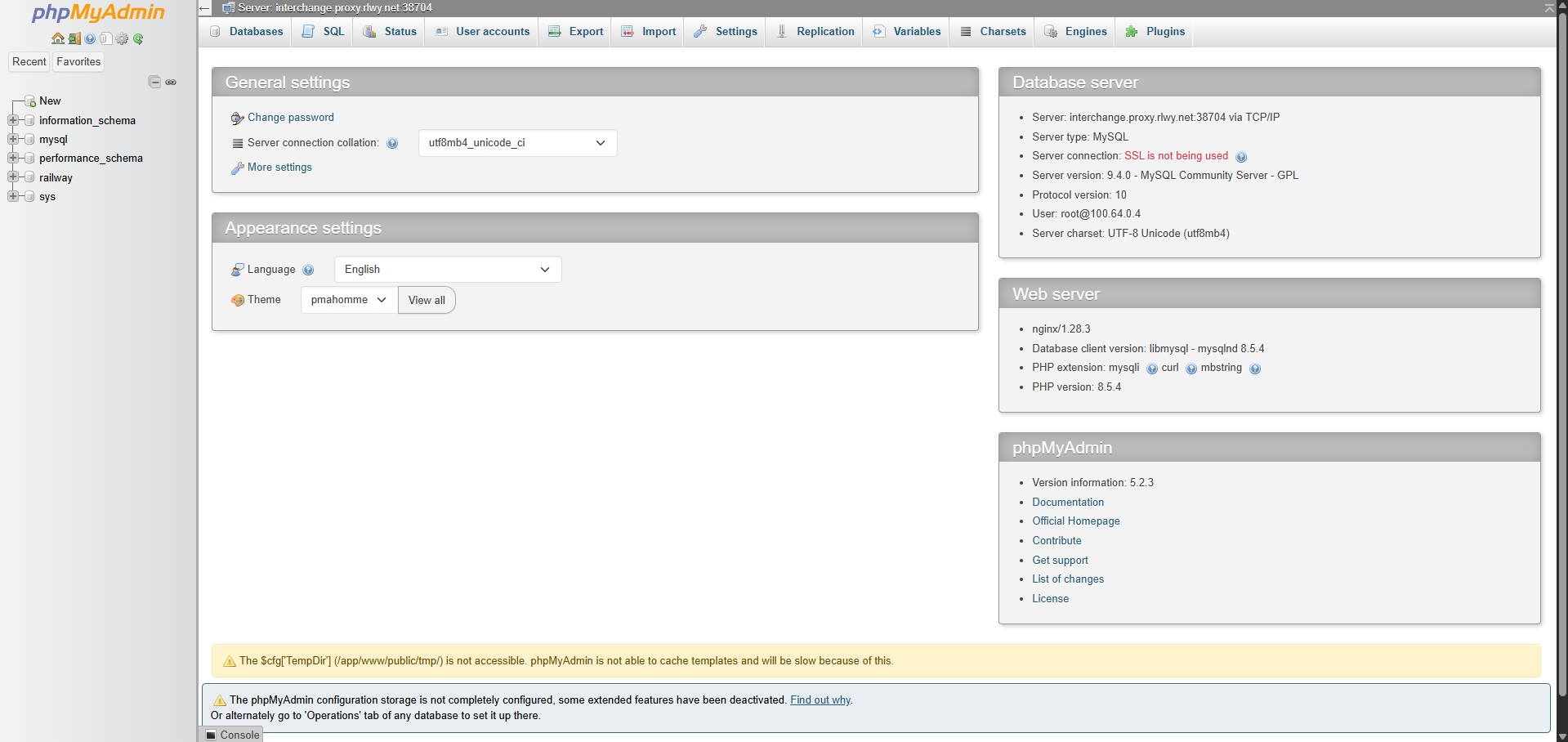
phpMyAdmin has been the go-to web-based MySQL admin interface since 1998. It handles the full range of MySQL and MariaDB administration tasks through a browser, making it practical for teams who need a shared GUI without installing desktop clients.
Key features:
- Browse, create, alter, and drop databases, tables, columns, and indexes
- Run raw SQL queries with results displayed inline
- Import and export data in 16+ formats including SQL, CSV, JSON, and XML
- Manage user accounts and granular MySQL privileges
- Visual foreign key and relationship management
- Query history, bookmarks, and multi-server support via arbitrary mode
Why Deploy phpMyAdmin on Railway
Get a shared, browser-accessible MySQL admin panel running in under a minute:
- No local PHP or Apache setup on developer machines
- Connects to any MySQL/MariaDB host at login — works with Railway MySQL, PlanetScale, AWS RDS, or any TCP-accessible database
- Managed TLS and public URL out of the box via Railway
- One-click redeploys when you update the image tag
- No volumes or persistent storage needed — fully stateless
Common Use Cases
- Shared team database access — give teammates a browser-based MySQL GUI without sharing SSH credentials or installing desktop tools
- Railway MySQL management — point phpMyAdmin at an existing Railway MySQL service via its TCP host to inspect and edit data during development
- Database migrations and exports — run ALTER TABLE statements or export full database dumps as SQL files from a UI
- Staging environment inspection — spin up a temporary phpMyAdmin instance alongside a staging database to debug data issues
Dependencies for phpMyAdmin
- phpMyAdmin —
linuxserver/phpmyadmin - MySQL or MariaDB — not bundled; connect to any externally accessible MySQL/MariaDB server at login time via TCP
Deployment Dependencies
- Docker image:
linuxserver/phpmyadmin - phpMyAdmin official docs: https://docs.phpmyadmin.net/
- phpMyAdmin GitHub: https://github.com/phpmyadmin/phpmyadmin
Minimum Hardware Requirements for phpMyAdmin
phpMyAdmin is a lightweight PHP application with minimal resource needs. These are practical baselines for a Railway deployment:
| Resource | Minimum | Recommended |
|---|---|---|
| CPU | 0.1 vCPU | 0.25 vCPU |
| RAM | 128 MB | 256 MB |
| Storage | None (stateless) | None |
| PHP | 7.2+ (bundled) | 8.x (bundled in image) |
No build-time memory spike — the image is pulled and started as-is.
phpMyAdmin vs Adminer vs MySQL Workbench
| Feature | phpMyAdmin | Adminer | MySQL Workbench |
|---|---|---|---|
| Open source | ✅ | ✅ | ✅ |
| Web-based | ✅ | ✅ | ❌ (desktop) |
| Self-hostable | ✅ | ✅ | N/A |
| Multi-DB support | MySQL/MariaDB only | MySQL, Postgres, SQLite, MSSQL | MySQL only |
| Deployment size | Docker image | Single PHP file | ~200 MB desktop app |
| Export formats | 16+ | Fewer | SQL, CSV |
| User management UI | ✅ Full | ✅ Basic | ✅ Full |
| Pricing | Free | Free | Free |
phpMyAdmin remains the most widely supported option in shared hosting environments and has the deepest MySQL-specific feature set. Adminer is lighter and multi-database; MySQL Workbench is better for local ER diagram work.
Self-Hosting phpMyAdmin
Docker (arbitrary server mode — recommended):
docker run -d \
  --name phpmyadmin \
  -e PMA_ARBITRARY=1 \
  -p 8080:80 \
  lscr.io/linuxserver/phpmyadmin:latest
Visit http://localhost:8080, enter your MySQL host, username, and password.
Docker Compose with a local MariaDB:
services:
  db:
    image: mariadb:11
    environment:
      MYSQL_ROOT_PASSWORD: changeme
      MYSQL_DATABASE: myapp
    volumes:
      - db_data:/var/lib/mysql

  phpmyadmin:
    image: lscr.io/linuxserver/phpmyadmin:latest
    environment:
      PMA_ARBITRARY: 1
    ports:
      - "8080:80"
    depends_on:
      - db

volumes:
  db_data:
Use db as the Server value in the phpMyAdmin login form — Docker Compose resolves service names automatically.
Is phpMyAdmin Free?
phpMyAdmin is completely free and open-source under the GPL license — there are no paid tiers, no cloud-hosted SaaS version, and no usage limits. On Railway, you pay only for the compute the container consumes (typically well under $1/month for a low-traffic admin panel). The LinuxServer.io image used in this template is also free and openly maintained.
FAQ
What is phpMyAdmin? phpMyAdmin is a free, browser-based administration tool for MySQL and MariaDB databases. It lets you manage databases, tables, users, and run SQL queries through a web UI — no command-line access to the database server required.
What does this Railway template deploy?
A single service running lscr.io/linuxserver/phpmyadmin:latest with PMA_ARBITRARY=1. No database is included — you connect phpMyAdmin to your own MySQL or MariaDB server by entering its TCP host, port, username, and password on the login screen.
Why does this template use the LinuxServer.io image instead of the official phpmyadmin Docker image?
The official phpmyadmin:latest and phpmyadmin:5.2-apache images crash on Railway with AH00534: apache2: Configuration error: More than one MPM loaded. This is an Apache MPM conflict in the entrypoint that can't be fixed via environment variables or start commands. The LinuxServer.io image uses NGINX + PHP-FPM and has no such conflict.
What do I enter in the "Server" field at login?
The TCP connection host for your MySQL or MariaDB database. For a Railway MySQL service, this is found in the service's Connect tab under the TCP proxy hostname and port (e.g. viaduct.proxy.rlwy.net:12345). For external databases, use their public hostname.
Is it safe to expose phpMyAdmin publicly? phpMyAdmin is protected by your MySQL credentials — someone needs a valid database username and password to access anything. That said, it's good practice to restrict access: use Railway's private networking if phpMyAdmin only needs to be accessed internally, set strong passwords, and consider adding an additional auth layer if exposing it to the internet long-term.
Can I use phpMyAdmin with PostgreSQL? No. phpMyAdmin is MySQL/MariaDB only. For PostgreSQL, consider pgAdmin or Adminer (which supports multiple database types including Postgres).
Does phpMyAdmin support database imports and exports?
Yes. It supports import and export in over 16 formats including SQL dumps, CSV, JSON, XML, Excel, and PDF. File size limits depend on PHP's upload_max_filesize setting in the container.
Template Content
phpMyAdmin
linuxserver/phpmyadmin

