Deploy PhpMyAdmin
Web interface for managing MySQL and MariaDB databases

MySQL
Just deployed
/var/lib/mysql
phpmyadmin
Just deployed
/pma
Deploy and Host phpMyAdmin on Railway
phpMyAdmin is the web interface most of the world uses to look inside a MySQL or MariaDB server. It has been the default database console on shared hosting for two decades and still beats a terminal for what people actually need: browsing rows, fixing a bad value, reading a query result as a table, importing a dump someone emailed you, granting exact privileges to a user. Deploy phpMyAdmin when you want that console for your own database rather than paying per seat for a desktop client or opening a database port.
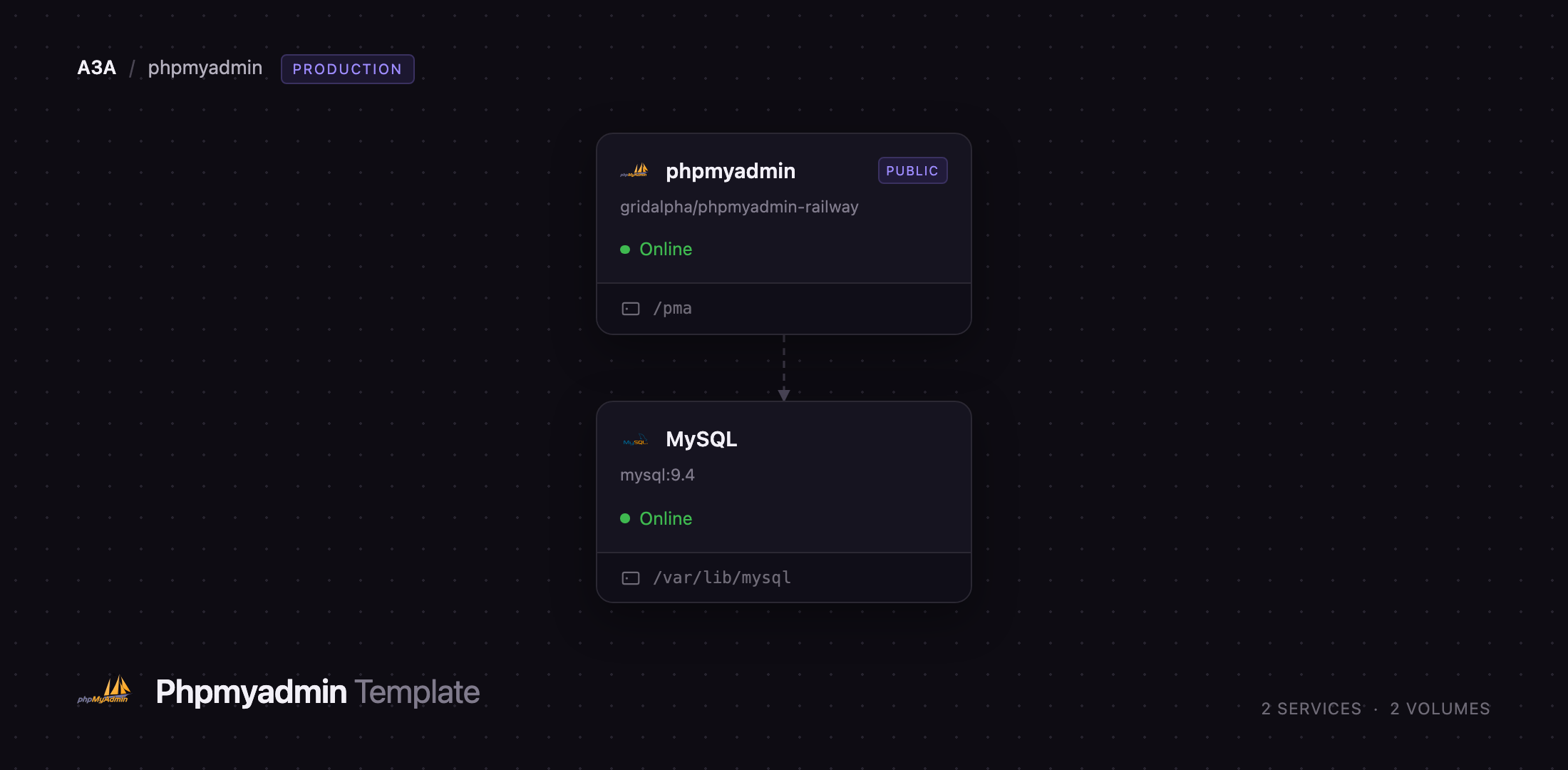
Self-host phpMyAdmin on Railway and this template gives you two services: the web app on a public HTTPS URL, and a MySQL 9.4 database reachable only over Railway's private network. The browser talks to phpMyAdmin, phpMyAdmin talks to MySQL over mysql.railway.internal, and every request is authenticated with a real MySQL username and password. The template also creates phpMyAdmin's configuration storage on first boot — the piece most self-hosted installs skip, and the reason bookmarks, query history, the designer and two-factor authentication already work when you arrive.
Getting Started with phpMyAdmin on Railway
Open the deployed URL and you land on the login form. There are no application accounts to create: phpMyAdmin authenticates against MySQL, so your credentials are the database's. Sign in as root with the password from the MySQL service's Variables tab — MYSQL_ROOT_PASSWORD, generated at deploy time. A successful login doubles as a health check on the private link between the services.
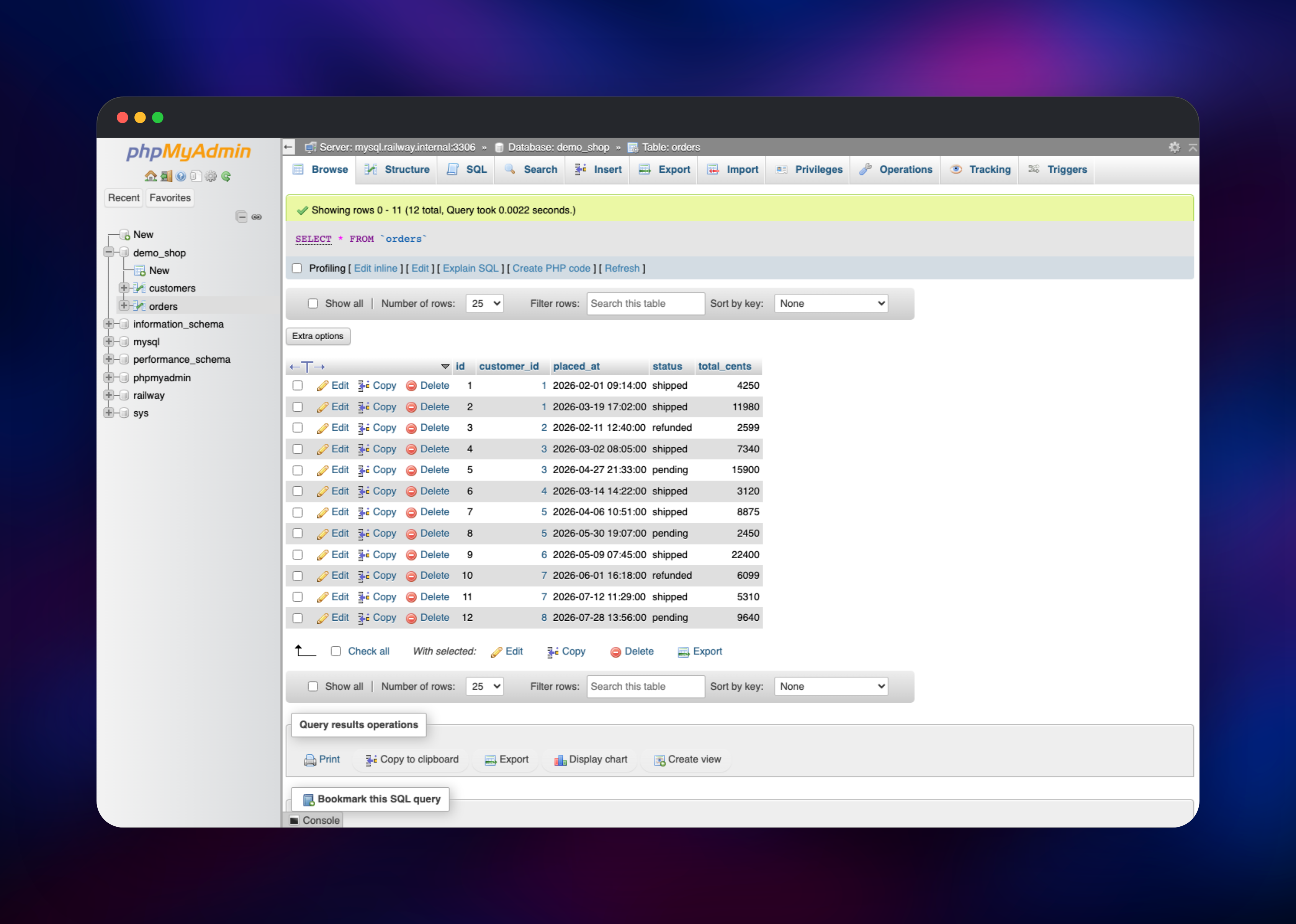
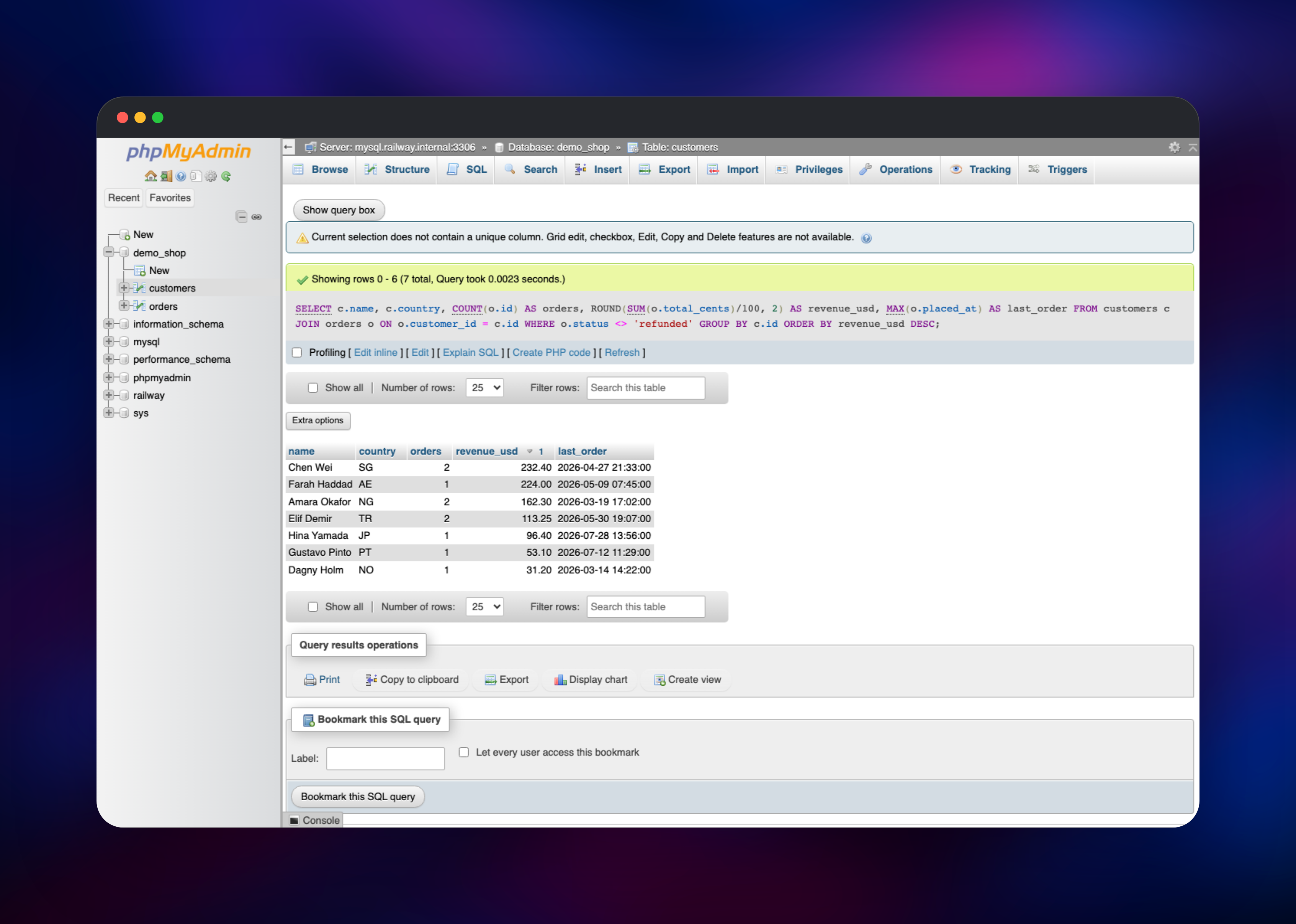
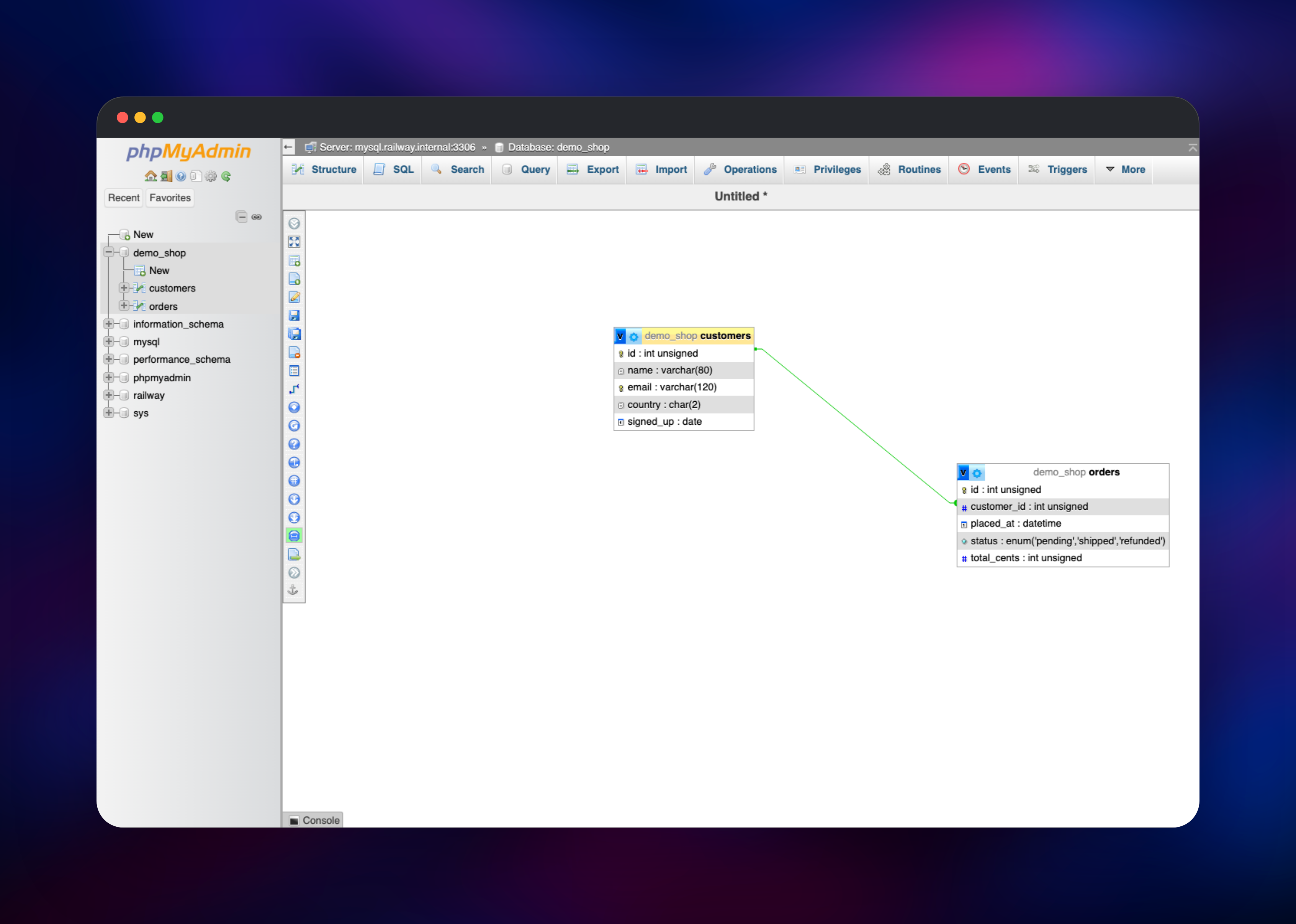
Inside, the left panel lists every database: railway is the empty one MySQL created, phpmyadmin holds the configuration storage. Click SQL, create a table and insert rows, then Browse to page through them and Search to filter without writing a WHERE clause. Designer draws tables and foreign keys as a diagram; Export produces a .sql or CSV file you can download.
Before real use, open Settings → Two-factor authentication and turn on TOTP or a hardware key: this is a database console on a public URL and phpMyAdmin has no login rate limiting. PMA_ALLOWDENY_ORDER and PMA_ALLOWDENY_RULES further restrict sign-in to known addresses.
About Hosting phpMyAdmin
phpMyAdmin is a PHP application that speaks to MySQL and MariaDB over the normal client protocol and renders results as a web UI. It holds no data of its own, so it is cheap to run and easy to repoint elsewhere. Teams self-host it when a managed console is missing, too limited or priced per seat, or when they would rather not hand a third party a database credential.
Key features:
- Browse, edit, insert and delete rows without writing SQL
- SQL editor with highlighting, bookmarks and query history
- Visual Designer that reads and writes foreign keys
- Import and export in SQL, CSV, JSON, XML, YAML and PDF
- Privilege management with per-database grants
- Change tracking, two-factor authentication, 70+ languages
The template runs two services. phpmyadmin is the web app, built from a public source repository on the official phpmyadmin:apache image, with a volume for PHP sessions and the server-side import and export directories. MySQL is the database it manages, on its own volume, private by default. The app provisions the configuration storage — a phpmyadmin database and a least-privilege pma control user — at startup, and keeps its session-signing secret stable so redeploys do not sign anyone out.
Why Deploy phpMyAdmin on Railway
Railway removes the parts of self-hosting phpMyAdmin that usually go wrong:
- Console and database provisioned together, already wired up
- MySQL stays private — no public database port
- HTTPS, a domain and HSTS with no reverse proxy to configure
- Configuration storage and session secret set up on first boot
- Volumes persist sessions and uploads across redeploys
- Upgrades are a redeploy, not a PHP upgrade weekend
Common Use Cases
- A shared console for a production MySQL database, instead of handing out desktop-client credentials
- Ad-hoc reporting queries exported as CSV, without a BI tool
- Inspecting a customer's
.sqldump during support or migration work - Teaching SQL, where a browser tab beats installing a client
Dependencies for phpMyAdmin
- phpMyAdmin 5.2 — the official
phpmyadminimage, Apache variant, on PHP 8.3 - MySQL 9.4 — the
mysqlimage, the server being administered - A volume on the app service — PHP sessions plus the
UploadDirandSaveDirdirectories
The database serves double duty: it is what you administer, and it holds the pma__* configuration-storage tables behind bookmarks, query history, designer coordinates, tracking and two-factor secrets. Without them those features are silently unavailable, which is why the template creates them.
Environment Variables Reference
| Variable | Purpose |
|---|---|
PMA_HOST / PMA_PORT | Server to administer |
PMA_ABSOLUTE_URI | Public base URL; also marks cookies Secure |
UPLOAD_LIMIT / MEMORY_LIMIT | Import size and PHP memory ceilings |
PMA_ARBITRARY | 1 lets the login form target any server — leave off |
PMA_CAPTCHA_PUBLIC_KEY / PMA_CAPTCHA_PRIVATE_KEY | reCAPTCHA on login |
PMA_ALLOWDENY_ORDER / PMA_ALLOWDENY_RULES | IP allow-list for sign-in |
Deployment Dependencies
- Image , built from
- Project , docs at
Hardware Requirements for Self-Hosting phpMyAdmin
| Resource | Minimum | Recommended |
|---|---|---|
| CPU | 0.5 vCPU | 1 vCPU |
| RAM | 512 MB app + 512 MB MySQL | 1 GB app + 2 GB MySQL |
| Storage | 1 GB volume | 5 GB plus the database |
| Runtime | PHP 8.2+ with mysqli | PHP 8.3 |
phpMyAdmin is light; size the deployment around MySQL and the largest dump you expect to import, which is held in PHP memory on the way through.
Self-Hosting phpMyAdmin with Docker
The quickest local run points the official image at an existing server:
docker run -d --name phpmyadmin -p 8080:80 \
  -e PMA_HOST=db.example.internal \
  -e PMA_PORT=3306 \
  -e PMA_ABSOLUTE_URI=https://dbadmin.example.com/ \
  phpmyadmin:apache
To run the console and a database together, use a Compose file:
services:
  db:
    image: mysql:9.4
    environment:
      MYSQL_ROOT_PASSWORD: change-me
    volumes:
      - dbdata:/var/lib/mysql
  phpmyadmin:
    image: phpmyadmin:apache
    environment:
      PMA_HOST: db
      UPLOAD_LIMIT: 256M
    ports:
      - "8080:80"
volumes:
  dbdata:
Railway skips the reverse proxy, TLS certificate, volume permissions and setup SQL.
Is phpMyAdmin Free?
phpMyAdmin is free and open source under GPL-2.0, with no paid edition, seat limits or feature gates. On Railway you pay only for the compute, memory and volume storage the two services use — for a console beside a modest MySQL instance, among the cheapest things you can run.
phpMyAdmin vs Adminer
| phpMyAdmin | Adminer | |
|---|---|---|
| Databases | MySQL, MariaDB | MySQL, PostgreSQL, SQLite and more |
| Designer, history, 2FA | Yes | No |
Adminer wins on minimalism and breadth; phpMyAdmin wins on depth for MySQL, where privileges, tracking, the designer and export formats are richer.
FAQ
What is phpMyAdmin?
A free, open-source web application for administering MySQL and MariaDB from a browser: editing data, running SQL, designing schemas, managing users and moving dumps.
What does this Railway template deploy?
phpMyAdmin on a public HTTPS URL, and a MySQL 9.4 database on the private network with its own volume. Configuration storage and a control user are created on first boot.
What are the default login credentials for this template?
None of phpMyAdmin's own. Sign in with a MySQL account — root, with the password shown as MYSQL_ROOT_PASSWORD in the MySQL service's Variables tab.
Why does the template include a MySQL database?
phpMyAdmin has no data of its own, so it needs a server to administer — and that database also hosts the pma__* tables behind bookmarks, query history, the designer and 2FA.
Can I point phpMyAdmin at a database I already run?
Yes. Point PMA_HOST and PMA_PORT at your server and set PMA_BOOTSTRAP_USER/PMA_BOOTSTRAP_PASSWORD to an account allowed to create the configuration storage; clear those two and it runs without.
How do I import a database dump larger than the upload limit?
Raise UPLOAD_LIMIT and MEMORY_LIMIT, or put the file in the volume's upload directory and pick it from the Import tab's "web server upload directory" option.
How do I secure a phpMyAdmin instance that is on a public URL?
Enable two-factor authentication per user under Settings, keep PMA_ARBITRARY unset so the login form cannot target other servers, and use PMA_ALLOWDENY_ORDER with PMA_ALLOWDENY_RULES to restrict sign-in. Every authentication attempt is written to the service logs.
Template Content
MySQL
mysql:9.4phpmyadmin
gridalpha/phpmyadmin-railway

