
Deploy Planka | Open Source Trello Alternative
Self host Planka. Project management with kanban boards, real-time sync
Planka
Just deployed
/app/data

Just deployed
/var/lib/postgresql/data
Deploy and Host Planka on Railway
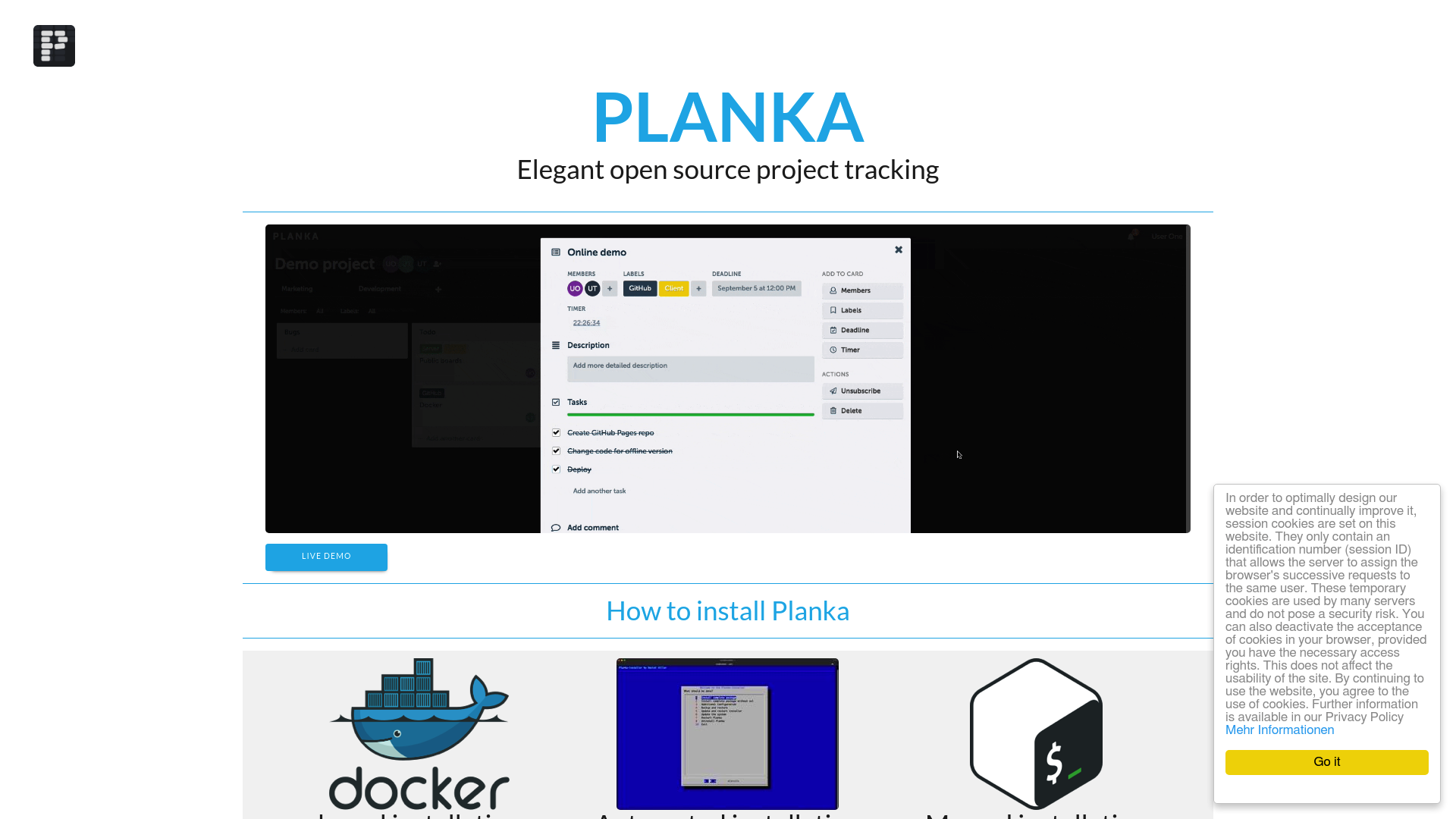
Deploy Planka on Railway to get a self-hosted, real-time Kanban board for your team. Planka is an open-source alternative to Trello and Asana built with React and Node.js — offering drag-and-drop task management, markdown descriptions, file attachments, OIDC single sign-on, and 100+ notification providers. Self-host Planka to keep full ownership of your project data with zero per-user fees.
This Railway template deploys Planka with a PostgreSQL database for production-grade persistence. The template pre-configures the database connection, admin account, encryption key, persistent volume for uploads and attachments, and a public HTTPS domain — ready to use in under two minutes.
Getting Started with Planka on Railway
After deployment completes, open your Planka URL (e.g. https://planka-production-xxxx.up.railway.app). You will see the Planka login screen. Sign in with the default admin credentials configured in your environment variables — DEFAULT_ADMIN_EMAIL and DEFAULT_ADMIN_PASSWORD. Once logged in, create your first project from the sidebar, then add boards, lists, and cards. Invite team members by clicking the user icon in the top-right corner. All changes sync in real time across every connected browser — no refresh needed.

About Hosting Planka
Planka is a fair-code Kanban-style project management tool built by the Planka team. It ships as a single Docker image with a React frontend and Node.js backend, backed by PostgreSQL. The project has over 12,000 stars on GitHub and supports 20+ languages.
Key features of self-hosted Planka:
- Real-time collaboration — instant syncing across all users via WebSocket (Socket.io)
- Kanban boards — projects, boards, lists, cards, labels, due dates, and timers
- Markdown editor — rich card descriptions with full markdown support
- File attachments — upload files directly to cards, stored on your volume
- OIDC single sign-on — authenticate via Google, Azure AD, Okta, Authentik, or any OIDC provider
- 100+ notification providers — email (SMTP), Slack, Discord, Telegram, and more via Apprise
- 50+ webhook events — extensive API for custom integrations and automation
- Admin controls — auto-created admin account, role-based access, user management
Why Deploy Planka on Railway
- One-click deploy with PostgreSQL and persistent volume pre-configured
- HTTPS enabled by default via Railway's edge proxy
- WebSocket support works natively — no extra configuration
- Admin account auto-created on first boot from environment variables
- No vendor lock-in — fair-code license, self-hosted, full data ownership
Common Use Cases for Planka
- Agile sprint boards — replace Trello or Jira for small-to-medium engineering teams with real-time Kanban tracking
- Team task management — assign cards, set due dates, add checklists, and track progress across departments
- Personal productivity — manage side projects, goals, and to-do lists with a clean drag-and-drop interface
- Client project tracking — create separate projects per client with board-level member permissions
Dependencies for Planka on Railway
This template deploys two services:
- planka —
ghcr.io/plankanban/planka:2.1.1— the Kanban board application (Node.js + React) - Postgres — Railway-managed PostgreSQL database
Environment Variables Reference for Planka
| Variable | Service | Description |
|---|---|---|
DEFAULT_ADMIN_EMAIL | planka | Admin account email address |
DEFAULT_ADMIN_PASSWORD | planka | Admin account password (generated secret) |
DEFAULT_ADMIN_NAME | planka | Admin display name |
DEFAULT_ADMIN_USERNAME | planka | Admin login username |
Deployment Dependencies for Planka
- Runtime: Node.js 18+ (pre-built in Docker image)
- GitHub: plankanban/planka
- Docs: docs.planka.cloud
- Docker: ghcr.io/plankanban/planka
Hardware Requirements for Self-Hosting Planka
| Resource | Minimum | Recommended |
|---|---|---|
| CPU | 1 vCPU | 2 vCPU |
| RAM | 256 MB | 512 MB |
| Storage | 1 GB | 5 GB+ (grows with attachments) |
| Runtime | Docker + PostgreSQL | Docker + PostgreSQL |
Planka is lightweight — the Node.js backend and React frontend idle at around 80 MB of RAM. Storage requirements scale with file attachments and the number of card images uploaded.
Self-Hosting Planka with Docker
Run Planka locally with Docker and PostgreSQL:
docker network create planka-net

docker run -d --name planka-db \
  --network planka-net \
  -e POSTGRES_DB=planka \
  -e POSTGRES_USER=planka \
  -e POSTGRES_PASSWORD=secretpassword \
  -v pgdata:/var/lib/postgresql/data \
  postgres:16

docker run -d --name planka \
  --network planka-net \
  -p 1337:1337 \
  -e DATABASE_URL=postgresql://planka:secretpassword@planka-db:5432/planka \
  -e SECRET_KEY=$(openssl rand -hex 64) \
  -e BASE_URL=http://localhost:1337 \
  -e DEFAULT_ADMIN_EMAIL=admin@planka.local \
  -e DEFAULT_ADMIN_PASSWORD=changeme123 \
  -e DEFAULT_ADMIN_NAME=Admin \
  -e DEFAULT_ADMIN_USERNAME=admin \
  -e TRUST_PROXY=false \
  -v planka-data:/app/data \
  ghcr.io/plankanban/planka:2.1.1
For production, use a docker-compose.yml:
version: "3.8"
services:
  planka:
    image: ghcr.io/plankanban/planka:2.1.1
    ports:
      - "1337:1337"
    environment:
      DATABASE_URL: postgresql://planka:secretpassword@db:5432/planka
      SECRET_KEY: replace-with-openssl-rand-hex-64
      BASE_URL: https://planka.yourdomain.com
      DEFAULT_ADMIN_EMAIL: admin@planka.local
      DEFAULT_ADMIN_PASSWORD: replace-with-strong-password
      DEFAULT_ADMIN_NAME: Admin
      DEFAULT_ADMIN_USERNAME: admin
      TRUST_PROXY: "true"
    volumes:
      - planka-data:/app/data
    depends_on:
      - db
  db:
    image: postgres:16
    environment:
      POSTGRES_DB: planka
      POSTGRES_USER: planka
      POSTGRES_PASSWORD: secretpassword
    volumes:
      - pgdata:/var/lib/postgresql/data
volumes:
  planka-data:
  pgdata:
How Much Does Planka Cost to Self-Host?
Planka Community Edition is free and open source under a fair-code license (AGPL-3.0). There are no per-user fees, feature gates, or subscription charges for the self-hosted version. A Pro/Enterprise tier exists for teams needing commercial support and additional features — contact the Planka team for pricing. On Railway, the only cost is infrastructure usage — typically $5-7/month for small teams using the Starter plan.
Planka vs Trello for Self-Hosted Kanban Boards
| Feature | Planka | Trello |
|---|---|---|
| Self-hosted | Yes | No |
| Open source | Yes (fair-code) | No |
| Real-time sync | Yes (WebSocket) | Yes |
| Kanban boards | Yes | Yes |
| Markdown editor | Yes | Limited |
| File attachments | Yes (self-hosted storage) | Yes (cloud) |
| OIDC / SSO | Yes | Enterprise only |
| Webhooks / API | 50+ events | Yes (Power-Ups) |
| Mobile app | Community (iOS/Android) | Yes |
| Automations | No | Yes (Butler) |
| Notification providers | 100+ via Apprise | Email + in-app |
| Price | Free (self-hosted) | Free tier + $5-10/user/mo |
Planka wins on data ownership, SSO without enterprise pricing, and notification flexibility. Trello wins on mobile experience, built-in automations, and a mature integrations marketplace. For teams that want a clean Kanban board without per-seat costs and with full control over their data, Planka is the stronger choice.
FAQ About Planka on Railway
How do I log in to Planka after deploying on Railway?
Open your Railway-generated public URL and sign in with the credentials set in DEFAULT_ADMIN_EMAIL and DEFAULT_ADMIN_PASSWORD environment variables. These are configured automatically by the template. You can change the password from the Planka settings page after first login.
Can I connect Planka to my company's SSO provider on Railway?
Yes. Planka supports OpenID Connect (OIDC) for single sign-on. Add the OIDC environment variables (OIDC_ISSUER, OIDC_CLIENT_ID, OIDC_CLIENT_SECRET, etc.) to your Railway service. Planka works with Google, Azure AD, Okta, Authentik, Keycloak, and any standard OIDC provider.
Where are Planka file attachments stored on Railway?
All file attachments and card images are stored in the persistent volume mounted at /app/data. This volume survives redeploys and restarts. Storage grows with usage — monitor your Railway volume size if your team uploads large files frequently.
Does the Planka admin account get reset on every Railway redeploy?
Yes — Planka re-applies the DEFAULT_ADMIN_* environment variables on every boot. If you change the admin password in the UI, it will be overwritten on the next restart. To keep UI-set passwords, remove the DEFAULT_ADMIN_PASSWORD variable after initial setup.
Can I migrate from Trello to self-hosted Planka? Planka does not have a built-in Trello import feature. You would need to manually recreate your boards, lists, and cards. For teams with large Trello boards, consider exporting Trello data as JSON and scripting the migration via Planka's API.
How many users can Planka handle on Railway? Planka is lightweight and can handle 20-50 concurrent users on a Railway Starter plan (512 MB RAM). For larger teams, increase the RAM allocation. The PostgreSQL database is the main scaling factor — Railway's managed Postgres handles concurrent connections well.
Template Content


