
Deploy PocketBase — Open Source Firebase & Supabase Alternative
Self-host PocketBase: Realtime DB, Auth & Storage on Railway
Just deployed
/pb/pb_data
Deploy and Host PocketBase
PocketBase is an open-source backend-as-a-service packed into a single Go binary — it gives you a realtime SQLite database, built-in authentication (email/password + OAuth2), file storage, access rules, and an admin dashboard, all without running a separate database server or managing multiple containers. Self-host PocketBase on Railway in seconds: this template ships a production-ready Alpine-based Docker image running PocketBase v0.36.6, with a persistent volume for your data and a randomly generated encryption key pre-wired — one-click deploy, no config needed.
Getting Started with PocketBase on Railway
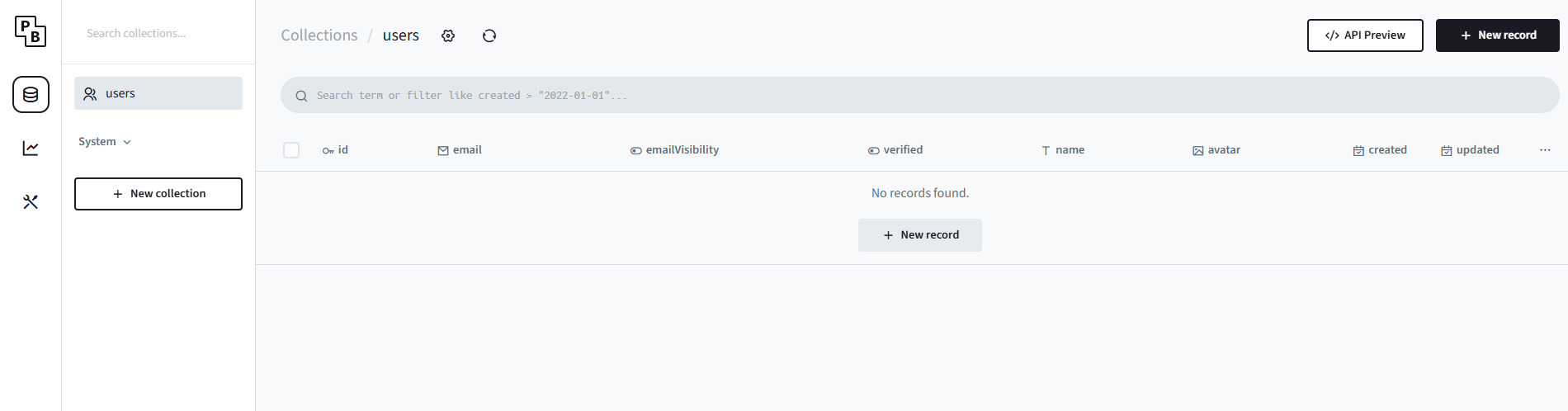
After your Railway deploy goes live, do not navigate to the root URL directly — you won't have dashboard access yet. PocketBase v0.36+ uses a one-time pbinstal token to secure first-time admin creation. Open your Railway deploy logs and look for the token URL, then visit https:///_/token to register your superuser account. Once created, you can access the admin dashboard permanently at https:///_/. From there, create your first collection, configure auth providers, and set access rules for your API.
About Hosting PocketBase
PocketBase is a self-contained Go backend that embeds SQLite — the entire server, API, and admin UI compile into a ~15 MB binary. There's no separate database process, no container orchestration, and no complex configuration. The REST-ish API and JavaScript/Dart SDKs make it easy to hook into any frontend.
Key features:
- Realtime subscriptions — SSE-based live updates on collection changes
- Built-in auth — email/password, OAuth2 (Google, GitHub, GitLab, Facebook), and API key support
- File storage — local or S3-compatible; thumbnails generated on the fly
- Admin dashboard — schema builder, data editor, log viewer, and settings UI
- Extendable — add custom routes and hooks via Go or the JS VM plugin
- Single binary — runs anywhere: VPS, Raspberry Pi, Railway, or your laptop
Why Deploy PocketBase on Railway
Railway handles the operational overhead so you can focus on your app.
- No Dockerfile or volume management to configure — it's all pre-wired
- Persistent
/pb/pb_datavolume keeps your SQLite database and uploads safe across redeploys - Auto-generated 32-character
PB_ENCRYPTION_KEYsecret on first deploy - Managed TLS and custom domains out of the box
- One-click redeploys whenever a new PocketBase version ships
- Private Railway networking if you add companion services later
Common Use Cases
- Rapid CRUD backends — spin up a REST API with auth and file uploads for a mobile or SPA app in minutes, without writing a single line of server code
- Indie SaaS and MVPs — PocketBase's realtime subscriptions and OAuth2 support cover 90% of what a typical early-stage product needs
- Internal tools and dashboards — replace a managed database + auth stack for admin panels, internal portals, or small multi-tenant apps
- Prototypes and hackathon projects — single binary means zero infrastructure ceremony; focus entirely on your product idea
Dependencies for PocketBase
- PocketBase (
pocketbase/pocketbasev0.36.6) — Go binary built on Alpine 3.19, served on port 8090 (or$PORT) - No external database required — SQLite is embedded in the binary
- No additional services in this template — fully self-contained
Environment Variables Reference
| Variable | Description | Required |
|---|---|---|
PB_ENCRYPTION_KEY | 32-character secret used to encrypt stored OAuth tokens and sensitive fields. Auto-generated on first deploy via secret(32). | Yes |
Deployment Dependencies
- Runtime: Alpine 3.19, no CGO required
- Binary:
pocketbase_0.36.6_linux_amd64— pre-built official release - GitHub: github.com/pocketbase/pocketbase
- Docs: pocketbase.io/docs
Minimum Hardware Requirements for PocketBase
PocketBase is extremely lightweight — SQLite means no separate database server eating RAM.
| Resource | Minimum | Recommended |
|---|---|---|
| CPU | 0.25 vCPU | 1 vCPU |
| RAM | 128 MB | 512 MB |
| Disk | 512 MB | 2 GB+ (depends on file uploads) |
| OS | Linux amd64/arm64 | Linux amd64 |
On Railway's Starter plan, PocketBase typically idles at under 20 MB RAM — the entire binary is ~15 MB.
PocketBase vs Supabase vs Firebase
| PocketBase | Supabase | Firebase | |
|---|---|---|---|
| Open source | ✅ MIT | ✅ Apache 2.0 | ❌ Proprietary |
| Self-hostable | ✅ Single binary | ✅ Docker Compose | ❌ Google Cloud only |
| Database | SQLite (embedded) | PostgreSQL | Firestore (NoSQL) |
| Realtime | ✅ SSE subscriptions | ✅ Postgres replication | ✅ WebSocket |
| Auth | ✅ Built-in | ✅ Built-in | ✅ Built-in |
| File storage | ✅ Local / S3 | ✅ S3-compatible | ✅ Google Cloud Storage |
| Pricing | Free (infra only) | Free tier + $25/mo Pro | Free tier, then pay-per-use |
| Best for | Indie apps, MVPs, internal tools | Scalable SQL apps | Google ecosystem / mobile |
PocketBase wins on simplicity and cost for small-to-medium projects. Supabase is the better choice when you need PostgreSQL's relational power or plan to scale horizontally. Firebase suits teams already in the Google ecosystem who want zero DevOps.
How to Self-Host PocketBase
Docker (quickest):
docker run -d \
  --name pocketbase \
  -p 8090:8090 \
  -v $(pwd)/pb_data:/pb/pb_data \
  -e PB_ENCRYPTION_KEY="your-32-char-secret-here" \
  ghcr.io/pocketbase/pocketbase:v0.36.6
From the prebuilt binary (Linux amd64):
wget https://github.com/pocketbase/pocketbase/releases/download/v0.36.6/pocketbase_0.36.6_linux_amd64.zip
unzip pocketbase_0.36.6_linux_amd64.zip
chmod +x pocketbase
./pocketbase serve --http=0.0.0.0:8090 --dir=./pb_data
Then visit http://localhost:8090/_/ to set up your superuser. On a fresh instance, use the one-time token URL shown in the startup logs.
Is PocketBase Free?
PocketBase is 100% free and open source under the MIT License — you can use it in personal or commercial projects, fork it, and even build paid services on top of it. There is no managed cloud offering from the PocketBase team; hosting is always your responsibility. On Railway, you pay only for the infrastructure (compute + storage) your app actually uses — there's no PocketBase licensing fee on top.
FAQ
What is PocketBase? PocketBase is an open-source backend written in Go that ships as a single executable file. It bundles a SQLite database with realtime subscriptions, user authentication, file storage, and an admin dashboard — everything a modern app backend needs, in one binary.
What does this Railway template deploy?
It deploys a single PocketBase service running v0.36.6 on Alpine Linux. A persistent volume is mounted at /pb/pb_data to store your SQLite database and uploaded files. A 32-character encryption key is auto-generated as a Railway secret on first deploy. No other services are included — PocketBase needs nothing else to run.
How do I create my admin account after deploying?
PocketBase v0.36+ blocks direct access to /_/ until a superuser exists. Open your Railway deploy logs and find the one-time token URL (formatted as /_/token), visit it in your browser, register your admin account, and then access the dashboard normally at /_/ going forward.
Is PocketBase suitable for production? Yes, for small-to-medium workloads. It powers many indie SaaS products and internal tools in production today. The main caveat: PocketBase is pre-v1.0.0, so backward compatibility isn't guaranteed across major versions. Plan for occasional migration steps when upgrading. It's not designed for massive horizontal scaling — SQLite is single-writer, single-node.
Can I use PocketBase as a Firebase or Supabase replacement? For many use cases, yes. PocketBase covers the same core needs: database, auth, file storage, and realtime updates. It won't replace Firebase for apps that need Google's global CDN or offline-first sync at scale, and it won't replace Supabase when you need complex SQL queries or PostgreSQL extensions. For indie apps, MVPs, and internal tools, it's an excellent self-hosted alternative to both.
Does PocketBase support OAuth2? Yes — out of the box it supports Google, GitHub, GitLab, Facebook, Discord, Twitter/X, Microsoft, Apple, and more. OAuth2 providers are configured in the admin dashboard under Settings → Auth Providers, with no code changes required.
Template Content


