
Deploy PostgreSQL + pgAdmin
PostgreSQL database with the pgAdmin web console attached to it

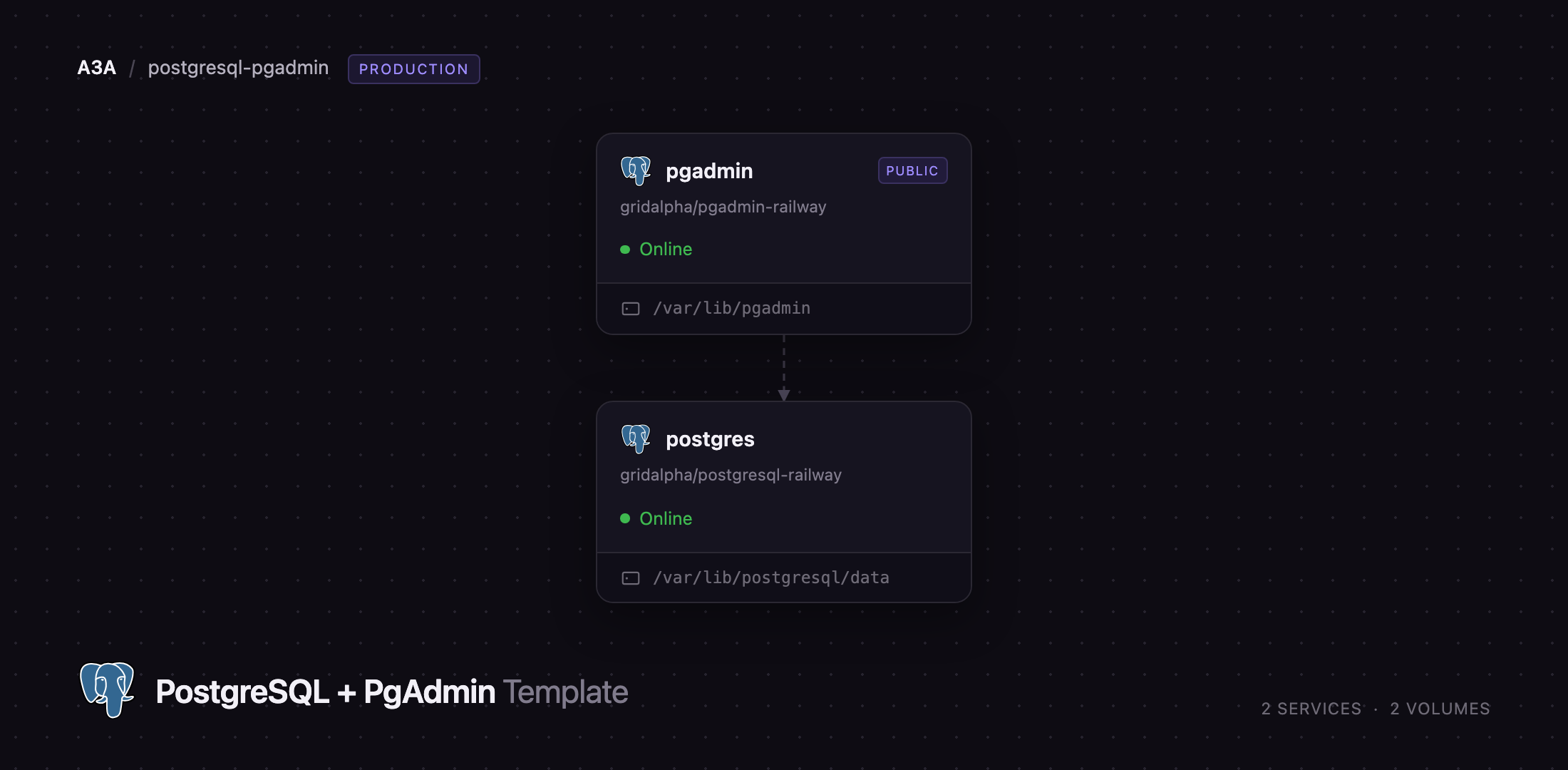
pgadmin
Just deployed
/var/lib/pgadmin
postgres
Just deployed
/var/lib/postgresql/data
pgbackrest
Bucket
Just deployed
Deploy and Host PostgreSQL with pgAdmin on Railway
PostgreSQL is the relational database most teams reach for when they want SQL, transactions and a type system they can extend — JSON documents, full-text search and vector similarity all live in one engine. pgAdmin is the project's own web console: a schema browser, a query tool with an editable results grid, live dashboards, and property editors for every PostgreSQL object type. Together they are what a developer needs on day one — a database to write to, and somewhere to look at it without a desktop client.
Self-host PostgreSQL on Railway with the console already attached. postgres is a PostgreSQL 18 server on its own volume, with TLS enabled, pgvector installed and pgBackRest archiving continuously to an object-storage bucket; pgadmin runs the console, holds the public URL, and is pre-registered against the database over private networking, so the server appears in the browser tree already connected. The database is reachable from your other Railway services by internal hostname and from your laptop through a TCP endpoint, so psql, Prisma or Django connects as soon as the deploy finishes.
Getting Started with PostgreSQL and pgAdmin on Railway
There are no default credentials: at deploy time you choose the pgAdmin login email and password and the PostgreSQL superuser password, and those are the only things asked of you. Open the pgadmin service's public URL and sign in. The email must be a real, deliverable-looking address — pgAdmin validates it and rejects .local, .test and .invalid.
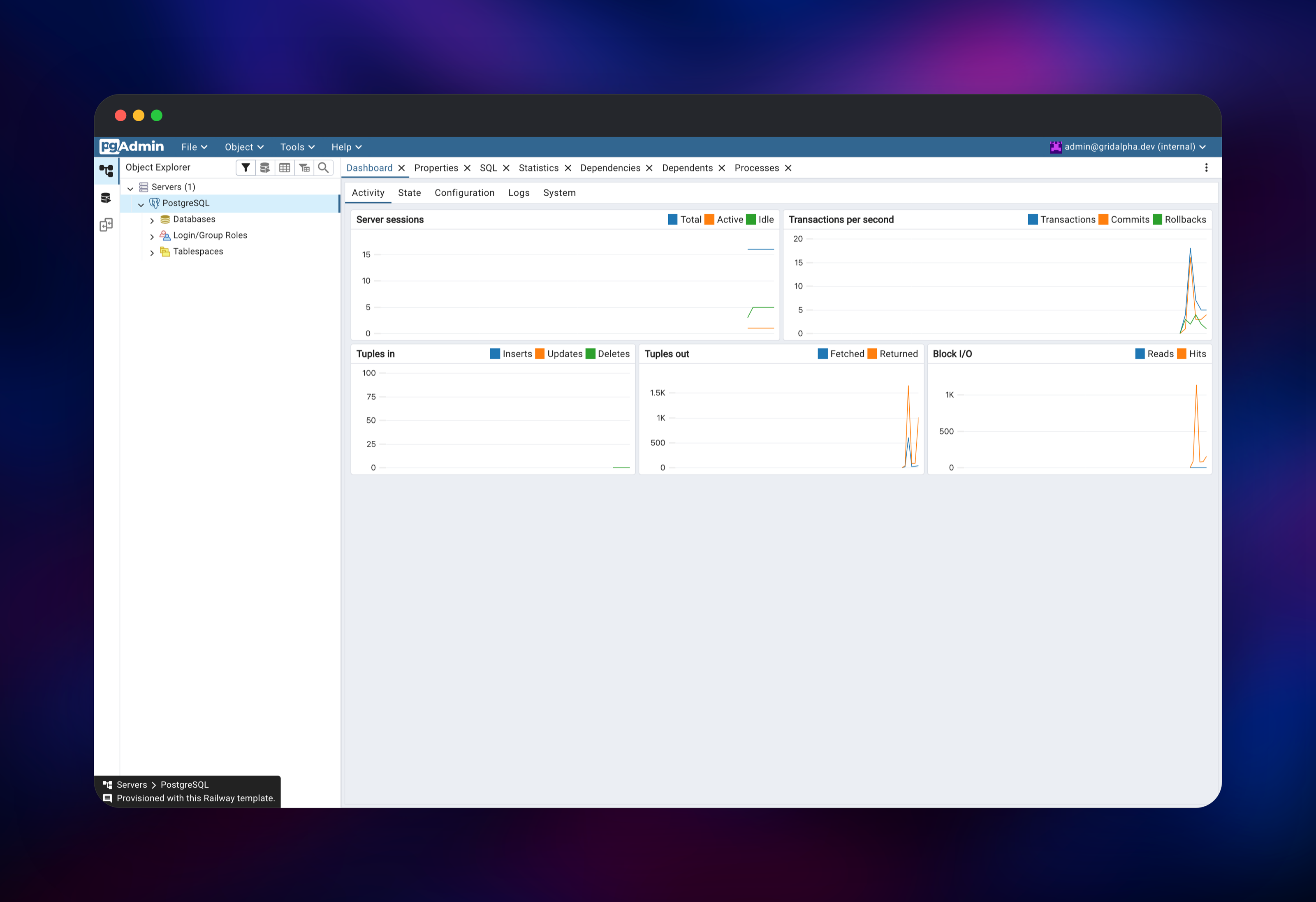
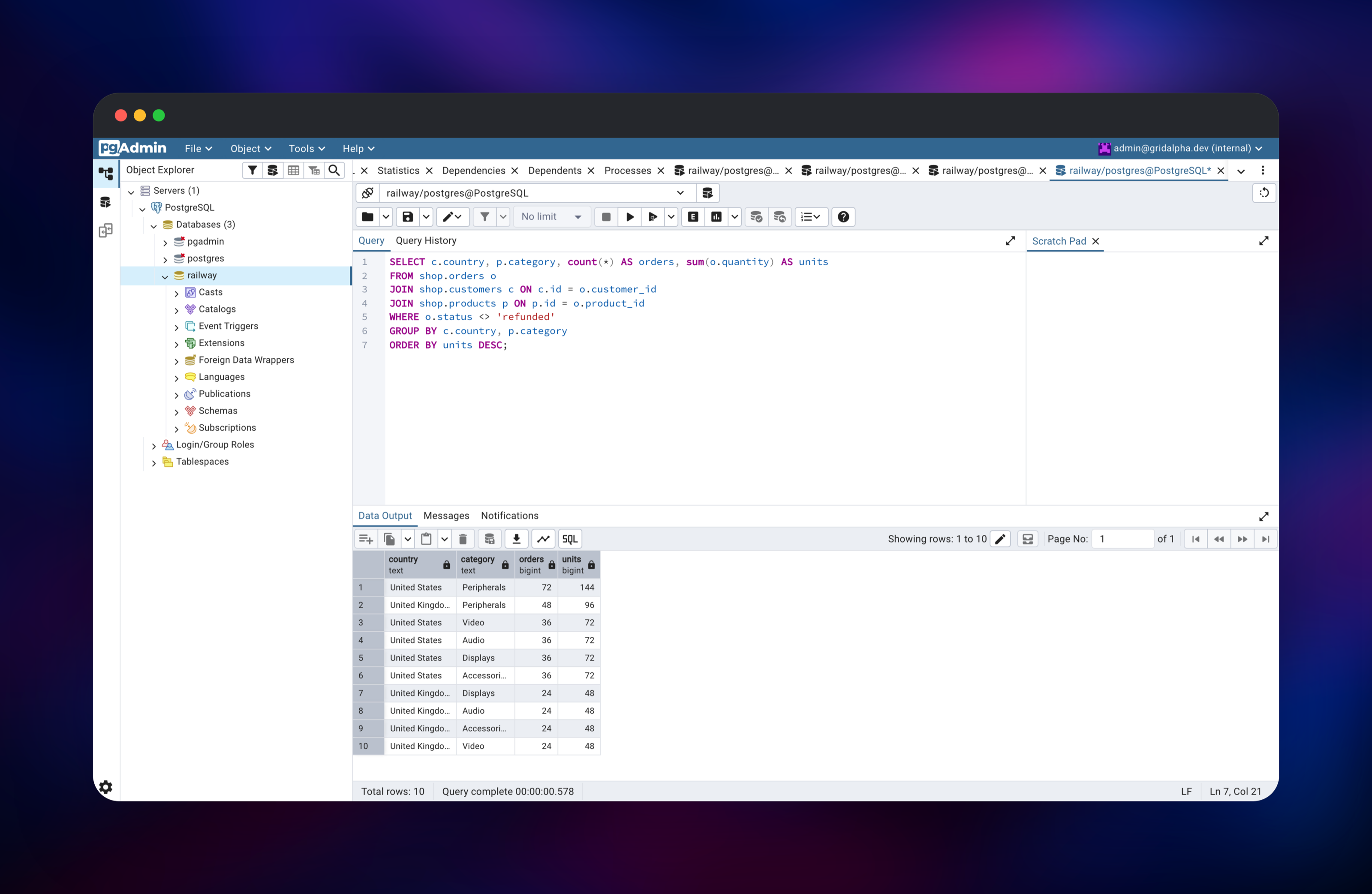
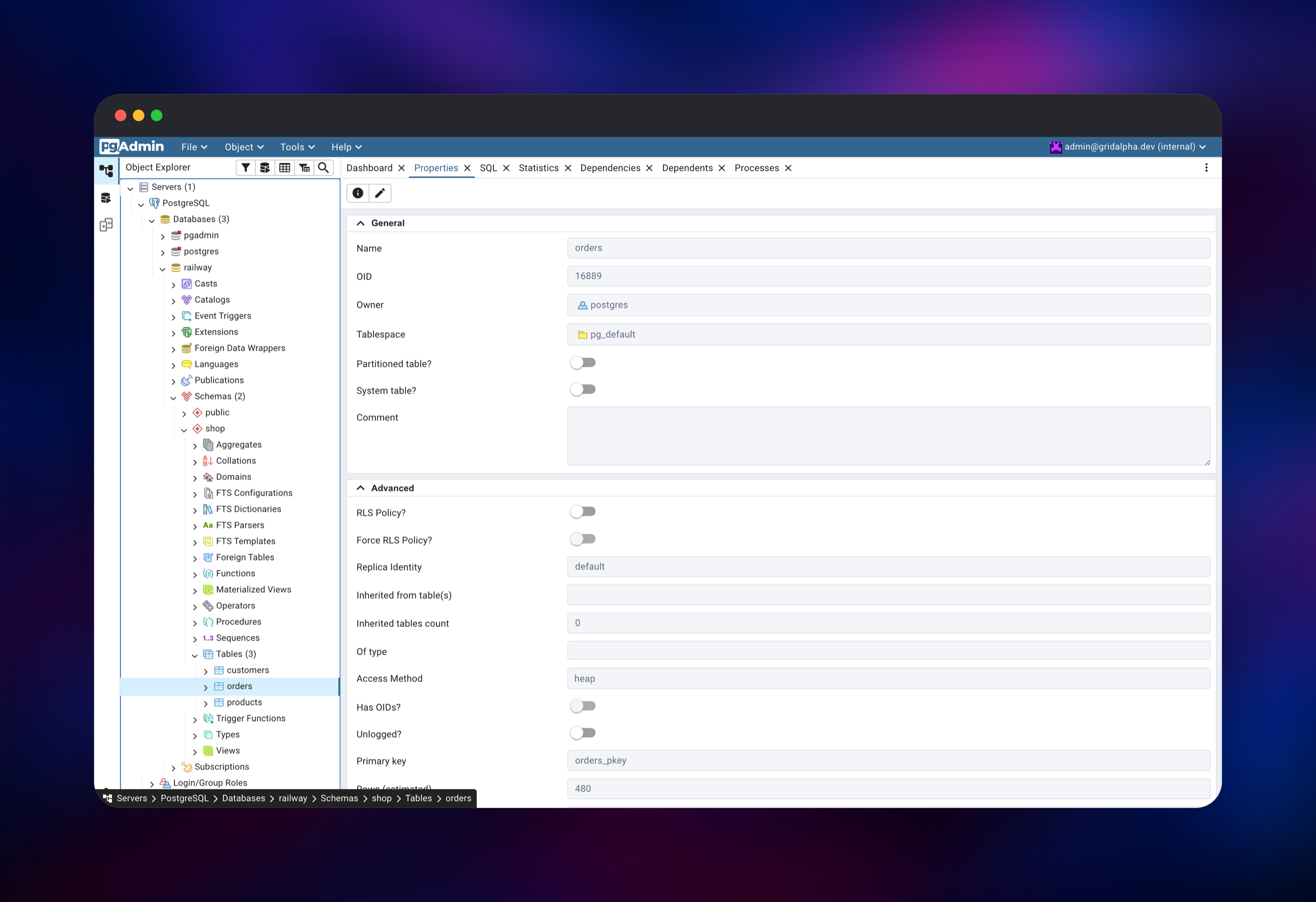
In the Object Explorer, expand Servers and click PostgreSQL. It connects without asking for a password — the registration and its password file are written at startup. Expand Databases → railway → Schemas → public, then right-click the railway database and choose Query Tool. SELECT version(); confirms the connection end to end, and CREATE EXTENSION vector; proves extensions install.
To connect an application, use DATABASE_URL from the postgres service inside the project, or DATABASE_PUBLIC_URL from outside it — the public one goes through a TCP proxy, so pass sslmode=require. The dashboard's session and transaction charts confirm your app is really talking to the database.
About Hosting PostgreSQL with pgAdmin
PostgreSQL is an ACID-compliant relational database with more than thirty years behind it, under the permissive PostgreSQL Licence. Teams self-host it to keep data on infrastructure they control, to run extensions a managed provider will not install, and to avoid per-connection pricing. pgAdmin comes from the same community and tracks new features as they ship.
Key features:
- SQL with window functions, CTEs,
JSONB, arrays, ranges and full-text search - Extensions —
pgvector,pg_stat_statements,pg_trgm,hstore,uuid-osspand the rest of the trusted set - Logical and streaming replication, and point-in-time recovery from archived WAL
- pgAdmin's query tool, ERD designer, schema diff, grant wizard and live dashboards
Two services make this up. postgres owns the data: a volume, TLS certificates generated on first boot, and a background worker pushing WAL segments and scheduled base backups to the bucket. pgadmin owns the browser experience, keeping its configuration — users, saved queries, registered servers — in a pgadmin database on the same server, with a volume for sessions and file storage.
Why Deploy PostgreSQL and pgAdmin on Railway
Running both together normally means writing Compose files and wiring credentials by hand.
- Database, console and backup bucket provisioned and connected in one deploy
- Private networking between them, so the database needs no public HTTP surface
- A TCP endpoint for external clients, with TLS and SCRAM authentication
- The server sizes
shared_buffersand its parallel workers from its own container - Vertical scaling without editing configuration files
Common Use Cases
- The primary database for an application already running on Railway, with a console for inspecting production data
- A staging or analytics database teammates can query in a browser, with no VPN or local client
- A pgvector store for embeddings, alongside the relational tables the same application needs
Dependencies for PostgreSQL and pgAdmin
- postgres — built from gridalpha/postgresql-railway on
ghcr.io/railwayapp-templates/postgres-ssl:18, which packages PostgreSQL 18 with OpenSSL, pgvector and pgBackRest - pgadmin — built from gridalpha/pgadmin-railway on
dpage/pgadmin4 - pgbackrest — a Railway object-storage bucket holding archived WAL and base backups
Environment Variables Reference
| Variable | Service | Purpose |
|---|---|---|
POSTGRES_PASSWORD | postgres | Superuser password, set once at deploy |
POSTGRES_DB | postgres | Database created on first boot, default railway |
DATABASE_URL | postgres | Private connection string for other services |
DATABASE_PUBLIC_URL | postgres | External connection string via the TCP proxy |
PGTUNE | postgres | off restores PostgreSQL's stock settings |
POSTGRES_EXTRA_ARGS | postgres | Extra server arguments; a later -c wins |
PGADMIN_DEFAULT_EMAIL | pgadmin | Console login, must be a deliverable address |
PGADMIN_DEFAULT_PASSWORD | pgadmin | Console password |
PGADMIN_SERVER_NAME | pgadmin | Label for the pre-registered server |
Deployment Dependencies
Hardware Requirements for Self-Hosting PostgreSQL and pgAdmin
| Resource | Minimum | Recommended |
|---|---|---|
| CPU | 1 vCPU | 2–4 vCPU |
| RAM | 1 GB combined | 4 GB+ for the database |
| Storage | 5 GB volume | Sized to your data plus WAL |
| Runtime | Docker | Docker |
pgAdmin is modest. Give the memory to PostgreSQL, which uses roughly a quarter of it for shared_buffers.
Self-Hosting PostgreSQL with pgAdmin
The equivalent locally is two containers on one network. The following is a Docker Compose file:
services:
  postgres:
    image: ghcr.io/railwayapp-templates/postgres-ssl:18
    environment:
      POSTGRES_PASSWORD: change-me
      POSTGRES_DB: railway
      PGDATA: /var/lib/postgresql/data/pgdata
    volumes:
      - pgdata:/var/lib/postgresql/data
  pgadmin:
    image: dpage/pgadmin4:latest
    environment:
      PGADMIN_DEFAULT_EMAIL: you@example.com
      PGADMIN_DEFAULT_PASSWORD: change-me
    ports:
      - "8080:80"
volumes:
  pgdata:
Bring it up and connect:
docker compose up -d
psql "postgresql://postgres:change-me@localhost:5432/railway"
You then register the server in pgAdmin by hand, and back-ups, TLS and tuning are yours to add.
How Much Does It Cost to Self-Host PostgreSQL and pgAdmin?
Both are free and open source under the PostgreSQL Licence, with no paid tier, seat limit or feature gate. The only cost is infrastructure: on Railway, the compute and memory the two services use plus the volume and bucket storage they occupy, billed by usage. A small development database costs a few dollars a month, and the console can be slept when idle.
FAQ
What is PostgreSQL? An open-source relational database that stores data in tables and lets you query it with SQL. It also handles JSON documents, full-text search and vector similarity, so one server often replaces several specialised stores.
What is pgAdmin used for? The official web console for PostgreSQL: browsing schemas, editing rows, running queries, and managing roles and permissions from a browser instead of a terminal.
What does this Railway template deploy? Two services and a bucket — a PostgreSQL 18 server on a persistent volume, the pgAdmin console pre-registered against it, and object storage holding archived write-ahead log and base backups.
Why is an object-storage bucket included? A volume snapshot is a point in time; archived WAL is continuous. With the bucket attached, PostgreSQL ships every segment as it fills, which is what makes point-in-time recovery possible rather than restore-to-last-snapshot.
How do I connect my application to the database?
Reference ${{postgres.DATABASE_URL}} from another service in the project, which resolves over private networking. From outside Railway use DATABASE_PUBLIC_URL with sslmode=require.
Can I install PostgreSQL extensions?
Yes. You get the superuser, so CREATE EXTENSION works for anything shipped with the server, plus pgvector. pg_stat_statements is preloaded and only needs CREATE EXTENSION in the database you want statistics for.
How do I upgrade PostgreSQL later?
The major version is pinned deliberately: a major upgrade rewrites the on-disk format and must not happen silently under a running deployment. Move by dumping with pg_dump and restoring into a fresh service.
Template Content


