
Deploy PostgREST
REST API served straight out of a PostgreSQL schema, with Swagger UI

postgrest
Just deployed

swagger-ui
Just deployed

Just deployed
/var/lib/postgresql/data

Deploy and Host PostgREST on Railway
PostgREST turns a PostgreSQL database into a fast REST API without a line of backend code. You define tables, views, functions and roles in SQL; PostgREST reads the catalog and serves the matching endpoints, with filtering, ordering, pagination, embedded relations and an OpenAPI description at the root path. Authorization is not bolted on — every request runs as a real database role, so GRANT, REVOKE and row-level security are the access control. Teams reach for it when they want a thin, auditable data API over Postgres rather than a CRUD service that drifts from the schema.
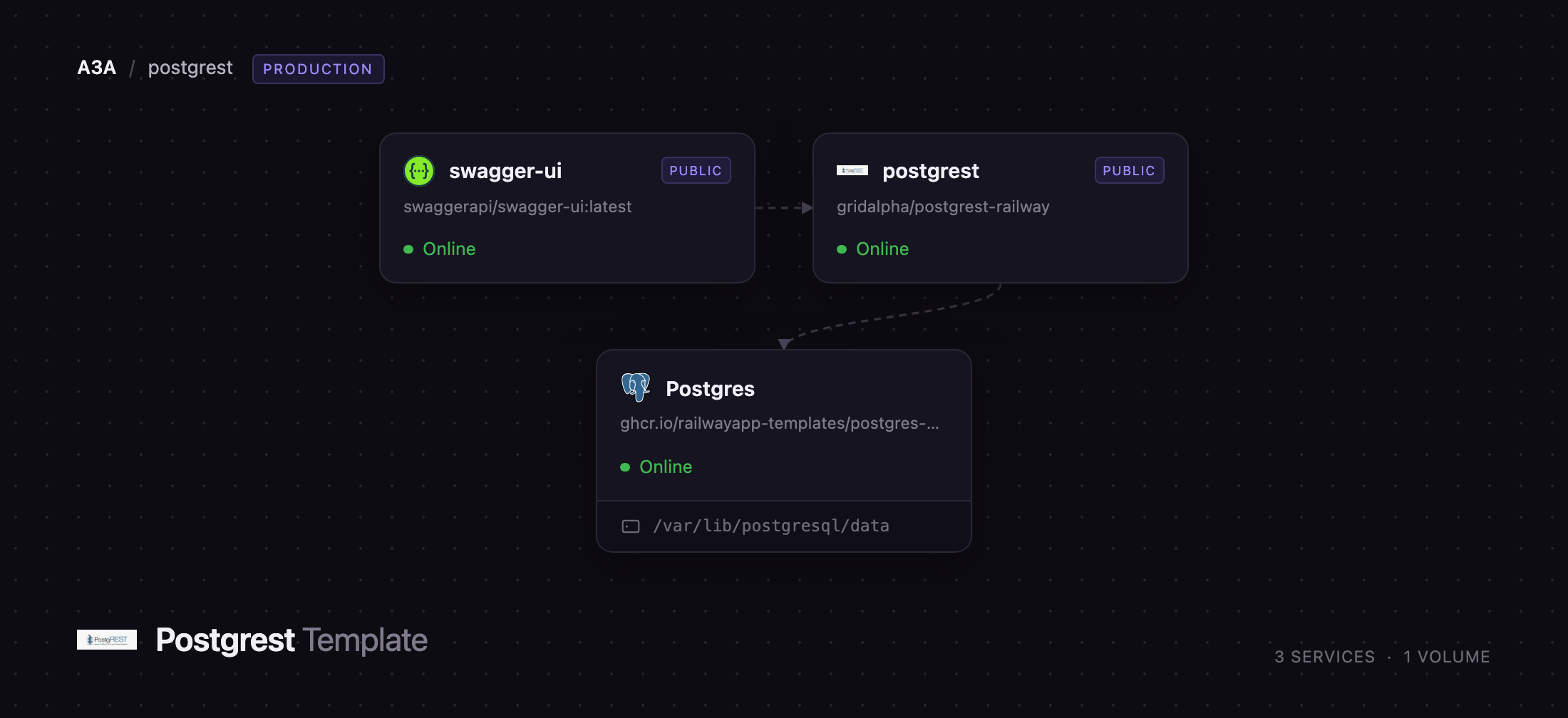
This template deploys PostgREST with a managed PostgreSQL database and a Swagger UI console, wired together. Traffic reaches PostgREST on its public domain; PostgREST connects privately to Postgres as a least-privilege authenticator role that owns nothing and can only switch into the anonymous or authenticated role. On first boot it creates those roles, an api schema, a bcrypt-hashed user table hidden from the API, a login function that mints JSON Web Tokens, and a demo table, so you can self-host PostgREST and call a working endpoint immediately. Swagger UI reads the OpenAPI description from the API and gives you a browser console for every endpoint.
Getting Started with PostgREST on Railway
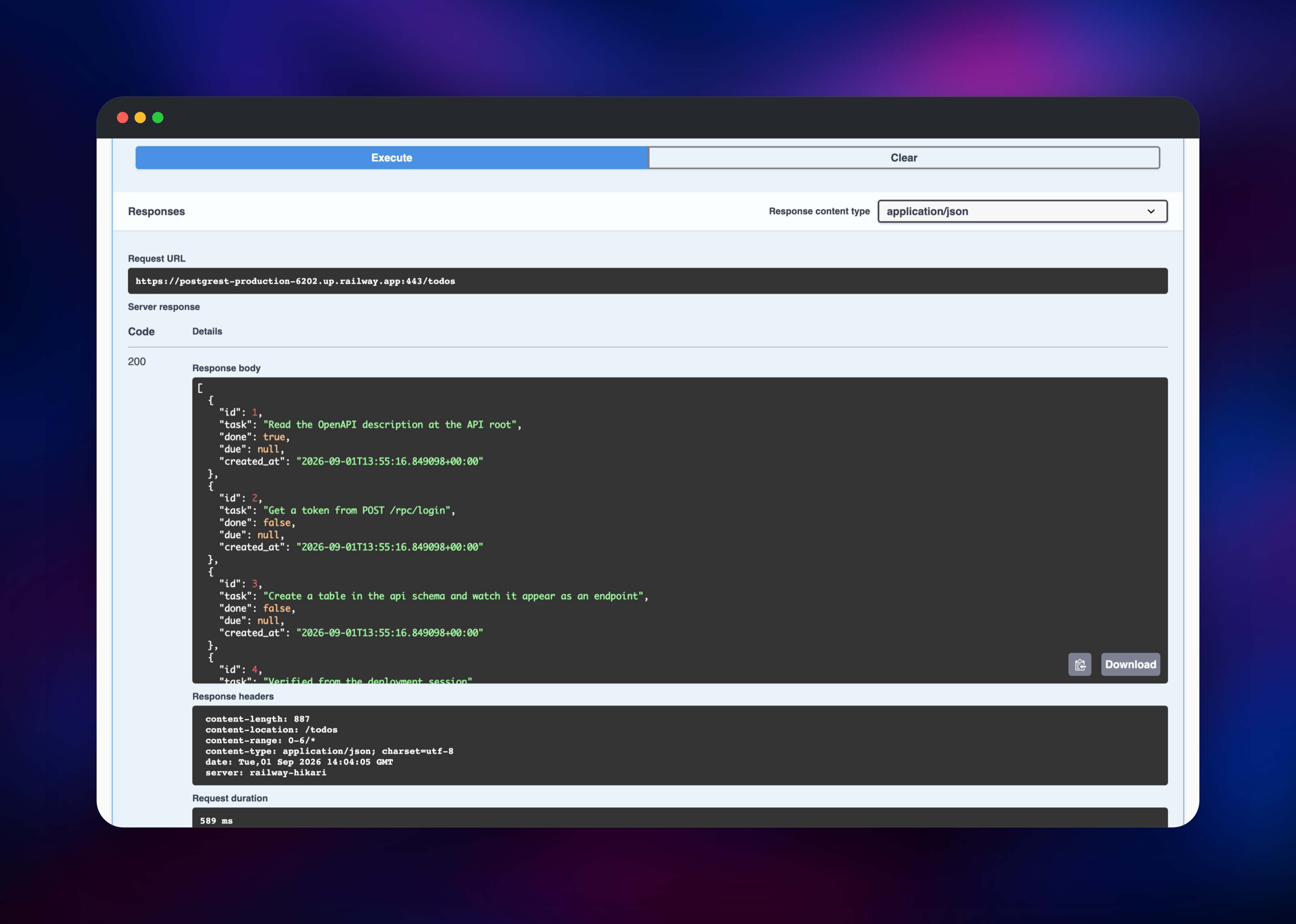
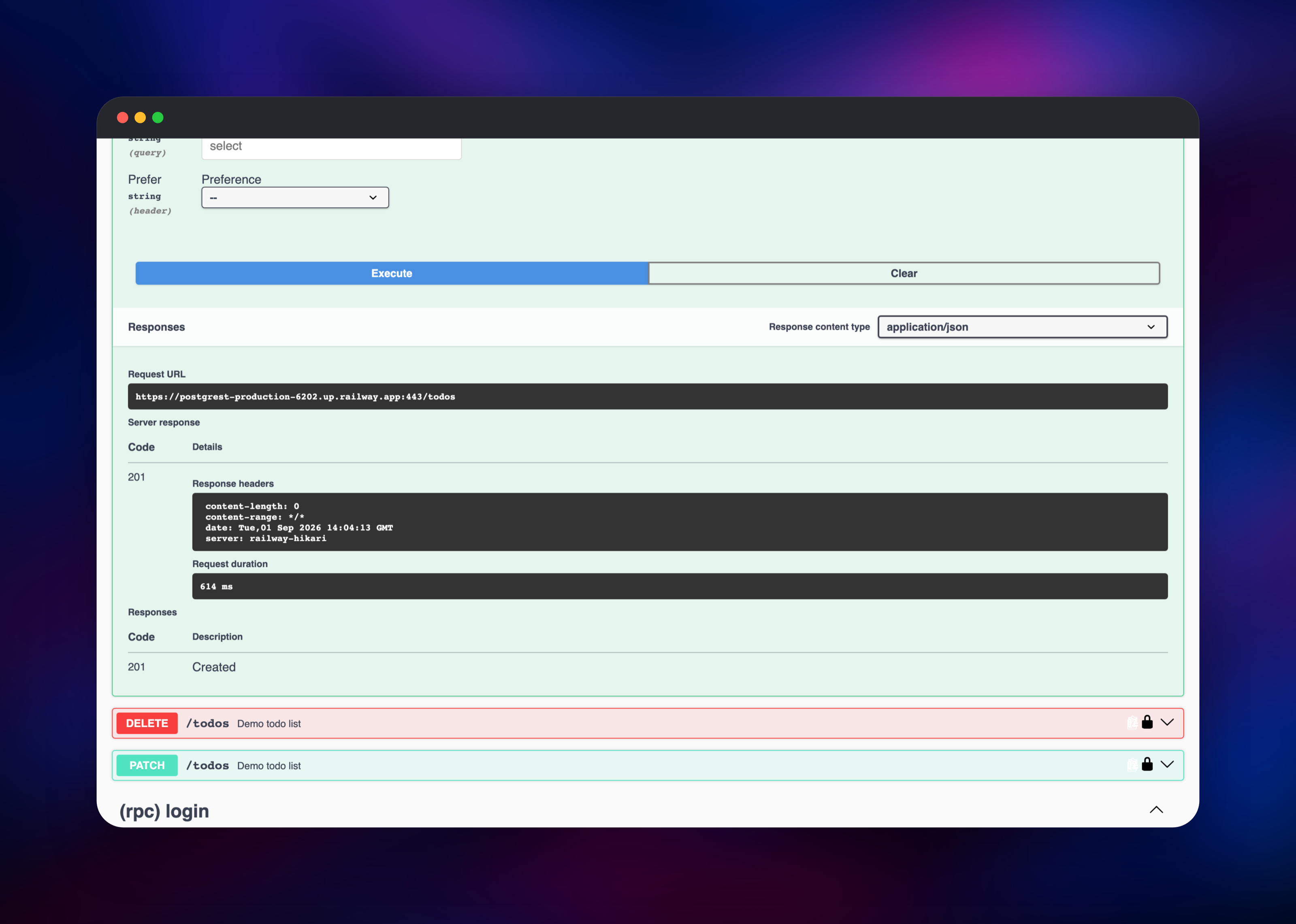
Set API_USER_EMAIL and API_USER_PASSWORD before deploying — they become the first API account. When the deploy finishes, open the PostgREST domain: the root path returns the OpenAPI description of everything your schema exposes. Request /todos and you get JSON rows from the demo table, served to anonymous callers. POST /todos without credentials answers 401, because writes need a token.
To get one, call POST /rpc/login with {"email": "...", "pass": "..."}; the response carries a token and its expiry. Send it back as Authorization: Bearer and the same POST /todos succeeds, because the token's role claim switches the request to the api_user role. GET /rpc/me echoes the claims on the current request, the quickest way to confirm authentication works end to end.
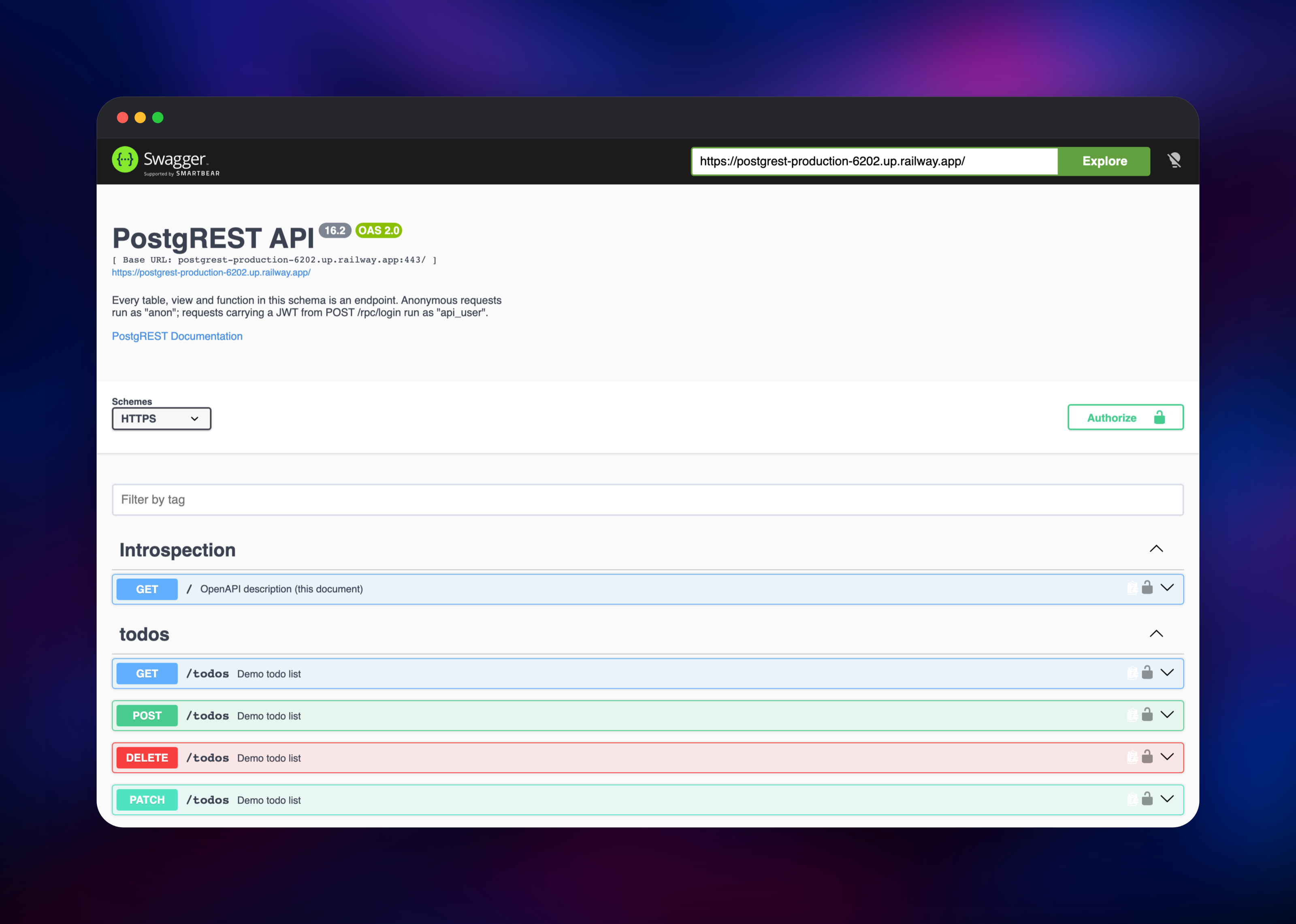
Then open the Swagger UI domain. It renders the live schema, uses your SQL COMMENT ON text as endpoint documentation, and its Authorize button accepts the same token. Now connect to Postgres and create a table in the api schema — an event trigger tells PostgREST to reload, so it appears as an endpoint within seconds.
About Hosting PostgREST
PostgREST is a single Haskell binary that maps HTTP onto SQL. It caches the schema, opens a small connection pool, and turns each request into one prepared statement, which is why it routinely outperforms hand-rolled ORM backends. Because the API surface is the schema, there is no second source of truth: add a view, get an endpoint.
- Full REST semantics over tables and views: filtering, ordering, pagination, upserts, bulk insert and resource embedding across foreign keys
- Stored functions exposed as
POST /rpc/for anything SQL can express - JWT authentication where the token's role claim selects the database role
- An always-current OpenAPI description generated from the catalog and SQL comments
- An admin server with
/live,/readyand Prometheus metrics on its own port
Three services make up the deployment. PostgREST is the API. PostgreSQL holds every table, role and permission, so it is both the datastore and the authorization system. Swagger UI is a static console that fetches the OpenAPI document in the browser and stores nothing.
Why Deploy PostgREST on Railway
Railway removes the setup work between you and a working API.
- Managed PostgreSQL provisioned on the private network
- Roles, schema, JWT login and a demo endpoint created on first boot
- TLS, public domains and health checks on the admin server handled for you
- Swagger UI deployed and pointed at your API automatically
- Redeploys on every push to the source repository
Common Use Cases
- A read API over reporting tables or analytics views, exposed to a dashboard or a partner
- The backend for a single-page or mobile app, with row-level security scoping each user to their rows
- An internal data API in front of an existing database, added without touching the apps already writing to it
- A prototyping layer where product changes are migrations rather than backend releases
Dependencies for PostgREST
- PostgREST — built from
github.com/gridalpha/postgrest-railway, which layerspsqland a bootstrap entrypoint onto the upstreampostgrest/postgrestbinary - PostgreSQL 18 —
ghcr.io/railwayapp-templates/postgres-ssl:18, the database whose schema becomes the API - Swagger UI —
swaggerapi/swagger-ui:latest, the interactive API console
Environment Variables Reference
| Variable | Purpose |
|---|---|
DATABASE_URL | Admin connection used once per boot to create roles and schema |
AUTHENTICATOR_PASSWORD | Password for the low-privilege role PostgREST connects as |
PGRST_JWT_SECRET | HS256 key, minimum 32 characters, used to sign and verify tokens |
API_USER_EMAIL / API_USER_PASSWORD | The first API account, created once |
PGRST_DB_SCHEMAS | Schemas exposed as endpoints, default api |
PGRST_DB_ANON_ROLE | Role for unauthenticated requests; delete to require a token |
PGRST_DB_MAX_ROWS | Ceiling on rows returned per request, default 1000 |
PGRST_BOOTSTRAP | Set false when pointing at a database you already manage |
Deployment Dependencies
- Documentation: postgrest.org
- Source: github.com/PostgREST/postgrest (MIT)
- Image: hub.docker.com/r/postgrest/postgrest
Hardware Requirements for Self-Hosting PostgREST
| Resource | Minimum | Recommended |
|---|---|---|
| CPU | 0.5 vCPU | 1–2 vCPU |
| RAM | 256 MB | 512 MB–1 GB |
| Storage | none for the API | sized by your database |
| Runtime | PostgreSQL 12+ | PostgreSQL 18 |
The API process is stateless, so resource planning belongs to PostgreSQL. Scale out by raising replicas, and raise PGRST_DB_POOL alongside your database's max_connections.
Self-Hosting PostgREST with Docker
The upstream image is a single static binary configured entirely by PGRST_* environment variables. A minimal run against an existing database:
docker run -p 3000:3000 \
  -e PGRST_DB_URI="postgres://authenticator:secret@db:5432/app" \
  -e PGRST_DB_SCHEMAS="api" \
  -e PGRST_DB_ANON_ROLE="anon" \
  postgrest/postgrest
That database needs the roles first. This SQL is the minimum PostgREST expects, and close to what the template creates on first boot:
create schema api;
create table api.todos (id bigint generated by default as identity primary key, task text not null);

create role anon nologin;
grant usage on schema api to anon;
grant select on api.todos to anon;

create role authenticator noinherit login password 'secret';
grant anon to authenticator;
Reload the schema cache after later migrations with NOTIFY pgrst, 'reload schema';, or install an event trigger to do it automatically.
Is PostgREST Free to Self-Host?
PostgREST is free and open source under the MIT licence, with no paid edition, seat limits or feature gates — the binary you self-host is the whole product. There is no vendor account to create and nothing phones home. On Railway you pay only for the compute and storage the three services use, which for a low-traffic API is mostly the database.
FAQ
What is PostgREST?
A web server that serves a REST API generated directly from a PostgreSQL schema. Tables and views become endpoints, functions become /rpc/ calls, and database roles and grants provide authorization.
What does this Railway template deploy? Three services: PostgREST, a managed PostgreSQL 18 database and a Swagger UI console. The API and console each get a public domain; the database stays private.
Why does the template include a PostgreSQL database? PostgREST has no storage of its own. The database holds your tables, roles and permissions, so it is both the data store and the security model the API enforces.
How do I authenticate requests to a self-hosted PostgREST API?
Call POST /rpc/login with the account you set at deploy time, then send the token as Authorization: Bearer . Its role claim decides which database role the request runs as, so permissions follow your GRANT statements.
How do I add my own tables to the API?
Create them in the api schema, then grant access to anon or api_user. An event trigger reloads the schema cache automatically, so the endpoints appear without a restart.
Can I point PostgREST at a database I already have?
Yes. Set PGRST_BOOTSTRAP=false, supply PGRST_DB_URI for your own authenticator role, and set PGRST_DB_SCHEMAS and PGRST_DB_ANON_ROLE to match what you defined.
Is the demo data required?
No. Set PGRST_SEED_DEMO=false before the first deploy, or drop api.todos afterwards. Revoking its anonymous grant leaves an API where every request needs a token.
Template Content
postgrest
gridalpha/postgrest-railwayswagger-ui
swaggerapi/swagger-ui:latest

