
Deploy PrivateBin
Pastebin where text is encrypted in your browser before it is stored

Just deployed
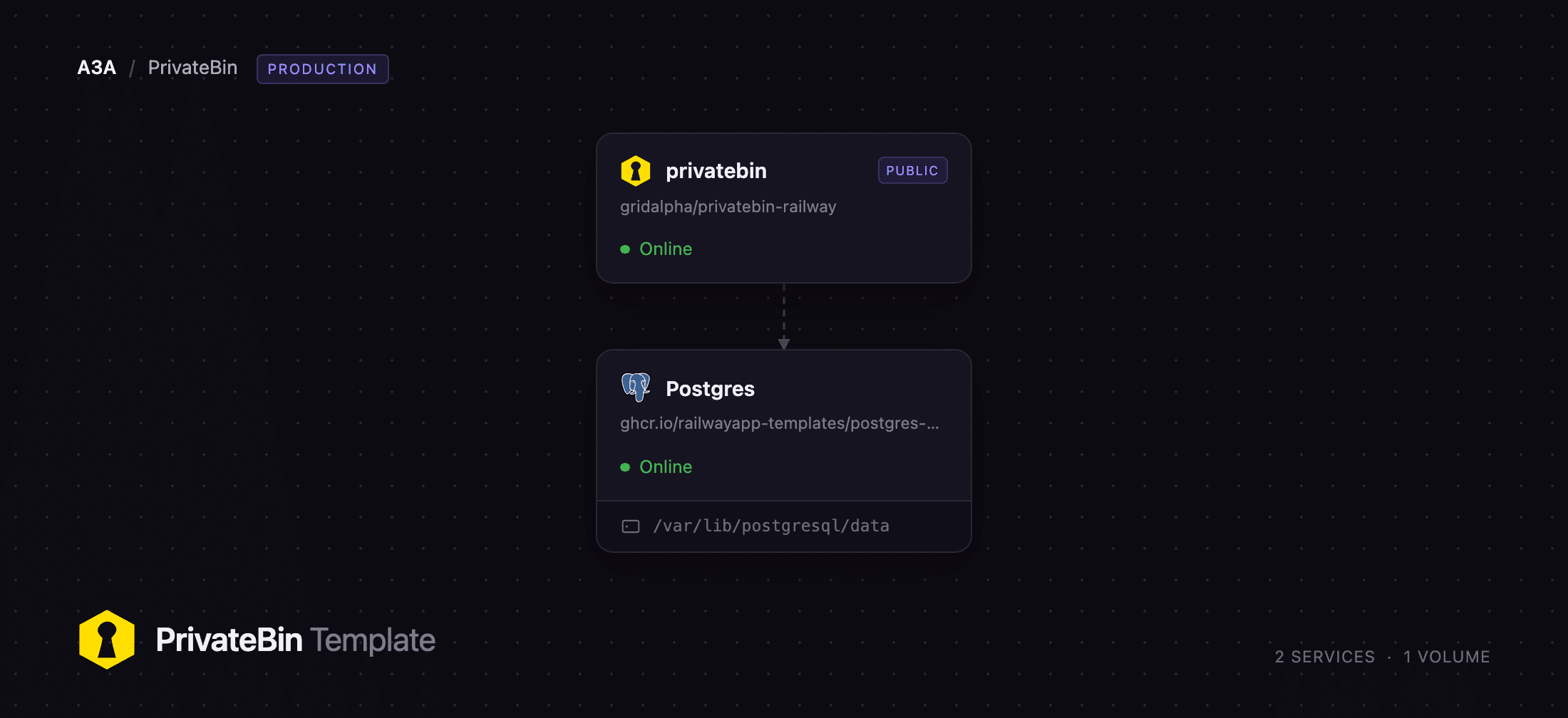
/var/lib/postgresql/data
privatebin
Just deployed
Deploy and Host PrivateBin on Railway
Self-host PrivateBin to share text without handing it to anyone, including yourself. PrivateBin is an open-source pastebin in which the browser encrypts a document with 256-bit AES-GCM before anything is sent, and the decryption key lives only in the fragment of the URL you share. A fragment is never transmitted to the server, so the host stores ciphertext it has no way to read. Developers use it for stack traces, config snippets, incident notes and credentials in transit — anywhere a public paste service would be careless and email too permanent.
Deploy PrivateBin on Railway and you get two services. The privatebin service runs nginx and PHP-FPM from the official privatebin/nginx-fpm-alpine image and is the only one with a public URL. The Postgres service holds every document, every comment, the server salt that signs delete tokens, and the rate-limiter state. Because none of that sits on a local disk, the web tier is stateless: redeploys keep existing share links and delete tokens working. Encryption, expiry and rate limiting are configured before you open it.
Getting Started with PrivateBin on Railway
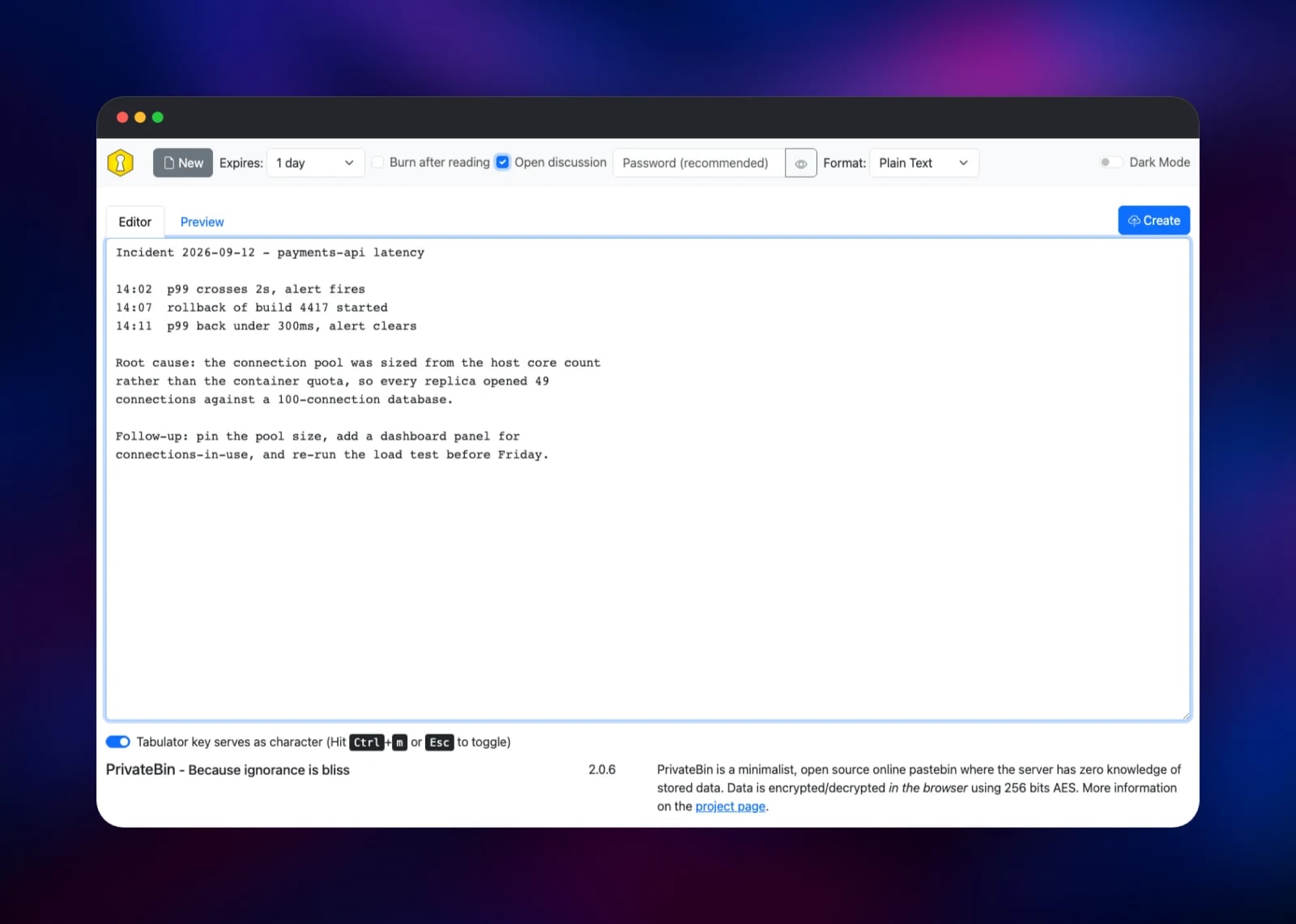
There is no installer, no sign-up and no admin account — PrivateBin has no user accounts by design, so the deployed URL opens straight onto the editor. Paste something in, pick an expiry from the Expires dropdown, and press Create. The page returns a link containing a # fragment: that fragment is the key, so anyone with the whole link can read the document and anyone with only the path cannot. Open it in another browser to confirm the round trip works.
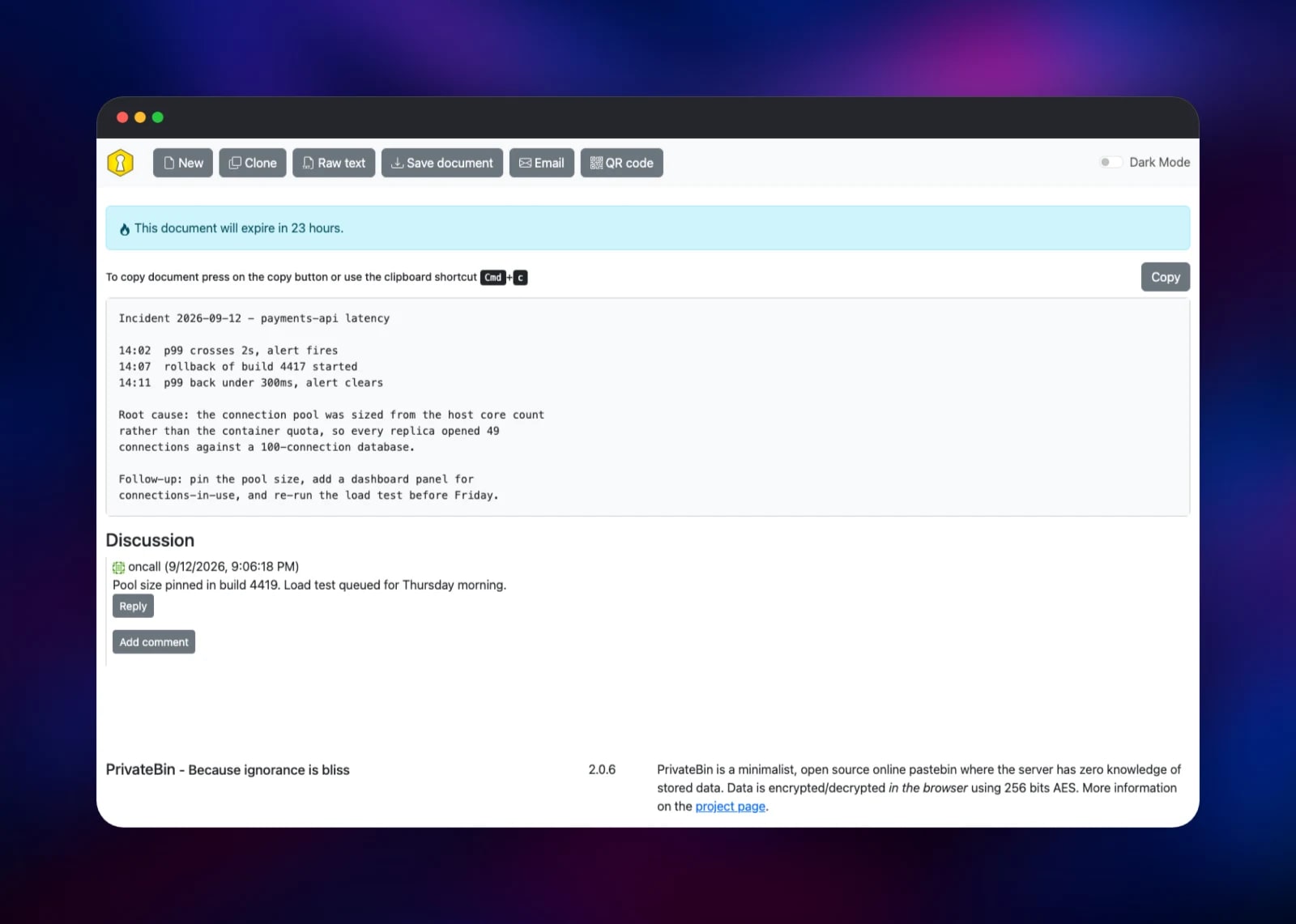
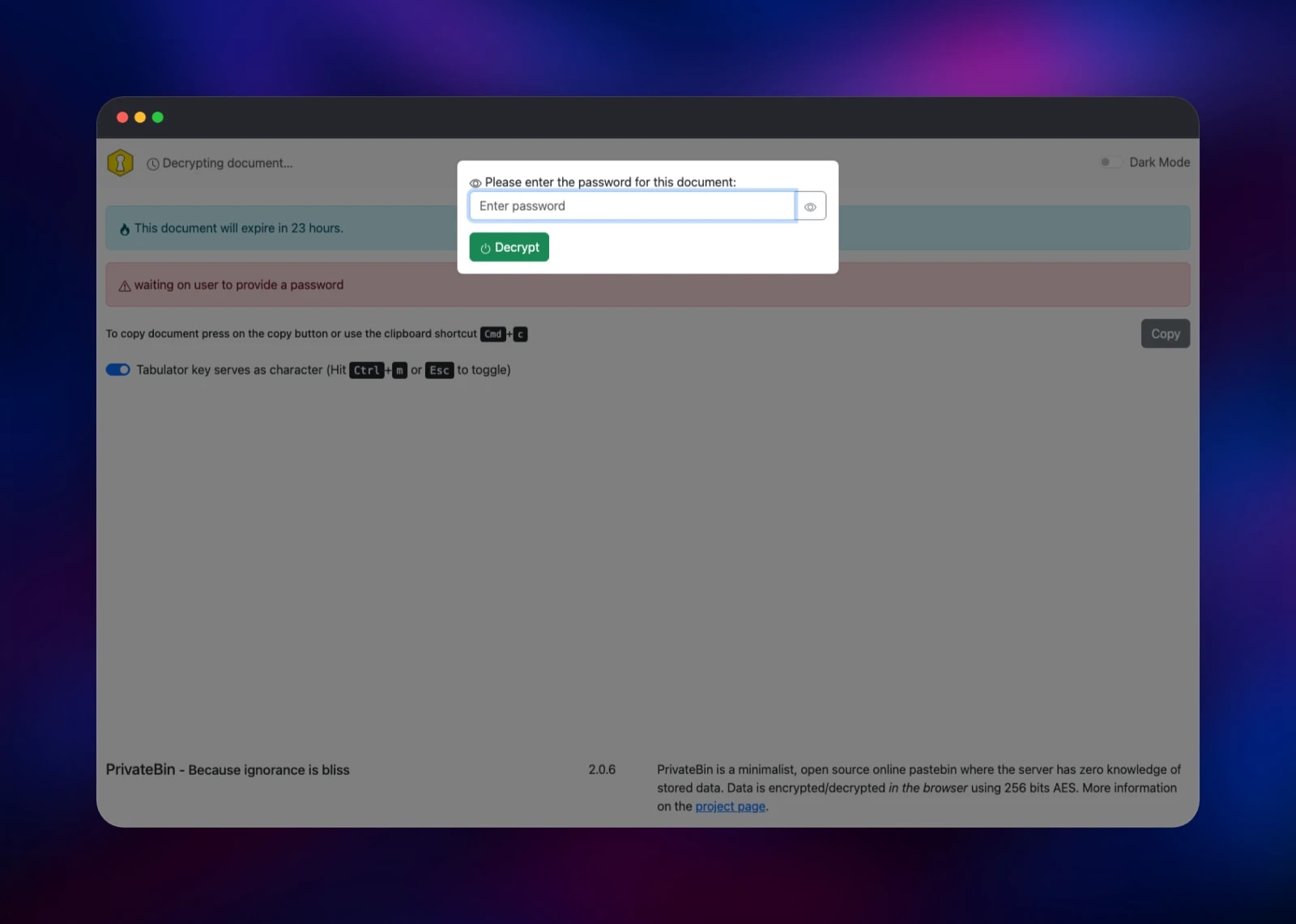
Two options are worth setting on that first document. Open discussion lets readers reply underneath, turning a paste into a short thread. A password in the Password box adds a second secret on top of the URL key, so a leaked link alone is not enough. Burn after reading and the expiry are both enforced by the server. Keep the Delete data link from the confirmation page — it is the only way to remove a document early.
About Hosting PrivateBin
PrivateBin descends from ZeroBin and has been maintained independently since 2016. Its security claim is structural rather than a policy: the server receives a blob it cannot decrypt, so a database dump or a compromised host yields nothing readable.
Key features:
- Client-side AES-256-GCM encryption, with the key carried only in the URL fragment
- Expiry from five minutes to never, plus burn-after-reading
- Optional password on top of the URL key
- Threaded discussions under a document
- Plain text, syntax-highlighted source code, and Markdown rendering
- QR code and email buttons for handing the link to a phone
- A per-client rate limit on document creation
The Railway deployment splits this into the web tier and PostgreSQL. Keeping documents in the database makes the web service disposable, and keeps the rate limiter honest, since its counters are shared rather than per container.
Why Deploy PrivateBin on Railway
Railway removes the parts of self-hosting unrelated to the app:
- PostgreSQL is provisioned, networked privately and backed by a volume
- HTTPS and a public domain are issued automatically
- The health check tests the database connection, not just the web server
- Redeploys keep existing links and delete tokens working
- Configuration is environment variables, all with working defaults
Common Use Cases
- Sharing incident detail — stack traces and config fragments that expire on their own rather than sit in a chat history
- Handing over a credential — a burn-after-reading document with a password, destroyed by the first read
- Snippets with a comment thread — a proposed config with open discussion on, so reviewers reply in place
- A company paste service — one instance restricted to your own network ranges, replacing public paste sites
Dependencies for PrivateBin
- privatebin — built from the gridalpha/privatebin-railway source repository on top of the official
privatebin/nginx-fpm-alpineimage (stabletag). Renders the configuration at boot and creates its own least-privilege database role, so the app never connects as the PostgreSQL superuser. - Postgres — Railway's managed PostgreSQL 18. Stores documents, comments, the server salt that signs delete tokens, and rate-limiter state. Tables are created on first use.
Environment Variables Reference
| Variable | Default | What it does |
|---|---|---|
PRIVATEBIN_NAME | PrivateBin | Name shown on the page |
PRIVATEBIN_EXPIRE_DEFAULT | 1week | Preselected expiry for new documents |
PRIVATEBIN_DISCUSSION | true | Allow comment threads under documents |
PRIVATEBIN_FILEUPLOAD | false | Allow file attachments as well as text |
PRIVATEBIN_DEFAULTFORMATTER | plaintext | plaintext, syntaxhighlighting or markdown |
PRIVATEBIN_SIZELIMIT | 10000000 | Largest document accepted, in bytes |
PRIVATEBIN_TRAFFIC_LIMIT | 10 | Seconds a client waits between documents |
Two more are read but unset by default. PRIVATEBIN_CREATORS takes IP addresses or CIDR ranges and restricts creating documents to those clients while leaving reading open — this is how you make an instance private. PRIVATEBIN_EXEMPTED exempts addresses from the rate limit.
Deployment Dependencies
- Source code: github.com/PrivateBin/PrivateBin (zlib/libpng licence)
- Container image: github.com/PrivateBin/docker-nginx-fpm-alpine
- Configuration reference: the PrivateBin wiki
- Runtime: PHP 8.5 on Alpine, nginx, PostgreSQL 18
Hardware Requirements for Self-Hosting PrivateBin
The encryption happens in the visitor's browser; the server only stores and returns blobs. It is one of the cheapest things you can run.
| Resource | Minimum | Recommended |
|---|---|---|
| CPU | 0.5 vCPU | 1 vCPU |
| RAM | 256 MB | 512 MB |
| Storage | 1 GB (PostgreSQL) | 5 GB |
| Runtime | PHP 8.2+, PostgreSQL 13+ | PHP 8.5, PostgreSQL 18 |
Storage is the only figure that grows, and it grows with how long documents live. Shorten PRIVATEBIN_EXPIRE_DEFAULT under heavy use; expired documents are purged as new ones are created.
Self-Hosting PrivateBin
To try PrivateBin locally, the official image runs on its own with the filesystem storage backend:
docker run -d --name privatebin -p 8080:8080 privatebin/nginx-fpm-alpine:stable
For a persistent install backed by PostgreSQL, PrivateBin reads an INI file rather than environment variables. Mount a conf.php containing a [model] section that selects the database backend:
[model]
class = Database

[model_options]
dsn = "pgsql:host=db;port=5432;dbname=privatebin"
tbl = "privatebin_"
usr = "privatebin"
pwd = "your-password-here"
opt[12] = true
Mount it at /srv/cfg/conf.php and PrivateBin creates its tables on first use. The Railway template generates this file at startup from the variables above, so there is nothing to mount.
How Much Does PrivateBin Cost to Self-Host?
PrivateBin is free and open source under the zlib/libpng licence — no paid tier, no seat count, no feature held back. The only cost is infrastructure: on Railway, the web service and the PostgreSQL instance. Both stay small, because the server does no cryptography and stores only compressed ciphertext.
FAQ
What is PrivateBin? An open-source pastebin where the browser encrypts your text with 256-bit AES-GCM before sending it. The decryption key travels in the URL fragment, which browsers never send to servers, so the host stores data it cannot read.
What does this Railway template deploy? Two services: PrivateBin on a public HTTPS URL, and managed PostgreSQL on the private network. Documents, comments, the server salt and rate-limiter state all live in PostgreSQL.
Why does PrivateBin need a database instead of just a disk? PrivateBin can use either, but the database keeps the web service stateless. The server salt that signs delete tokens lives there too, so links and tokens survive a redeploy.
Can I stop strangers from posting to my instance?
Yes. Set PRIVATEBIN_CREATORS to your own IP addresses or CIDR ranges and only those clients can create documents, while anyone with a link can still read. Without it, the built-in limit of one document per client every ten seconds is the control.
What happens if someone loses the link to a document? It is unrecoverable. The key lives in the URL fragment and nowhere else, so neither you nor the server can decrypt it. Treat the link itself as the secret.
Does self-hosted PrivateBin support file uploads?
It supports attachments, but they are off by default here. Setting PRIVATEBIN_FILEUPLOAD to true enables them and turns the instance into a general file host, so switch it on deliberately.
Template Content
privatebin
gridalpha/privatebin-railway

