
Deploy Pydio Cells
SharePoint alternative. Open-source document sharing and collaboration

Just deployed
/var/lib/postgresql/data
Just deployed
/var/cells

MongoDB
Just deployed
/data/db
Deploy and Host Pydio Cells on Railway
Pydio Cells is an open-source document sharing and collaboration platform that gives an organisation its own file service instead of renting one. Teams use it the way they would use SharePoint, Google Drive or Dropbox Business — shared workspaces, per-folder permissions, versioning, activity feeds, expiring share links, desktop sync and WebDAV — except every byte stays on infrastructure you control. It ships under AGPL-3.0 and is aimed at the case where fine-grained access control and an audit trail matter more than a large app marketplace.
Deploy Pydio Cells on Railway and this template wires up the three pieces it needs in production. The Cells service runs the official pydio/cells image behind Railway's TLS edge and stores documents on a persistent volume at /var/cells. PostgreSQL holds users, roles, ACLs, workspaces and the datasource index. MongoDB is the document store: activity streams, server logs, file versions and the search index live there rather than in embedded database files, which is what Pydio recommends beyond a trial. Browser traffic reaches only the Cells service; both databases stay private.
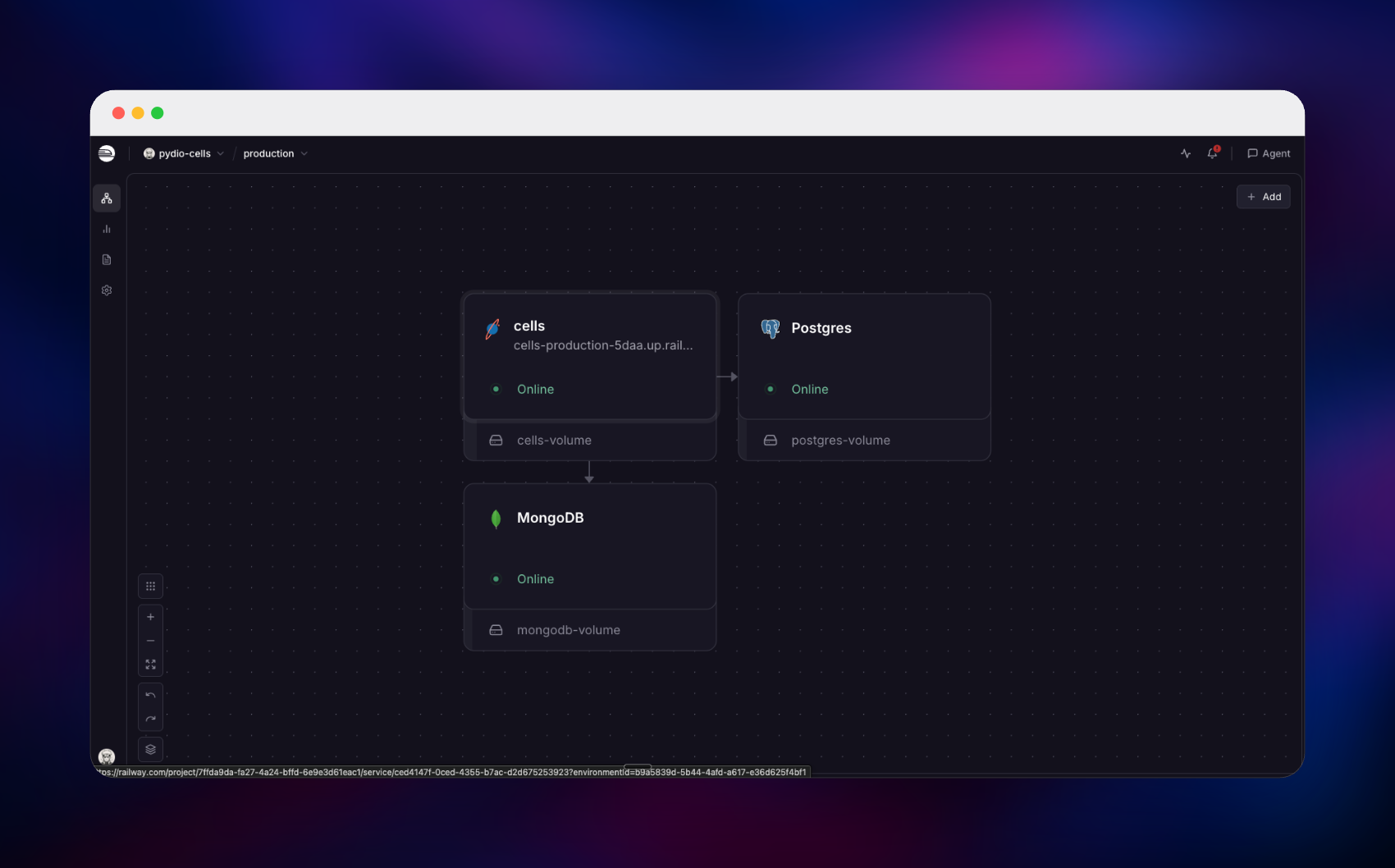
Getting Started with Pydio Cells on Railway
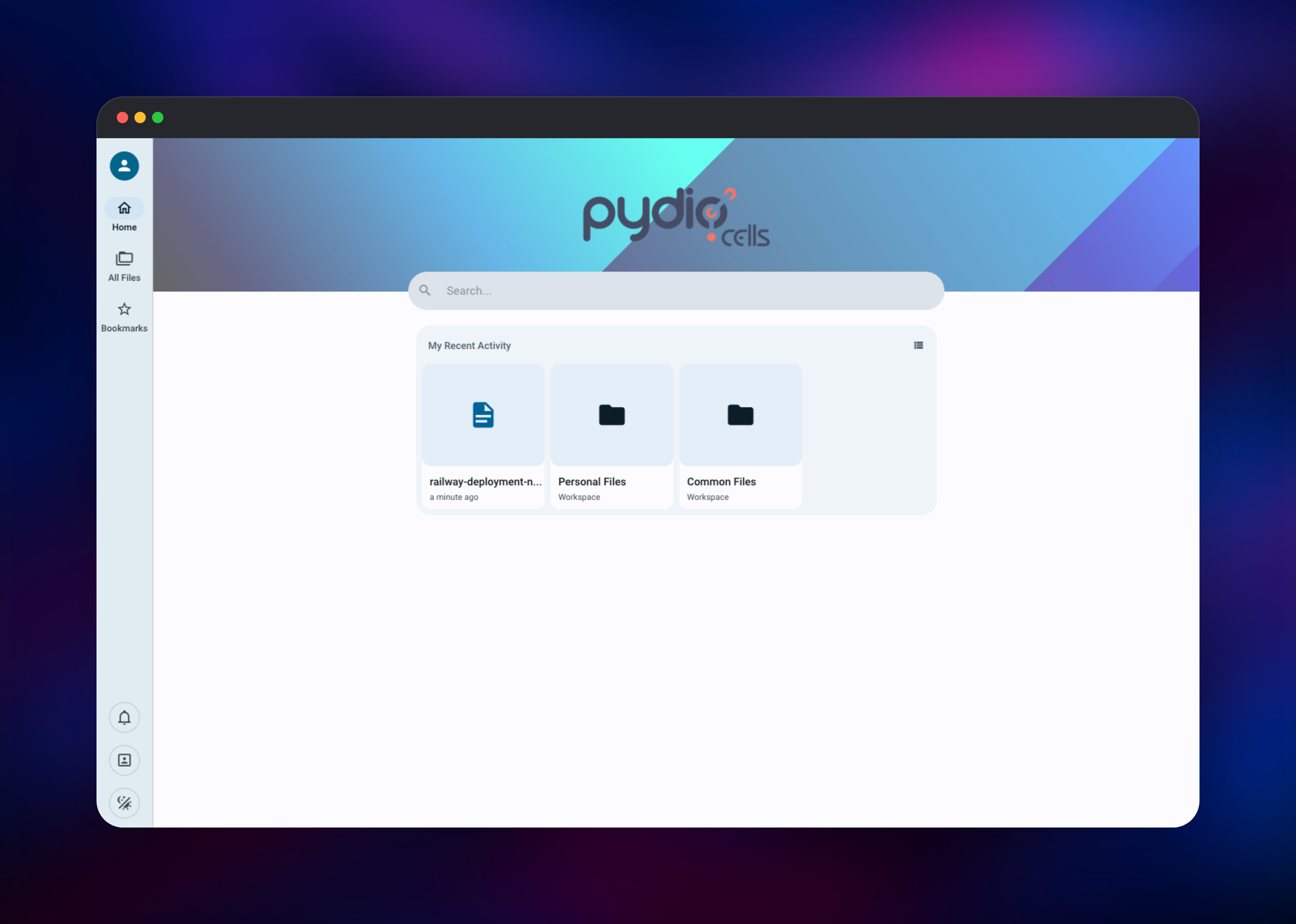
The first boot runs an unattended install — schema, default datasources, first administrator — so there is no setup wizard. Open the generated Railway URL and you land on the sign-in screen. Log in as admin with the value of CELLS_ADMIN_PASSWORD from the Cells service variables, then change it under My Account → Password, because that variable seeds the account only on the very first boot.
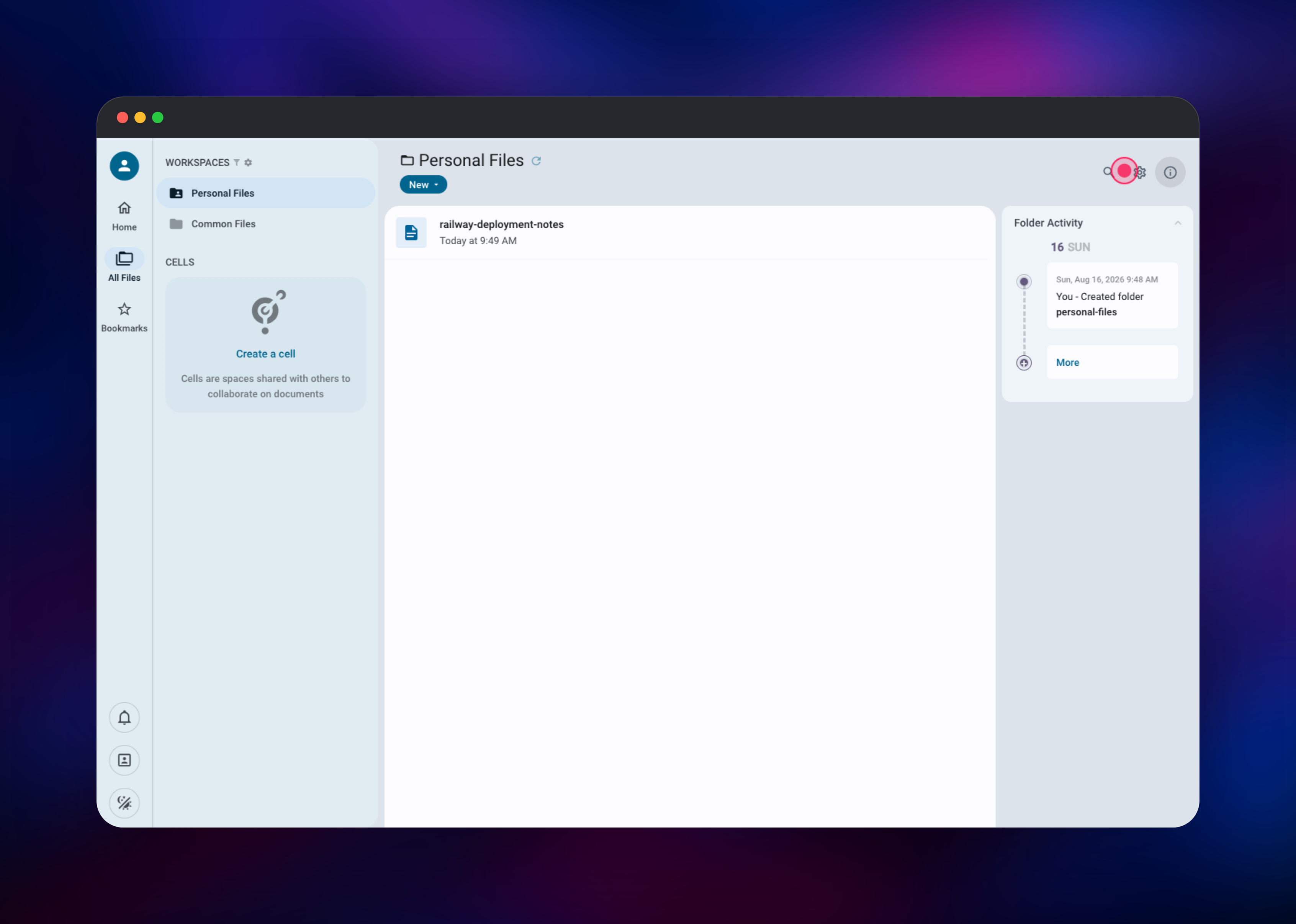
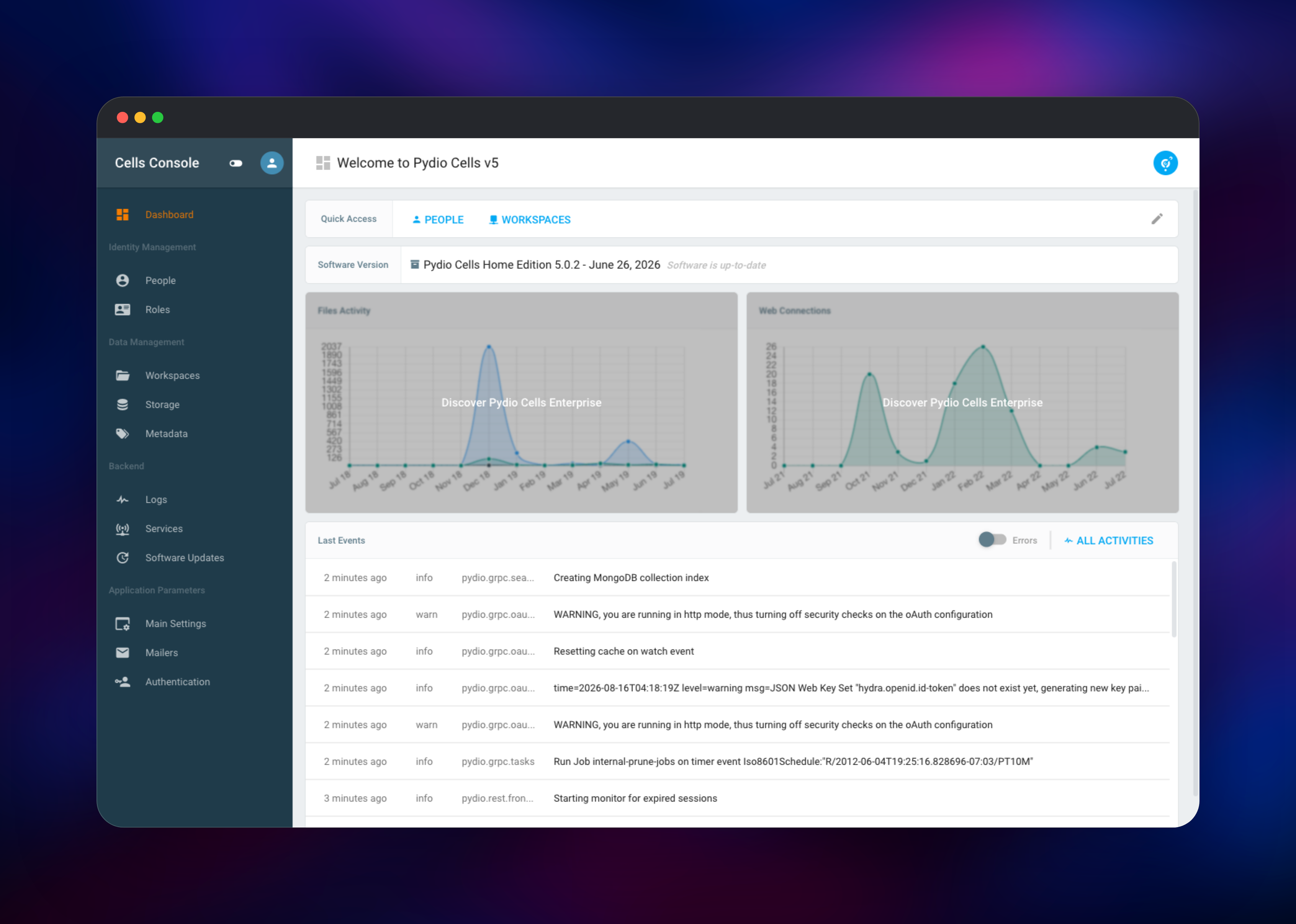
You start with two workspaces, Personal Files and Common Files. Drag a document into Personal Files — if it appears with the right size and a thumbnail, storage, the index and the database are all working. Then open the Cells Console from the account menu: People is where you create user accounts (there is no public sign-up, by design), Workspaces is where you publish a folder to a group, and Backend → Logs shows live server events read back from MongoDB, confirming the document store is connected. Finally create a cell — a shared space mixing folders from several workspaces, with specific people invited into it.
About Hosting Pydio Cells
Most self-hosted file platforms are built around syncing a folder. Pydio Cells is built around governing documents: who may see what, who did what, and how a file changed. That makes it a common choice in regulated settings — legal, healthcare, public sector, engineering — where a share link needs an expiry date and an auditor needs to see who downloaded it.
Key features:
- Workspaces and cells — publish folders to groups, then build shared spaces drawing from several workspaces at once
- Granular permissions — read/write/deny rules per role, group, user and path
- Public links — password-protected, expiring, download-limited links for outside collaborators
- Versioning and recycle bin — a full version history per file, on its own datasource
- Sync and access — desktop sync client, mobile apps, WebDAV and an S3-compatible gateway
- Activity and audit — activity streams, notifications and searchable server logs
The container runs the whole Cells microservice mesh under one supervisor with an embedded proxy in front, so nothing needs splitting across services. The volume holds configuration, the encryption keyring and the document bytes.
Why Deploy Pydio Cells on Railway
Railway removes the parts of a Cells install that usually take an afternoon:
- Managed PostgreSQL and MongoDB provisioned and connected for you
- TLS and a public domain handled at the edge — no certificate management
- A persistent volume at
/var/cells, with no host filesystem to configure - Health checks and restarts wired to the app's own readiness endpoint
- Scaling and logs without touching a server
Common Use Cases for Self-Hosted Pydio Cells
- A private Dropbox for a company — departmental workspaces, cells for cross-team projects, expiring links for clients
- Regulated document handling — client or patient files where every access is recorded, per folder
- Large-file exchange — drawings, video rushes or datasets sent by link instead of email attachment
- A governed front door to storage — expose an S3 bucket as a permissioned workspace with versioning
Dependencies for Pydio Cells
- Pydio Cells —
pydio/cells:latest(GitHub, Docker Hub): the application, its API and its embedded proxy - PostgreSQL — identities, roles, ACLs, workspaces and the datasource index
- MongoDB — logs, activity streams, versions, the mailer queue and the search index
Environment Variables Reference
| Variable | Purpose |
|---|---|
CELLS_ADMIN_LOGIN | First administrator's username, default admin |
CELLS_ADMIN_PASSWORD | That administrator's password, applied on first boot only |
CELLS_APPLICATION_TITLE | Name shown in the browser tab and interface |
DB_* | PostgreSQL connection, pre-filled from the database service |
MONGO_DSN | MongoDB connection string; remove it to fall back to embedded storage |
CELLS_SITE_EXTERNAL | Public URL override. Set only for a domain Railway does not manage |
PORT | Port the site listens on, default 8080 |
Deployment Dependencies
- Source: (AGPL-3.0) · Image: · Docs:
Hardware Requirements for Self-Hosting Pydio Cells
| Resource | Minimum | Recommended |
|---|---|---|
| CPU | 2 vCPU | 4 vCPU |
| RAM | 2 GB | 8 GB |
| Storage | 10 GB volume | 100 GB+, sized to your documents |
| Runtime | Linux container + PostgreSQL 12+ or MySQL 5.7+ | Same, plus MongoDB |
Cells idles in a few hundred megabytes, but memory rises with concurrent uploads, thumbnailing and indexing, so give it headroom before inviting a whole team. Size the volume for documents plus their version history, which is kept separately.
Self-Hosting Pydio Cells
The quickest way to try Cells locally is one container on SQLite, needing no database at all. The following is a Docker command:
docker run -d --name cells \
  -p 8080:8080 \
  -v cells_data:/var/cells \
  pydio/cells:latest
Open https://localhost:8080, accept the self-signed certificate and complete the browser installer.
For anything real, give it a proper database. The following is a Docker Compose file that mirrors what this template deploys:
services:
  cells:
    image: pydio/cells:latest
    ports: ["8080:8080"]
    environment:
      - CELLS_SITE_EXTERNAL=https://files.example.com
    volumes: [cells_data:/var/cells]
    depends_on: [postgres, mongo]
  postgres:
    image: postgres:18
    environment:
      POSTGRES_USER: pydio
      POSTGRES_PASSWORD: change-me
      POSTGRES_DB: cells
    volumes: [pg_data:/var/lib/postgresql]
  mongo:
    image: mongo:8
    volumes: [mongo_data:/data/db]
volumes:
  cells_data: {}
  pg_data: {}
  mongo_data: {}
Behind any TLS-terminating proxy, tell Cells its public address with CELLS_SITE_EXTERNAL and let the proxy own the certificate — otherwise share links and password-reset mails point at the wrong host.
Is Pydio Cells Free?
Pydio Cells Home Edition is free and open source under AGPL-3.0, with no user cap, no storage cap and no feature gate on sharing, permissions or versioning. Pydio also sells an Enterprise Distribution adding LDAP/AD connectors, compliance-grade audit logs and support. Self-hosting Home Edition on Railway costs only infrastructure.
FAQ
What is Pydio Cells? An open-source document sharing and collaboration server: workspaces, granular permissions, file versioning, activity feeds and secure external sharing on infrastructure the team owns — a self-hosted alternative to SharePoint, Google Drive or Dropbox Business.
What does this Railway template deploy? Three services: the Cells application on a persistent volume, managed PostgreSQL and managed MongoDB. Only Cells is reachable from the internet; both databases stay on Railway's private network.
Why does the template include both PostgreSQL and MongoDB? PostgreSQL is the system of record for users, roles, permissions and workspace structure. MongoDB takes the append-heavy data — server logs, activity streams, version history and the search index — which Cells would otherwise keep in embedded files that grow poorly and are harder to move later.
How do I create additional users in self-hosted Pydio Cells? There is no public sign-up. Open the Cells Console, go to People, add users or groups, then grant access through Workspaces or by inviting them to a cell.
Where are uploaded files actually stored on Railway?
On the volume at /var/cells, under the datasources Cells creates on first boot, so pushing a new image never touches your documents. Cells also supports S3-backed datasources from Data Management → Storage.
Template Content


