
Deploy QuestDB
Time-series database for storing and querying timestamped data
questdb
Just deployed
/var/lib/questdb
Deploy and Host QuestDB on Railway
QuestDB is an open-source time-series database for workloads where rows arrive faster than a general-purpose database can absorb them: market ticks, sensor readings and application metrics. It stores data in columns ordered by a designated timestamp, so a query over a time window reads only the columns and partitions it needs, and it speaks ordinary SQL extended with SAMPLE BY, LATEST ON and ASOF JOIN. Trading firms and telemetry platforms self-host QuestDB because one node handles millions of rows per second with no cluster to babysit.
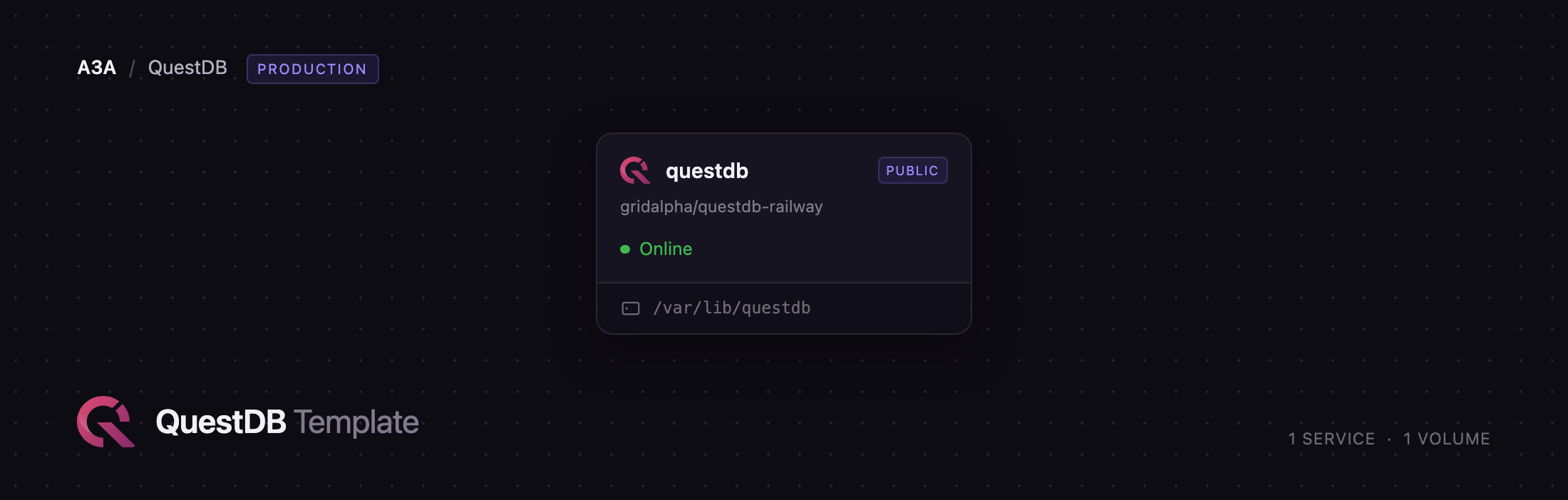
Deploy QuestDB on Railway and you get one service running the official questdb/questdb image with a persistent volume at /var/lib/questdb holding the tables, write-ahead log and configuration. The public HTTPS domain points at port 9000, which serves the Web Console, the REST query API, InfluxDB line protocol over HTTP and the QWP binary protocol — all behind HTTP basic authentication generated at deploy time. Postgres wire on 8812 and line protocol over TCP on 9009 stay private, reachable from your other services at questdb.railway.internal, while a small server on 9003 answers the health check and exposes Prometheus metrics.
Getting Started with QuestDB on Railway
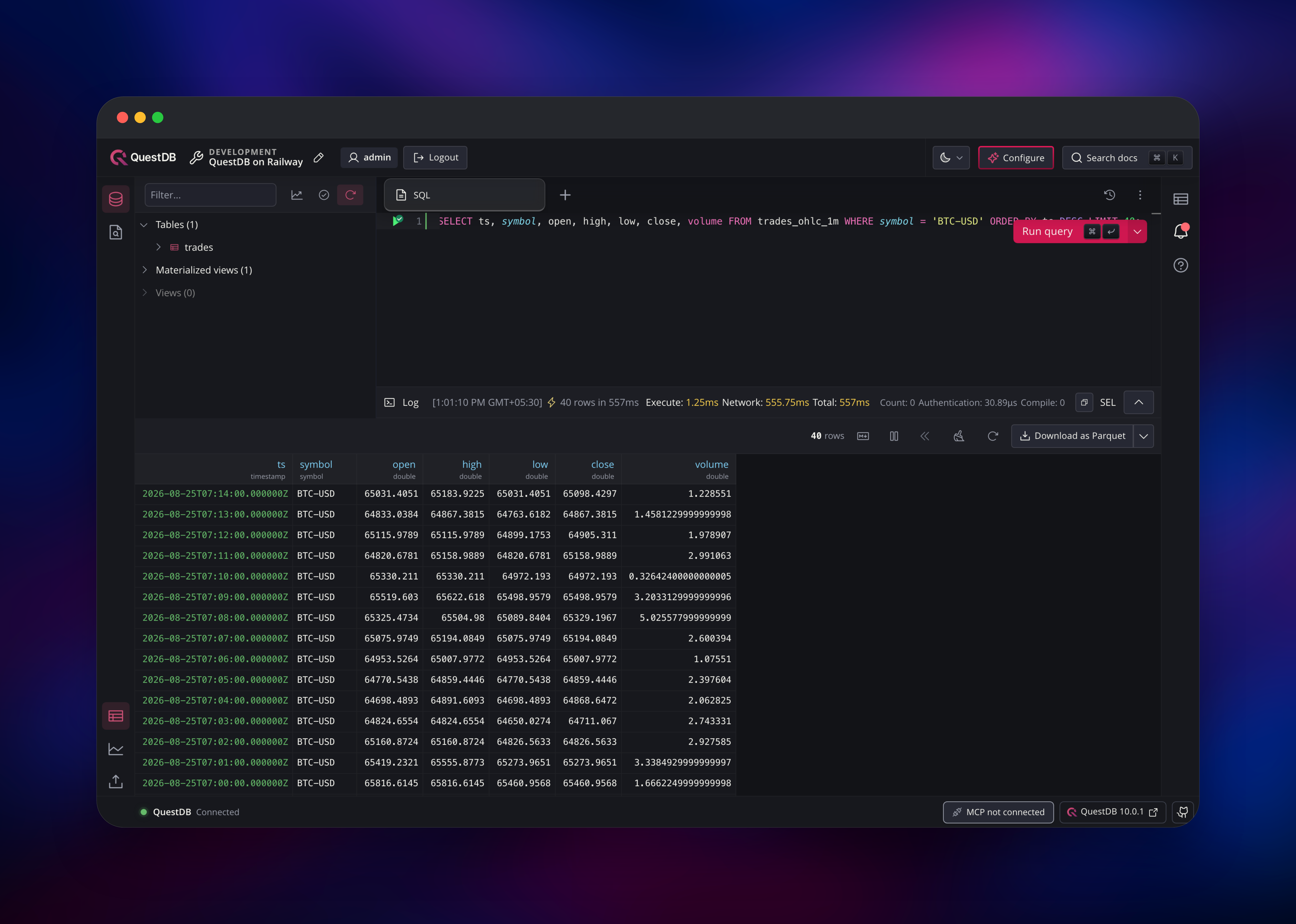
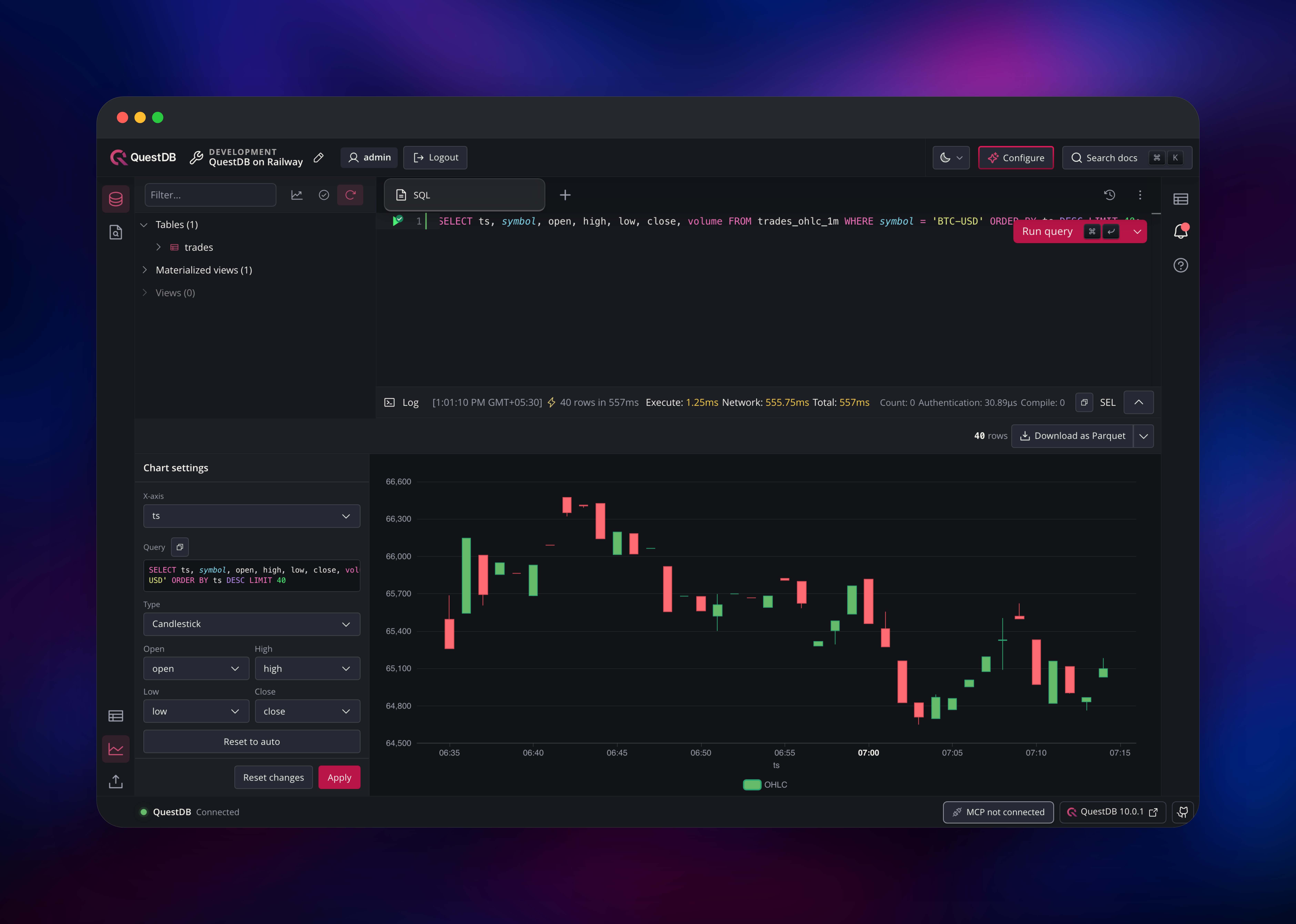
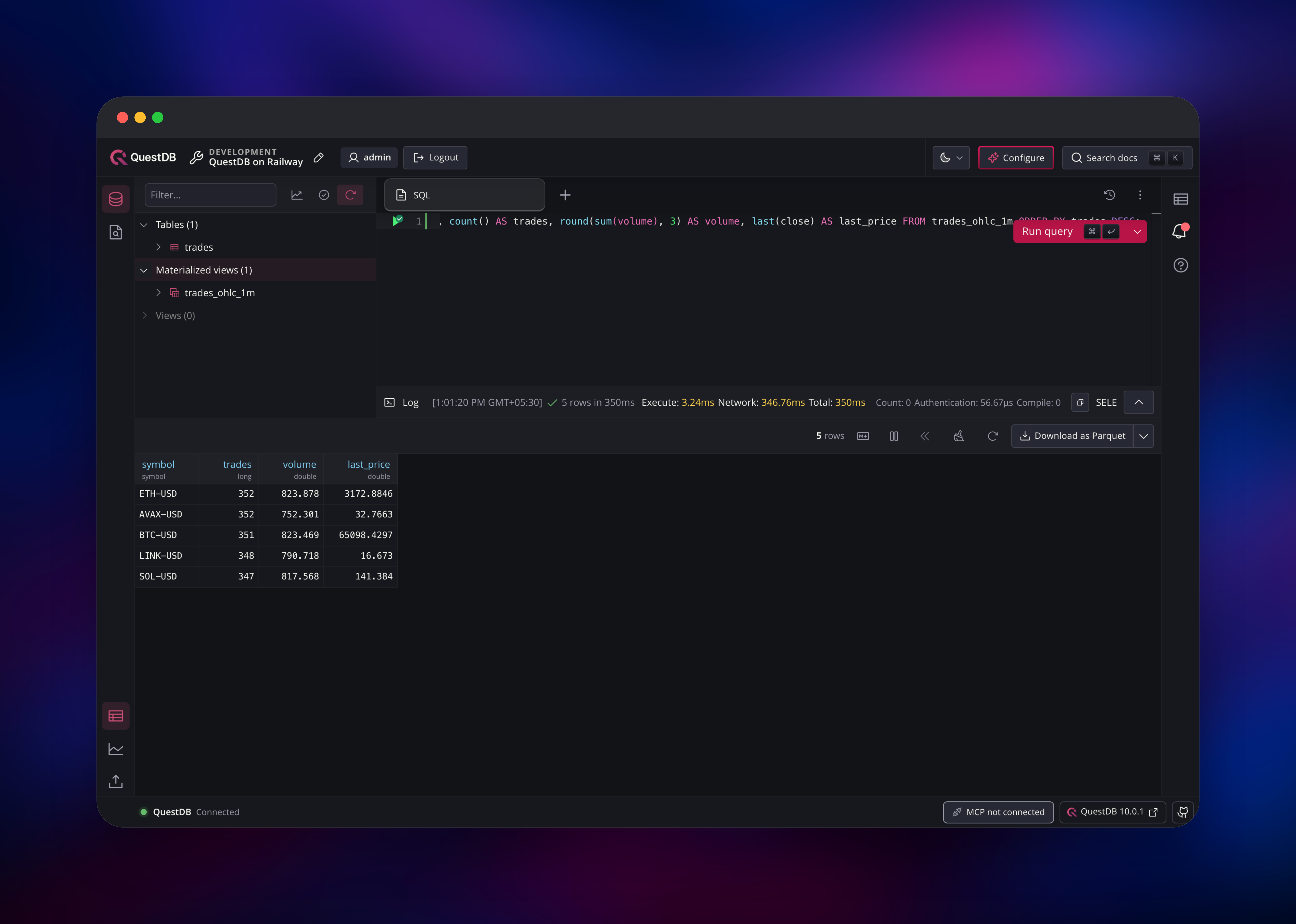
Open the generated Railway URL and the Web Console asks you to sign in. There are no shipped default credentials: the username and password come from QDB_HTTP_USER and QDB_HTTP_PASSWORD, so read them from the Railway dashboard first, or set your own and redeploy. The left panel then lists tables, materialized views and views — empty on a fresh deployment — and the centre pane is a SQL editor. Create a table with CREATE TABLE trades (symbol SYMBOL, price DOUBLE, ts TIMESTAMP) TIMESTAMP(ts) PARTITION BY HOUR WAL;, then send rows over line protocol from your application or use the Import CSV button in the left rail. Run SELECT count() FROM trades; after the first write to confirm the deployment works end to end. The chart icon below the results panel plots the columns your query returned, the quickest way to check your timestamps and partitioning.
About Hosting QuestDB
QuestDB is a single Java, C++ and Rust process with no external dependencies — no ZooKeeper, no metadata store, no coordinator tier — so the whole database is one container plus one directory on disk. Self-hosting suits teams collecting telemetry continuously who want predictable cost and control of retention.
SAMPLE BYfor downsampling,ASOF JOINfor aligning differently-sampled series,LATEST ONfor the newest row per key- Materialized views maintaining aggregates incrementally, and Live Views refreshing window-function results in milliseconds
- Four ingestion paths: line protocol over HTTP and TCP, Postgres wire, REST, and the QWP binary protocol added in QuestDB 10
- Write-ahead logging with out-of-order writes, table-level Parquet storage and time-based partitioning with TTL
The single questdb service is the whole database, and the volume at /var/lib/questdb is what makes it durable. The source repository adds one piece on top of the official image: a TCP forwarder that accepts IPv6 connections and hands them to QuestDB's IPv4 listeners, because Railway routes traffic between services over IPv6 while QuestDB binds IPv4 only. Without it your other services could not reach the database privately.
Why Deploy QuestDB on Railway
Railway removes the operational overhead of running a database:
- One click provisions the container, volume and HTTPS domain together
- Basic-auth credentials are generated at deploy time, not left at a default
- Private networking reaches Postgres wire and line protocol without exposing them
- Vertical scaling, metrics, logs, health checks and restarts built in
Common Use Cases for Self-Hosted QuestDB
- Financial market data — tick-level trades rolled into minute or hourly OHLC candles with
SAMPLE BYand materialized views - IoT and industrial telemetry — millions of sensor readings per second, queried by device and time range
- Application and infrastructure metrics — a long-retention backend for Telegraf, with Grafana on top
- Real-time dashboards — Live Views keep aggregates warm so refreshes stay in the millisecond range
Dependencies for QuestDB
questdb/questdb:10.0.1— the official Docker Hub image, bundling its own JVM, the Web Console and every protocol listener.- A volume at
/var/lib/questdb— holdsdb/(tables and write-ahead log),conf/andsnapshot/. It is the only stateful dependency; QuestDB needs no external database, cache or object storage.
Environment Variables Reference
Every QuestDB setting maps to a variable: take the configuration key, replace dots with underscores, uppercase, prefix QDB_.
| Variable | Purpose |
|---|---|
QDB_HTTP_USER / QDB_HTTP_PASSWORD | Basic authentication for the Web Console, REST API and line protocol over HTTP. Setting one without the other stops the server booting |
QDB_PG_USER / QDB_PG_PASSWORD | Postgres wire credentials, used by Grafana, psql and any Postgres client |
QDB_HTTP_HEALTH_CHECK_AUTHENTICATION_REQUIRED | Keep at false so the anonymous health check is not rejected |
QDB_METRICS_ENABLED | Prometheus metrics on the private port 9003 |
QDB_HTTP_SECURITY_READONLY | Set to true to reject every write and DDL statement over HTTP |
QDB_RAILWAY_IPV6_RELAY_PORTS | Ports the IPv6 forwarder covers. Change only if you move QuestDB's listeners, or set off to disable it |
Deployment Dependencies
- Source repository: https://github.com/gridalpha/questdb-railway
- Upstream project: https://github.com/questdb/questdb (Apache 2.0)
- Image: https://hub.docker.com/r/questdb/questdb
- Documentation: https://questdb.com/docs/
Hardware Requirements for Self-Hosting QuestDB
| Resource | Minimum | Recommended |
|---|---|---|
| CPU | 2 vCPU | 4-8 vCPU |
| RAM | 2 GB | 8 GB, 32 GB for heavy workloads |
| Storage | 5 GB volume | Retained data plus 30% headroom |
| Runtime | Bundled JVM | Bundled JVM |
QuestDB's capacity-planning guide recommends 8 GB of RAM for ordinary workloads and 32 GB for demanding ones, since read performance leans on the OS page cache. Raise the 5 GB volume from the Railway dashboard before a sustained ingest workload fills it.
Self-Hosting QuestDB
The simplest way to run QuestDB outside Railway is Docker. This starts the server with a host directory for its data and every port published:
docker run -d --name questdb \
  -p 9000:9000 -p 8812:8812 -p 9009:9009 -p 9003:9003 \
  -e QDB_HTTP_USER=admin -e QDB_HTTP_PASSWORD=change-me \
  -e QDB_PG_PASSWORD=change-me \
  -v "$(pwd)/questdb-data:/var/lib/questdb" \
  questdb/questdb:10.0.1
Then write rows over line protocol and read them back with SQL over the REST API using curl:
curl -u admin:change-me -X POST 'http://localhost:9000/write' \
  --data-binary 'trades,symbol=BTC-USD,side=buy price=64000,amount=0.5'

curl -u admin:change-me -G 'http://localhost:9000/exec' \
  --data-urlencode "query=SELECT * FROM trades LIMIT 10"
How Much Does QuestDB Cost to Self-Host?
QuestDB is licensed under Apache 2.0 and is free to self-host, with no node limits, ingestion caps or query-rate restrictions. QuestDB Enterprise, priced on request, adds replication, role-based access control, TLS on every listener and OIDC single sign-on. On Railway you pay only for the compute, memory and volume used, so cost scales with your retention window, not a licence.
QuestDB FAQ
What is QuestDB? QuestDB is an open-source time-series database that stores timestamped data in columns and queries it with SQL. It targets very high ingestion rates and fast aggregations over time windows, and ships with a browser-based Web Console for queries and charts.
What does this Railway template deploy?
A single QuestDB service built from the official questdb/questdb:10.0.1 image, with a volume at /var/lib/questdb, basic authentication enabled, a public HTTPS domain on the Web Console port and a private health and metrics endpoint. No separate database or cache is needed — QuestDB is itself the datastore.
Why does this template need a volume?
QuestDB writes its tables, write-ahead log and configuration to disk, and Railway replaces the container on every deploy. Without a volume at /var/lib/questdb every table would be lost on the next restart.
How do I connect Grafana to self-hosted QuestDB on Railway?
Add Grafana to the same Railway project and point its PostgreSQL data source at questdb.railway.internal:8812, using QDB_PG_USER and QDB_PG_PASSWORD with TLS disabled. Keeping that connection private matters: the Postgres wire port has no TLS in the open-source build.
How do I send data to QuestDB from my application?
Use an official client library for Python, Java, Go, Rust, C#, C++ or Node. Point it at your HTTPS domain with the basic-authentication credentials to ingest from outside Railway, or at questdb.railway.internal:9009 for line protocol over TCP from a service in the same project.
Template Content
questdb
gridalpha/questdb-railway

