Deploy Stalwart Mail Server
All-in-one Mail & Collaboration server.
stalwart latest
Just deployed
/var/lib/stalwart-mail
Deploy and Host Stalwart Mail Server on Railway
Stalwart Mail Server is a modern, open-source mail and collaboration server written in Rust. It provides a complete mail platform with support for JMAP, IMAP4, POP3, SMTP, CalDAV, CardDAV, and WebDAV. Designed for security, scalability, and performance, Stalwart also includes a powerful web administration interface, built-in spam filtering, authentication, monitoring, and collaboration features.
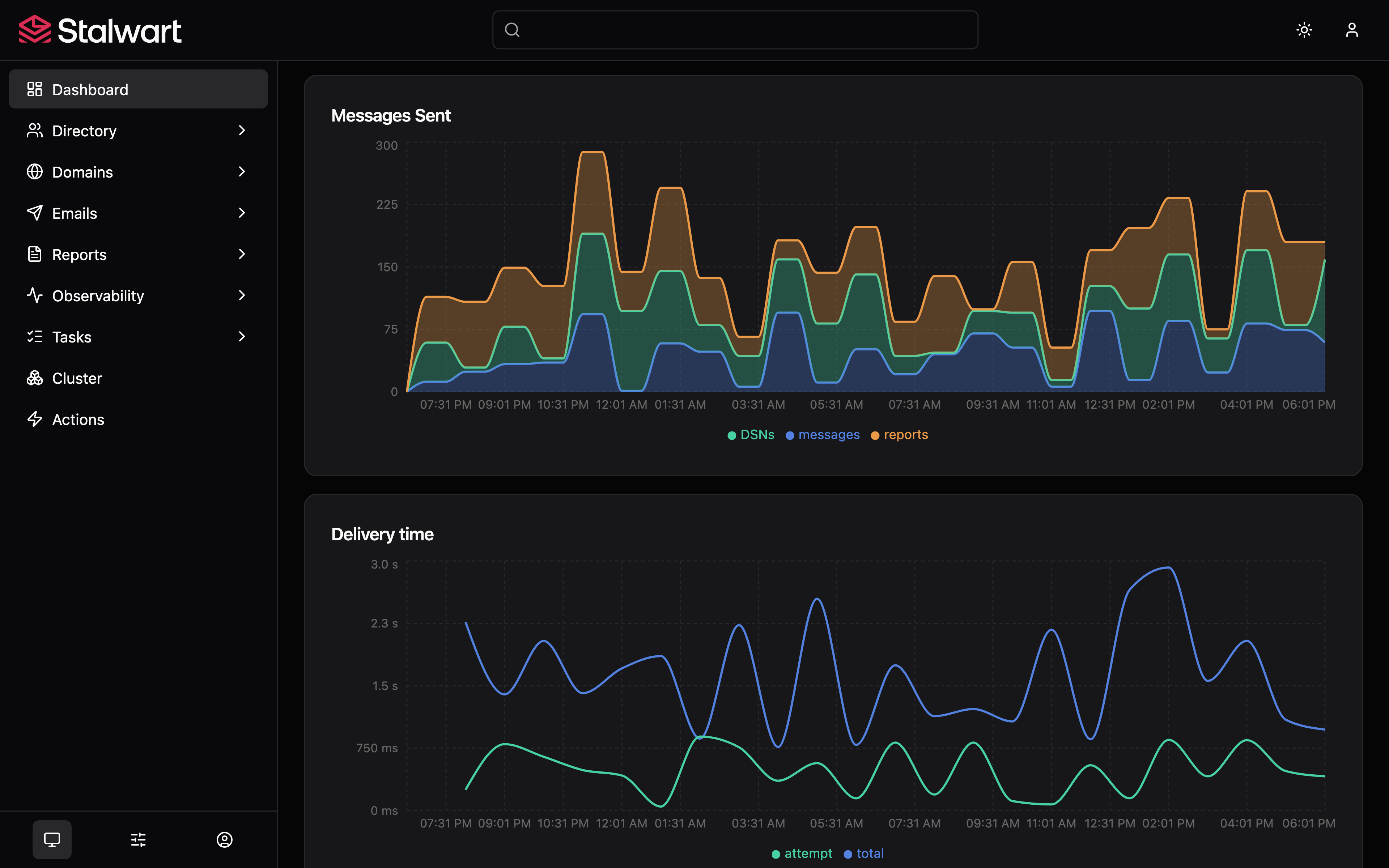
About Hosting Stalwart Mail Server
Railway makes deploying Stalwart Mail Server simple using the official Docker image. Railway automatically provisions the application, manages HTTPS, networking, deployments, and service availability while Stalwart handles mail delivery, collaboration services, and administration. By default, Stalwart uses its built-in RocksDB storage backend, eliminating the need for an external database for most deployments. After deployment, administrators can configure domains, mailboxes, authentication, spam protection, TLS certificates, and collaboration services directly from the web administration interface. Railway provides an ideal platform for hosting personal, business, or enterprise mail infrastructure with minimal operational overhead.
Common Use Cases
- Self-host a secure email server with modern mail protocols.
- Deploy a complete collaboration platform with calendars, contacts, and WebDAV.
- Host multi-domain mail infrastructure with built-in spam protection and administration.
Dependencies for Stalwart Mail Server Hosting
| Dependency | Required | Purpose |
|---|---|---|
| Railway Volume | Yes | Stores configuration, mailboxes, RocksDB database, certificates, and logs. |
Deployment Dependencies
| Resource | Link |
|---|---|
| Official Website | https://stalw.art |
| Documentation | https://stalw.art/docs |
| GitHub Repository | https://github.com/stalwartlabs/mail-server |
| Docker Image | https://hub.docker.com/r/stalwartlabs/stalwart |
| Support Portal | https://support.stalw.art |
Implementation Details
Docker
This template deploys the official Docker image:
stalwartlabs/stalwart:v0.15.5
Railway pulls the prebuilt Docker image directly.
Public Networking
| Setting | Value |
|---|---|
| Proxy Type | HTTP Proxy |
| Target Port | 8080 |
After deployment:
- Open your Railway service.
- Navigate to Settings → Networking.
- Click Generate Domain.
Environment Variables
No additional environment variables are required for the default deployment.
Persistent Storage
A Railway Volume is required.
- Open your Railway service.
- Navigate to Settings → Volumes.
- Click Add Volume.
- Mount the volume at:
/var/lib/stalwart-mail
The mounted volume stores:
- Mailboxes
- Configuration files
- RocksDB database
- TLS certificates
- Email queues
- Logs
- User accounts
- Collaboration data
Using a Railway Volume ensures your data persists across deployments and service restarts.
Database
No external database is required.
Stalwart uses its built-in RocksDB storage backend by default. PostgreSQL, MySQL, SQLite, FoundationDB, Redis, and S3-compatible storage backends are supported but optional.
Build & Start
This template deploys the official Docker image.
No custom build or start commands are required.
Accessing the Application
After deployment:
- Open your Railway service.
- Navigate to Settings → Networking.
- Click Generate Domain.
- Open your generated Railway URL.
Login page:
https:///login
First Login
When Stalwart starts for the first time, it automatically creates the initial administrator account.
To retrieve the administrator credentials:
- Open your Railway project.
- Select the Stalwart Mail Server service.
- Open the latest Deploy Logs.
- Look for a message similar to:
✅ Configuration file written...

🔑 Your administrator account is 'admin' with password 'xxxxxxxx'.
- Sign in using:
Username
admin
Password
Use the password displayed in the Railway Deploy Logs.
After signing in, it is recommended to immediately change the administrator password.
Initial Configuration
After logging in:
- Go to Settings → Storage if you want to use a storage backend other than the default RocksDB.
- Configure Settings → Authentication if you plan to use LDAP, SQL, or OpenID Connect.
- Set your mail server hostname under Settings → Server → Network.
- Create your email domain under Management → Directory → Domains.
- Add the generated DNS records (MX, SPF, DKIM, and DMARC) to your DNS provider.
- Configure TLS certificates under Settings → Server → TLS or use a reverse proxy.
- Restart the service after completing the initial configuration.
- Create user accounts under Management → Directory → Accounts.
- Connect your email clients using IMAP, SMTP, POP3, or JMAP.
Supported Protocols
- JMAP
- IMAP4rev2
- IMAP4rev1
- POP3
- SMTP
- ManageSieve
Collaboration
- CalDAV
- CardDAV
- WebDAV
- JMAP Calendars
- JMAP Contacts
- JMAP File Storage
Key Features
- Built-in web administration dashboard
- JMAP, IMAP4, POP3, SMTP support
- CalDAV, CardDAV, and WebDAV
- Multi-domain hosting
- DKIM, SPF, DMARC, ARC, DANE, and MTA-STS
- Built-in spam and phishing protection
- LLM-powered spam analysis
- Full-text search
- OAuth 2.0 and OpenID Connect
- Two-factor authentication (TOTP)
- Prometheus metrics
- OpenTelemetry support
- Webhooks
- Sieve scripting
- Automatic TLS certificate management
- High availability architecture
- Embedded RocksDB storage
- Optional PostgreSQL, MySQL, SQLite, FoundationDB, Redis, and S3-compatible storage backends
Why Deploy Stalwart Mail Server on Railway?
Railway is a singular platform to deploy your infrastructure stack. Railway will host your infrastructure so you don't have to deal with configuration, while allowing you to vertically and horizontally scale it.
By deploying Stalwart Mail Server on Railway, you are one step closer to supporting a complete full-stack application with minimal burden. Host your servers, databases, AI agents, and more on Railway.
Template Content
stalwart latest
stalwartlabs/stalwart:v0.15.5