
Deploy tinyfilemanager
Browser-based file manager for a folder on your server
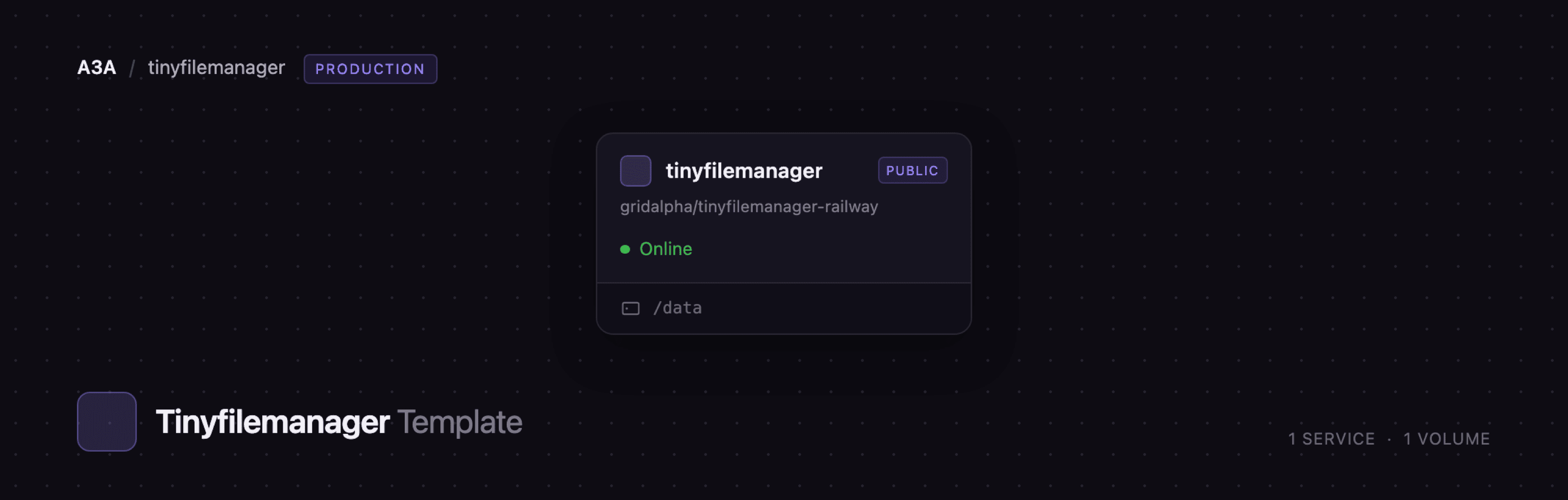
tinyfilemanager
Just deployed
/data
Deploy and Host Tiny File Manager on Railway
Tiny File Manager is a web-based file manager written as a single PHP file. It gives you a browser UI over a directory on a server: upload, download, rename, move, copy, zip, unzip, preview and edit files, with login accounts and optional read-only users. Developers and small teams use it instead of FTP or a full cloud-storage suite. Self-host Tiny File Manager for a private drop box for build artefacts, client deliverables or backups.
Deploy Tiny File Manager on Railway and you get one service, tinyfilemanager, running the app on PHP 8.4 with Apache, plus a persistent volume at /data. Uploads live in /data/files, PHP sessions in /data/sessions so a redeploy does not sign you out, and the generated configuration in /data/config.php. The admin login is built at startup from the password you supply, and the files are published at an unguessable generated prefix so direct links and previews work without exposing them under a guessable URL.
Getting Started with Tiny File Manager on Railway
Set TFM_ADMIN_PASSWORD when you deploy — the only value the template needs, minimum eight characters. Open the public URL and you land on the login form; sign in as admin (or whatever TFM_ADMIN_USER says) with that password. The project's published defaults, admin/admin@123 and user/12345, are never active here, because your password is hashed into the configuration every time the container starts.
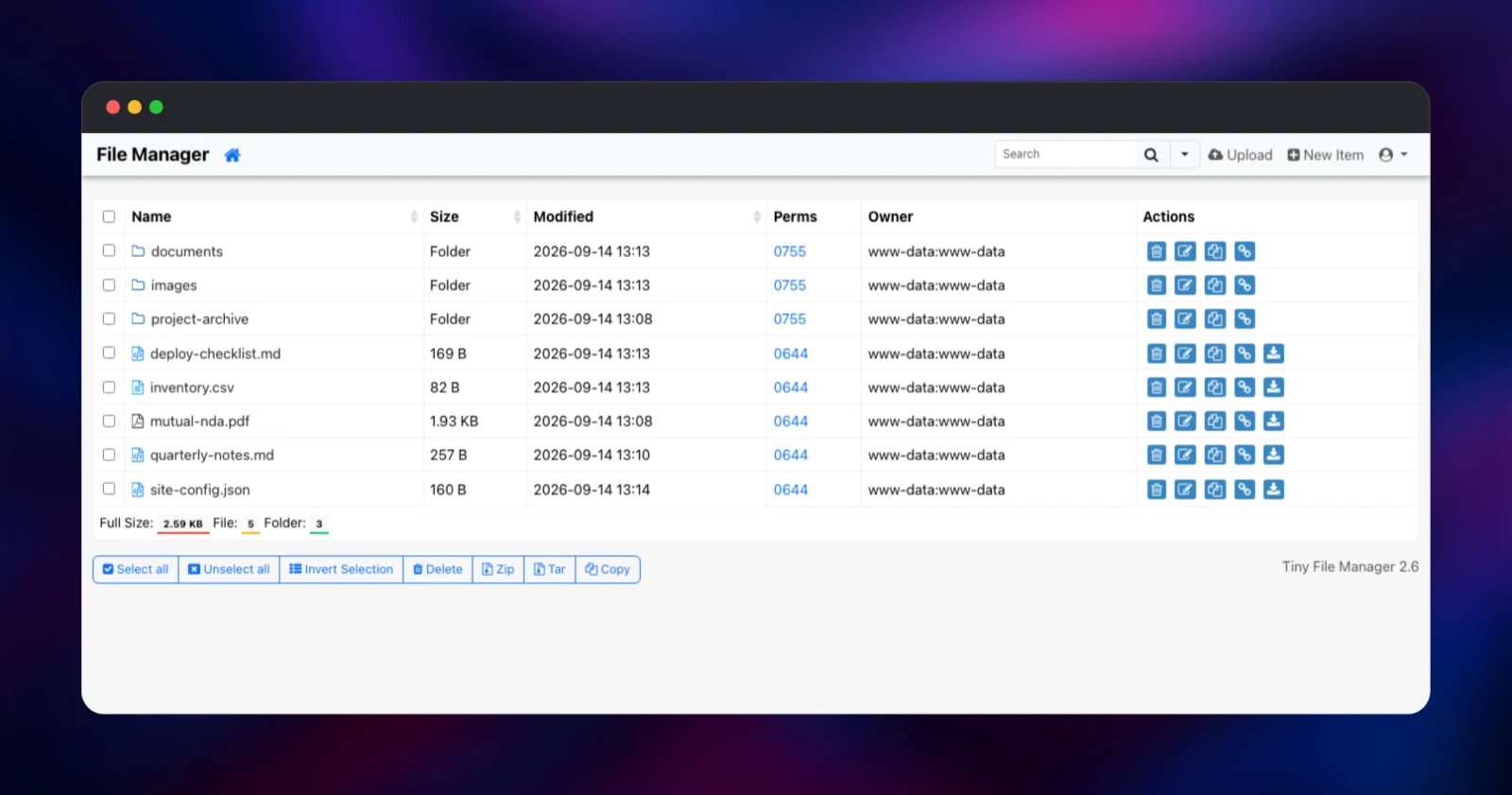
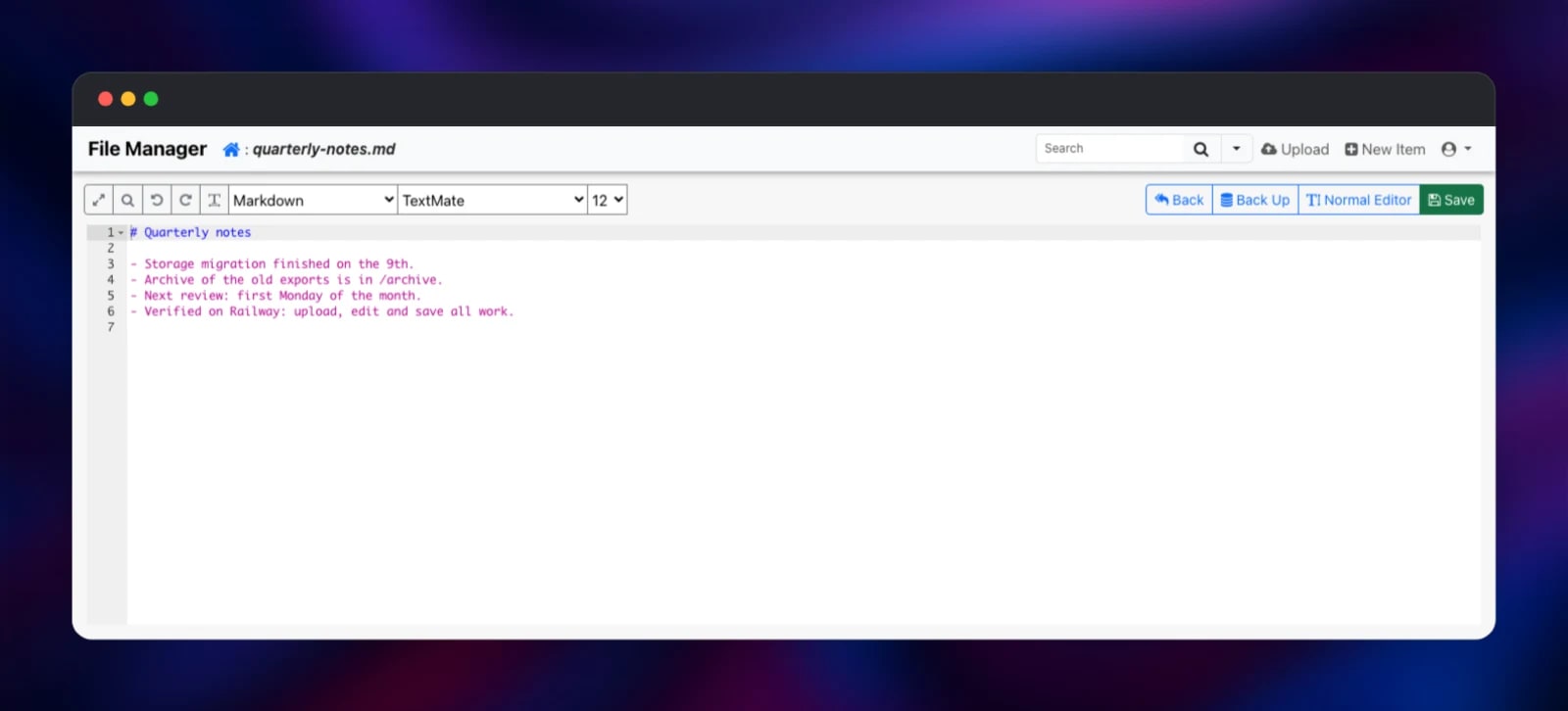
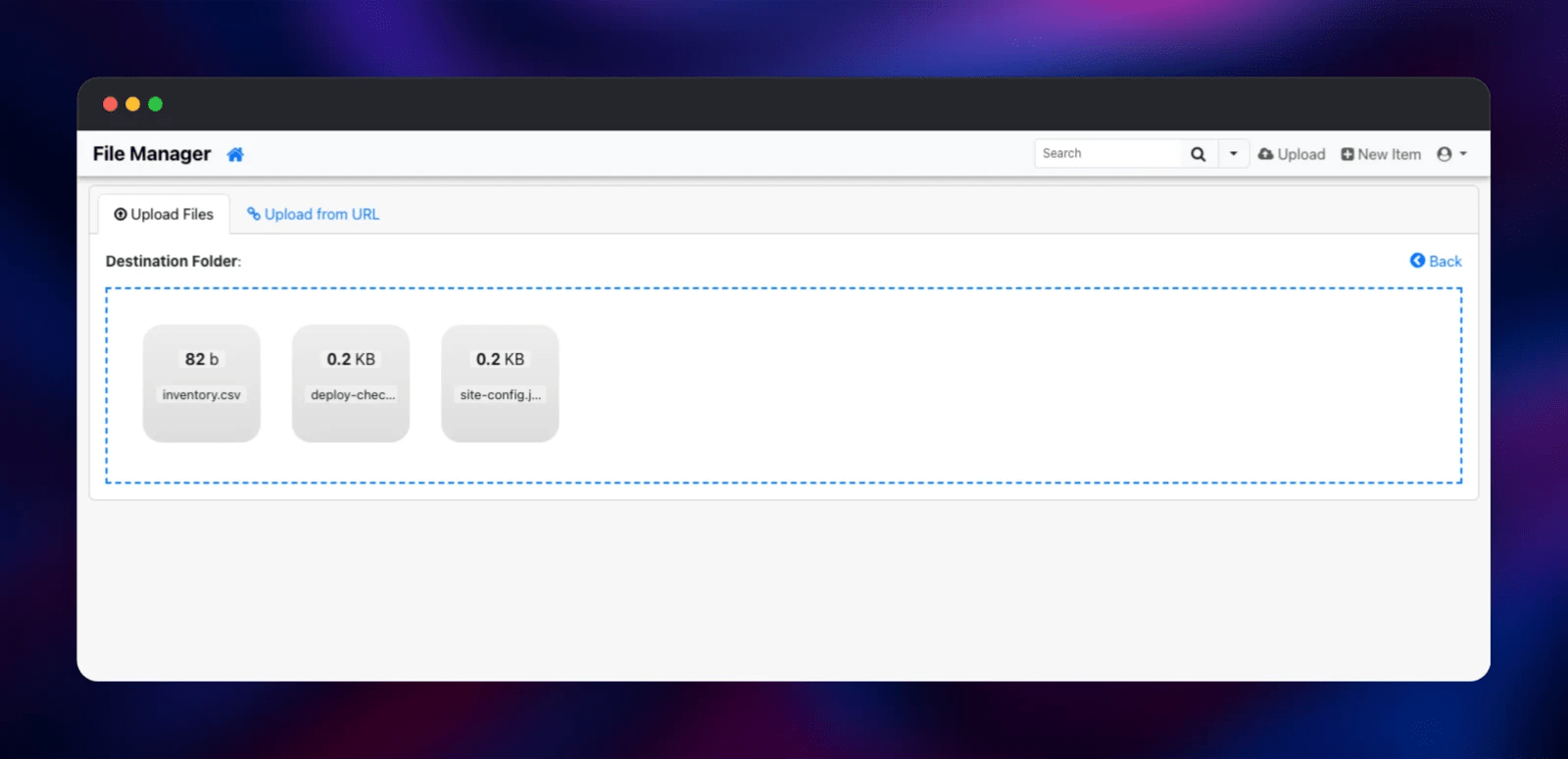
The first screen is the listing for /data/files, empty on a fresh deployment. Click New Item to create a folder, then Upload and drag files into the dashed drop zone; the listing shows size, modification time, permissions and owner. The pencil icon opens the built-in editor — a plain textarea, or the Ace editor with highlighting for 150+ languages behind the Advanced Editor link — where you edit and press Save. To confirm the deployment end to end, upload a file, redeploy, and check it is still listed: that proves the volume is mounted and persistent. The service also answers GET /healthz with ok, and 503 when the volume or configuration is unreadable, so it doubles as an uptime check.
About Hosting Tiny File Manager
Tiny File Manager puts a usable file browser in front of a directory, with no database, no workers and no build step. The whole application is one PHP file plus a translation catalogue, so it starts in under a second and idles on a few megabytes. Teams reach for it when a collaboration platform is overkill — handing a designer a folder of assets, or keeping an SSH-free way to fix a config file.
Key features:
- Create, rename, copy, move, delete and download files and folders
- Chunked, drag-and-drop uploads, plus upload from a remote URL
- Zip and tar compression and extraction in place
- Built-in code editor with syntax highlighting and 35+ themes
- Per-user accounts, read-only users and per-user home directories
- Direct links, hover previews for images, search and IP allow-listing
The Railway architecture is flat: the tinyfilemanager service is the whole application and the volume is the storage tier. There is no database, because the app keeps no state beyond the files and a small settings file, both on the volume.
Why Deploy Tiny File Manager on Railway
Railway supplies what this app actually needs:
- A persistent volume, so uploads survive redeploys and restarts
- HTTPS on a public domain with no certificate work
- One-click deploys from the source repository, with automatic rebuilds
- Logs, metrics and health checks without extra tooling
Common Use Cases
- A private file drop for a client or contractor who should not get SSH access
- Editing configuration or content files on a small server from a phone
- Hosting static assets and sharing per-file links with teammates
- Staging build artefacts, exports or backups between environments
Dependencies for Tiny File Manager
php:8.4-apache— the base image, running Apache with mod_php- Source repository: gridalpha/tinyfilemanager-railway, which fetches the app from prasathmani/tinyfilemanager
- A 5 GB Railway volume at
/data, resizable in the dashboard
The app needs nothing beyond PHP with the zip, fileinfo, iconv and mbstring extensions, all present in the image. Apache sizes its worker pool from the container's CPU quota and recovers the real client address from the forwarded headers, so the app's IP rules and access log stay accurate.
Environment Variables Reference
| Variable | Default | What it does |
|---|---|---|
TFM_ADMIN_PASSWORD | — | Admin password, minimum 8 characters. Hashed at startup |
TFM_ADMIN_USER | admin | Admin login name |
TFM_READONLY_USER | — | Optional browse-and-download-only account |
TFM_READONLY_PASSWORD | — | Password for that account |
TFM_PUBLIC_PATH | generated | URL prefix the files are served at; off disables direct links |
TFM_MAX_UPLOAD_MB | 512 | Upload ceiling, applied to PHP and the app |
TFM_ALLOWED_UPLOAD_EXTENSIONS | — | Upload allow-list, e.g. jpg,png,pdf |
TFM_GLOBAL_READONLY | false | Makes every account read-only |
TFM_EDIT_FILES | true | Set false to remove the built-in editor |
TFM_TIMEZONE | Etc/UTC | Timezone for displayed timestamps |
Deployment Dependencies
- Project and issues: https://github.com/prasathmani/tinyfilemanager
- Wiki: https://github.com/prasathmani/tinyfilemanager/wiki
- Upstream image: https://hub.docker.com/r/tinyfilemanager/tinyfilemanager
Hardware Requirements for Self-Hosting Tiny File Manager
| Resource | Minimum | Recommended |
|---|---|---|
| CPU | 0.5 vCPU | 1 vCPU |
| RAM | 256 MB | 512 MB–1 GB |
| Storage | 1 GB volume | Sized to your files; 5 GB default |
| Runtime | PHP 5.5+ | PHP 8.4 + Apache |
Self-Hosting Tiny File Manager
The simplest install is to copy one file into a directory a PHP web server already serves, then set a password hash in $auth_users. With Docker, this builds the same image the template deploys:
git clone https://github.com/gridalpha/tinyfilemanager-railway
cd tinyfilemanager-railway
docker build -t tinyfilemanager .
docker run -d -p 8080:8080 \
  -e PORT=8080 \
  -e TFM_ADMIN_PASSWORD=choose-a-strong-password \
  -v tfm-data:/data \
  tinyfilemanager
Upstream's own image runs PHP's built-in development server, which handles one request at a time — fine for a look, not for production:
docker run -d -p 8080:80 \
  -v /absolute/path/to/files:/var/www/html/data \
  tinyfilemanager/tinyfilemanager:master
Is Tiny File Manager Free?
Yes. Tiny File Manager is open source under the GPL-3.0 licence, with no paid tier, seat limits or feature gating — the whole application is the single PHP file in the repository. Self-hosting on Railway costs only the infrastructure: one small container and the volume holding your files. The app idles between requests, so a low-traffic instance is among the cheapest useful services you can run.
FAQ
What is Tiny File Manager?
An open-source, single-file PHP application that gives you a browser-based file manager for a directory on a server: uploads, downloads, an editor, archiving and user accounts.
What does this Railway template deploy?
One service running Tiny File Manager on PHP 8.4 with Apache, plus a persistent volume at /data holding your files, the sessions and the generated configuration.
Why does the template include a volume instead of a database?
The application stores nothing in a database — the files are the data, so without a volume every upload would be lost the next time the container was replaced.
How do I set the admin password for self-hosted Tiny File Manager?
Set the TFM_ADMIN_PASSWORD variable. The project normally expects a bcrypt hash pasted into a config file; here a plain password is hashed for you at startup. You can supply your own hash through TFM_ADMIN_PASSWORD_HASH, and change either by updating the variable.
Are my uploaded files publicly downloadable?
Only by exact URL, under a random prefix generated once for your deployment — directory listing is off, dotfiles are refused, and a PHP file in the managed directory is served as plain text rather than executed. That prefix is what makes direct links, image previews and the document viewer work. Set TFM_PUBLIC_PATH=off to stop serving files publicly, or to a readable name such as files for tidy links.
How do I give someone access without letting them change anything?
Set TFM_READONLY_USER and TFM_READONLY_PASSWORD. That account can browse, preview and download, while every create, rename, move, upload and delete control is hidden and refused server-side. TFM_GLOBAL_READONLY=true applies it to every account.
Can I upload large files?
Yes. Uploads are chunked, and TFM_MAX_UPLOAD_MB (512 by default) sets the ceiling for both PHP and the app. Raise it for media work and resize the volume to match — the 5 GB default fills quickly with video.
Template Content
tinyfilemanager
gridalpha/tinyfilemanager-railway

