
Deploy Transfer.sh
Upload a file with curl and get a shareable link that expires

caddy
Just deployed
transfer-sh
Just deployed
/data
Deploy and Host transfer.sh on Railway
transfer.sh is a small Go server that turns file sharing into a single shell command. You pipe or upload a file with curl, and it answers with a random-token URL anyone can download from — no account, no client, no dashboard in the way. Developers use it to hand a colleague a log file, move a database dump between machines, or ship a build artifact out of CI. There is a drag-and-drop web page too, but the command line is the point.
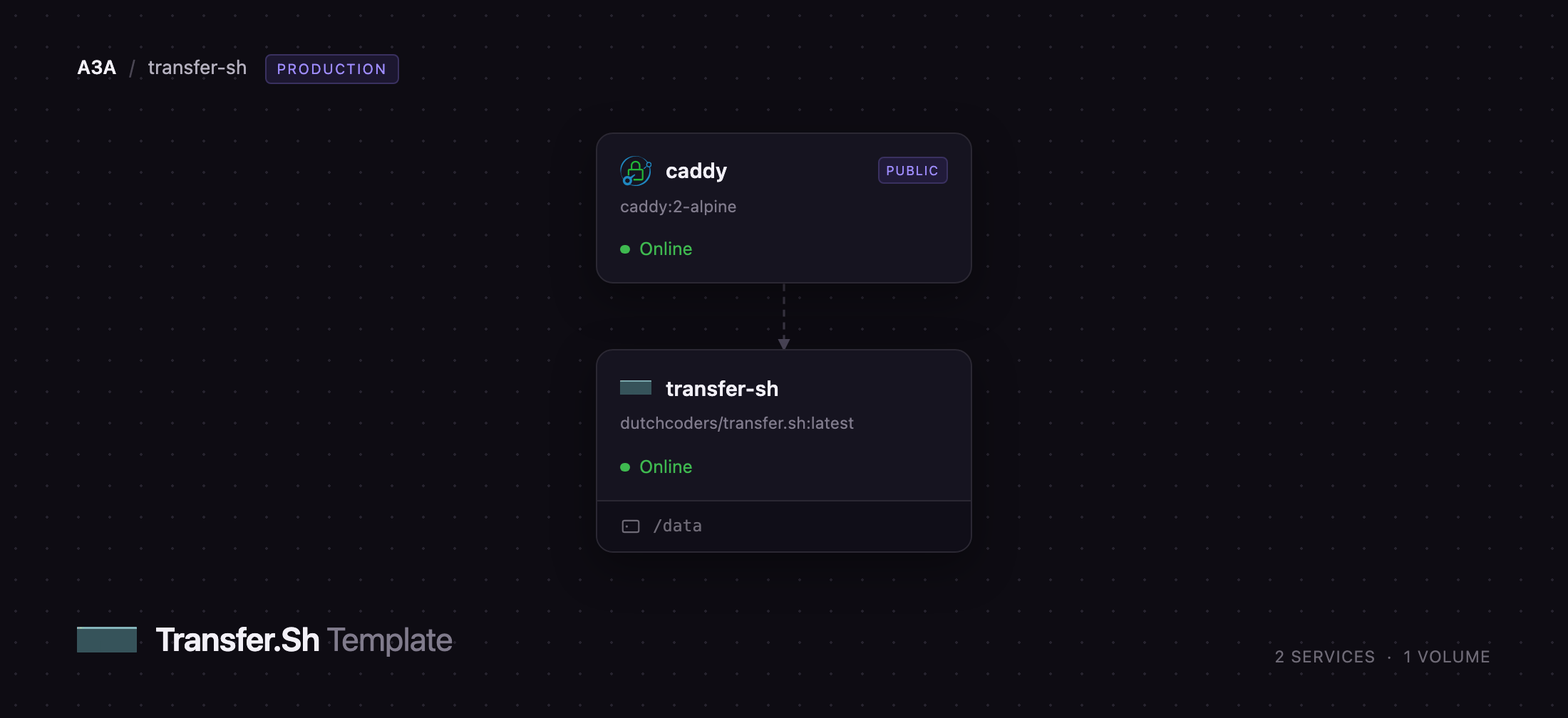
Deploy transfer.sh here and you get two services: caddy, which holds the public URL and proxies every request onward, and transfer-sh, which stores uploads on a 5 GB Railway volume and sweeps them on a schedule. Uploads require HTTP basic auth so strangers cannot fill your disk; downloads stay open, because the unguessable token in the URL is what you share. Self-host transfer.sh this way and the whole thing is one binary, one volume and no database.
Getting Started with transfer.sh on Railway
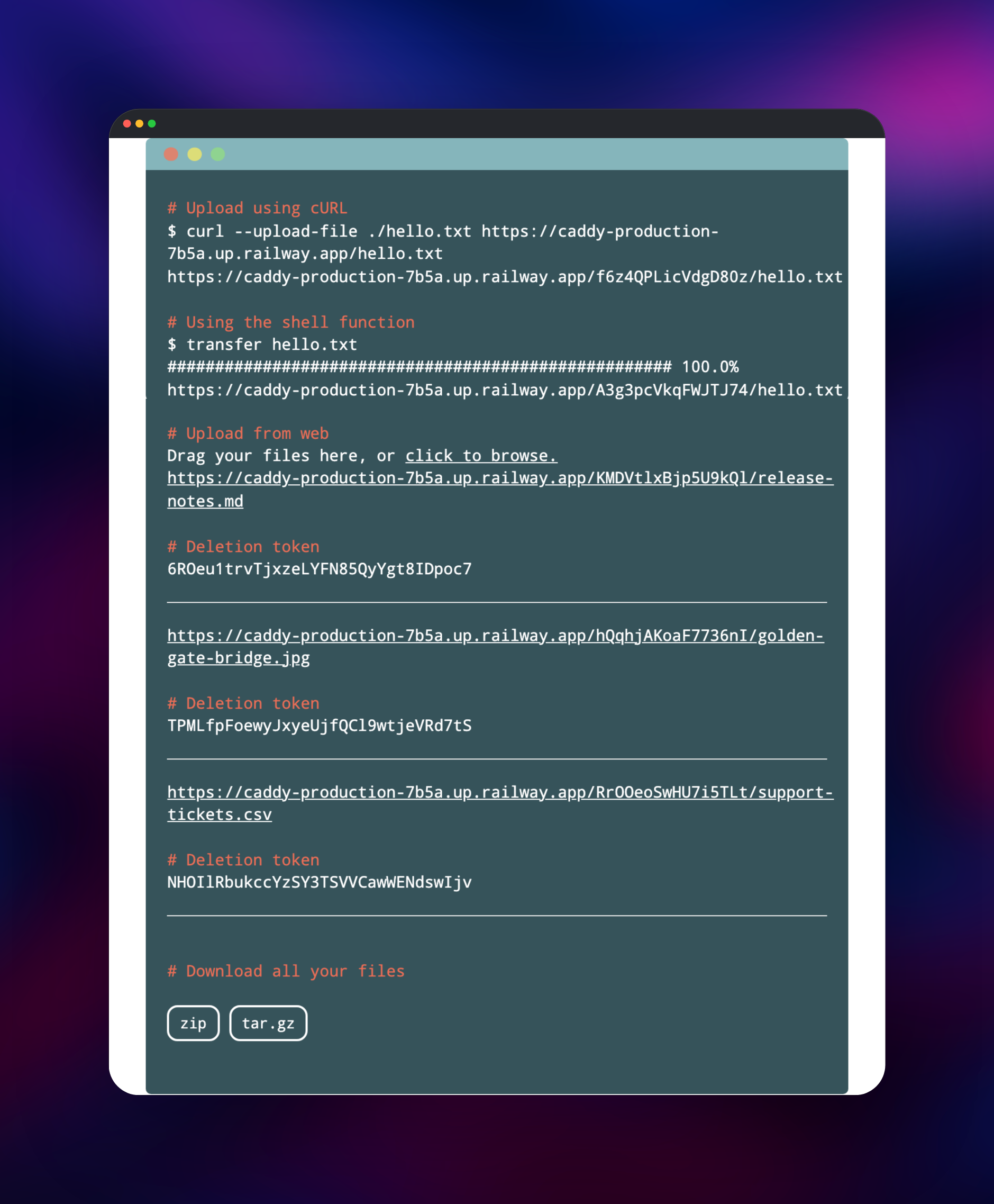
Set HTTP_AUTH_USER and HTTP_AUTH_PASS at deploy time — the upload credentials are the only values you have to choose. When the deployment goes green, open the public URL on the caddy service: the transfer.sh home page shows the exact curl commands for your own domain. There is no admin panel and no account to create.
Send your first file from a terminal to confirm the deployment works:
curl -u uploader:yourpassword --upload-file ./notes.txt https://your-domain.up.railway.app/notes.txt
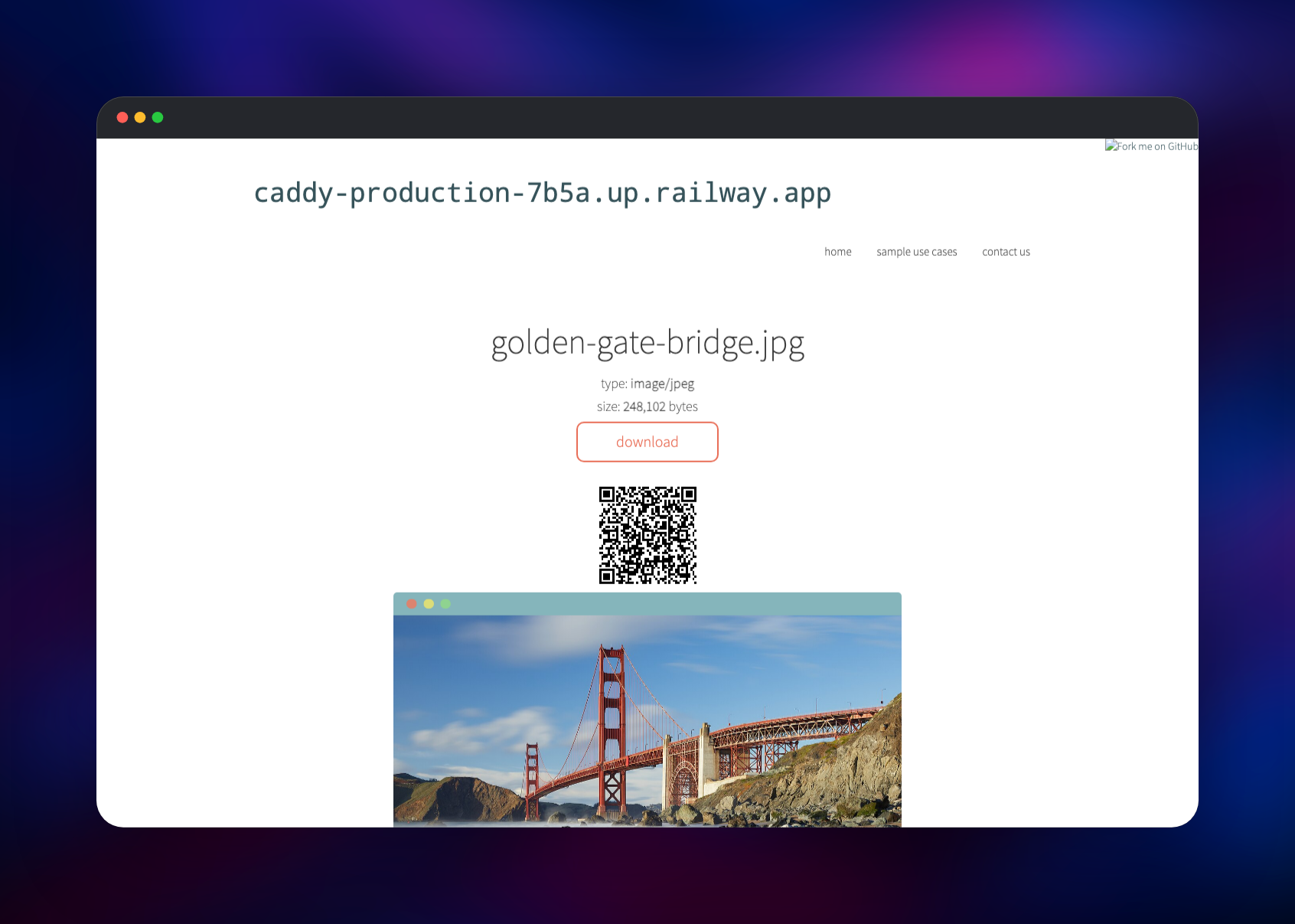
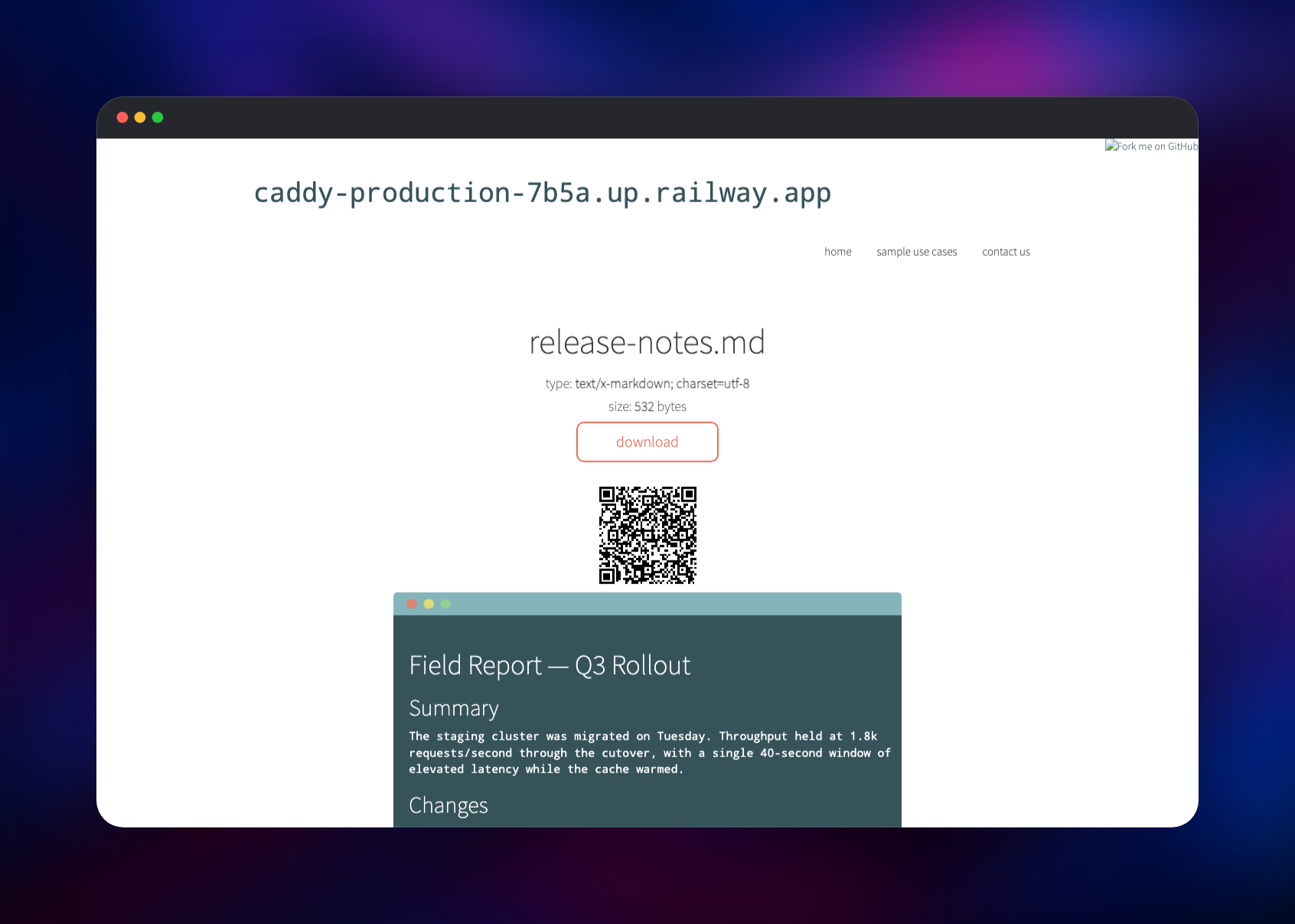
The response is the download URL. Open it in a browser and you get a preview page with the file name, size, a QR code and a download button — images render inline, markdown is rendered, text and code are highlighted. The response also carries an X-Url-Delete header holding a deletion token, so a share can be revoked early. To upload from the web page, drag files onto the terminal panel; the browser asks for the same credentials once, then lists a URL and deletion token per file.
About Hosting transfer.sh
transfer.sh solves a narrow problem well: getting a file from one place to another without inviting anyone to sign up. Teams self-host it when files should not sit on a third-party service, when the sender is a script rather than a person, or when a link needs to expire on its own. With no user model, there is nothing to administer.
Features that matter in practice:
- Upload with
curl,wgetor the browser; download with anything Max-DaysandMax-Downloadsheaders set an expiry or a download budget per file- Deletion tokens returned on upload, so a share can be revoked
- Server-side encryption via an
X-Encrypt-Passwordheader, plus documentedgpgandopensslpatterns - Bundle downloads — several uploads at once as a
.zipor.tar.gz - Rendered previews for images, video, audio, markdown and text
The Railway architecture is deliberately thin. transfer-sh is a static Go binary writing to /data on its volume, with a background sweep that deletes anything older than PURGE_DAYS. caddy is a stock caddy:2-alpine proxy owning the public domain. Beyond routing it normalises the client IP header before the app sees it and blocks the two virus-scanning endpoints (PUT /{file}/scan, PUT /{file}/virustotal), which upstream leaves outside the basic-auth check and which do nothing unless ClamAV or a VirusTotal key is connected.
Why Deploy transfer.sh on Railway
Railway removes the parts of self-hosting that are not about sharing files:
- HTTPS and a public domain are provisioned for you
- The volume persists across deploys, so links keep working
- Upload credentials are ordinary environment variables you can rotate any time
- No database, queue or object storage to run
Common Use Cases
- Moving files out of CI — a build step uploads an artifact with
curland prints the link - Sharing logs and dumps — a colleague sends a 300 MB log with no shared drive and no chat size limit
- Ad-hoc transfers between servers — pipe from one box,
curldown on the other, let it expire - Sending a file outside your org — one link, an automatic expiry, no account for the recipient
Dependencies for transfer.sh
- transfer-sh —
dutchcoders/transfer.sh:latest, the upstream image built frommain. Stores files and their JSON metadata under/dataon the attached volume, which is the only stateful component. - caddy —
caddy:2-alpine, configured from a single JSON document inCADDY_CONFIG. Holds the public domain and proxies totransfer-shover Railway's private network.
Environment Variables Reference
| Variable | Service | Default | What it does |
|---|---|---|---|
HTTP_AUTH_USER | transfer-sh | uploader | Username required for every upload |
HTTP_AUTH_PASS | transfer-sh | — | Password required for every upload |
PURGE_DAYS | transfer-sh | 14 | Age at which stored files are deleted |
PURGE_INTERVAL | transfer-sh | 1 | Hours between sweeps |
MAX_UPLOAD_SIZE | transfer-sh | 1048576 | Largest upload in KB (1 GiB) |
RANDOM_TOKEN_LENGTH | transfer-sh | 16 | Characters in each download token |
PROVIDER | transfer-sh | local | Storage backend: local, s3, storj or gdrive |
CADDY_CONFIG | caddy | JSON | Proxy routes, health check and header rewriting |
Deployment Dependencies
- Source: github.com/dutchcoders/transfer.sh (MIT)
- Image: hub.docker.com/r/dutchcoders/transfer.sh
- Gateway: hub.docker.com/_/caddy
Hardware Requirements for Self-Hosting transfer.sh
| Resource | Minimum | Recommended |
|---|---|---|
| CPU | 0.1 vCPU | 1 vCPU |
| RAM | 128 MB | 512 MB |
| Storage | 5 GB volume | Sized to MAX_UPLOAD_SIZE × expected concurrent uploads × retention |
| Runtime | Static Go binary | Same |
Uploads are streamed rather than buffered in memory, so RAM stays flat regardless of file size. Storage is the dimension that matters: raise the volume from the Railway dashboard, or lower PURGE_DAYS.
Self-Hosting transfer.sh with Docker
Outside Railway the same image runs with one command, here on port 8080 with a host directory for storage:
docker run -d --name transfersh -p 8080:8080 \
  -v /srv/transfersh:/data \
  -e PROVIDER=local -e BASEDIR=/data \
  -e PURGE_DAYS=14 -e PURGE_INTERVAL=1 \
  -e HTTP_AUTH_USER=uploader -e HTTP_AUTH_PASS=change-me \
  dutchcoders/transfer.sh:latest
To build from source instead, clone the repository and compile it into a single static binary:
git clone https://github.com/dutchcoders/transfer.sh.git
cd transfer.sh && go build -o transfersh .
./transfersh --provider local --basedir /srv/transfersh --listener :8080
Object storage is supported too — PROVIDER=s3 with AWS_ACCESS_KEY, AWS_SECRET_KEY, BUCKET, S3_REGION and S3_ENDPOINT — but the scheduled purge only deletes under local, so on S3 retention is yours to manage.
Is transfer.sh Free to Self-Host?
transfer.sh is open source under the MIT licence — no paid tier, no seat count, no feature gating. The only cost is the Railway infrastructure: two small services and a volume, billed by usage. Where a hosted service like WeTransfer caps free transfers at a few gigabytes and puts password protection behind a plan, the limits here are the ones you set.
FAQ
What is transfer.sh? An open-source file-sharing server written in Go. You upload a file over HTTP and it returns a URL containing a random token; anyone holding that URL can download the file until it expires.
What does this Railway template deploy?
Two services: transfer-sh, the application with a 5 GB volume mounted at /data, and caddy, a proxy that holds the public domain, health-checks the stack and blocks the unauthenticated virus-scan endpoints.
Why is a volume required instead of a database?
Each upload is a file plus a JSON metadata sibling, so the filesystem is the database. The volume also makes the scheduled purge meaningful — local is the only backend where expired files are really deleted.
Do people downloading my files need the password?
No. Basic auth applies only to uploads (PUT and POST). Downloads are open to anyone holding the token URL, which is what you share. Add Max-Downloads or Max-Days on upload to limit how long that lasts.
How do I set an expiry on a single file?
Send it as a header: curl -H "Max-Days: 3" -H "Max-Downloads: 1" -u user:pass --upload-file ./x.zip https://your-domain/x.zip. The file goes after three days or one download, whichever comes first.
How large a file can I upload?
MAX_UPLOAD_SIZE defaults to 1 GiB and is measured in kilobytes. Raise it if the volume can hold the result — uploads sent without a Content-Length, including every browser upload, are staged on the container's temporary disk first.
Can I use my own domain?
Yes. Add a custom domain to the caddy service in Railway's settings; the app builds every download URL from the request host, so links use the new domain immediately.
Template Content
caddy
caddy:2-alpinetransfer-sh
dutchcoders/transfer.sh:latest

