
Deploy Umami on Railway (Production) | Track Website Traffic
[Jun '26] Open-Source Google Analytics Alternative
Just deployed

Valkey
Just deployed
/data

Just deployed
/var/lib/postgresql/data
Deploy and Host Umami Analytics on Railway (Production Setup Guide) on Railway
Umami is a lightweight, privacy-focused, open-source web analytics platform that lets you track website traffic without cookies or invasive data collection. It provides real-time insights, custom event tracking, and a clean dashboard — all while giving you full ownership of your analytics data.
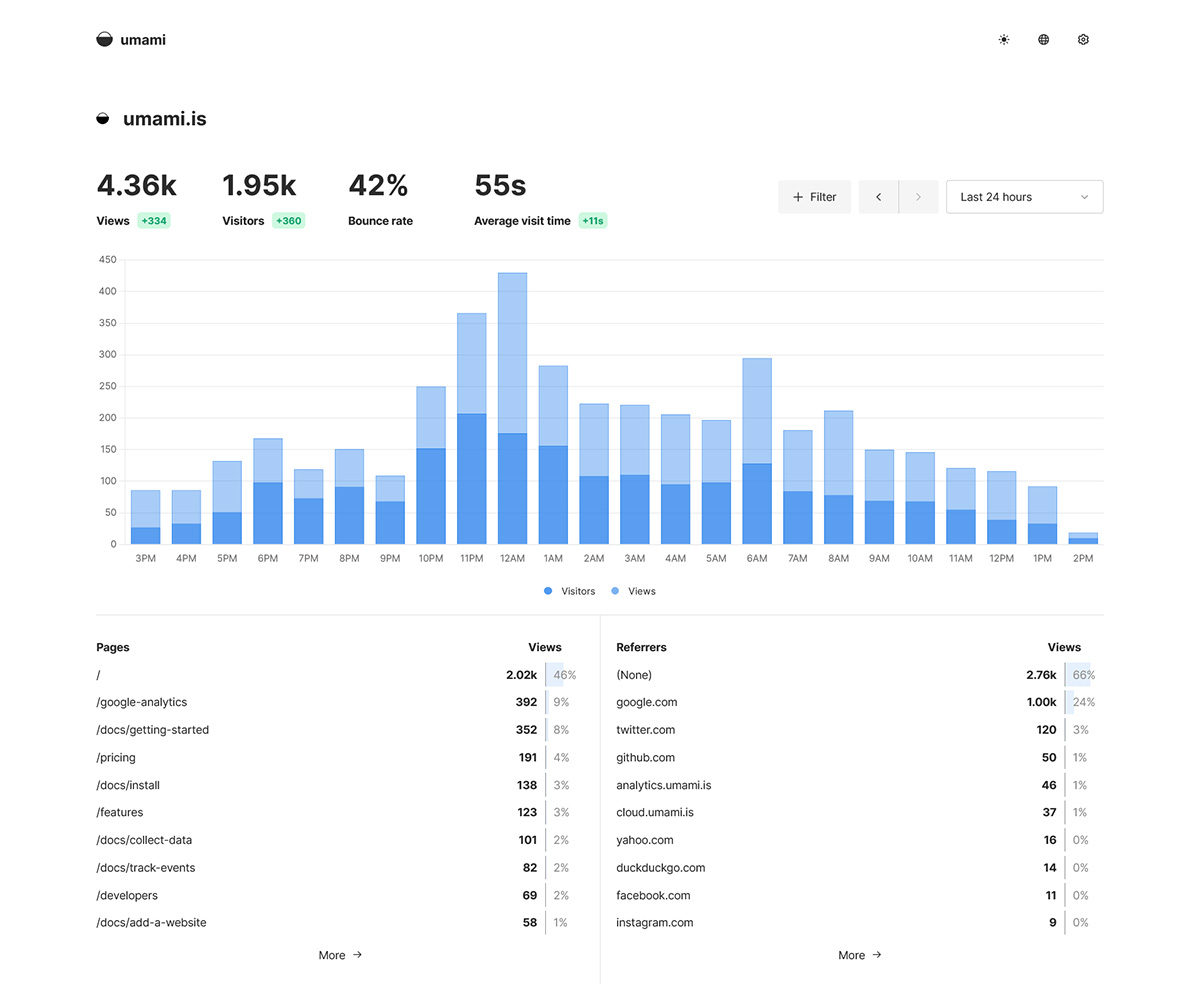
Adding Umami Tracking to Your Website
After deployment:
- Log into Umami dashboard - username: admin & password: umami. It is recommended to change the default pwd later.
- Create a new Website entry.
- Copy the generated tracking script.
Add this inside your website’s head tag.
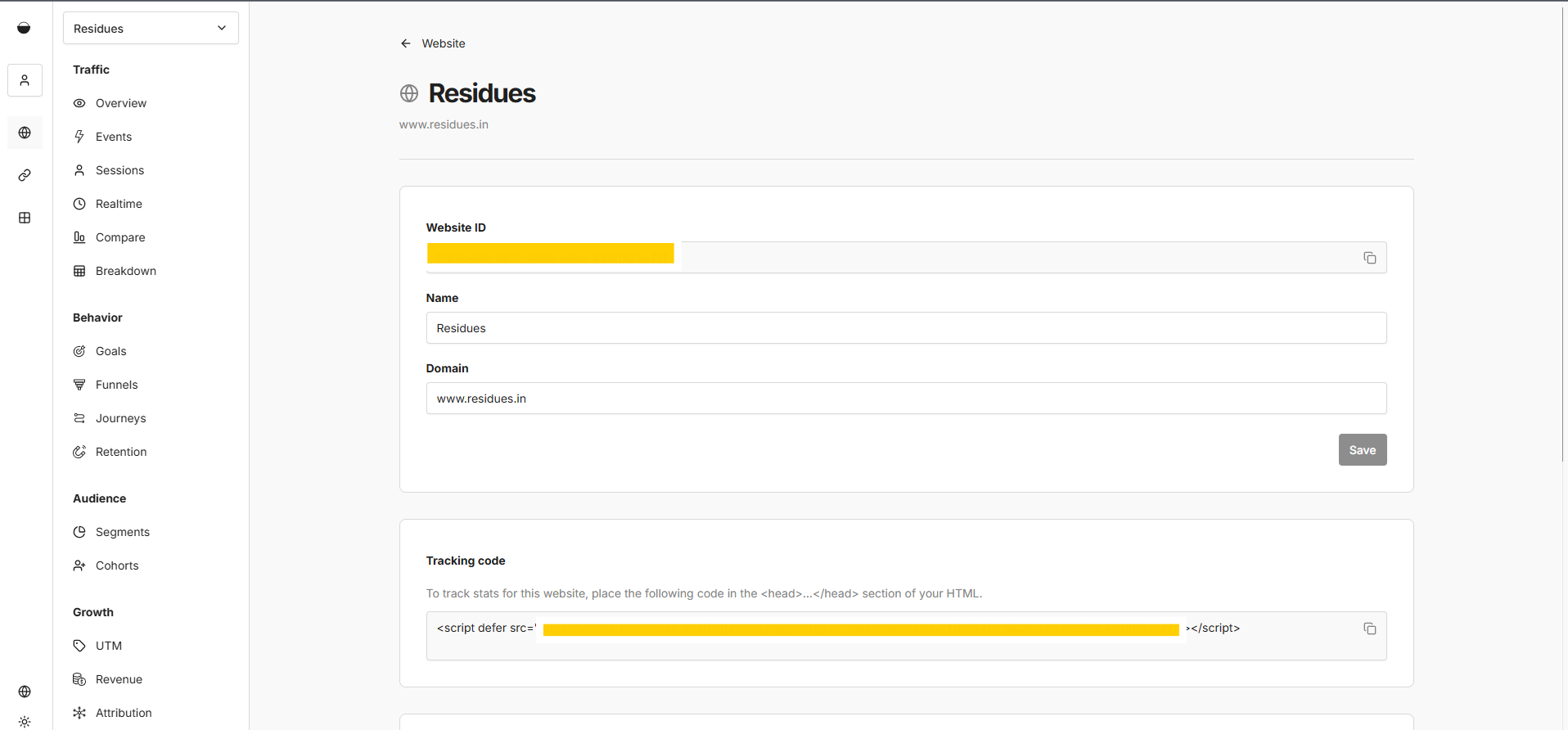
Verify installation by checking for /api/send requests in browser DevTools.
About Hosting Umami Analytics on Railway (Production Setup Guide)
Hosting Umami involves running the Node.js application alongside a PostgreSQL database for persistent analytics storage. On Railway, deployment is simplified through managed infrastructure, automatic builds, environment variable management, and secure internal networking between services. You provision a PostgreSQL instance, configure required environment variables, optionally add Redis (Valkey) for caching, and deploy. Railway handles HTTPS, networking, scaling, and logs, making it ideal for self-hosting Umami in production without managing servers manually.
📸 [Image Placeholder: Railway Project with Umami + Postgres Services]
Common Use Cases
- Self-hosted alternative to Google Analytics for privacy-conscious websites
- Analytics for SaaS products requiring full data ownership
- Tracking marketing campaigns with custom event tracking
- Analytics for blogs, portfolios, and developer sites
- Internal dashboards for product metrics
Dependencies for Umami Analytics on Railway (Production Setup Guide) Hosting
- PostgreSQL Database (required for storing analytics data)
- Node.js Runtime (handled automatically by Railway)
- Optional: Redis/Valkey (for caching and performance optimization)
Deployment Dependencies
-
Official Umami repository: https://github.com/umami-software/umami
-
Railway platform: https://railway.app
-
PostgreSQL (managed by Railway): https://www.postgresql.org
FAQ
How do I deploy Umami on Railway?
Create a Railway project, add PostgreSQL, deploy the Umami repository, configure required environment variables, and deploy. Railway handles networking and HTTPS automatically.
Do I need Redis to run Umami?
No, but it is recommended for production deployments to improve dashboard performance and reduce database load.
Why is Umami not showing any data?
Common causes:
- Domain mismatch in Website settings
- Incorrect tracking script URL
- HTTPS misconfiguration
- Script not added inside ``
What database does Umami use?
Umami supports PostgreSQL and MySQL, but PostgreSQL is recommended and fully supported on Railway.
Is Umami GDPR compliant?
Umami is designed to be privacy-friendly by default, does not use cookies, and avoids collecting personally identifiable information unless configured otherwise.
Can I use a custom domain with Railway?
Yes. Railway allows you to add a custom domain to your Umami service for production use.
How do I migrate from Google Analytics to Umami?
Deploy Umami, add the tracking script to your site, and run both tools in parallel temporarily to validate metrics before fully switching.
Why Deploy Umami Analytics on Railway (Production Setup Guide) on Railway?
Railway is a singular platform to deploy your infrastructure stack. Railway will host your infrastructure so you don't have to deal with configuration, while allowing you to vertically and horizontally scale it.
By deploying Umami Analytics on Railway (Production Setup Guide) on Railway, you are one step closer to supporting a complete full-stack application with minimal burden. Host your servers, databases, AI agents, and more on Railway.
Template Content