
Deploy Uptime (Open-Source Website & Service Monitoring Tool)
[Updated Sep '26] Self-hosted Website and Service monitoring tool
louislam/uptime-kuma:latest
Just deployed
/app/data
Deploy and Host Uptime Kuma with One Click on Railway
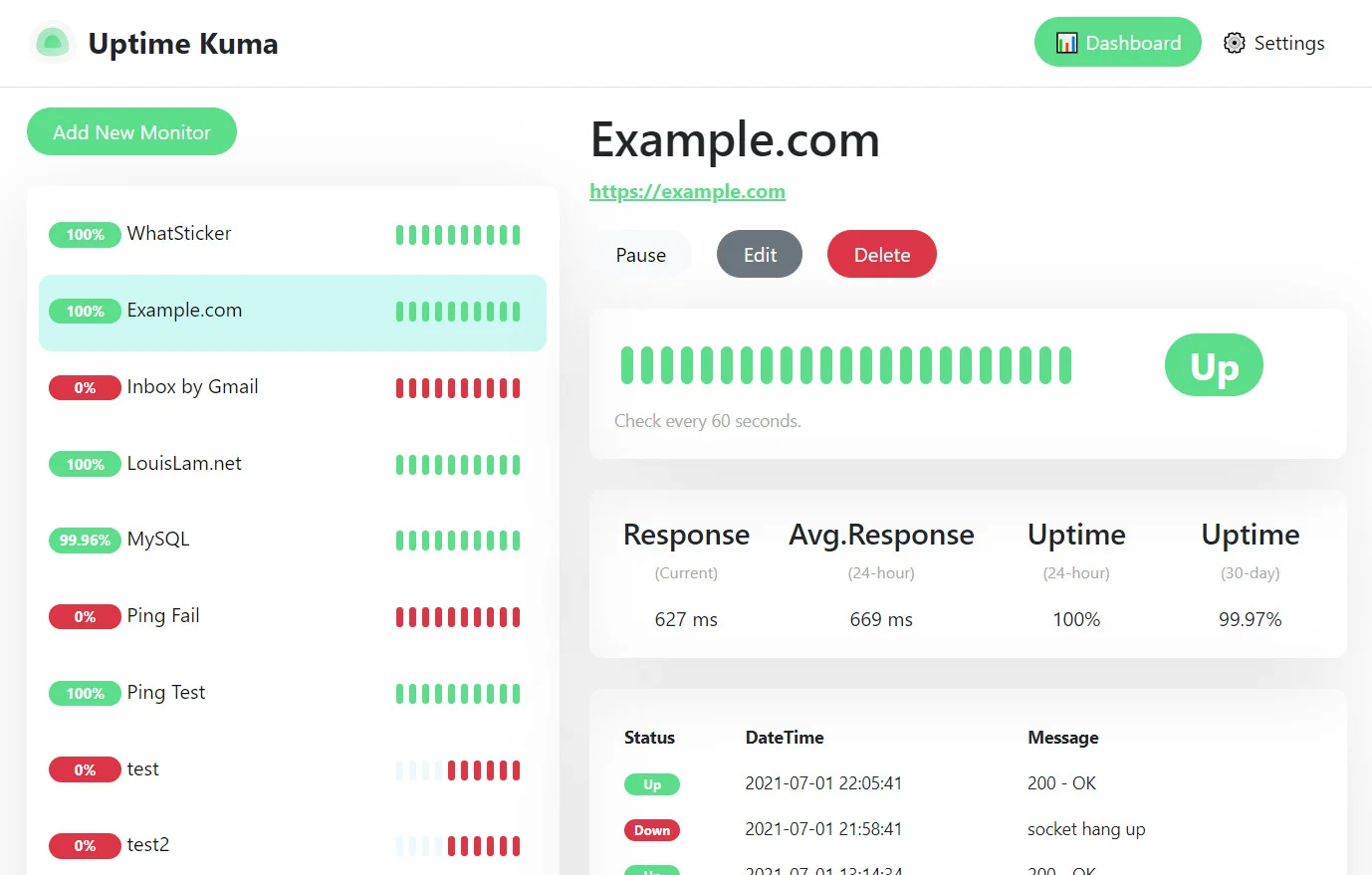
Uptime Kuma is a fancy, self-hosted uptime monitoring tool that helps you track whether your websites, APIs, servers, and services are online. It provides real-time monitoring, alerts, and a clean dashboard-without relying on expensive SaaS monitoring platforms.
Uptime Kuma is loved for its beautiful UI, simplicity, and flexibility. You can monitor HTTP endpoints, TCP ports, pings, keywords, Docker containers, and more. It’s designed to be easy enough for beginners while powerful enough for production systems.
With Railway, deploying Uptime Kuma becomes a true one-click experience, letting you run your own monitoring service without worrying about servers or maintenance.
About Hosting Uptime Kuma on Railway (Self Hosting Uptime Kuma on Railway)
Self hosting Uptime Kuma gives you full ownership of your monitoring data. Instead of sending uptime information to a third-party service, you keep everything inside your own infrastructure.
Traditionally, hosting a monitoring system involves:
-
Setting up servers
-
Managing uptime of the monitoring tool itself
-
Configuring alerts and persistence
-
Handling updates and restarts
With Railway, all of this complexity is handled automatically.
Railway runs Uptime Kuma in a managed container environment, handling restarts, logs, networking, and environment variables. You deploy it once and start monitoring your services immediately.
Why Deploy Uptime Kuma on Railway
Deploying Uptime Kuma on Railway is ideal for teams and individuals who want reliable monitoring without DevOps overhead.
Uptime Kuma needs to be online at all times to be useful. Railway ensures the service stays running and automatically restarts if anything goes wrong.
Another major advantage is cost predictability. SaaS monitoring tools often charge per monitor, per check, or per alert. Uptime Kuma on Railway costs only what your infrastructure uses.
Railway also makes upgrades easy. You can redeploy new versions of Uptime Kuma without manual intervention or downtime.
Railway vs DigitalOcean
On DigitalOcean, running Uptime Kuma requires creating a droplet, installing Docker, configuring persistence, and managing OS updates.
Railway simplifies this into a one-click Uptime Kuma deployment, removing server maintenance entirely.
Railway vs Linode
Linode provides raw servers that require patching and monitoring. For a monitoring tool, this introduces unnecessary operational risk.
Railway abstracts these responsibilities and provides a ready-to-use Uptime Kuma instance instantly.
Railway vs SaaS Monitoring Tools
SaaS tools are convenient but often expensive and restrictive. Uptime Kuma offers full control, unlimited monitors, and no vendor lock-in.
Railway vs Local-Only Monitoring
Local monitoring works only when your local machine is online. Hosting Uptime Kuma on Railway ensures 24/7 availability.
Railway vs Hetzner
Hetzner offers strong performance but assumes sysadmin expertise. Railway prioritizes ease of use, speed, and reliability, making it ideal for monitoring tools.
Common Use Cases
Uptime Kuma is commonly used to monitor websites, APIs, internal services, homelab servers, game servers, cron endpoints, and container health. It’s suitable for solo developers, startups, and production systems alike.
Dependencies for Uptime Kuma Hosted on Railway
Uptime Kuma typically requires:
-
A container runtime
-
Persistent storage for monitor data
-
Network access to monitored services
Railway handles storage, networking, and restarts automatically.
How Does Uptime Kuma Compare to Other Monitoring Tools
Compared to SaaS monitors, Uptime Kuma is self-hosted and cost-effective. Compared to enterprise monitoring stacks, it is simpler and faster to set up. Compared to DIY scripts, it provides alerts, dashboards, and history out of the box.
How to Use Uptime Kuma
After deploying Uptime Kuma on Railway, you open the dashboard, add monitors, configure check intervals, and set up alert notifications. Uptime history and response times are visible instantly.
How to Self Host Uptime Kuma on Other VPS
Self hosting Uptime Kuma manually involves provisioning a server, installing Docker, managing volumes, and keeping the service online. Railway automates these steps and significantly reduces operational effort.
Features of Uptime Kuma
Uptime Kuma offers HTTP, TCP, ping, keyword, and Docker monitoring, real-time alerts, status pages, historical uptime charts, a modern UI, and open-source transparency.
Official Pricing of Uptime Kuma
Uptime Kuma is free and open source.
There are no licenses, subscriptions, or per-monitor fees.
You only pay for the infrastructure you run it on.
Monthly Cost of Hosting Uptime Kuma on Railway
For most setups, hosting Uptime Kuma on Railway costs $0–$10 per month, depending on storage and uptime - far cheaper than most SaaS monitoring tools.
FAQs
What exactly is Uptime Kuma?
Uptime Kuma is an open-source, self-hosted uptime monitoring system that continuously checks whether your services are online and responsive. It focuses on clarity, simplicity, and real-time visibility, offering a clean dashboard and fast feedback when something goes wrong.
What problem does Uptime Kuma solve?
Many outages go unnoticed until users complain. Uptime Kuma solves this by actively checking your services and alerting you immediately when downtime or performance issues occur, helping you react before users are impacted.
Why should I self host Uptime Kuma instead of using a SaaS monitor?
Self hosting Uptime Kuma gives you:
-
Full ownership of monitoring data
-
Unlimited monitors without per-check pricing
-
No vendor lock-in
-
Predictable infrastructure-based costs
This is especially valuable for startups, homelabs, and internal tooling.
Is Uptime Kuma suitable for production monitoring?
Yes. Uptime Kuma is widely used in production environments to monitor websites, APIs, background services, and internal infrastructure. It is reliable as long as it is hosted on stable infrastructure.
What types of services can Uptime Kuma monitor?
Uptime Kuma can monitor:
-
Websites and APIs (HTTP/HTTPS)
-
TCP ports (databases, services)
-
Ping (ICMP)
-
Keyword presence on pages
-
DNS responses
-
Docker container health
This flexibility makes it suitable for many environments.
How frequently can Uptime Kuma check services?
You can configure check intervals based on your needs, ranging from frequent checks for critical services to slower intervals for less important endpoints.
Does Uptime Kuma track response time and history?
Yes. Uptime Kuma records response times and uptime history, allowing you to see trends, identify slowdowns, and understand long-term reliability.
Can Uptime Kuma send alerts when something goes down?
Yes. Uptime Kuma supports alerts via email, webhooks, and many third-party notification services. Alerts are triggered immediately when a service fails a check.
Does Uptime Kuma support status pages?
Yes. Uptime Kuma can generate public or private status pages that show uptime information for selected services. These are useful for transparency with users or internal stakeholders.
Can Uptime Kuma monitor internal or private services?
Yes. As long as the Uptime Kuma instance can reach the service over the network, it can monitor internal APIs, private servers, and local services.
How reliable is Uptime Kuma itself?
Uptime Kuma is lightweight and stable. When hosted on Railway, it benefits from managed restarts and platform reliability. For critical setups, some teams also monitor their Uptime Kuma instance externally.
Does Uptime Kuma require a database?
Yes. Uptime Kuma stores monitoring configuration and history in a local database. Railway’s persistent storage ensures data is retained across restarts.
Is Uptime Kuma secure?
When self hosted, you control access, authentication, and networking. Uptime Kuma does not send data to third parties by default. Railway adds container isolation and secure environment handling.
Can multiple people use Uptime Kuma?
Yes. Uptime Kuma supports shared dashboards and team usage, making it suitable for collaborative environments.
Can Uptime Kuma scale to many monitors?
Yes. Uptime Kuma supports unlimited monitors, limited only by available CPU, memory, and network resources. Railway allows you to scale resources if needed.
Does Uptime Kuma replace full observability tools?
No. Uptime Kuma focuses on availability and basic performance. It complements logging, metrics, and tracing tools rather than replacing them.
How does Uptime Kuma compare to simple ping scripts?
Ping scripts only check basic reachability. Uptime Kuma provides dashboards, alerts, history, status pages, and multiple check types in one tool.
Can I back up Uptime Kuma data?
Yes. Because Uptime Kuma stores data locally, standard backup strategies apply. When hosted on Railway, persistent storage ensures data is not lost during restarts.
Can I migrate Uptime Kuma later?
Yes. Uptime Kuma has no vendor lock-in. You can move it to any VPS, cloud provider, or local server at any time.
How much does it cost to host Uptime Kuma on Railway?
For most use cases, hosting Uptime Kuma on Railway costs $0–$10 per month, depending on storage and uptime-far cheaper than most SaaS monitoring platforms.
Template Content
louislam/uptime-kuma:latest
louislam/uptime-kuma:latest

