Deploy VERT [Updated Oct '26]
VERT [Oct ’26] (Free file Converter, No Limits, Privacy-First) Self Host
VERT
Just deployed
Deploy and Host Managed Vert Service with One Click on Railway
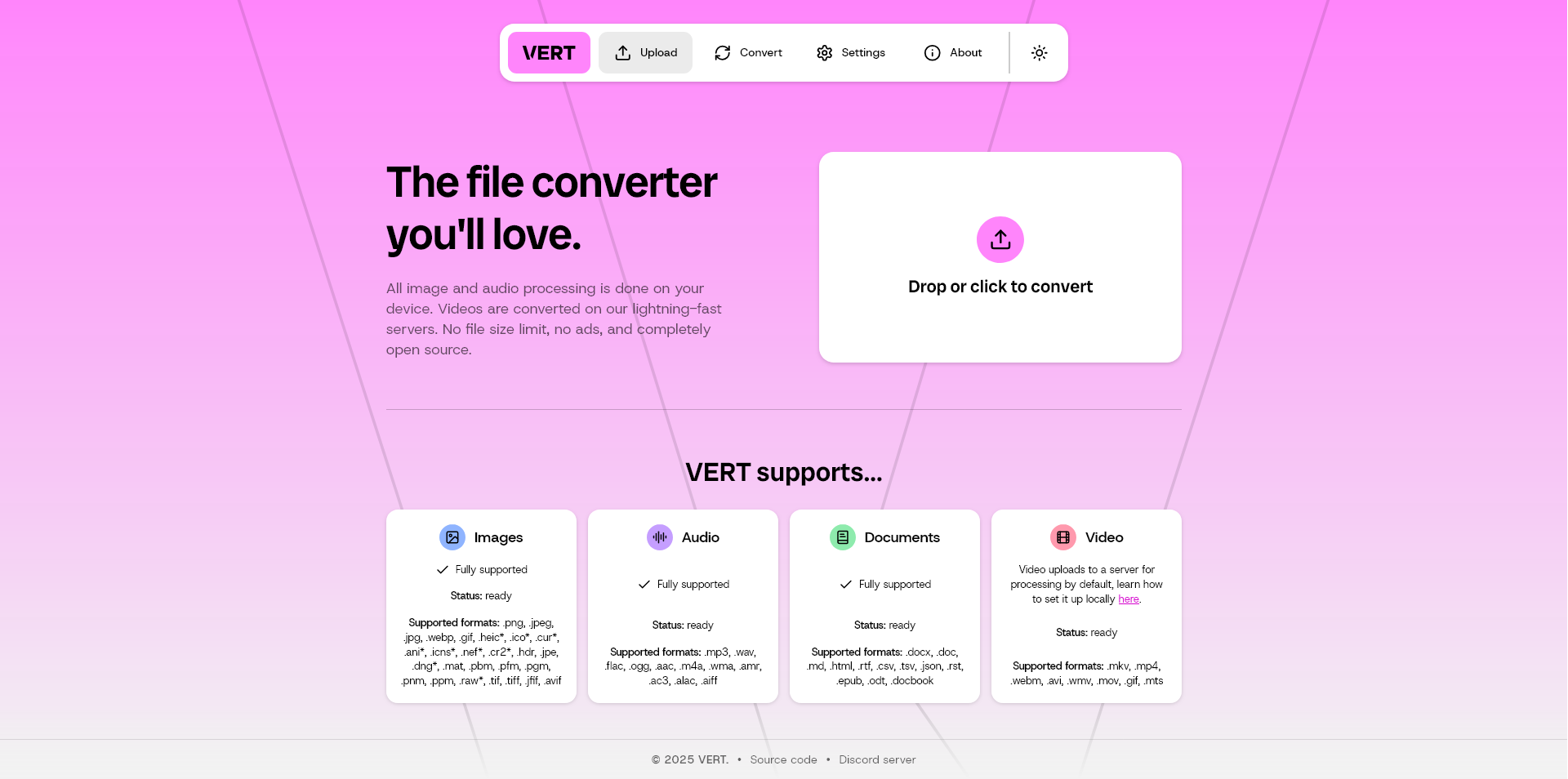
Vert is a lightweight, developer-friendly tool that turns one file format into another. It is designed to handle common file conversions in a simple, fast, and predictable way - without bloated dependencies or complex configuration.
Vert is ideal for teams and developers who need reliable file format conversion as part of their product or workflow. Instead of writing custom scripts or stitching together multiple tools, Vert provides a clean, focused service that converts files programmatically and consistently.
By deploying Vert on Railway, you can run your own file conversion service in minutes using a one-click deploy, without managing servers, workers, or infrastructure by hand.
About Hosting Vert on Railway (Self Hosting Vert on Railway)
Self hosting Vert means your files never leave infrastructure you control. There is no third-party SaaS processing your data, no usage limits enforced by external services, and no risk of sensitive files being stored elsewhere.
Instead of manually setting up servers, installing conversion dependencies, handling file uploads, and managing background jobs, Railway provides a managed runtime environment where Vert runs smoothly out of the box.
When you deploy Vert on Railway:
- The Vert service runs in secure, managed containers
- Environment variables and configuration are handled safely
- Logs, health checks, and automatic restarts work by default
- Scaling is simple as file conversion demand increases
- Deployments are fast and repeatable
This allows you to add file format conversion to your product without becoming a DevOps expert.
Why Deploy Managed Vert Service on Railway
Deploying Vert on Railway removes much of the operational friction that usually comes with running file processing and conversion services in production. File conversion may sound simple, but at scale it introduces challenges like handling uploads safely, managing temporary storage, dealing with failed conversions, monitoring performance, and ensuring reliability under load.
Railway vs Local Scripts
Local scripts are often the first solution developers reach for when handling file conversions. While they work for small, one-off tasks, they quickly become fragile in real-world scenarios. Local scripts are hard to monitor, difficult to scale, and usually lack proper error handling or retry mechanisms. When something breaks, it often fails silently.
Railway vs DigitalOcean
DigitalOcean gives you raw virtual machines, which means you are responsible for installing runtimes, managing dependencies, writing deployment scripts, and configuring monitoring. As your conversion workload grows, you must also manually handle scaling and resource allocation.
Railway offers a one-click Vert deploy with managed containers and built-in observability. Environment variables are handled securely, deployments are repeatable, and scaling does not require reconfiguring infrastructure. This drastically reduces setup time and long-term maintenance compared to managing VMs yourself.
Railway vs Linode
Linode provides flexibility and control, but that control comes with ongoing operational costs. You must manage OS updates, handle service restarts, apply security patches, and respond to failures manually. Over time, this maintenance becomes a significant distraction from product development.
Railway automates these concerns. Services restart automatically, logs are easy to access, and deployments are consistent. This allows Vert to run smoothly without constant infrastructure babysitting, making it ideal for small teams and solo developers.
Railway vs AWS Lightsail
AWS Lightsail simplifies AWS slightly, but it still introduces complexity around networking, permissions, scaling, and configuration. Even basic setups often require cloud-specific knowledge, which can slow down development and increase the risk of misconfiguration.
Railway abstracts infrastructure details entirely. You can self host Vert without cloud expertise, making it easier to get started and safer to operate. This is especially valuable for developers who want reliable file conversion without becoming cloud specialists.
Railway vs Hetzner
Hetzner offers strong raw performance at a low cost, but it expects hands-on system administration. You are responsible for updates, monitoring, backups, and recovery. This level of control can be powerful, but it is often unnecessary for lightweight file conversion services.
Railway prioritizes developer speed, simplicity, and reliability. It trades low-level control for a smoother experience, faster iteration, and fewer operational issues. For most file conversion workloads, this tradeoff results in better productivity and lower stress.
Common Use Cases for Vert
Here are 5 common ways teams use Vert:
-
Document Conversion: Convert PDFs, text files, or documents between formats.
-
Media Processing: Change image or media file formats.
-
Developer Tooling: Provide format conversion APIs inside products.
-
Automation Pipelines: Convert files as part of background workflows.
-
Internal Utilities: Standardize file formats across teams.
Dependencies for Vert Hosted on Railway
To run Vert, the following components are typically required:
-
Runtime: Vert application runtime
-
Conversion Libraries: Format-specific converters
-
Web Server: API endpoints for file upload and conversion
-
Storage: Temporary storage for input and output files
Deployment Dependencies for Managed Vert Service
Railway automatically provisions the runtime environment, manages configuration, and handles service lifecycle. No manual wiring is required.
Implementation Details for Vert (File Conversion Engine)
During deployment, Railway configures key environment variables such as:
-
PORT – application port
-
MAX_FILE_SIZE – upload limits
-
NODE_ENV – production environment
Once deployed, Vert exposes simple endpoints to upload files, specify output formats, and retrieve converted results.
How Does Vert Compare to Other File Conversion Solutions
Vert vs Online Converters
Online converters often store files externally and impose limits. Vert is self hosted and private.
Vert vs Custom Scripts
Custom scripts are hard to maintain and reuse. Vert provides a clean, reusable service.
Vert vs Heavy Media Pipelines
Large pipelines are overkill for simple conversions. Vert stays lightweight and focused.
Vert vs SaaS APIs
SaaS APIs charge per request. Vert offers predictable infrastructure costs.
How to Use Vert
Using Vert is straightforward:
-
Deploy Vert: Click the Railway deploy button.
-
Upload File: Send a file to the Vert API.
-
Choose Format: Specify the output format.
-
Convert: Vert processes the file.
-
Download Result: Retrieve the converted file.
How to Self Host Vert on Other VPS
Clone the Repository
git clone https://github.com/vertapp/vert.git
Install Dependencies
Ensure required runtime and conversion libraries are installed.
Configure Environment Variables
PORT=3000
MAX_FILE_SIZE=50MB
Start the Service
npm install
npm start
With Railway, all of this is automated - just click deploy.
Features of Vert
-
Lightweight Design: Fast and simple conversions
-
Multiple Formats: Convert between common file types
-
API First: Easy to integrate into apps
-
Self Hosted: Full control over files
-
Scalable: Handles growing workloads
-
Open Source: Transparent and extensible
Official Pricing of Vert
Vert is open source and free. There are no licensing fees.
Cost of Hosting Vert on Railway
Hosting Vert on Railway typically costs $3–$8 per month, depending on file size and conversion volume.
Self Hosting Vert vs File Conversion SaaS
Self hosting Vert gives you:
-
Full control of file data
-
No per-conversion fees
-
Predictable infrastructure costs
-
Custom conversion logic
-
No vendor lock-in
SaaS tools trade privacy and control for convenience.
System Requirements for Hosting Vert
-
Runtime: Supported Vert runtime
-
CPU/RAM: 1 vCPU, 512MB–1GB RAM recommended
-
Storage: Temporary file storage
-
Port: 3000
FAQs
What is Vert?
Vert is a lightweight, API-first tool that converts one file format into another. It is designed to be simple, predictable, and easy to integrate into applications or automation workflows.
Is Vert open source?
Yes. Vert is fully open source, which means you can inspect the code, customize supported formats, and self host it without licensing fees or restrictions.
Can I deploy Vert on Railway?
Yes. Railway supports one-click deployment of Vert, automatically handling containers, environment variables, restarts, and logs.
Does Vert store uploaded files permanently?
No. Vert processes files temporarily for conversion and returns the output. Files are not stored permanently unless you explicitly configure external storage.
Is Vert suitable for production use?
Yes. Vert is designed to be stable and predictable in production environments, especially when deployed with managed infrastructure like Railway.
How much does it cost to host Vert on Railway?
Hosting Vert on Railway typically costs $3–$8 per month, depending on file size, conversion volume, and resource usage.
Template Content
VERT
VERT-sh/VERT

