
Deploy Calibre-Web
Self-hosted ebook library for your Calibre books, with OPDS and Kobo sync
calibre-web
Just deployed
/data
Deploy and Host

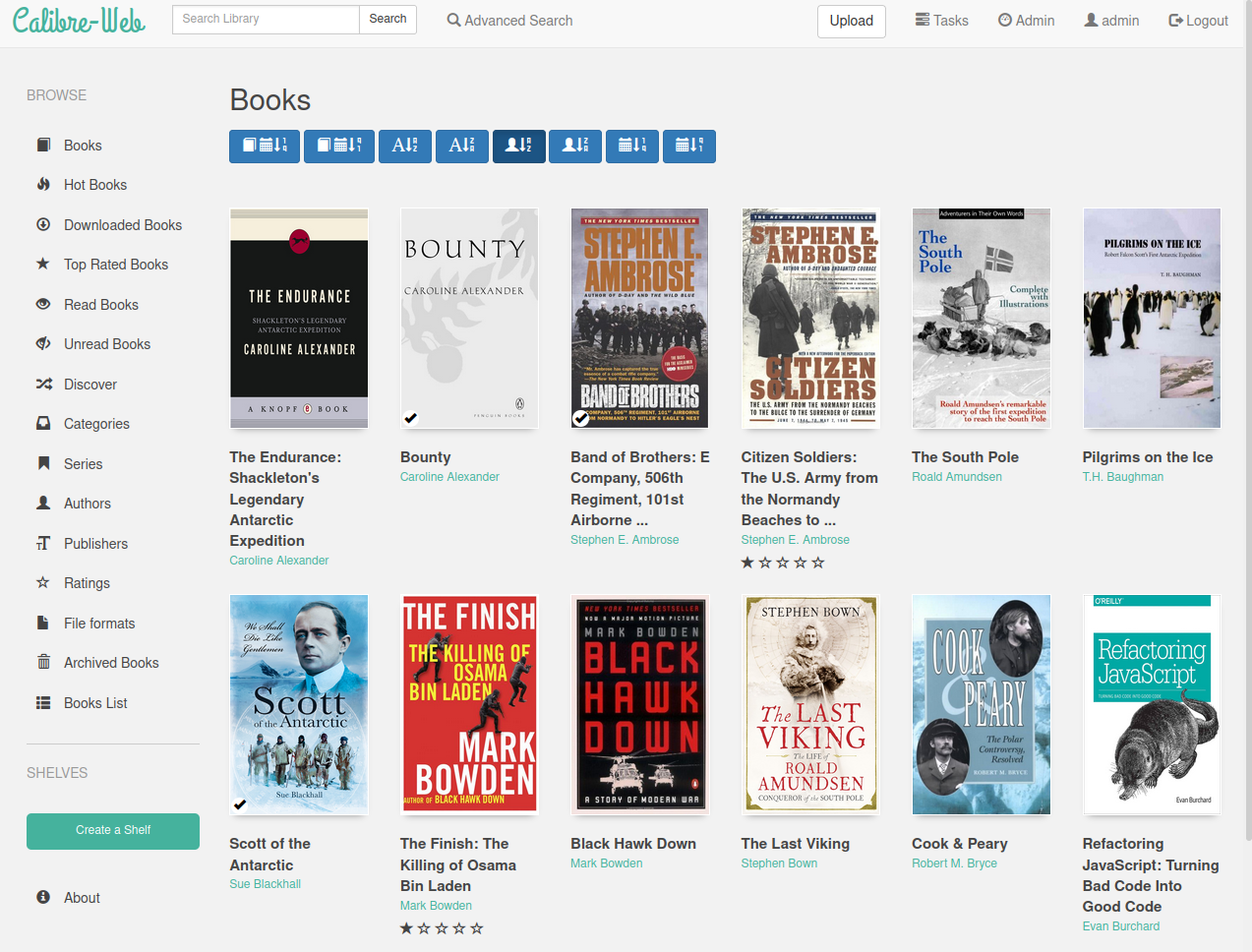
Calibre-Web is a self-hosted ebook library — browse, search, read and download the ebooks in your own Calibre library from any browser or e-reader. Deploy it on Railway in one click: the library is a standard Calibre database on a persistent volume, the admin account is ready on first boot, and there is no setup wizard.
About Hosting
Calibre-Web runs as a single service on Railway.
- What gets deployed: one Calibre-Web service (Python + Flask) on the pinned LinuxServer
calibre-web0.6.27 image. - Database: embedded SQLite — app settings in
app.db, books in a real Calibremetadata.db. No companion database service needed. - Persistence: one Railway volume at
/data, so settings and the library survive redeploys (app settings in/data/config, books in/data/books). - First run: log in as
adminwith the generated password from the deploy form. An empty Calibre library is already seeded — upload an EPUB and it appears in the grid.
Why Deploy
Your books live on your own server instead of a cloud ebook account. The library is a standard Calibre database you can open in Calibre desktop, back up, or move anywhere. The OPDS feed works with KOReader and Moon+ Reader, Kobo devices sync directly, and the built-in reader opens EPUBs in the browser. Upload, edit metadata, manage shelves and search across titles, authors, series, tags and publishers — all in a single lightweight service with no database server to run.
Common Use Cases
- Personal ebook library reachable from any device, without a cloud ebook account
- Family library: one server, separate users and shelves per reader
- Kobo sync server for a household of e-readers
- OPDS source for KOReader / Moon+ Reader on a phone or tablet
- A Calibre library that survives a laptop reinstall — the database lives on the server
Dependencies for Calibre-Web
| Setting | Value |
|---|---|
| Runtime | Python 3 + Flask, single service |
| Plan | Hobby or above |
| Port | Railway-injected PORT (Calibre-Web reads CALIBRE_PORT) |
| Persistence | One volume at /data (settings in /data/config, library in /data/books) |
| Healthcheck | /login (login page, unauthenticated) |
| Deploy form | One generated field (admin password) |
| Sessions | Flask-Login "basic" protection (entrypoint forces config_session=0); Railway's edge IP varies per connection, so the upstream "strong" mode would log users out on every new connection |
Deployment Dependencies
- Upstream: janeczku/calibre-web v0.6.27, GPL-3.0, pinned by digest
- Admin account:
adminwith the generatedCW_ADMIN_PASSWORDfrom the deploy form, set once on first boot; change it later in the UI and it stays changed - Library: upstream's own empty Calibre
metadata.dbis seeded into/bookson first boot, so the app never shows the setup wizard; the stored library path and port are derived on every boot from the live environment - Formats: EPUB, PDF, MOBI, AZW3, CBZ/CBR and more via the built-in reader and OPDS feed; KEPUB conversion uses the bundled
kepubifybinary - E-reader sync: OPDS feed and Kobo sync work out of the box behind the Railway public domain; no base-URL setting is needed
Template Content
calibre-web
INAPP-Mobile/calibre-web

