Deploy Kali Linux | Launch a Pentest Environment on Railway
Self-host Kali Linux: Digital Forensics, Auditing, & Penetration Testing
Kali Linux
Just deployed
/data
Deploy and Host Kali Linux
Deploy a fully functional, browser-accessible Kali Linux environment on Railway in one click. This template runs the official kalilinux/kali-rolling Docker image with ttyd — giving you a web terminal with authentication, pre-installed pentest tools, and a persistent /data volume to keep your work between deployments.
About Hosting Kali Linux
Kali Linux is a Debian-based, open-source distribution built for penetration testing, security auditing, and digital forensics. Maintained by Offensive Security, it ships hundreds of security tools trusted by professionals worldwide.
This Railway template solves the friction of spinning up a disposable, cloud-hosted Kali environment without managing VMs, SSH keys, or bare-metal installs.
What's included:
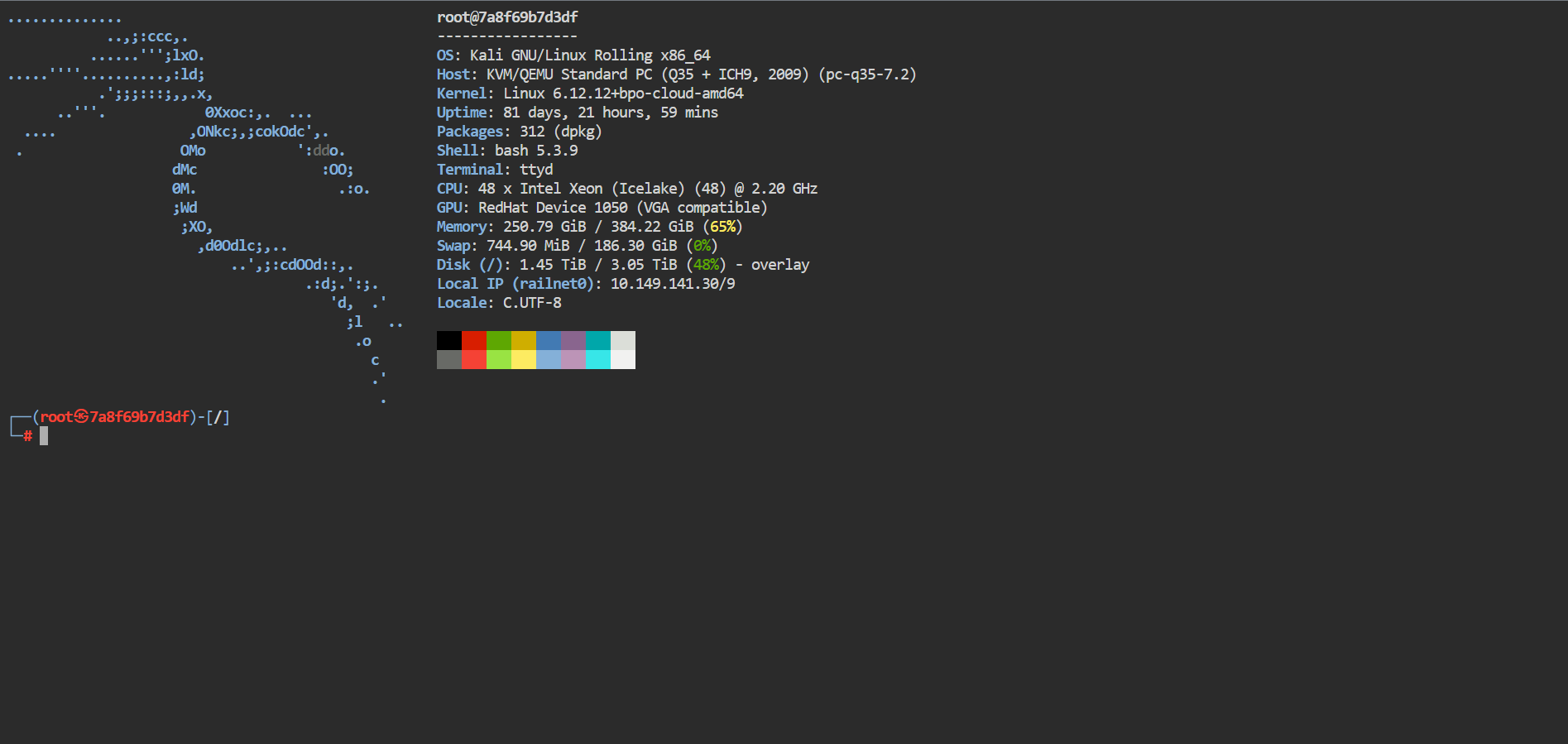
kalilinux/kali-rollingbase image (always up to date)ttydweb terminal — access Kali from any browser, password-protected- Pre-installed tools:
nmap,sqlmap,nikto,john,hydra,netcat,hydra,tmux tinias PID 1 for proper signal handling and zombie reaping/datapersistent volume — files survive redeploymentsfastfetchsystem info on every new shell session
Why Deploy Kali Linux on Railway
Setting up Kali on a VPS means managing OS updates, firewall rules, SSH hardening, and reverse proxies yourself. Railway handles all of that:
- One-click deploy — no CLI required to get started
- Persistent volume at
/data— your scripts, loot, and configs survive restarts - Environment variable UI — set
USERNAMEandPASSWORDsecurely without touching config files - Automatic HTTPS —
ttydis exposed via Railway's proxy with TLS, no Nginx config needed - Always-on or sleep on idle — scale to fit your workflow and budget
Common Use Cases
- CTF labs — spin up a clean Kali instance per competition, tear it down after
- Bug bounty recon — run
nmap,sqlmap, or custom scripts from a cloud IP without exposing your home network - Security training — give students a shared, browser-accessible pentest environment
- Isolated tool testing — test new offensive tools in a sandboxed cloud environment without touching your local machine
Dependencies for Kali Linux
- kalilinux/kali-rolling — official Docker image on Docker Hub
- ttyd — web-based terminal emulator (auto-downloaded in Dockerfile)
- tini — lightweight init for containers
Environment Variables Reference
| Variable | Description | Required |
|---|---|---|
USERNAME | Basic auth username for the ttyd web terminal | ✅ Yes |
PASSWORD | Basic auth password for the ttyd web terminal | ✅ Yes |
> Security note: Always set both variables before deploying. Leaving them empty exposes your terminal to anyone with the URL.
Deployment Dependencies
- Docker-compatible host (Railway provides this automatically)
- Git repo containing the Dockerfile: deployed directly from source
- Railway account — railway.app
Getting Started with Kali Linux on Railway
After deployment, Railway will assign a public URL to your service. Open it in a browser — you'll see a ttyd login prompt. Enter the USERNAME and PASSWORD you set in environment variables.
Once inside, you're root in a live Kali shell. Install additional tools or toolsets:
# Update package lists
apt-get update

# Install a specific tool
apt-get install -y metasploit-framework

# Or install the full headless toolset
apt-get install -y kali-linux-headless
Save anything you want to persist to /data:
# Store scripts, loot, or configs here
cp my-recon-script.sh /data/
Files in /data survive redeployments. Everything outside /data resets on redeploy.
Self-Hosting Kali Linux Outside Railway
To run this same setup on your own VPS or local machine:
# Clone the template repo and build
git clone
cd

docker build -t kali-ttyd .

docker run -d \
  -p 7681:7681 \
  -e USERNAME=myuser \
  -e PASSWORD=mypassword \
  -v kali-data:/data \
  kali-ttyd
Then open http://localhost:7681 in your browser. For production, put Nginx or Caddy in front with TLS.
Kali Linux vs Parrot OS
Both are Debian-based pentest distros. Kali has the larger tool ecosystem and is the industry standard — most tutorials, CTF writeups, and course materials assume Kali. Parrot OS is lighter and better suited as a daily driver. For a cloud-hosted, containerized pentest environment, Kali's Docker image (kalilinux/kali-rolling) is more actively maintained and widely documented.
How Much Does Kali Linux Cost?
Kali Linux is completely free and open-source — always has been, always will be (per Offensive Security's commitment). You pay nothing for the OS or tools. On Railway, you only pay for the infrastructure you consume. Railway's Hobby plan starts at $5/month and covers typical pentest lab usage. The /data volume storage is billed separately at Railway's standard storage rate.
Troubleshooting
Browser shows a blank page or connection refused Railway may still be building the image. Wait 2–3 minutes after first deploy, then refresh.
Authentication fails at the ttyd prompt
Double-check USERNAME and PASSWORD in Railway's variable settings — no quotes needed in the UI. Redeploy after changing variables.
Tools missing after redeploy
Only /data is persistent. Install tools to /data or add them to the Dockerfile for permanent inclusion.
ARM vs x86 mismatch
The Dockerfile auto-detects architecture (uname -m) and downloads the correct ttyd binary. No manual action needed.
FAQ
Do I need to install Kali Linux on my hard drive to use it? No. This Railway template gives you a fully functional Kali Linux environment in the cloud, accessible from any browser. Traditional installation (ISO → bootable USB → hard drive) is only needed if you want Kali as a local host OS — unnecessary for most pentest and lab use cases.
Is Kali Linux free? Yes. Kali Linux is completely free and open-source. It's maintained by Offensive Security and will never have a paid tier for the OS itself.
What tools come pre-installed in this template?
nmap, netcat, dnsutils, whois, sqlmap, nikto, john, hydra, tmux, vim, nano, net-tools, curl, wget, git, python3, and fastfetch. Install additional Kali metapackages like kali-linux-headless at runtime.
How do I keep files between redeployments?
Save everything to /data. This directory is backed by a Railway persistent volume and survives container restarts and redeployments.
Can multiple users access the terminal simultaneously?
ttyd supports multiple concurrent sessions with the same credentials. For multi-user isolation, deploy separate Railway services with different credentials.
Template Content
Kali Linux
praveen-ks-2001/linux-kaliPASSWORD
Provide password for system access
USERNAME
Provide username for system access

