
Deploy Jellyfin | Free Open-Source Media Streaming, Plex Alternative
Self-host Jellyfin. Stream movies, TV, and music from your own server
Jellyfin
Just deployed
/data
Deploy and Host Jellyfin on Railway

Deploy Jellyfin on Railway to self-host your own media streaming server with zero subscription fees. Jellyfin is a free, open-source media system that lets you organize, stream, and share your movies, TV shows, music, and photos across all your devices — no accounts, no tracking, no premium tiers.
This Railway template deploys Jellyfin with persistent storage for your media library and configuration, hardware-accelerated transcoding support via ffmpeg, and a public HTTPS domain for remote access from any device.
Getting Started with Jellyfin on Railway
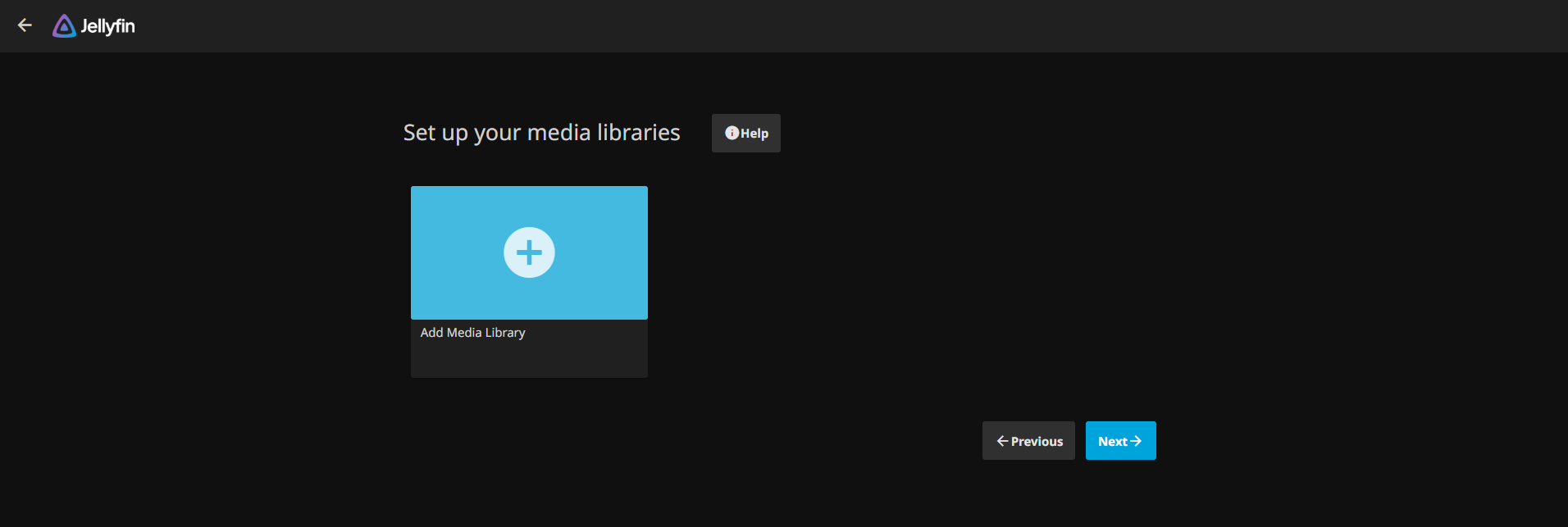
After deployment completes, visit your Railway-provided URL to access the Jellyfin setup wizard. Create your admin account with a strong password — Jellyfin requires this on first launch, so there are no default credentials to worry about. Next, add a media library by clicking "Add Media Library", selecting a content type (Movies, Shows, Music), and pointing it to a folder under /data/media. Upload media files through the Jellyfin web interface or via API. Once your library is scanned, you can stream content from any browser, mobile app, or smart TV client.
About Hosting Jellyfin
Jellyfin is a volunteer-built media server forked from Emby in 2018. It organizes your personal media collection and streams it to any device with adaptive bitrate transcoding.
- Completely free — no premium tiers, no paid features, no telemetry
- Multi-format transcoding — ffmpeg 7.x with hardware acceleration support (H.264, HEVC, AV1)
- Live TV & DVR — connect tuners via TVHeadend or HDHomeRun for recording live broadcasts
- SyncPlay — synchronized group watching across multiple users and devices
- Rich plugin ecosystem — intro skipper, subtitle downloaders, Trakt integration, custom themes
- Multi-client support — official apps for Android, iOS, Roku, Fire TV, Android TV, and web browsers
Why Deploy Jellyfin on Railway
Railway eliminates the complexity of self-hosting Jellyfin:
- One-click deploy with persistent volume storage for media and config
- Automatic HTTPS with a public domain — stream from anywhere
- No port forwarding, DNS configuration, or reverse proxy setup
- Built-in monitoring, logging, and automatic restarts
- Scale resources up or down as your library grows
Common Use Cases for Self-Hosted Jellyfin
- Personal media streaming — centralize your movie and TV show collection for family access from any device
- Music server — replace Spotify with your own music library, complete with lyrics and artist metadata
- Photo management — organize and share photo albums with family without cloud storage subscriptions
- Podcast and audiobook hosting — serve your audiobook collection with bookmarking and progress sync
Dependencies for Jellyfin on Railway
- Jellyfin —
jellyfin/jellyfin:latest— media server with built-in web UI and transcoding engine
Environment Variables Reference for Jellyfin
| Variable | Description | Default |
|---|---|---|
PORT | HTTP listening port | 8096 |
JELLYFIN_CONFIG_DIR | Configuration directory | /data/config |
JELLYFIN_DATA_DIR | Data directory (metadata, DB) | /data/config/data |
JELLYFIN_CACHE_DIR | Transcoding cache directory | /data/cache |
JELLYFIN_LOG_DIR | Log output directory | /data/config/log |
JELLYFIN_PublishedServerUrl | Public URL for autodiscovery | https://${{RAILWAY_PUBLIC_DOMAIN}} |
Deployment Dependencies
- Runtime: .NET 9 (bundled in Docker image)
- Transcoding: ffmpeg 7.1 (bundled)
- Database: SQLite (embedded, no external DB required)
- Docker Hub: jellyfin/jellyfin
- GitHub: jellyfin/jellyfin
- Docs: jellyfin.org/docs
Hardware Requirements for Self-Hosting Jellyfin
| Resource | Minimum | Recommended |
|---|---|---|
| CPU | 1 vCPU (direct play only) | 2+ vCPU (transcoding) |
| RAM | 512 MB | 2 GB |
| Storage | 1 GB (app + config) | 10+ GB (media library dependent) |
| Runtime | Docker | Docker with hardware acceleration |
Transcoding is CPU-intensive without GPU acceleration. For direct-play-only setups (clients that support your media formats natively), minimal resources suffice.
Self-Hosting Jellyfin with Docker
Pull and run the official Jellyfin image:
docker run -d \
  --name jellyfin \
  -p 8096:8096 \
  -v ./config:/config \
  -v ./cache:/cache \
  -v ./media:/media \
  --restart unless-stopped \
  jellyfin/jellyfin:latest
Or use Docker Compose:
services:
  jellyfin:
    image: jellyfin/jellyfin:latest
    ports:
      - "8096:8096"
    volumes:
      - ./config:/config
      - ./cache:/cache
      - ./media:/media
    restart: unless-stopped
    environment:
      - JELLYFIN_PublishedServerUrl=https://your-domain.com
Is Jellyfin Free to Self-Host?
Jellyfin is 100% free and open-source under the GPL-2.0 license. There are no premium features, no subscription tiers, and no paid add-ons. Every feature — including hardware transcoding, SyncPlay, live TV, and all plugins — is available at no cost. When self-hosting on Railway, your only cost is the infrastructure: typically $5–10/month depending on media library size and streaming usage.
Jellyfin vs Plex on Railway
| Feature | Jellyfin | Plex |
|---|---|---|
| License | GPL-2.0 (fully open-source) | Proprietary (freemium) |
| Cost | Free — all features included | $119.99/lifetime or $4.99/month for hardware transcoding |
| Telemetry | None | Sends usage data to Plex servers |
| Hardware transcoding | Free | Requires Plex Pass |
| Plugins | Open ecosystem, community-driven | Limited, curated by Plex |
| Account required | No | Yes (Plex account mandatory) |
| Self-host friendly | Fully self-contained | Requires Plex auth servers |
Jellyfin is the clear choice for developers who want full control, zero vendor lock-in, and no recurring costs.
FAQ
What is Jellyfin and why should I self-host it? Jellyfin is a free, open-source media server that lets you stream your personal media collection to any device. Self-hosting gives you complete control over your data with no third-party accounts, no telemetry, and no subscription fees.
What does this Railway template deploy for Jellyfin?
This template deploys the official jellyfin/jellyfin:latest Docker image with a persistent volume for configuration, metadata, cache, and media storage. It includes a public HTTPS domain and ffmpeg for transcoding.
Why does Jellyfin on Railway need a persistent volume? The volume stores your Jellyfin configuration, user accounts, watch history, metadata, transcoding cache, and media files. Without it, all data would be lost on every redeploy.
Can I use hardware transcoding with Jellyfin on Railway? Railway containers don't have GPU access, so hardware-accelerated transcoding isn't available. Software transcoding via ffmpeg works for moderate usage. For heavy transcoding workloads, consider direct-play-compatible clients or a GPU-equipped server.
How do I upload media to self-hosted Jellyfin on Railway?
You can upload files through Jellyfin's web interface, use the Jellyfin API for programmatic uploads, or connect external storage. Media files are stored on the Railway volume under /data/media.
What clients can connect to my self-hosted Jellyfin server? Jellyfin has official apps for Android, iOS, Android TV, Fire TV, Roku, and web browsers. Third-party clients like Finamp (music), Swiftfin (Apple TV), and Jellyfin Media Player (desktop) are also available.
How do I enable DLNA or network discovery with Jellyfin on Railway? DLNA and local network discovery require UDP ports (1900, 7359) which Railway doesn't support for inbound traffic. Remote access via the public HTTPS URL is the primary access method on Railway.
Template Content
Jellyfin
jellyfin/jellyfin:latest

