
Deploy OpenProject | Open Source Jira Alternative
Self-host OpenProject. Project management with Gantt charts & agile boards
OpenProject
Just deployed
/var/openproject
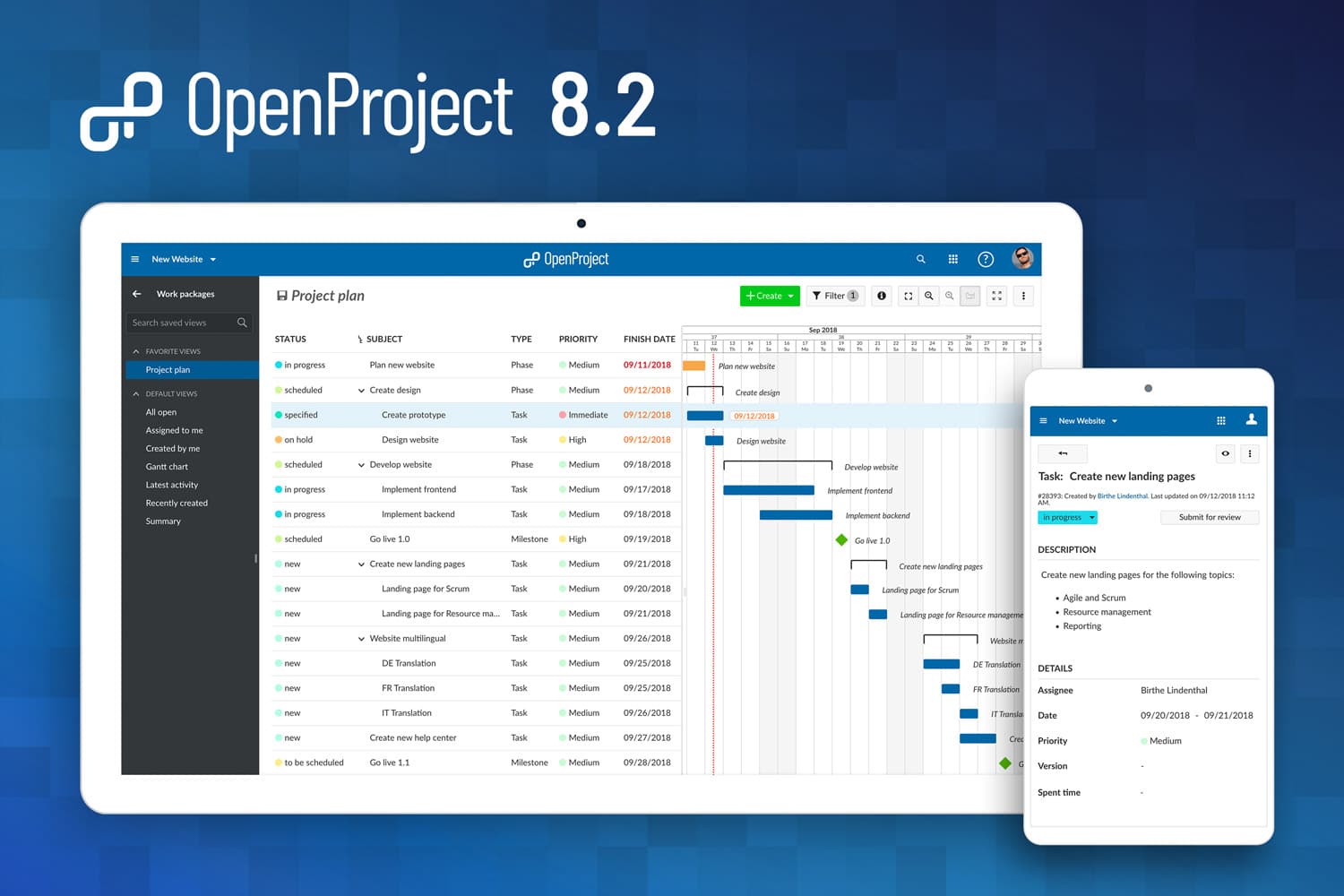
Deploy and Host OpenProject on Railway

Deploy OpenProject on Railway to get a fully self-hosted, open-source project management platform with Gantt charts, agile boards, time tracking, and team collaboration — all running on your own infrastructure. Self-host OpenProject with a single all-in-one container that bundles PostgreSQL, memcached, Apache, Puma, background workers, and a real-time collaborative editing server (Hocuspocus) for instant setup.
This Railway template pre-configures the openproject/openproject:17 all-in-one Docker image with persistent storage for both the database and uploaded assets, HTTPS-ready configuration, and secure session management — ready for production use in minutes.
Getting Started with OpenProject on Railway
After deployment completes (first boot takes 2–3 minutes for database initialization), navigate to your Railway-generated URL. You'll be redirected to the login page. Sign in with the default admin credentials (admin / ``) — OpenProject will immediately prompt you to set a new password.
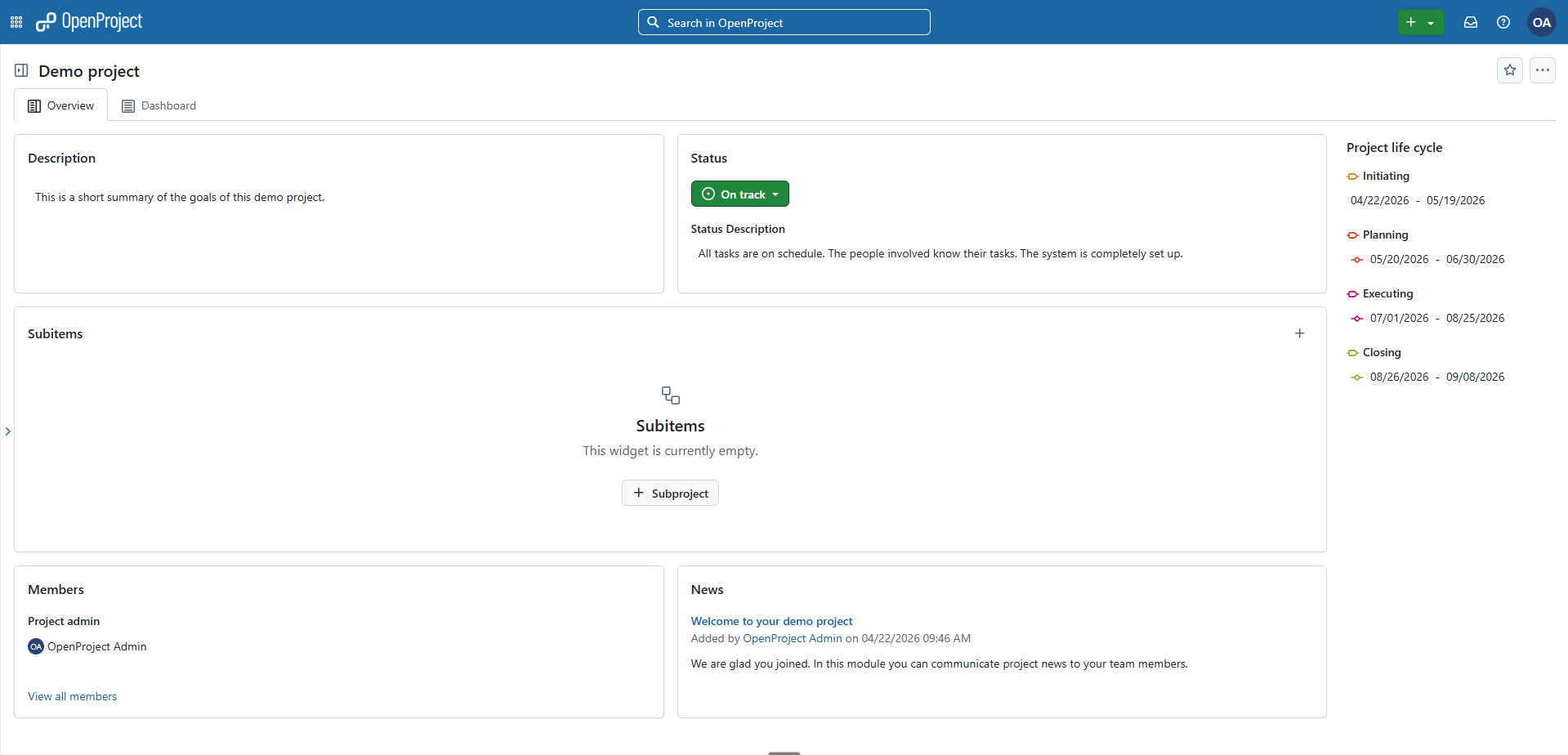
Once logged in, create your first project from the top-left "Select a project" menu. Choose a project template (Scrum, Basic, or blank) to scaffold work packages, boards, and Gantt views. Invite team members via Administration → Users and Groups, configure notification preferences, and start creating work packages to track tasks, bugs, and features.
About Hosting OpenProject
OpenProject is the leading open-source project management software, developed by OpenProject GmbH and a global community. It provides a comprehensive toolset for managing projects from planning through execution.
- Gantt charts and timeline planning — schedule tasks, set dependencies, track milestones
- Agile boards — Scrum and Kanban workflows with sprint backlogs and velocity tracking
- Time and cost tracking — log hours, set budgets, generate cost reports
- Team collaboration — real-time document editing, wiki, forums, activity streams
- BIM edition — specialized features for construction and architecture teams (available on AMD64)
- REST API — full programmatic access for automation and integrations
- File storage integration — Nextcloud, OneDrive, SharePoint support
Why Deploy OpenProject on Railway
Railway simplifies self-hosting OpenProject with zero infrastructure management:
- One-click deploy with persistent volumes for database and assets
- Automatic HTTPS with Railway's TLS-terminating proxy
- Scale memory and CPU instantly from the Railway dashboard
- No vendor lock-in — full Community Edition with unlimited users and projects
- Built-in monitoring, logs, and rollback support
Common Use Cases for Self-Hosted OpenProject
- Software development teams replacing Jira with an open-source alternative that supports Scrum, Kanban, bug tracking, and GitHub/GitLab integration
- Agencies and consultancies tracking billable hours, project budgets, and client deliverables with time and cost reporting
- Construction and engineering firms using the BIM edition for building information modeling alongside traditional project management
- Cross-functional teams managing portfolios of projects with roadmap views, resource allocation, and milestone tracking across departments
Dependencies for Self-Hosted OpenProject on Railway
This template deploys a single all-in-one container:
- OpenProject —
openproject/openproject:17(bundles PostgreSQL 17, memcached, Apache, Puma, Hocuspocus, background workers, cron)
Environment Variables Reference for OpenProject
| Variable | Description | Example |
|---|---|---|
SECRET_KEY_BASE | Rails session signing key | ${{secret(64)}} |
OPENPROJECT_HOST__NAME | Public hostname (no protocol) | ${{RAILWAY_PUBLIC_DOMAIN}} |
OPENPROJECT_HTTPS | Assume HTTPS connections | true |
OPENPROJECT_DEFAULT__LANGUAGE | Default UI language | en |
RAILS_MIN_THREADS | Minimum Puma threads | 4 |
RAILS_MAX_THREADS | Maximum Puma threads | 16 |
Deployment Dependencies
- Runtime: Ruby 4.0 (bundled in image)
- Docker Hub: openproject/openproject
- GitHub: opf/openproject
- Docs: openproject.org/docs
Hardware Requirements for Self-Hosting OpenProject
| Resource | Minimum | Recommended |
|---|---|---|
| CPU | 2 vCPU | 4 vCPU |
| RAM | 4 GB | 8 GB |
| Storage | 2 GB | 10 GB+ |
| Runtime | Docker | Docker |
The all-in-one container bundles PostgreSQL, memcached, web server, background workers, and a collaborative editing server. Each web worker consumes ~300–400 MB RAM, with 4 workers by default.
Self-Hosting OpenProject with Docker
Pull and run the all-in-one container:
docker run -d -p 8080:80 --name openproject \
  -e OPENPROJECT_HOST__NAME=openproject.example.com \
  -e SECRET_KEY_BASE=$(openssl rand -hex 32) \
  -e OPENPROJECT_HTTPS=true \
  -v /var/lib/openproject/pgdata:/var/openproject/pgdata \
  -v /var/lib/openproject/assets:/var/openproject/assets \
  openproject/openproject:17
Or use Docker Compose with the official slim images for production scaling:
services:
  web:
    image: openproject/openproject:17-slim
    command: "./docker/prod/web"
    environment:
      DATABASE_URL: postgres://postgres:password@db/openproject
      SECRET_KEY_BASE: your-secret-key
      OPENPROJECT_HOST__NAME: localhost:8080
      OPENPROJECT_HTTPS: "false"
    ports:
      - "8080:8080"
    depends_on:
      - db
      - cache
  db:
    image: postgres:17
    environment:
      POSTGRES_PASSWORD: password
      POSTGRES_DB: openproject
    volumes:
      - pgdata:/var/lib/postgresql/data
  cache:
    image: memcached
volumes:
  pgdata:
How Much Does OpenProject Cost to Self-Host?
OpenProject Community Edition is 100% free and open-source (GPLv3) with unlimited users and projects. Self-hosting on Railway means you only pay for infrastructure — no per-user licensing fees. Enterprise on-premises editions start at $7.25/user/month and add features like LDAP group sync, custom branding, and premium support. A 14-day free trial of Enterprise features is available for self-hosted installations.
OpenProject vs Jira for Self-Hosted Project Management
| Feature | OpenProject | Jira |
|---|---|---|
| Open source | Yes (GPLv3) | No |
| Self-hosting | Full support | Server discontinued, Data Center being phased out |
| Gantt charts | Built-in | Plugin required |
| Time tracking | Built-in | Plugin required |
| Cost tracking | Built-in | Not available |
| Agile boards | Scrum + Kanban | Scrum + Kanban |
| Pricing | Free (Community) | From $7.75/user/month |
| BIM support | Yes (AMD64) | No |
OpenProject is the strongest open-source alternative to Jira, particularly for teams that need Gantt-based planning, time/cost tracking, and full data sovereignty — areas where Jira either requires paid plugins or doesn't offer self-hosting at all.
FAQ About Deploying OpenProject on Railway
What is OpenProject and why self-host it? OpenProject is open-source project management software for task tracking, Gantt scheduling, agile boards, time logging, and team collaboration. Self-hosting gives you full data ownership, no per-user fees, and the ability to customize the platform without vendor restrictions.
What does this Railway template deploy?
A single all-in-one container (openproject/openproject:17) that includes PostgreSQL 17, memcached, Apache reverse proxy, Puma web server, background workers, cron scheduler, and a Hocuspocus collaborative editing server — all pre-configured with persistent storage and HTTPS.
Why does the all-in-one container need 8 GB of RAM? The container runs PostgreSQL, memcached, four Puma web workers (~300–400 MB each), a background job worker, cron, and the Hocuspocus server simultaneously. With 4 GB you'll see slow responses under load; 8 GB provides comfortable headroom for up to 200 concurrent users.
How do I configure SMTP email for OpenProject on Railway?
Set the following environment variables: OPENPROJECT_EMAIL__DELIVERY__METHOD=smtp, OPENPROJECT_SMTP__ADDRESS=smtp.example.com, OPENPROJECT_SMTP__PORT=587, OPENPROJECT_SMTP__USER__NAME=your-user, OPENPROJECT_SMTP__PASSWORD=your-password, OPENPROJECT_SMTP__AUTHENTICATION=plain, and OPENPROJECT_SMTP__ENABLE__STARTTLS__AUTO=true.
Can I use an external PostgreSQL database with OpenProject on Railway?
Yes. Set the DATABASE_URL environment variable to your external Postgres connection string (e.g., postgres://user:password@host:5432/openproject) and the all-in-one container will skip its internal PostgreSQL and connect to your external database instead.
How do I enable GitHub or GitLab integration in self-hosted OpenProject? Navigate to Administration → System settings → API to enable the REST API, then configure the GitHub/GitLab integration under Administration → Integrations. You'll need to create an OAuth application in your GitHub/GitLab account and provide the client ID and secret to OpenProject.
Template Content
OpenProject
openproject/openproject:17OPENPROJECT_SEED__ADMIN__USER__MAIL
Initial admin email (This is not username)
OPENPROJECT_SEED__ADMIN__USER__PASSWORD
Create Initial admin password (your default username will be admin)


