Deploy Pro Ticket Discord Bot with Optional AI
Ticket bot. 3 languages (PT, ES, EN). Web panel for stats, reports & config
Pro Ticket Bot
Just deployed

MongoDB
Just deployed
/data/db
Deploy and Host Pro Ticket Discord Bot on Railway
Professional Discord ticket bot with optional AI auto-support, web panel 2.0, 30+ slash commands, Steam OAuth, smart tags, transcripts, and reports. Languages: PT-BR, EN-US, ES-ES. One-click deploy — provide bot token, client secret, and server ID.
About Hosting Pro Ticket Discord Bot
Railway provides MongoDB, SSL, and scaling. This template pre-configures env vars and DB connection. You only set Discord credentials; the rest (including AI_MASTER_KEY for encrypting AI API keys) is auto-configured. Steam verification needs Public Networking on port 8080.
Keep Auto Deploy enabled
After deploy, open Railway → bot service → Settings → Source. Under Branch connected to production, click Enable next to Auto deploy (it may show as disabled after the template install). With Auto Deploy on, Railway pulls new commits from main when we publish updates. If you leave it disabled, your project stays on the build from the day you deployed.
Common Use Cases
- Game servers — Tickets by server/type, Steam verify, staff stats, HTML transcripts
- Helpdesk — SLA, tags, custom fields, scheduled reports, optional AI first-line support
- Communities — Auto-voice, welcome DMs, ratings, blacklist, anti-flood / bait channel
Dependencies for Pro Ticket Discord Bot Hosting
- MongoDB — Included in template
- Node.js >= 22 — Handled by Railway
- BOT_TOKEN, DISCORD_CLIENT_SECRET, GUILD_ID — Discord Developer Portal (below)
- STEAM_API_KEY (optional) — steamcommunity.com/dev/apikey
- AI_MASTER_KEY — Auto-generated by this template (do not change after saving AI API keys in the panel)
Also need: Railway account, Discord app, and a server where you are Administrator.
Implementation Details
Pre-Deploy: Discord Bot Setup
1 — Create app: Discord Developer Portal → New Application → Create.
2 — Bot tab: Disable Public Bot. Enable Server Members Intent and Message Content Intent (Presence not required).
3 — Token: Bot → Reset Token → copy and store securely (shown once).
4 — Client Secret: OAuth2 → General → Reset Secret → save as DISCORD_CLIENT_SECRET. OAuth redirect is added after deploy (Post-Deploy step 2).
5 — Invite: OAuth2 → scopes bot + applications.commands → permissions Administrator → open invite URL → authorize on your server.
6 — Guild ID: Discord User Settings → Advanced → Developer Mode → right-click server → Copy Server ID.
7 — Steam key (optional): Only for Steam profile images in verification.
Deploy
Click Deploy → set:
BOT_TOKEN·DISCORD_CLIENT_SECRET·GUILD_IDSTEAM_API_KEY(optional)
All other vars are pre-configured (MONGO_URI, BASE_URL, PORT, AI_MASTER_KEY, etc.). Wait 2–5 minutes.
AI_MASTER_KEY encrypts AI provider keys in MongoDB. The template generates it once — do not rotate it after you save an API key in the panel (decryption would fail and you must re-enter keys).
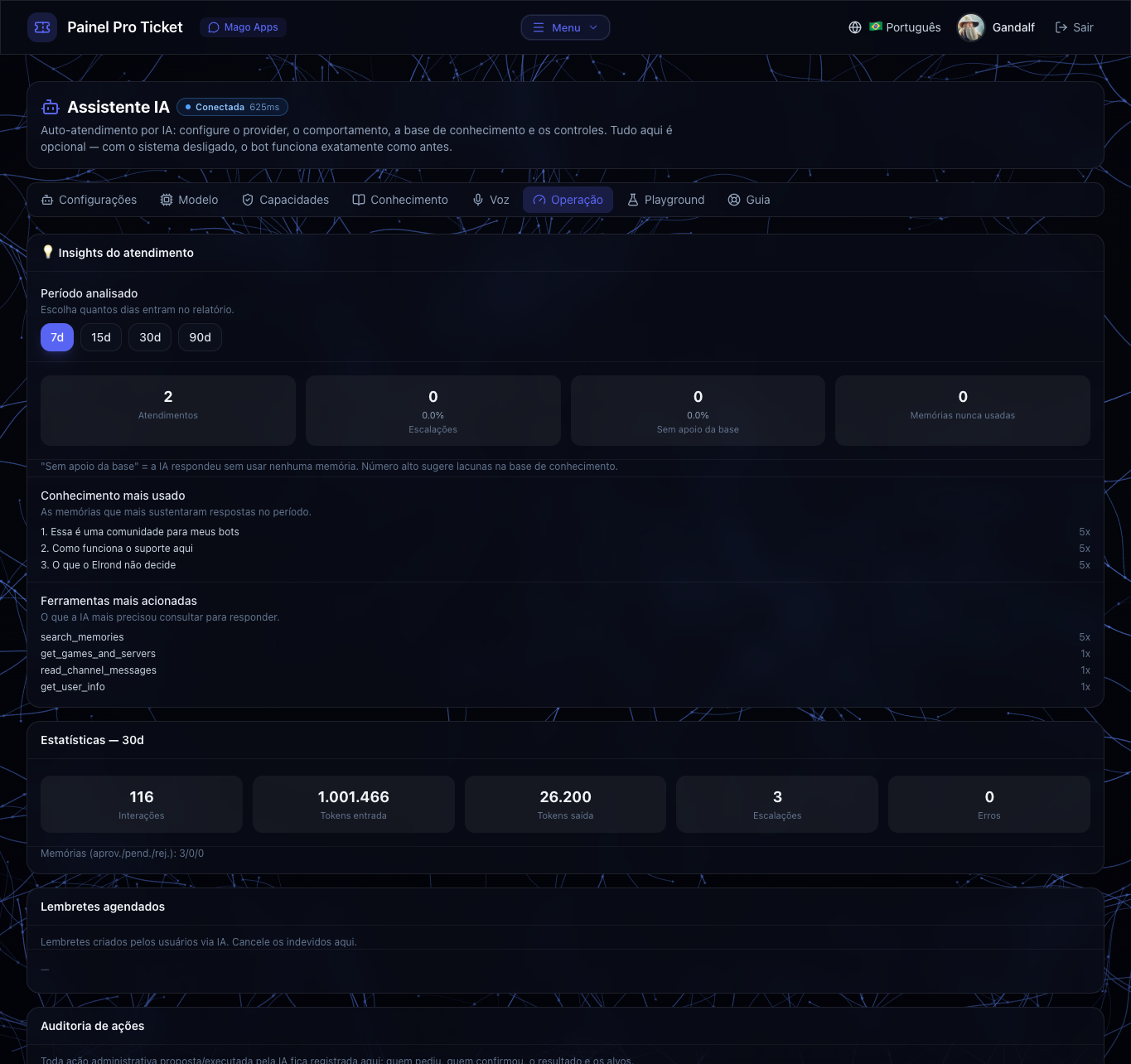
Web panel: After the OAuth redirect (below), open your Railway public URL, log in with Discord, run the initial setup under Settings → Overview (same as /start), manage tickets/settings, and optionally configure AI under Assistente IA (pick a provider, paste your own API key — the panel lists free and paid options; the bot does not ship with a key).
Post-Deploy Steps
- Confirm the bot is online in Discord
- OAuth redirect: Service → Settings → Networking → copy public domain → Discord OAuth2 → Redirects → add:
Example:https://YOUR_RAILWAY_DOMAIN/api/auth/discord/callbackhttps://pro-ticket-bot.railway.app/api/auth/discord/callback - Initial setup — timezone, language, ticket category, transcript & attachments channels, staff role: either in the web panel (Settings → Overview) after Discord login, or via
/startin Discord /ticket setup-panel(or publish from the web panel)- Enable Auto Deploy: Service → Settings → Source → under the production branch, click Enable if Auto Deploy is disabled (keeps the bot on the latest updates from this template)
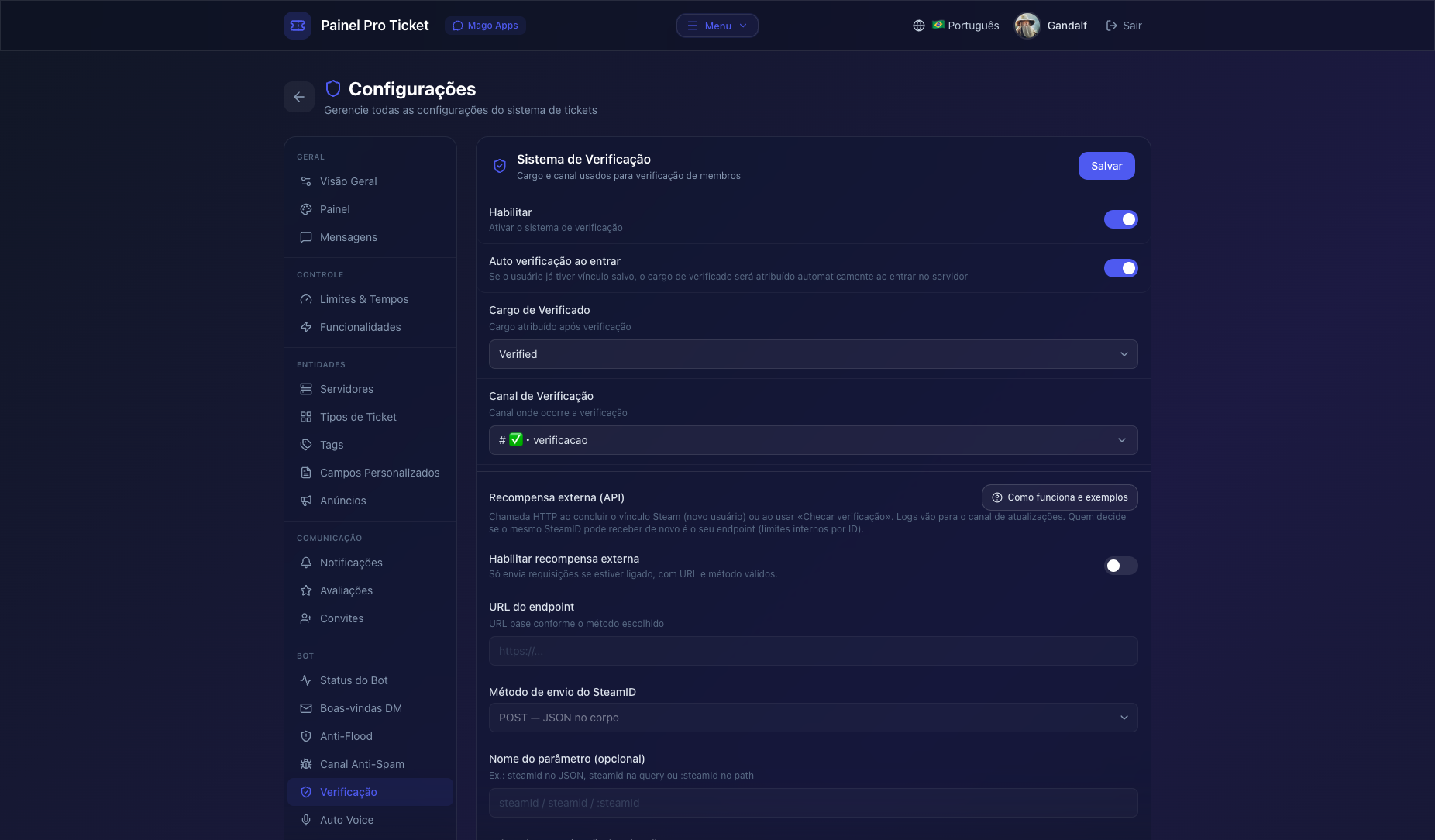
- (Optional) Steam: Networking port
8080→/config-verification+/config-steam-buttons - (Optional) AI: panel → Assistente IA → choose a compatible provider (presets include free models) → add your API key from that provider → enable.
AI_MASTER_KEYis already set — never rotate it after keys are saved.
Key Features
Run the initial setup (web panel Settings → Overview, or /start in Discord), then publish the open-ticket panel.
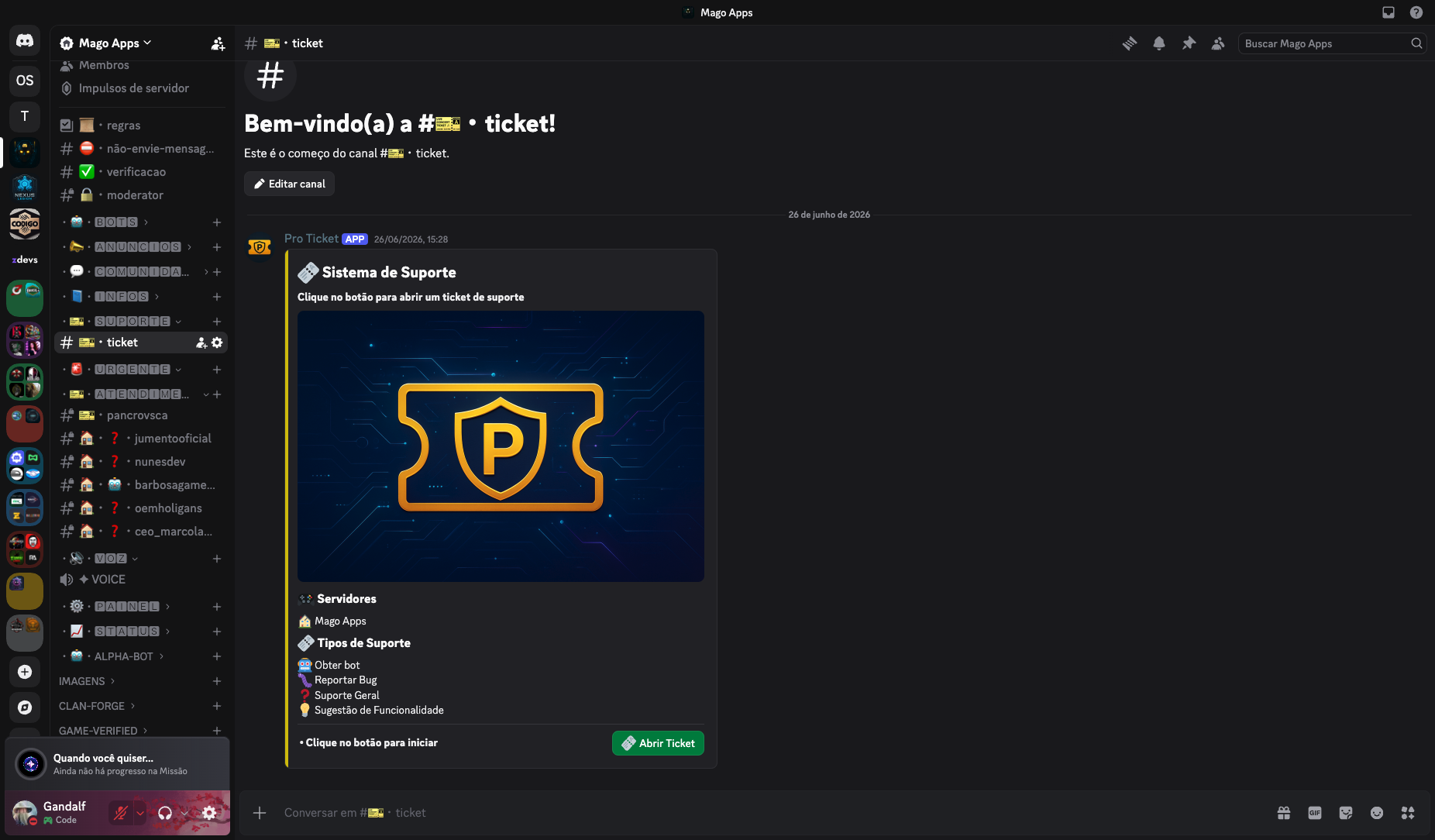
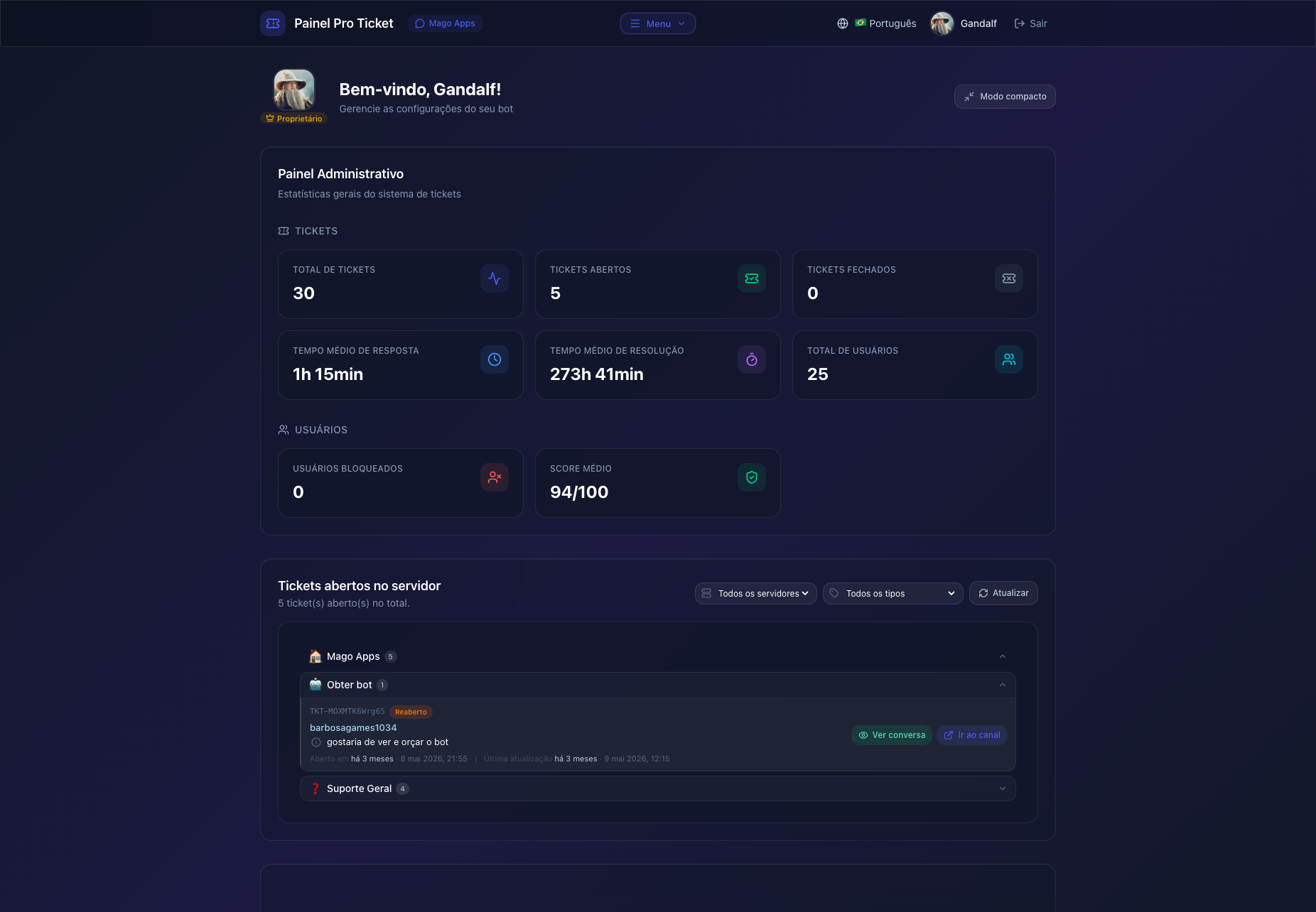
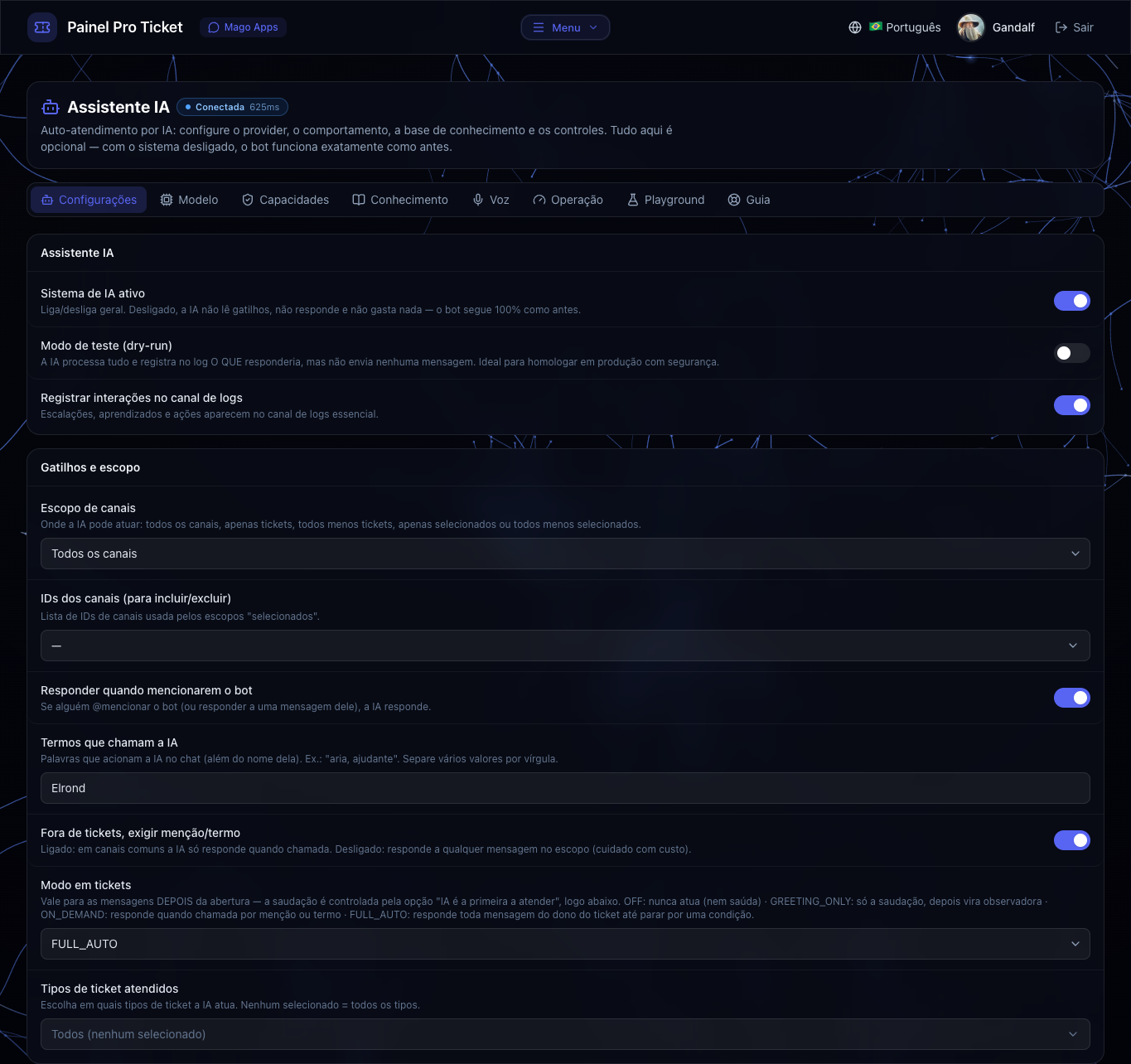
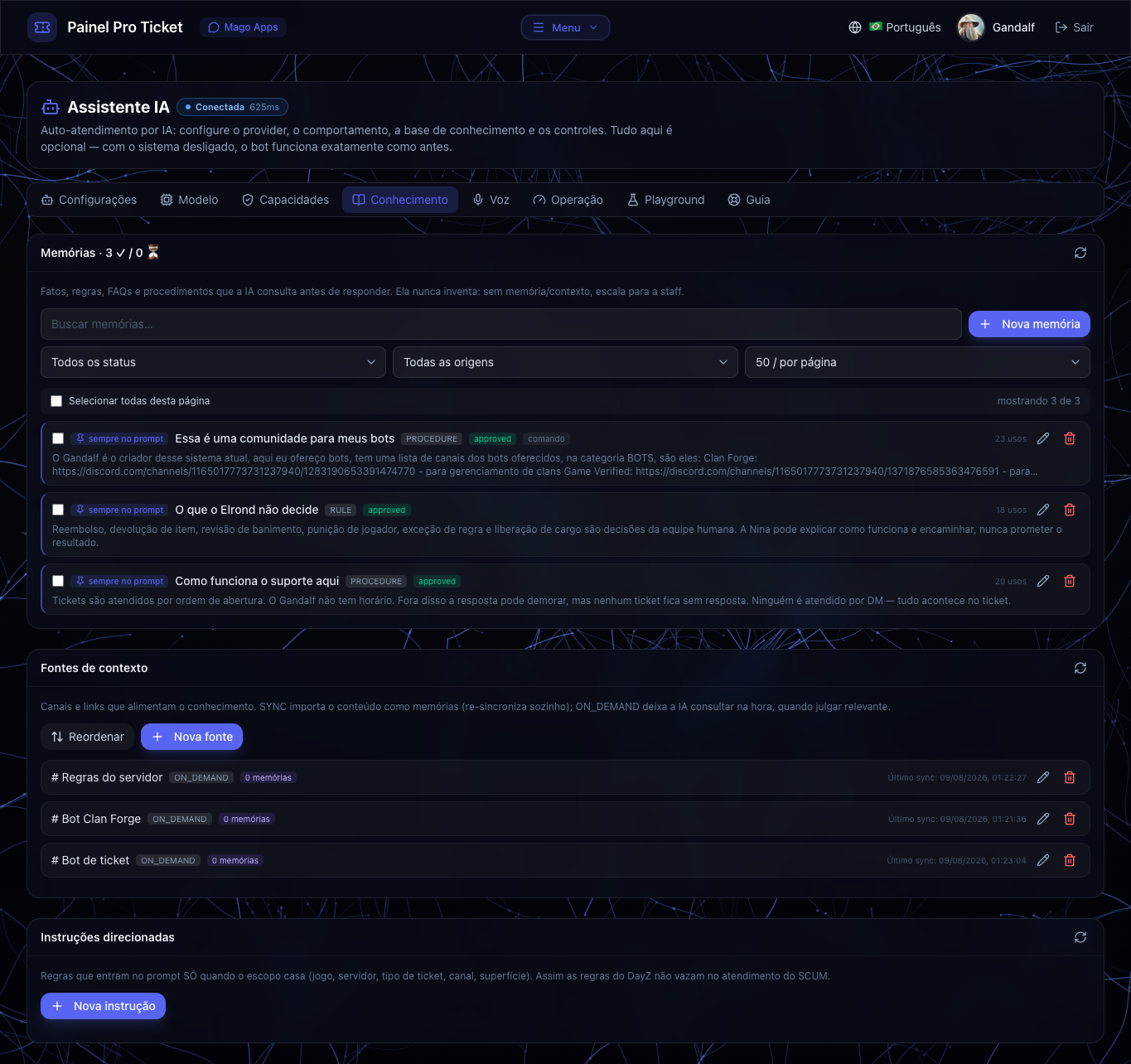
- Optional AI auto-support — Knowledge base, memories, learning, media, auto-tags, voice; staff tools via
/ai; user language via/language. Not a one-click toggle: in Assistente IA pick a compatible provider (panel suggests free/paid models), add your API key from that service, then enable (AI_MASTER_KEYalready set) - Web panel — Discord OAuth; live tickets; staff/user stats; live transcripts; full settings UI (PT-BR / EN-US / ES-ES)
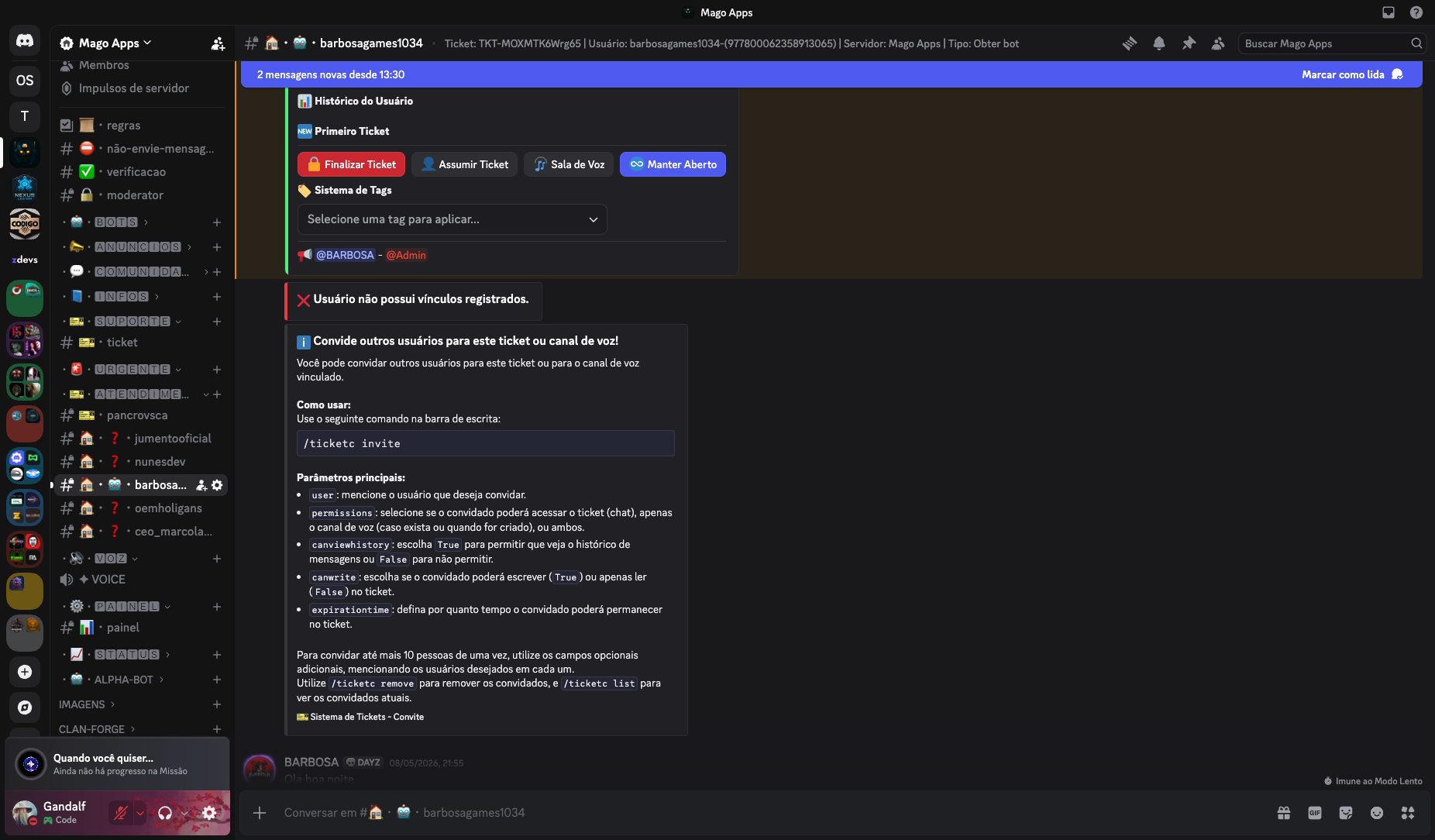
- Tickets — Game/any servers + types with staff roles; smart tags that swap channel access; custom fields, invites, claim/finalize, voice, auto-close/reopen
- Ratings & reports — Mutual ratings; scheduled or on-demand reports; charts + JSON/CSV export
- Steam — OAuth + verified role; optional reward webhook; public API lookup/link/delete
- Moderation & community — Anti-flood, bait channel (kick/timeout/ban); sticky/scheduled messages; text commands; mention replies; role menus; welcome DMs; auto-voice
Commands inside an open ticket
/close— Owner / Staff / Admin — Close current ticket/finalize— Staff / Admin — Finalize message (user closes or continues)/ticketc invite·remove·list— Owner* / Staff / Admin — Guests/reputation positive·negative·view·/timer— Staff / Admin/language— Preferred ticket language (pt-BR / en-US / es-ES)/ai ticket·learn·summary·suggest·reply·tag·translate·voice·insights— Staff AI tools/ai status·toggle·reindex— Admin AI controls
Related: /open — Staff/Admin opens a ticket for another user. Channel buttons: claim, voice, tags, keep-open, etc.
*Owner invites only if enabled in settings. Details: docker-discord-bot-pro-ticket
Why Deploy on Railway?
- MongoDB + SSL — Included; HTTPS for Steam OAuth and web login
- One-click — Pre-configured env (incl.
AI_MASTER_KEY); logs; 24/7
Template Content
Pro Ticket Bot
jorgehenrrique/docker-discord-bot-pro-ticketGUILD_ID
ID do servidor Discord
BOT_TOKEN
Token do bot
DISCORD_CLIENT_SECRET
Client Secret do bot
MongoDB
mongo:8.2.4