
Deploy Auto-Reaction-Bot
A Telegram Bot that automatically reacts to posts in Telegram All messages.
Auto-Reaction-Bot
Just deployed
❤️ Auto Reaction Bot ✨


✨ Automate Your Telegram Chats with this Auto Reaction Bot! React to Messages Effortlessly! 🚀
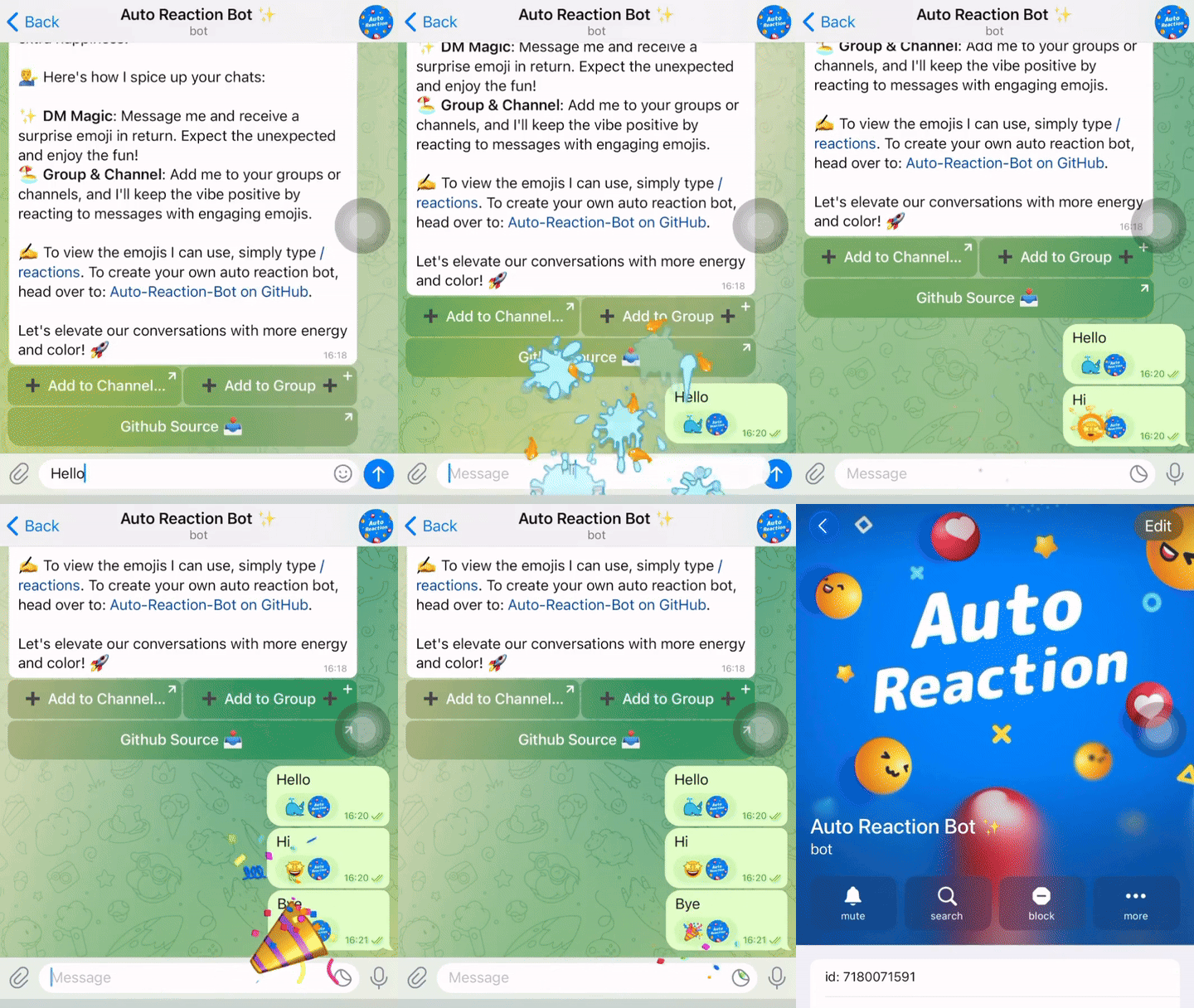
✨ Features
- Automatic Reactions ✓
- Supports Multiple Chats ✓
- Customizable Reactions ✓
- Efficient Real-Time Processing ✓
- Serverless Architecture ✓
- Supports for Groups & Channels ✓
- Compliance with Telegram API Updates ✓
- Lightweight Code - Easy Setup ✓
- More Comming Soon...
✅ Demo: Experience the Auto Reaction Bot in demo: Auto Reaction Bot ✨.
🛠 Configuring Environments
To ensure that your Telegram Auto-Reaction Bot operates correctly, you will need to configure several environment variables in your Cloudflare Worker settings:
BOT_TOKEN: This is your bot's token, which you can generate from BotFather. This token allows your bot to authenticate and interact with the Telegram API.BOT_USERNAME: The username you have set for your bot. This is used within the script to identify messages intended for your bot.EMOJI_LIST: A string of emojis that the bot will use to react to messages. You can customize this list to include any emojis you prefer, such as 👍❤🔥🥰👏😁🎉🤩🙏👌🕊😍🐳❤🔥💯⚡🏆.RESTRICTED_CHATS: A list of chat IDs where the bot should not react to messages (Optional). Split each chat ID by " , ". Example :-1001233434,3434234
🧩 Configure the Webhook
Open your web browser and enter the following URL (replace with your actual bot token and https://your.cloudflare.worker.url/ with your Cloudflare Worker URL):
https://api.telegram.org/bot/setWebhook?url=https://your.cloudflare.worker.url/
Verify the Webhook Configuration:
To check if the webhook is set up correctly, navigate to:
https://api.telegram.org/bot/getWebhookInfo
🎯 Credits and Other
- Based on Telegram BOT API
- 🧑💻 Built with 💖 by Single Developers
⚖️ License
And of course:
Template Content
Auto-Reaction-Bot
Malith-Rukshan/Auto-Reaction-BotBOT_TOKEN
BOT_USERNAME