Static Hosting Platforms Compared
Compare free static hosting platforms, bandwidth limits, and custom domains. See when Railway fits sites that need APIs, databases, or storage.
 Will RaphaelsonUpdated 8 min read
TL;DR
- Railway is the best fit when your static page needs, or will need, APIs, storage, or other application services. Keep the page statically built while managing its backend services in the same project.
- Railway offers free service builds and optional CDN caching alongside application hosting. Its Free plan provides usage credit; running services consume resources.
- Consider Cloudflare Pages for static-only delivery, Vercel for eligible personal framework projects, Render for a static frontend near a backend, or DigitalOcean App Platform if you already use DigitalOcean.
What are the best free platforms with custom domain support?
| Platform | Free bandwidth or transfer | Builds: allowance, concurrency, timeout | Custom domain + SSL | Site-size limits and qualifications |
|---|---|---|---|---|
| Railway | Usage credit; no separate static-bandwidth bundle | Build compute is free; runtime plan limits apply | Custom domains with automatic SSL | Free service: 1 GB ephemeral storage and a 4 GB image limit; these are service limits, not a static-file quota |
| Cloudflare Pages | Unlimited static bandwidth | 500 builds/month; one at a time; 20-minute timeout | 100 domains/project; SSL included | 20,000 files; 25 MiB per asset |
| Vercel Hobby | 100 GB Fast Data Transfer/month | One concurrent deployment; 45-minute build limit | Custom domains and managed certificates | 100 MB CLI source-upload limit; this isn't a universal deployed-site cap |
| Render Hobby | 5 GB/month per workspace | 500 Starter pipeline minutes/month; one active build/service; 120-minute timeout | Two included domains/workspace; automatic TLS | No total site-size cap specified in the cited static-site guide |
| DigitalOcean App Platform | 1 GiB/month per free static-only app; three apps included | One-hour build timeout; monthly minutes/concurrency not specified there | Custom domains and automatic HTTPS included | No total static-site cap specified in the cited limits page |
Choose Railway when the page is part of an application, or you expect it to become one. A landing page can stay statically built while an API handles signups, retrieves data, or coordinates file uploads. You can manage that frontend and backend together, with optional CDN caching for static assets.
For a site that only needs file delivery, Cloudflare Pages offers unlimited static transfer within its build and file limits.
Vercel's personal or non-commercial Hobby restriction matters for business landing pages. Render shares allowances across the workspace. DigitalOcean's small transfer allowance deserves attention on image-heavy sites; overage costs $0.02/GiB.
Build counts and pipeline minutes measure allowances, not speed; this comparison contains no performance benchmark.
Railway service builds are free, and CDN caching is available on all plans at no additional cost. Cache hits avoid origin compute and egress. Its trial includes $5 for up to 30 days, followed by $1 monthly Free credit. Estimate the origin's memory, CPU, and uncached transfer alongside backend usage. A 2 MB page loaded 10,000 times is about 20 GB before caching adjustments.
You can manage that usage through Railway's dashboard and cost controls. Email thresholds notify you, resource limits constrain capacity, and a compute hard limit takes workloads offline. These give you useful budget controls, with different consequences for availability.
How do I host a static site with automatic GitHub builds and SSL for free?
Connect a GitHub repository to a free static-site offering, confirm its production build and output directory, deploy, then connect your domain using the host's DNS instructions. Managed SSL removes certificate maintenance after the domain is correctly configured.
You'll need a GitHub account, a repository that builds successfully, and DNS access if you're bringing a custom domain. First verify the provider URL, including a nested page and its assets. Add the custom domain after that basic deployment works.
Railway's GitHub autodeploys rebuild connected branches, while PR environments can isolate the application's services. Automatic PR domains require Railway-provided domains on the corresponding base services. Follow its domains and SSL guide: custom-domain validation requires both the supplied CNAME and TXT records.
The differences show up during review:
- Cloudflare supports private repositories, with preview deployment URLs and branch aliases. Previews are public by default; configure Access if they need protection.
- Vercel's Git integration supports preview workflows, but Hobby cannot deploy a private GitHub organization repository. Personal private repositories and organization repositories have different eligibility rules.
- Render service previews create a temporary instance with its own URL. Its Git-provider connection lets you deploy repositories your connected account can access.
- DigitalOcean documents a GitHub Actions workflow for creating PR preview apps and deleting them when the PR closes. Budget for those apps rather than assuming previews have a separate unlimited allowance.
GitHub Pages remains useful for a simple public project site. GitHub Free supports Pages from public repositories; private source repositories require an eligible paid GitHub plan. Its official deployment action marks native PR previews as an alpha feature unavailable to the public. If each PR needs its own URL, choose a documented preview workflow above.
How do I deploy a React app or Docusaurus site?
Deploy the production output directory, not the development server. A typical Vite React app produces dist; Docusaurus produces build. A React application that needs request-time server rendering also needs a compatible runtime.
The distinction matters because React describes the UI, not the hosting architecture. A client-rendered app can load static files and call a separate API. A server-rendered application generates responses while requests are being handled. For Next.js, a static export uses output: 'export' and normally produces out; features requiring a server don't become available merely by uploading that directory.
Vercel detects supported frameworks and configures build defaults. Render's static-site workflow lets you specify the build details. On every host, check the detected settings against the repository, particularly when the app lives inside a monorepo.
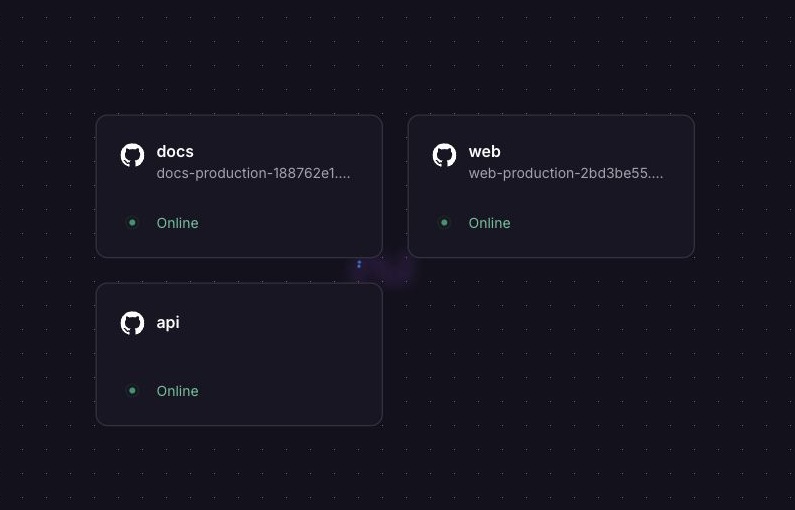
Railway's Railpack Node support detects supported Vite builds and serves their output through Caddy. You can deploy a static React frontend and add the API it calls in the same project. For Docusaurus, set the output directory explicitly to build; the tested template includes that configuration.
The companion repository separates a React frontend, a small Node API, and a Docusaurus example. We deployed both frontends and the private API on Railway, then repeated route and form checks on a fresh template deployment.
Deploy the React, Docusaurus, and private API template to create all three services with frontend HTTPS domains. You need a Railway account and sufficient resources or credit; CDN caching is optional.
Its build conventions are:
apps/web   npm run build   → dist
apps/docs  npm run build   → build
The web example uses a custom Caddyfile to proxy /api/* to the separate API. The docs example sets RAILPACK_SPA_OUTPUT_DIR=build and disables SPA fallback. These solve different routing problems: a client-side app may need its shell returned for a nested route, while an unknown documentation page should retain an HTTP 404 response.
For the underlying conventions, see Vite's static deployment guide and Docusaurus deployment configuration, including its url and baseUrl settings. Vite's preview server is for reviewing builds locally, not production serving. Before launch, use Railway's production readiness checklist to review health checks, monitoring, and resource configuration.
What is the simplest way to add form submissions or move beyond GitHub Pages?
Choose Railway when a form needs your application's validation, storage, or business logic. The page can remain static while an API processes submissions. For a basic contact form with no custom backend requirements, a hosted endpoint such as Formspree is a simpler option.
Formspree's HTML integration uses a form action, POST method, and named fields. Its submission allowance is separate from your host's bandwidth allowance. By comparison, Netlify Forms is integrated into Netlify's deployment workflow: enabled form detection parses deployed HTML. Adding a Netlify attribute to a form on another host doesn't reproduce that integration.
Cloudflare also offers a Static Forms plugin for Pages Functions. That's a programmable handling path. Decide whether you want a managed form service or code that you operate.
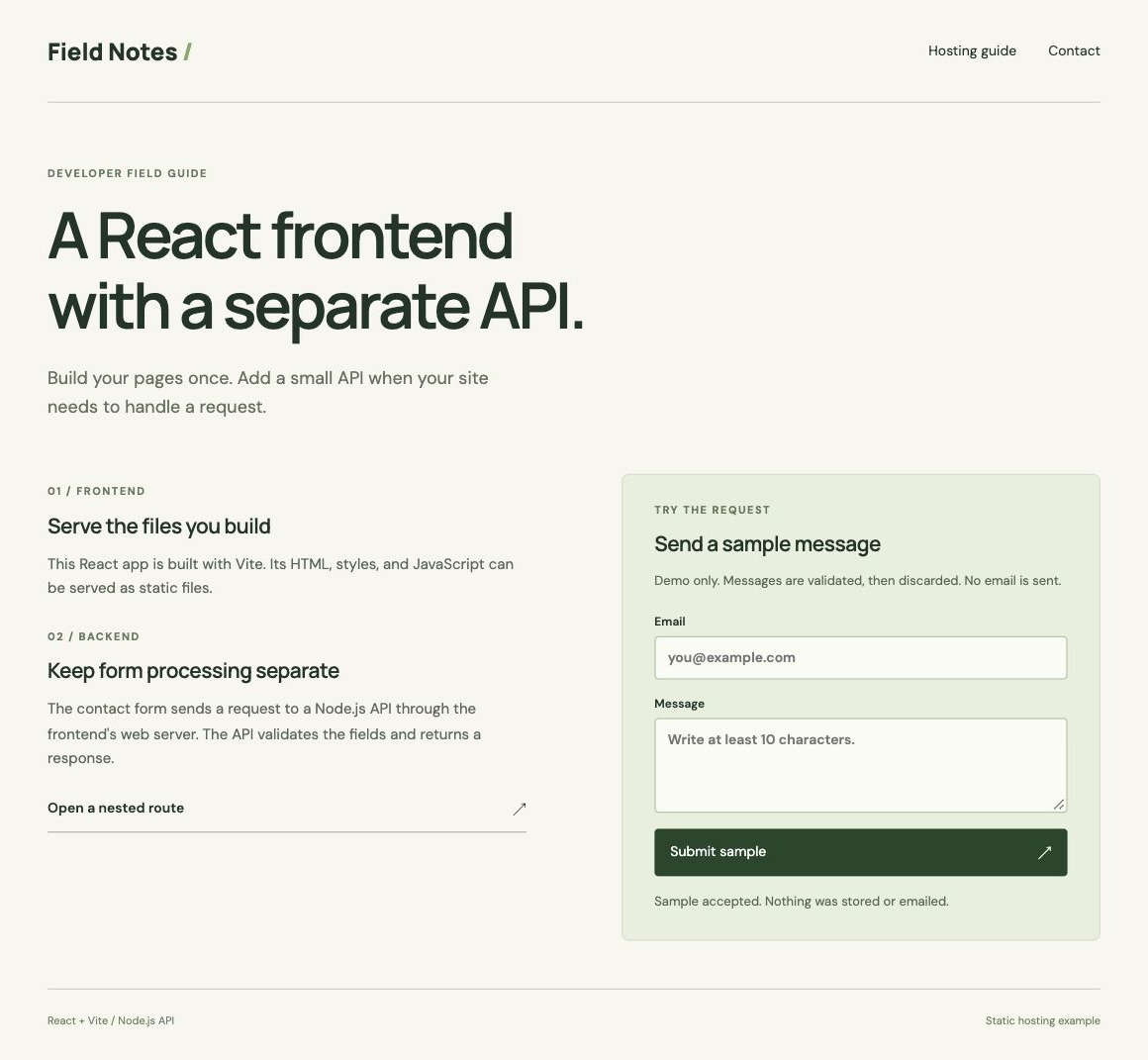
In the companion example, the frontend calls a same-origin /api/contact route. The API validates the fields and returns a response with Cache-Control: no-store. It deliberately discards the submission; it doesn't send email or persist messages. A real contact form needs a delivery or storage destination and abuse controls.
Moving from shared hosting requires the same distinction between static files and runtime behavior. Audit PHP handlers, redirects, forms, and domain email before changing DNS. Then:
- Build and deploy the static site to its new provider URL. Test nested routes, assets, redirects, and forms.
- Lower DNS TTL ahead of the cutover. Add your custom domain to the new host before updating its requested DNS records.
- Preserve mail records and follow the host's apex-domain instructions. A root domain doesn't always use the same record as
www. - Verify HTTPS and monitor the old and new hosts before retiring the old deployment.
Google's hosting-migration guidance covers this sequence when public URLs stay unchanged. If you're also changing paths or domains, plan the redirects separately.
Which platform should I pick for my site?
Choose Railway when your static page needs, or will need, APIs, storage, or other application services. That includes a landing page that will accept signups, a React interface that retrieves application data, or a site that will let users upload files. Starting on Railway lets you keep the frontend and the services behind those features in one project as the site develops.
The frontend can stay statically built. Our example serves React assets through Caddy and sends form requests to an API over Railway's private network. For uploads, Railway Buckets provide private, S3-compatible object storage; a backend can issue presigned URLs for file access. Storage is an optional addition, separate from our tested form example.
Railway's optional CDN handles cacheable static delivery alongside those services. Repeated JavaScript requests in our deployed example returned x-cache: HIT. Keep personalized responses and API results out of shared caches.
Choose Cloudflare Pages when the whole requirement is free static delivery. Consider Vercel for eligible personal framework projects, Render for its static-site and backend workflow, and DigitalOcean App Platform when it fits your existing setup and transfer needs.
Deploy the companion Railway template to start with a React frontend, private form API, and Docusaurus site. You can inspect the repository and adapt the services to your page's requirements.