How to Migrate a Static Website from Shared Hosting to Railway
Move your static website to Railway without a framework rewrite. Follow a restaurant site example through deployment, URL checks, custom domains, and DNS cutover.
 Will RaphaelsonUpdated 10 min read
Your restaurant website might start with a menu, opening hours, and a few photos. Later, you want a reservation endpoint, an events calendar, or a small database. Railway gives that site a home where you can deploy the pages you already have and add application services when you need them.
You can move from a modern static host such as Cloudflare Pages, Vercel, or Netlify, or from a traditional shared-hosting account. The core migration is the same: bring your files, reproduce the behavior your visitors depend on, test the replacement, and move your domain when it’s ready.
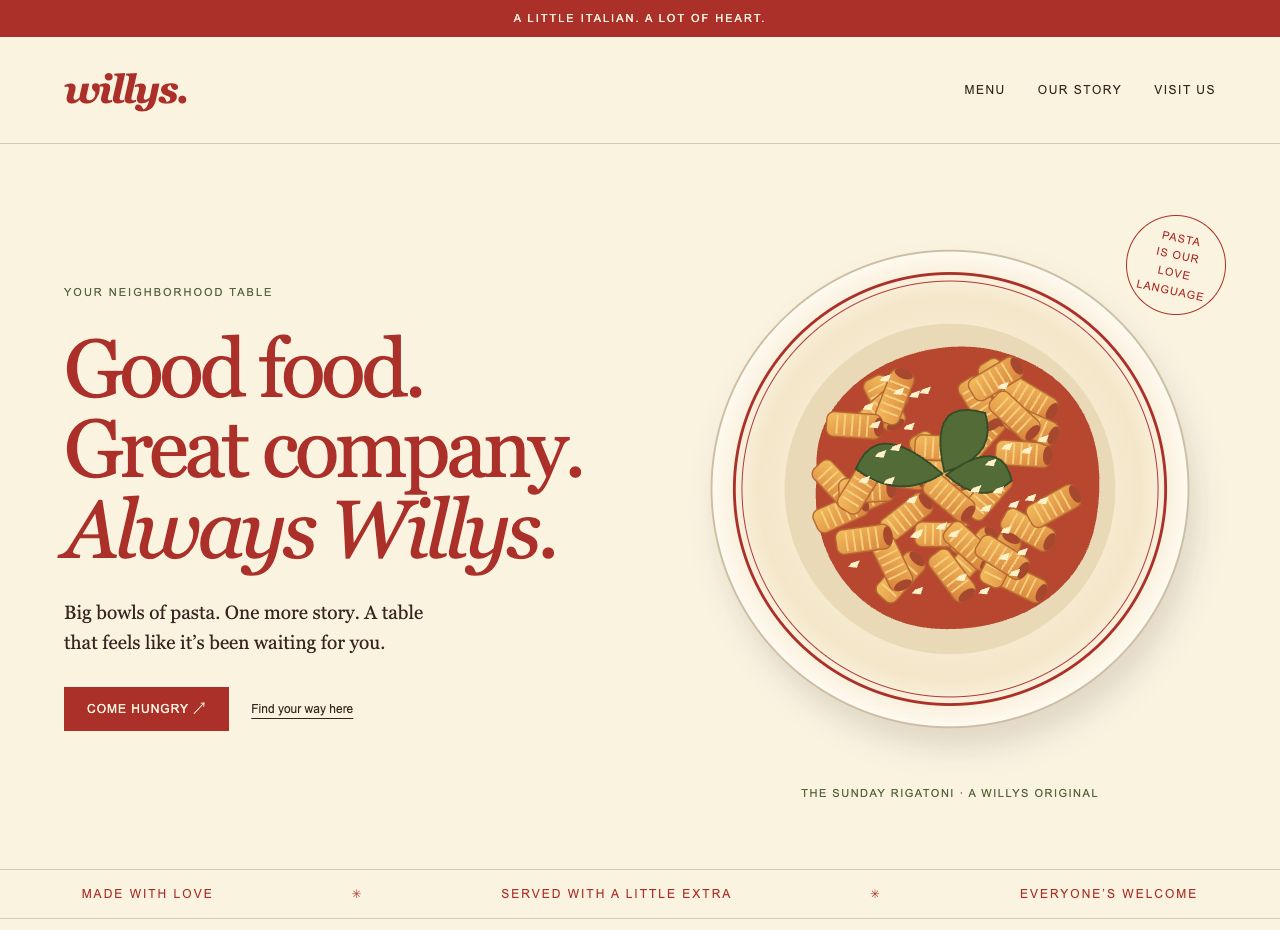
We’ll use Willys, a fictional Italian-American restaurant, to make that process concrete. It has a home page, menu, story, visit page, and printable menu, built with ordinary HTML and CSS. You can use the example to learn the workflow, then bring your own site without rewriting it in a framework.
TL;DR
- Put your existing static files in a GitHub repository, deploy them on Railway, and test the Railway-provided URL before changing your domain’s DNS.
- Railway’s Free plan includes $1 of monthly usage credit. A small site can run free if its total usage fits that allowance and the plan’s limits; a static site is not automatically free regardless of traffic or resource use.
- Preserve your public URLs and explicitly migrate redirects, headers, and any form or function dependencies.
- Keep the old deployment working while DNS changes take effect. The immediate payoff is a working site on Railway; the longer-term benefit is adding backend services in the same project.
What is a static website?
A static website serves pages and assets that are already prepared: HTML for the content, CSS for presentation, and images or JavaScript where needed. The server delivers those files rather than generating a new page for each visitor.
“Static” doesn’t mean lifeless. Your site can have animations, interactive navigation, or JavaScript that calls an API. A portfolio, documentation site, restaurant menu, or blog generated into HTML can all be static sites. A live WordPress installation or a server-rendered application needs more than a static-file server.
Willys is deliberately simple. Its pages work without client-side JavaScript, and its illustration and styles live in the repository. There’s no database or reservation handler hidden behind the demo.
Is Railway the right move for your static site?
Railway is an appealing choice when you want your website and its next backend feature in one place. Deploy the static site now; when the restaurant needs a custom reservation API or database, you can add those services to the same project. Railway’s project model and private networking make that a natural extension of the initial setup.
The modern alternatives are capable platforms too. Cloudflare Pages supports static deployments and Functions. Vercel is a familiar option for frontend projects, and Netlify combines deployment workflows with features such as forms and functions. GitHub Pages is another established way to publish static files from a repository. If your current host already meets every need, a migration should earn its place.
Railway’s case is especially clear when you want the flexibility of a conventional web service alongside your other application services. The Willys example runs Caddy, a small web server, with explicit control over paths, redirects, error pages, and caching. You keep the site portable while Railway handles building and running its container.
You don’t need to begin with a paid subscription..Railway’s Free plan has a $0 subscription and includes $1 in monthly usage credit. New users start with a trial of up to 30 days and $5 credit. Hobby is the next step, with a $5 monthly minimum including $5 of usage, then additional charges for usage beyond it.
A lightweight static site could fit Free. Check the usage of your own deployment rather than assuming a particular monthly bill from the word “static.” We verified this example’s deployment behavior, not a full month of production costs.
What do you need before you start?
Have these ready:
- Your existing site’s source repository or an export of its public files.
- A GitHub account and a Railway account with available credit or an appropriate plan.
- Access to your domain’s DNS settings if you’re moving an existing hostname.
- A list of important URLs, redirects, and features to check after deployment.
If you’re new to Railway, its basic concepts explain projects, services, and environments. For Willys, one project contains one web service. You don’t need a database, volume, or secret to deploy it.
Before configuring anything, establish the production baseline: a recoverable copy of the old site, known working URLs, HTTPS, functioning visitor interactions, a budget, and a way back if cutover fails. Railway’s production readiness checklist provides broader guidance as your site grows.
1. Bring your files and your existing behavior
Start with the files you actually serve. For plain HTML, that may be the contents of your web root. For a static site generator, use the generated output and keep the source and build instructions in version control.
If you’re moving from Cloudflare Pages, Vercel, or Netlify, you likely already have a repository. Keep it. Review the existing build command, output directory, redirects, headers, and any provider-specific features before changing deployment settings. A static export doesn’t carry a hosted function or form processor with it.
If you’re coming from a shared host such as Bluehost, HostGator, GoDaddy, or Hostinger, download the full public file tree and keep an untouched backup. Check for PHP scripts, Apache .htaccess rules, and control-panel features your pages rely on. A proprietary website builder may require a different export process; confirm you can obtain deployable files first.
For either starting point, record a small set of expected results: the home page, a nested page, CSS, an image, a download, an old redirect, and a nonexistent page. Preserve capitalization and paths. Moving /menu.html to /menu is a separate URL change, not a requirement of moving hosts.
The Willys repository separates public files from server configuration:
public/
  index.html
  menu.html
  menu-print.html
  about.html
  visit.html
  404.html
  assets/
Caddyfile
Dockerfile
.railway/railway.ts
scripts/verify.mjs
Only public/ is served to visitors. Keep credentials, backups, and private source files outside that directory and out of public Git history.
2. Deploy your site on Railway
You can deploy the Willys static restaurant template to get a complete sample service with a public domain. It creates the restaurant demo; it doesn’t import your existing website. No database, volume, or input secrets are required.
For your own editable copy, fork the supporting repository, then deploy your fork as a GitHub repository in a new Railway project. Replace the sample files under public/ with your site and adjust the sample redirect before publishing your changes. If you deployed the template first, connect the resulting service to your fork before expecting your pushes to update it.
Railway builds the included Dockerfile, which starts Caddy on port 8080:
FROM caddy:2.11.9-alpine
WORKDIR /srv
COPY Caddyfile /etc/caddy/Caddyfile
COPY public /srv/public
ENV PORT=8080 SITE_ROOT=/srv/public
EXPOSE 8080
CMD ["caddy", "run", "--config", "/etc/caddy/Caddyfile", "--adapter", "caddyfile"]
The repository also includes a checked Railway Infrastructure as Code definition for repeatable service setup. You can use the GitHub deployment flow for this walkthrough; the README covers the optional CLI workflow. Change the definition’s GitHub source to your fork if you use it.
Once the service is deployed, generate a Railway-provided domain from its public networking settings, targeting port 8080. The template already includes public networking. Railway’s static hosting guide provides the general deployment walkthrough.
3. Check paths, redirects, and missing pages before DNS
A running service is the beginning of verification. Open its temporary URL and follow the links a visitor would use: menu, story, hours, printable menu, and home. Test assets and deep links directly, too.
Willys includes a deliberately simple migration example in its Caddy configuration:
redir /food.html /menu.html 301An old /food.html URL redirects to /menu.html. Adapt or remove that mapping for your site. Caddy’s redirect directive makes the status and destination explicit; copying a host-specific redirect file into public/ won’t configure Caddy.
Also request a page that doesn’t exist. Willys returns its custom error page with HTTP status 404, rather than returning the home page with status 200. That distinction helps visitors and crawlers understand whether content exists. The Caddy file server supports error handling without turning a multi-page site into a single-page application.
The repository includes a URL checker. With Node 22 or newer installed, run it from the repository root, replacing the hostname with your deployed service’s domain:
node scripts/verify.mjs https://YOUR-SERVICE.up.railway.appFor the sample, it checks all public pages and linked assets, the legacy redirect, missing paths, the image content type, and cache headers. Customize its path list and expectations for your own site.
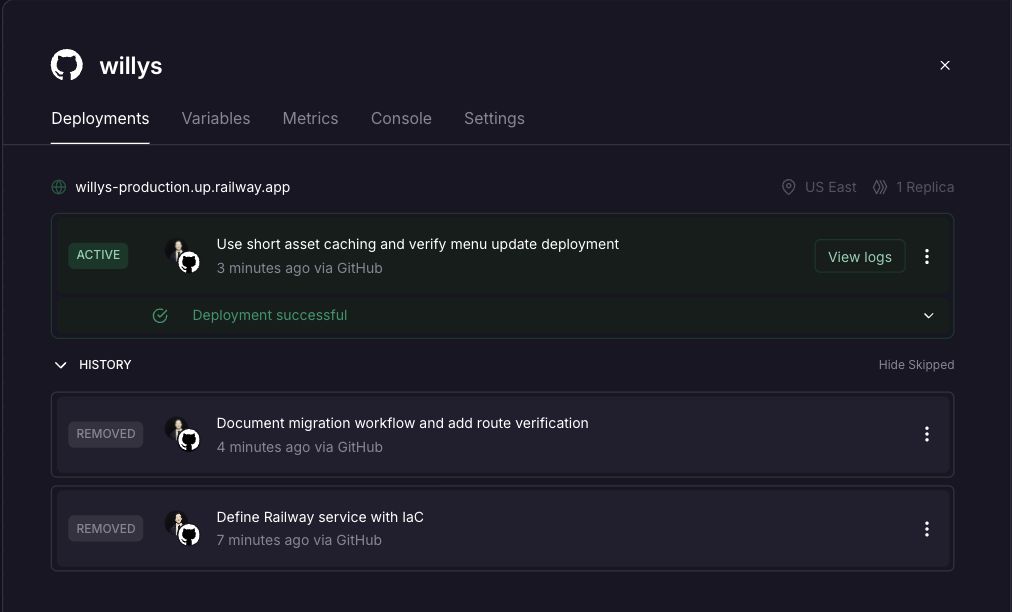
We ran these checks against the supporting deployment and a separate deployment created from the published template. We also pushed a menu change and confirmed the updated text reached the public service. That verifies both the initial deployment and the next update through Git.
4. Keep your domain and let Railway handle HTTPS
You can keep the domain your customers already know. Moving hosting doesn’t require transferring the domain’s registration.
Add your hostname in the service’s public networking settings, then follow the exact records Railway provides. The current domain instructions require both a CNAME record for routing and a TXT record for ownership verification. Railway automatically provisions SSL after the domain is configured.
Prepare those records before cutover, but remember that changing the live hostname’s routing record starts moving traffic. Handle apex and www deliberately, using your DNS provider’s supported apex configuration. Check every hostname you intend visitors to use and confirm HTTPS works before calling the migration complete.
If Cloudflare manages your DNS, you can keep it there. Cloudflare as a DNS provider and Cloudflare Pages as a hosting service are separate roles; moving the site doesn’t require moving both.
5. Switch DNS with the old site as a safety net
Lower the affected web records’ time to live, or TTL, ahead of the move. TTL controls how long resolvers can reuse a DNS answer. Save the original records so you have a concrete rollback target.
Then publish the final copy, pause edits briefly, and update the website’s DNS records to the Railway values. Leave mail records and nameservers alone unless you are deliberately changing those services too.
During the transition, some visitors can reach the old host while others reach Railway. Keep both copies working and check the real hostname over HTTPS from more than one network or DNS resolver. Google’s hosting migration guidance recommends testing first, updating DNS, monitoring traffic on both hosts, and retiring the original once it’s no longer needed.
If something serious breaks, restore the saved web records and investigate. DNS rollback also takes time to propagate, so the old site needs to remain available throughout.
Before retiring the original deployment, check:
- Existing URLs and redirects still reach the right content.
- Images, styles, downloads, and nested links work.
- Forms or booking links reach a working destination.
- Analytics and search verification remain in place.
- Canonical URLs, the sitemap, and robots rules describe the production site correctly.
- Any temporary
noindexor crawler blocks used for testing have been removed before launch.
If your domain and page paths stay the same, you don’t need to introduce redirects for every page or rewrite an already-correct sitemap. Preserve what already works.
When should you enable Railway’s CDN?
Enable the CDN when you want cacheable requests served closer to visitors and fewer requests reaching the origin service. Railway’s built-in CDN is currently available on all plans at no additional cost, and off by default. You enable it per service, and it applies to the service’s Railway-provided and custom domains without changing DNS.
Keep cache policy appropriate to the content. Willys makes HTML revalidate and gives its unversioned assets a short, 60-second cache lifetime. A menu edit should become visible promptly; a year-long immutable policy belongs on files whose names change with their contents. Caching is an optional step after the migration works. The template leaves it off so you can choose a policy for your own site.
Will my old URLs still work?
Yes, if you preserve the hostname, paths, and required server behavior. Keep existing .html paths when that’s what visitors already use, and reproduce necessary redirects explicitly. Test the actual old URLs before cutover.
What happens to my contact form?
Its page can move, but its submission handler needs a working destination. A PHP mailer, Netlify form handler, or hosted function isn’t recreated by serving HTML. Keep an external form service or implement the backend on Railway, then test submission and delivery. Willys has no form or reservation backend.
Do I need to pay for Railway while testing?
Not necessarily. Eligible new users can test within the trial allowance, and a small site may fit the recurring $1 monthly usage credit on Free. Watch actual resource use and plan limits. Running two providers during migration may also mean temporary overlapping costs.
Can I keep both hosts running simultaneously?
Yes. Test Railway using its generated domain while the existing domain still points at the old host. Keep content synchronized until cutover, then retain the old deployment until traffic and functionality are verified.
What if my site has some PHP in it?
PHP needs a runtime; the static Willys service won’t execute it. Replace the dependency or deploy the PHP application separately. Keep PHP source and secrets out of the static public directory.
Give your site room to grow
You can bring a static site to Railway without changing its design or adopting a new framework. Preserve the files and URLs, deploy a copy, verify it, and move the domain when you’re ready.
For Willys, that starts with a menu and opening hours. When the next feature needs an API or database, Railway gives you a place to add it alongside the site. Start with the Willys restaurant template, or use the repository as the starting point for your own migration.