The Best Static Website Hosting Platforms
Compare five static hosting platforms by free tiers, SSL, and GitHub deploys. See when Railway fits React apps with APIs and databases.
 Will RaphaelsonUpdated 8 min read
A portfolio, documentation site, or React frontend can often be published as HTML, CSS, and JavaScript. You don't need to rent a server just to deliver those files. But the choice gets less obvious when your site needs a contact form, server-rendered pages, or an API: the cheapest static plan might cover only part of the application.
This guide compares five platforms by their free allowances, deployment workflow, and support for the rest of your application. If you're building a React frontend with an API or database, the ability to deploy those pieces together can matter more than the static hosting allowance alone.
TL;DR
- Railway: best for a React frontend with an API, database, or worker. Deploy the application's services in one project, connect them through private networking, and enable CDN caching for public assets.
- Cloudflare Pages: best for a free static site with unlimited static bandwidth, GitHub deployments, and custom domains with SSL.
- Vercel: best for React and Next.js apps where pull request previews and framework deployment workflows matter most. Hobby is for personal, non-commercial use.
- Render: best for a free static frontend paired with a small backend in one workspace. Budget for shared bandwidth and backend compute separately.
- DigitalOcean App Platform: best for teams already using DigitalOcean that want CDN-backed static hosting alongside other application components.
What to weigh before picking a static host
Choose a host that fits your workload and deployment process before comparing headline prices. A React app built into static files has different requirements from a Next.js app that renders pages on a server.
Check these before committing:
- Free allowances: compare transfer, requests, file sizes, and build quotas. Builds per month and build minutes measure different things.
- Domain setup: confirm you can connect your domain and obtain an automatically managed SSL certificate. Connecting a domain doesn't include registering it.
- Repository access: check private repository and organization restrictions. For example, Vercel Hobby can't deploy a private organization repository.
- Review workflow: distinguish branch URLs, individual deployment URLs, and full application preview environments. For a monorepo, confirm each service's root directory and build settings.
- Forms and portability: identify where submissions go and which redirects, functions, or integrations would need replacing during a move.
Estimate monthly transfer from page weight and expected visits. A 2 MB page loaded 10,000 times is roughly 20 GB before accounting for browser caching and repeat navigation. Builds and dynamic requests add other costs.
Usage-based billing is easier to manage when you set a baseline and monitor your use. Railway's cost controls include email alerts, resource ceilings, and compute usage hard limits. Alerts notify you, resource ceilings constrain capacity, and reaching a compute hard limit takes workloads offline. Choose those controls according to your budget and availability needs.
Which static host fits your project?
Choose Railway when your frontend needs an API, database, or worker and you want to deploy the application together. For a site that only serves files, Cloudflare Pages is our first choice. The table ranks that narrower static-only use case, and its allowances come from provider documentation.
| Rank / platform | Starting price / free limit | GitHub autodeploy | Preview URLs | Custom domain / SSL | Best fit |
|---|---|---|---|---|---|
| 1. Cloudflare Pages | Free; 500 builds/month | Yes | Branch and deployment | Yes | Static sites with substantial traffic |
| 2. Vercel | Free personal Hobby; 100 GB transfer/month | Yes | Git/PR previews | Yes | React/Next.js review workflows |
| 3. Render | Free static sites; 5 GB shared transfer/month | Yes | Static-site PR previews | Yes | Frontend plus small backend |
| 4. DigitalOcean | Three free static-only apps; 1 GiB transfer/app | Yes | GitHub Actions setup | Yes | Existing DigitalOcean teams |
| 5. Railway | Plan and usage pricing | Yes | Application PR environments | Yes | Full-stack apps with static assets |
Railway's advantage is clearest when you're choosing hosting for the whole application. A frontend and its API can share one project while remaining separate services, as the working example below demonstrates.
Cloudflare Pages
Best for: a free static site where bandwidth allowance matters more than backend consolidation.
Pros: Cloudflare Pages includes unlimited static requests and bandwidth, plus SSL. Its GitHub integration builds connected repositories, while preview deployments give reviewers deployment-specific URLs and branch aliases.
Pricing: the Free plan limits include 500 builds per month, one concurrent build, a 20-minute build timeout, 20,000 files, a 25 MiB maximum individual asset size, and 100 custom domains per project. Those are separate ceilings: unlimited bandwidth doesn't mean unlimited builds or files.
Cons: Pages Functions count against Workers allowances. Once a static site becomes a dynamic application, evaluate those execution limits separately. Domain setup also deserves attention: an apex domain requires a Cloudflare zone and nameservers, while a subdomain can use an external DNS provider with the required CNAME. Follow the custom domain instructions for your case.
Choose Pages for a static marketing site, portfolio, or documentation project when the free deployment and traffic model matches your needs.
Vercel
Best for: React and Next.js projects that depend on a frequent preview-and-review cycle.
Pros: Git deployments produce previews as you push changes, making it straightforward to review a branch or pull request before merging. Instant Rollback lets you restore an eligible deployment; Hobby users can return to the immediately previous deployment. Custom domains and certificate management support the production cutover.
Pricing: Hobby is free, and its terms restrict it to personal or non-commercial use. Pro has a $20/month platform fee, including one deploying seat and $20 in monthly usage credit. Additional deploying seats cost $20/month each; usage beyond the included allowances adds to the bill.
The Hobby allowance includes 100 GB of Fast Data Transfer and one million CDN requests per month. For applications that use functions, it also includes one million invocations, four active CPU hours, and 360 GB-hours of provisioned memory.
Cons: function allowances aren't extra static traffic capacity. They matter when your application actually executes server code. For a business deployment, check Hobby's eligibility restriction before choosing it on traffic allowance alone. Private organization repositories also require a paid team.
Vercel is a strong fit when framework behavior and review workflows drive the decision. For a plain static export, compare its commercial requirements and transfer allowance with Cloudflare first.
Render
Best for: a free static frontend with a small backend managed in the same workspace.
Pros: Render static sites include global CDN delivery, automatic deployment from the connected Git branch, pull request previews, custom domains, and HTTPS. A separate web service can run the dynamic part of your application.
Pricing: the Hobby workspace has no monthly subscription fee and includes 5 GB of shared outbound bandwidth and two custom domains. Additional bandwidth costs $0.15/GB; additional domains cost $0.25 each per month. Render's revised workspace pricing introduced a flat $25/month Pro subscription with unlimited workspace members. Service compute remains separate from that subscription.
Cons: free static deployment still consumes workspace bandwidth and pipeline allowances. A free web service sleeps after 15 minutes without inbound traffic and takes about a minute to wake. This applies to the backend service, not to CDN delivery of your static site. Upgrading the workspace plan doesn't remove free service restrictions.
Render suits a frontend/backend pairing when you want one workspace and understand where the free frontend ends and backend costs or cold starts begin.
DigitalOcean App Platform
Best for: teams already using DigitalOcean that want static and application components managed together.
Pros: App Platform's free tier includes deployment from GitHub, automatic HTTPS, custom domains, and a global CDN. Its static-site example also demonstrates redeployment after a Git push. It's a general application platform with CDN-backed static hosting, so choosing it doesn't mean giving up static delivery at the edge.
Pricing: three static-only apps are free, each with 1 GiB of outbound transfer. An app can contain multiple static-site components. Additional static-only apps cost $3 per month, and additional outbound transfer costs $0.02/GiB. Backend components use separate paid plans.
Cons: the included transfer allowance is small for an image-heavy public site. Pull request previews require a GitHub Actions workflow to create and clean up preview apps, adding setup compared with an integrated preview workflow.
The case for DigitalOcean here is infrastructure fit and documented capabilities. This comparison doesn't establish a performance advantage or disadvantage through independent benchmarks.
Railway
Best for: React and full-stack applications that need static delivery alongside an API, database, or workers.
Railway is our recommendation when you're building beyond a static page. You can keep the frontend and backend in one project, deploy each from GitHub, and connect services through private networking. In the companion example, the frontend forwards form requests to a private API, so the browser uses one public URL and the API doesn't need its own public endpoint.
Pros: GitHub autodeploys deploy changes from each connected branch. Railpack detects supported builds, including Vite, and serves static output with Caddy. That gives a React frontend a production static server without maintaining a Dockerfile. Custom domains with managed certificates and PR environments support production and review workflows; automatic preview domains require Railway-provided domains on the corresponding base services.
The built-in CDN adds edge caching on all plans at no additional cost. Enable it per service to serve cache hits without origin compute or network egress. In our tested example and a fresh template deployment, repeated asset requests returned cache hits while form submissions reached the API.
Pricing: Railway Plans and the billing guide let you estimate the frontend and backend together. Use the dashboard and cost controls discussed above to track that baseline as the application grows.
Cons: Railway runs static assets through an application service rather than a dedicated static-site product. Origin resource usage still counts toward your plan, so a free static-only host can cost less for a standalone brochure site. Choose Railway when the benefit is deploying and operating the whole application together.
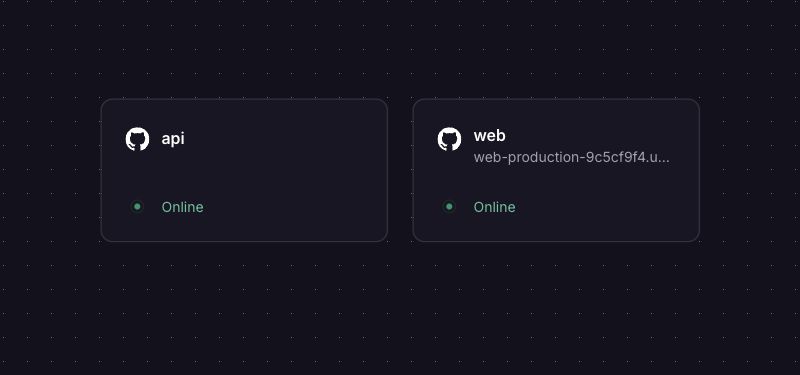
Deploying a React app and migrating from shared hosting
You'll need a GitHub repository that builds locally, a hosting account, and DNS access for your custom domain. Railway's quick start covers the initial workflow. Before production cutover, test routes and forms, monitor usage, and review the production readiness checklist.
- Connect the repository and confirm the detected build command, output directory, and service root.
- Test the provider URL, including nested React routes and assets. Server rendering and PHP handlers need a runtime.
- Connect the custom domain, apply its DNS records, and verify HTTPS. Preserve mail records and retain the old host until verification passes.
The React frontend and private form API template creates both services with their ports and private connection preconfigured. You need sufficient Railway credit or an appropriate paid plan; no database or external credentials are required. The repository contains the source and checks.
With your CLI linked to that project, generate a domain if needed, then enable caching:
railway domain --service web
railway cdn enable --service web
See the domain and CDN references for options.
Static HTML doesn't process submissions. Netlify Forms detects forms in Netlify-deployed HTML; elsewhere, use an external endpoint or API. Our demo validates requests without storing or emailing them. Add persistence or delivery and abuse protection before collecting real enquiries.
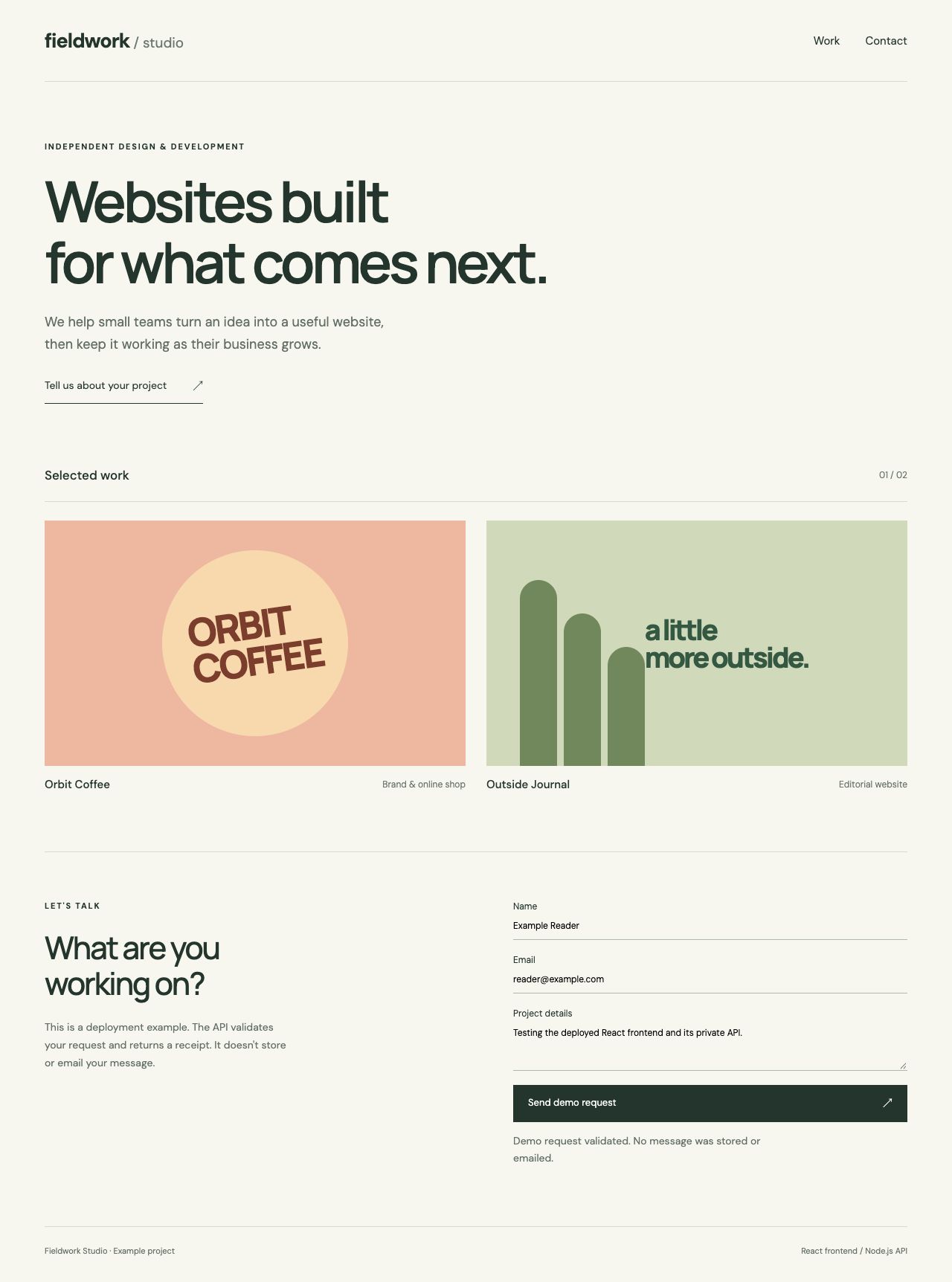
For existing deployments, follow Railway's migration guides for DigitalOcean, Vercel, or Render.